
Honeywell T6 Pro Review: Is This Programmable Thermostat Still Worth Buying?
A straight-talking look at the Honeywell Home T6 Pro: how it installs, how it schedules, how it behaves day to day, where it falls short, and who should actually spend money on it.
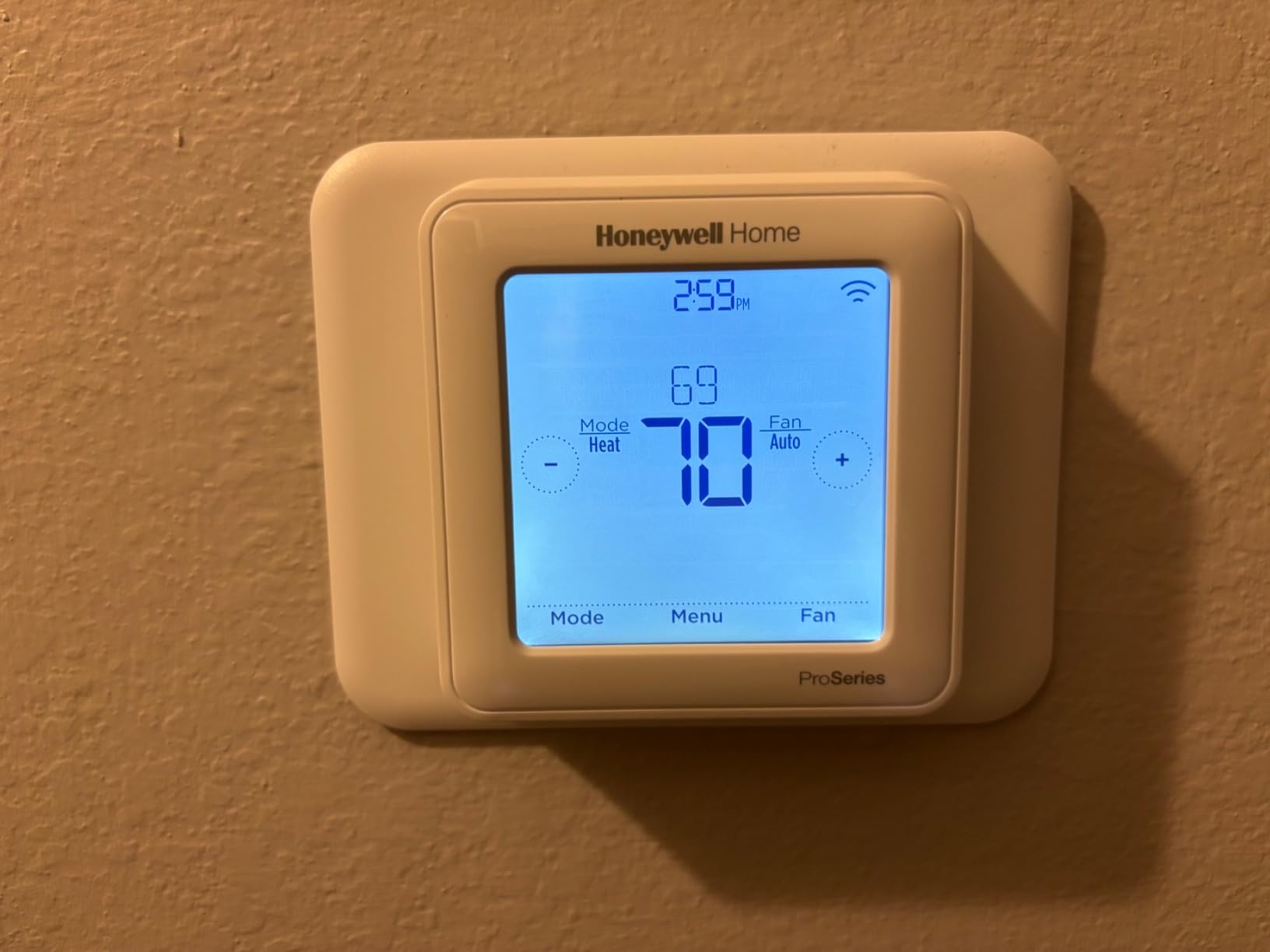
Few thermostats have stayed on store shelves as long as the Honeywell T6 Pro. While flashier smart models come and go, this plain, dependable programmable unit keeps showing up in builder packages, landlord upgrade lists and weekend DIY carts. That kind of staying power usually means a product is doing something right, but it does not automatically mean it is right for your home. So let us dig in properly.
This review walks through everything a buyer actually needs to know: what is in the box, how the display and menus feel, how the wiring works, how scheduling really behaves, what to expect from comfort and energy use, and how it stacks up against rivals. We also point out the honest weak spots, because no thermostat is perfect, and a review that skips the drawbacks is just an advertisement.

1. What the Honeywell T6 Pro Actually Is
The Honeywell Home T6 Pro is a programmable thermostat built for conventional low-voltage heating and cooling systems. It sits in the middle of the Honeywell lineup. It is a clear step up from the entry-level Honeywell Home T5 in terms of build quality and flexibility, yet it stops well short of the sensor-equipped, app-driven Honeywell Home T9. If you picture a thermostat that does one job well without asking you to download an app, create an account or learn a new vocabulary, you are picturing the T6 Pro.
Honeywell designed it with two audiences in mind. The first is the homeowner who wants a modern replacement for a tired old dial or a basic digital model. The second, and arguably more important, is the professional installer. The “Pro” in the name is not decoration. This thermostat uses a mounting system and wiring terminal layout that contractors know well, which is why you will often see it installed by HVAC technicians who want something predictable that will not generate callbacks.
One thing worth clarifying early: the standard T6 Pro is a programmable model, not a Wi-Fi smart thermostat. Honeywell does sell connected versions of the T6 family, but the classic programmable unit that most reviews refer to has no app, no voice assistant support and no remote access. If remote control matters to you, keep reading, because we compare smarter alternatives later and cover whether Wi-Fi thermostats are worth it for your situation.
If you are brand new to the topic, it helps to understand what a thermostat is really doing behind that screen. Our primer on how thermostats work covers the basics, and the quick explainer on what a thermostat is is a good starting point for anyone who inherited a system and never learned how it is controlled.
2. Key Specs and What You Get in the Box
Specifications vary slightly depending on the exact model number printed on the box, so always confirm the stage count and system type before you buy. Honeywell offers different T6 Pro versions for single-stage conventional systems and for multi-stage and heat pump setups. The table below summarizes the characteristics most buyers care about, based on Honeywell’s published documentation and typical owner reports.
| Feature | What to Expect |
|---|---|
| Thermostat type | Programmable, low-voltage (24V) thermostat |
| Scheduling options | Choices typically include 7-day, 5-2 day and 5-1-1 day programming, plus a non-programmable mode |
| Display | Backlit digital display with clear temperature readout |
| Connectivity | None on the standard programmable model; Wi-Fi versions are sold separately |
| Recovery feature | Adaptive Intelligent Recovery to reach setpoints by scheduled times |
| Power | 24V power through a common wire, with AA battery support depending on installation |
| Mounting | Universal wiring plate designed for fast installs; cover plate options available |
| Extras | Keypad lockout, filter and maintenance reminders, compressor protection on cooling systems |
| System types | Gas or oil furnaces, electric heat, central air and many heat pump systems (model dependent) |
In the box you will typically find the thermostat body, the wall plate, mounting screws and anchors, wire labels, a quick-start guide, and a pair of AA batteries. The wire labels are a small detail that saves a lot of confusion, and they are one of those thoughtful touches you appreciate halfway through an installation with a ladder in one hand and a phone flashlight in the other.
What is not in the box is worth knowing too. There is no remote sensor, no app, no extra wall plate for covering old paint marks and no C-wire adapter. If your old thermostat left an ugly rectangle on the wall, plan to pick up a trim plate. If your system lacks a common wire, we cover your options in the power section below.
3. Design, Display and Buttons
The T6 Pro looks like a thermostat should look when its job is to disappear into the wall. It has a clean white body, a restrained rectangular shape and a display that is easy to read from across a room. Honeywell resisted the temptation to cram the face with logos, rings or glowing animations. For many households that restraint is the whole appeal.
The display
The screen shows the current room temperature prominently, with the setpoint, mode and schedule status laid out around it. The backlight turns on when you touch the thermostat, which makes nighttime adjustments painless. Contrast is good, text is large enough for most people without reading glasses, and the layout avoids the cluttered icon soup that plagues cheaper models. If vision or dexterity is a concern for someone in your household, this clarity is a real advantage, and you may want to see our roundup of the best thermostats for elderly users for more ideas.
Buttons versus touchscreen
Depending on the model, the T6 Pro uses a touch-sensitive interface with a small number of clearly labeled controls. Responses are quick, and there is no need for the careful poking that some budget touchscreens demand. Some people prefer physical buttons because they can adjust the temperature in the dark without looking. If that matters to you, compare the T6 Pro against models in our list of touchscreen thermostats with backlight and the guide to programmable thermostats with keypad lock.
Build quality
The plastics feel solid rather than premium. There is no metal trim and no glass front, but also no creaking or flex when you press the face. The cover snaps onto the wall plate with a firm click. In our assessment of its construction and the long service histories reported by owners, the T6 Pro falls squarely in the “built to last” category rather than the “built to impress” category.
Making it blend in
Because the T6 Pro is white and unobtrusive, it works in most rooms without help. If you want to go further, look at ideas for the best wall color behind your thermostat and these thermostat cover ideas that blend into your home. A little styling can turn a utility device into something that looks intentional.
4. Installation and Wiring
Installation is where the T6 Pro earns its “Pro” badge. The wall plate is generous, the terminals are clearly labeled, and the push-in connectors grip wire firmly without the fiddly screw-tightening of older designs. A reasonably handy homeowner can usually swap a basic thermostat in under thirty minutes. Complicated multi-stage or heat pump systems take longer and justify a careful read of the manual.
Before you start
Turn off power to your HVAC system at the breaker. This is not optional. The thermostat itself runs on low voltage, but the equipment it controls does not, and a stray wire touching the wrong terminal can blow a transformer fuse. A simple non-contact tester gives you peace of mind that the circuit is truly dead before you touch anything.
Take a clear photo of your existing wiring before you disconnect anything. Then label every wire with the included stickers using the letter of the terminal it was attached to, not the color of the wire. Wire colors are a convention, not a rule, and previous installers sometimes used whatever was handy. Our thermostat wiring guide explains common terminal letters in plain language.
Check compatibility first
The most common installation failure has nothing to do with skill. It is simply buying a thermostat that does not match the system. Before you order, make sure you know whether you have a low-voltage or line-voltage setup. A quick two-minute wiring test for line voltage versus low voltage can save you a return trip. We also have a helpful piece on whether your thermostat is compatible with your furnace.
Mounting and finishing
Mount the wall plate level, feed the wires through, connect each labeled wire to its matching terminal, then snap the thermostat body onto the plate. Restore power and walk through the setup prompts for system type, fan control and schedule format. If the old unit left holes or discoloration, the optional cover plate hides them neatly. Anyone nervous about visible wiring can also check how to hide thermostat wires on your wall for a tidier finish.
5. Power: C-Wire and Batteries
Power is the topic that trips up more thermostat shoppers than any other. Most modern thermostats want a common wire, usually labeled C, to deliver constant 24V power. Older homes frequently lack one, because simple mechanical thermostats never needed it.
The T6 Pro is more forgiving than many rivals. Depending on the model and installation, it can run from the common wire, and it also accepts AA batteries, which gives you flexibility in homes without a spare conductor. Always follow the installation guide for your exact model, because power behavior differs between versions and between system types.
Using batteries correctly
If your unit relies on batteries, use fresh alkaline cells rather than bargain brands. A weak battery is one of the leading causes of a blank display and a furnace that suddenly refuses to start. Our guide on how to replace the battery in a Honeywell thermostat walks through the steps, and the article on thermostat low battery symptoms explains the early warning signs, such as a dim display or erratic cycling.
Adding a common wire
If you have a spare unused conductor in your thermostat cable, connecting it to the C terminal at both the thermostat and the equipment board is often all it takes. If you do not, a power adapter kit can create a common connection without running new cable. For a deeper look at how the system draws power, see our piece on whether a thermostat battery failure can stop a relay from starting.
Planning for reliable power is the single best thing you can do to avoid headaches, so take it seriously before the install, not after.
6. Programming and Scheduling
Scheduling is the heart of any programmable thermostat, and the T6 Pro handles it with more flexibility than its modest price suggests. During setup you choose a schedule format that matches how your household lives. A 7-day schedule gives every day its own routine. A 5-2 format uses one routine for weekdays and another for weekends. A 5-1-1 format splits Saturday and Sunday so you can treat them differently. If you simply want to set a temperature and leave it alone, you can run it in non-programmable mode.
Typical schedule periods
Each day is broken into time periods, usually wake, away, home and sleep. You set a start time and a heating and cooling target for each. The interface walks you through this using clear prompts, and most people can finish a full week in a few minutes. The learning curve is gentle, and nothing is hidden behind obscure button combinations.
A sensible starting schedule for a typical household looks like this:
- Wake: comfortable temperature about thirty minutes before you get up.
- Away: set back several degrees while everyone is at work or school.
- Home: return to comfort shortly before the first person arrives.
- Sleep: a cooler setting for heating season, or a slightly higher one for cooling season, to save energy while you rest.
If you are unsure which temperatures make sense, our guides on recommended thermostat settings for winter, the best temperature to set the thermostat in summer and the ideal room temperature for sleeping offer practical numbers to start with.
Adaptive Intelligent Recovery
One of the more useful behind-the-scenes features is Adaptive Intelligent Recovery, sometimes called Smart Response. Instead of starting to heat or cool at the exact moment a schedule period begins, the thermostat learns how long your system takes to reach a setpoint and starts early so the house is comfortable by the time you want it. This is not the same as the full learning behavior of a Nest, but it solves the most annoying problem with basic programmables, which is waking up to a cold house because the furnace only started when the schedule changed. If you are curious about the difference, our explainer on scheduled versus learning thermostats breaks it down.
Temporary and permanent holds
You can override the schedule at any time. A temporary hold keeps your new setting until the next scheduled period, while a permanent hold keeps it until you cancel it. This is handy during holidays or sick days. If you need a refresher on basic changes, see how to adjust a Honeywell thermostat, and the broader guide to how to set, change, lock and reset your thermostat.
Not sure how to interpret the numbers and icons on the screen? Our walkthrough on how to read a thermostat clears that up.
7. Comfort and Real-World Performance
Comfort is where a thermostat proves itself. The T6 Pro does the fundamentals well. It measures room temperature accurately, holds a setpoint without large swings, and cycles your equipment sensibly. Owners generally report that houses feel steady rather than lurching between too warm and too cool.
Temperature accuracy and swing
Every thermostat has a differential, which is the gap between when it calls for heating or cooling and when it stops. A tight differential feels more stable but cycles the equipment more often. The T6 Pro uses sensible default cycle rates that suit most furnaces and air conditioners. Advanced settings let a professional adjust cycle rate and other parameters when a particular system needs fine-tuning.
Equipment protection
On cooling systems, the thermostat includes compressor protection, which prevents the compressor from restarting too quickly after shutting off. That small delay protects an expensive component from short-cycling damage. It is the sort of feature you never notice until you are glad it exists.
Where it feels basic
Because there is no remote sensor, the T6 Pro only knows the temperature at its own location on the wall. If that spot is not representative of the rest of the house, say a hallway that gets drafty or a living room with big sunny windows, you may see uneven comfort. If your home has hot and cold rooms, a model with remote sensors such as the T9 is a better match. We cover the T9 versus T10 Pro comparison if you want to see how Honeywell’s sensor-based models differ.
Common issues you may see
No thermostat is immune to oddities. If the house is not reaching the set temperature, our guide on a thermostat not reaching its set temperature lists the usual suspects. If the display says heat is on but you feel nothing, see thermostat says heat on but no heat. And if the reading seems wrong, check why a thermostat shows the wrong room temperature. Often the culprit is placement, airflow or a dirty filter, not the thermostat itself.
8. Energy Savings Potential
A programmable thermostat saves energy only if it is actually programmed. That sounds obvious, yet studies and field experience repeatedly show that many households never touch their schedules. The T6 Pro makes it easy to build a sensible routine, which gives it a real shot at delivering savings.
The idea is simple. Every degree you set back for several hours reduces how hard your system works. Over a season, those small reductions add up. The size of the savings depends on your climate, your insulation, your energy prices and how disciplined your schedule is, so be skeptical of any promise of an exact dollar figure. What you can count on is that a well-built schedule beats a constant setting almost every time.
Programmable versus smart
People often assume smart always wins. In practice, a programmable thermostat used well can capture most of the savings that a smart model delivers, especially in homes with predictable routines. Smart features such as geofencing, learning and remote access shine when your schedule is irregular or when you forget to adjust settings. Our deep dive into smart versus programmable thermostats weighs these tradeoffs, and the explainers on whether smart thermostats really save money and how a smart thermostat saves money offer more context.
Getting the most from the T6 Pro
- Use a deeper setback during long absences such as workdays.
- Avoid dramatic overrides, which can undo your schedule’s benefit.
- Replace air filters on time so equipment does not work harder than necessary.
- Pair thermostat habits with broader improvements from our HVAC energy efficiency tips.
9. System Compatibility
The T6 Pro works with the majority of common residential setups, but compatibility is model specific, so never assume. The most important question is how many heating and cooling stages your equipment has and whether you have a heat pump.
Furnaces and air conditioners
Conventional gas, oil and electric furnaces paired with central air are the sweet spot. Standard single-stage systems are the simplest. If your system has two stages of heating or cooling, make sure you buy the matching model.
Heat pumps
Many T6 Pro versions support heat pump systems, including those with auxiliary or emergency heat. Heat pumps need extra terminals, and getting configuration wrong can lead to expensive electric resistance heating running when it should not. If you have one, read our roundup of the best thermostats for heat pumps and be careful to select the right system type during setup.
What it does not work with
Line-voltage systems such as electric baseboard heaters use a completely different type of thermostat. The T6 Pro is a low-voltage device, so it will not work and could be damaged if connected to line voltage. Always confirm your system type first. Not sure whether your current thermostat can be swapped easily? Read how to tell if a thermostat can be upgraded in your house.
Quick compatibility checklist
- Is your system low voltage (24V)?
- How many heating and cooling stages does it have?
- Do you have a heat pump, and does it have auxiliary heat?
- Do you have a common wire, or will you need batteries or an adapter?
Answer those four questions and you will know in minutes whether a particular T6 Pro model fits.
10. Reliability, Lifespan and Troubleshooting
Honeywell thermostats have a reputation for longevity, and the T6 Pro generally lives up to it. Many units run for years without complaint. For a realistic picture of expected lifespan, see our article on how long Honeywell thermostats last.
Common problems and quick fixes
| Symptom | Likely Cause | First Thing to Try |
|---|---|---|
| Blank display | Dead batteries or lost power | Replace batteries, check breaker and transformer |
| Clicking but no heat or cooling | Relay or wiring issue | Check connections, see our clicking thermostat guide |
| Rebooting repeatedly | Weak power or loose wire | Confirm power source, read thermostat keeps rebooting |
| Switching between heat and cool | Auto changeover settings | Review why it keeps switching from heat to cool |
| Furnace will not start | Wiring, settings or equipment fault | See why a thermostat does not start the furnace |
Resetting the thermostat
When settings seem scrambled, a reset often restores sanity. The steps vary by model, and we have both a general guide on how to reset a Honeywell thermostat and a specific one for when there is no reset button. Remember that a reset typically erases your schedule, so write it down first.
When to replace
If troubleshooting fails, it may be time to evaluate the thermostat itself. Our checklist of 12 symptoms and tests for a bad thermostat and the article on how to know if you need a new thermostat help you decide before you spend money on the wrong part.
11. Honeywell T6 Pro vs the Competition
The T6 Pro does not live in a vacuum. Depending on your priorities, a handful of rivals deserve a look. Here is how it compares with the most common alternatives.
| Model | Type | Remote Access | Best For |
|---|---|---|---|
| Honeywell T6 Pro | Programmable | No (standard model) | Reliable, simple scheduling |
| Honeywell T5 | Entry-level smart or programmable | Varies by version | Tight budgets |
| Honeywell T9 | Smart with sensors | Yes | Rooms with uneven comfort |
| Emerson Sensi | Smart | Yes | Easy app control at a modest price |
| Google Nest | Smart, learning | Yes | Hands-off automation |
T6 Pro vs Sensi
Emerson’s Sensi line is the T6 Pro’s most natural competitor for people who want a modest price tag but also want app control. The Sensi gives you remote access that the standard T6 Pro lacks, while the Honeywell offers a rugged, installer-friendly feel and no dependence on an account. We lay out the details in our Sensi vs Honeywell comparison, and the Emerson Sensi Touch review goes deeper on one popular model.
T6 Pro vs Nest
Nest takes the opposite approach. It learns your habits and adjusts on its own, which appeals to people who hate programming. The tradeoff is cost and dependence on an ecosystem. Our Nest versus Honeywell comparison covers how those philosophies differ in daily use.
T6 Pro vs T5 and T9
The T5 is cheaper and simpler. The T9 adds sensors and connectivity for a higher price. The T6 Pro occupies the practical middle ground. If you are on a strict budget, see our list of the best budget thermostats under 50 dollars.
Not certain about the connected route? Browse our guide on the best smart thermostat for energy savings to see what you would gain by going smart.
12. Pros, Cons and Who Should Buy the T6 Pro
Pros
- Clear, easy-to-read backlit display
- Flexible 7-day, 5-2 and 5-1-1 scheduling
- Pro-friendly wiring and mounting
- Adaptive recovery so the house is ready on time
- Works without an app, account or Wi-Fi
- Honeywell’s reputation for durability
- Keypad lockout for shared spaces
Cons
- No remote access on the standard model
- No remote sensors for uneven rooms
- Power setup can be fussy without a common wire
- Not suitable for line-voltage systems
- Less automation than learning thermostats
Who should buy it
- Homeowners who want a straightforward upgrade from a dial or basic digital unit.
- Landlords and property managers who need something dependable, tamper-resistant and easy for tenants to understand. The best thermostat lock boxes make a useful add-on.
- Older adults and non-technical users who prefer buttons and a clear display over apps.
- Anyone who values privacy and does not want another connected device in the home.
Who should skip it
- Households with big temperature differences between rooms.
- People who want to adjust the temperature from their phone or with voice commands.
- Owners of line-voltage electric heating.
Frequently Asked Questions About the Honeywell T6 Pro
Is the Honeywell T6 Pro a smart thermostat?
The standard T6 Pro is a programmable thermostat without Wi-Fi, so it has no app or voice control. Honeywell sells connected versions of the T6 family separately if you want remote access.
Does the Honeywell T6 Pro need a C-wire?
It depends on the model and your system. Many installations use a common wire for steady power, while some can rely on AA batteries. Check the installation guide for your exact model number before you start.
How do I change the batteries in a T6 Pro?
Remove the thermostat body from its wall plate, replace the AA batteries with fresh alkaline cells, and snap it back on. Our step-by-step article on replacing the battery in a Honeywell thermostat has more detail.
Can I install the T6 Pro myself?
Most homeowners with basic tools and a willingness to follow instructions can. Turn off the power, label your wires, and match them to the terminals. For heat pumps or multi-stage systems, consider hiring a professional.
Does the T6 Pro work with heat pumps?
Many versions do, including systems with auxiliary heat, but you must choose a model that supports your setup and configure the system type correctly during setup.
How many schedule options does it offer?
You can typically choose 7-day, 5-2 day or 5-1-1 day programming, or turn scheduling off and use it as a manual thermostat.
What is Adaptive Intelligent Recovery?
It is a feature that learns how long your system needs to reach a target and starts early, so the house is at the right temperature when your schedule says it should be.
How do I reset the T6 Pro?
The reset steps depend on the model. See our guides on resetting a Honeywell thermostat and resetting one without a reset button. A reset usually erases your schedule.
Why is my T6 Pro display blank?
The most common causes are dead batteries, a tripped breaker, a blown transformer fuse or a loose wire. Start with the batteries, then check power to the HVAC equipment.
Will it work with electric baseboard heaters?
No. Baseboard heaters typically use line voltage, and the T6 Pro is a low-voltage thermostat. Use our line voltage versus low voltage test to identify your system.
How long does a Honeywell thermostat last?
With normal use, many last for a decade or more. Lifespan depends on power quality, environment and installation. See our article on how long Honeywell thermostats last.
Is the T6 Pro worth it compared with a smart thermostat?
If you value simplicity, reliability and privacy and do not need remote control, yes. If you want app access, sensors or learning, a smart model such as a Sensi, Nest or Honeywell T9 may suit you better.
Final Verdict: Should You Buy the Honeywell T6 Pro?
The Honeywell T6 Pro succeeds because it knows exactly what it is. It does not chase trends, does not require a subscription or an app, and does not clutter your wall with unnecessary features. It gives you a readable display, flexible schedules, thoughtful recovery behavior and an installation experience that respects your time. For a large share of homes, that is precisely what a thermostat should be.
It is not the right pick for everyone. If you crave phone control, room-by-room sensing or full automation, a connected model will serve you better. But if you want a durable, predictable thermostat that does its job quietly for years, the T6 Pro remains one of the safest choices in its class.
Bottom line: Choose the Honeywell T6 Pro if you want dependable, easy programmable comfort without the complexity of a smart system. Double-check your system type, stage count and wiring before ordering, and you should be set for the long haul.




 Home
 Info
 Compare
 Reviews
 Shop