
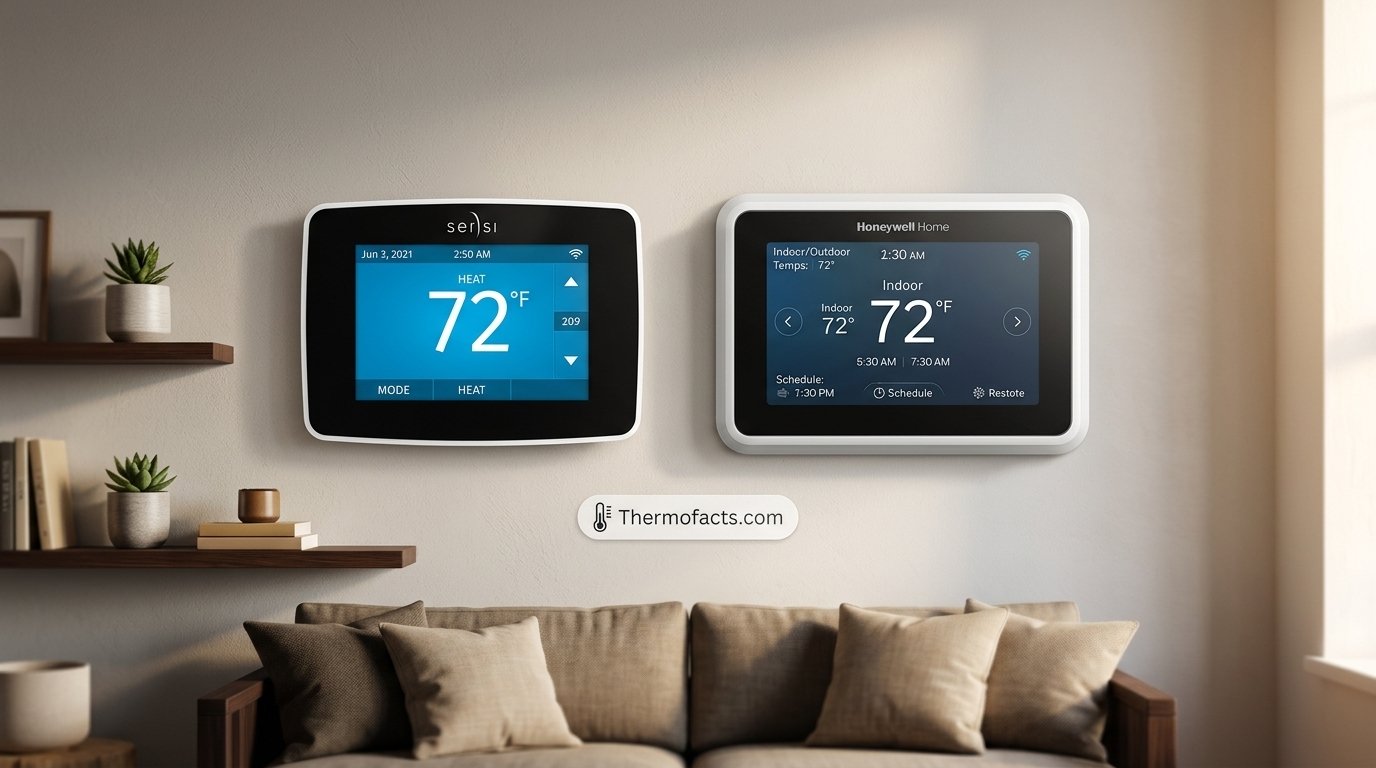
Sensi vs Honeywell: Which Thermostat Brand Is Actually Better for Your Home?
You have narrowed the field to two of the most familiar names on the thermostat aisle, and now you need a straight answer. This guide compares Sensi and Honeywell Home on installation, apps, smart features, HVAC compatibility, reliability and price, so you can pick the right one without guessing.
1. Quick Verdict: Sensi vs Honeywell at a Glance
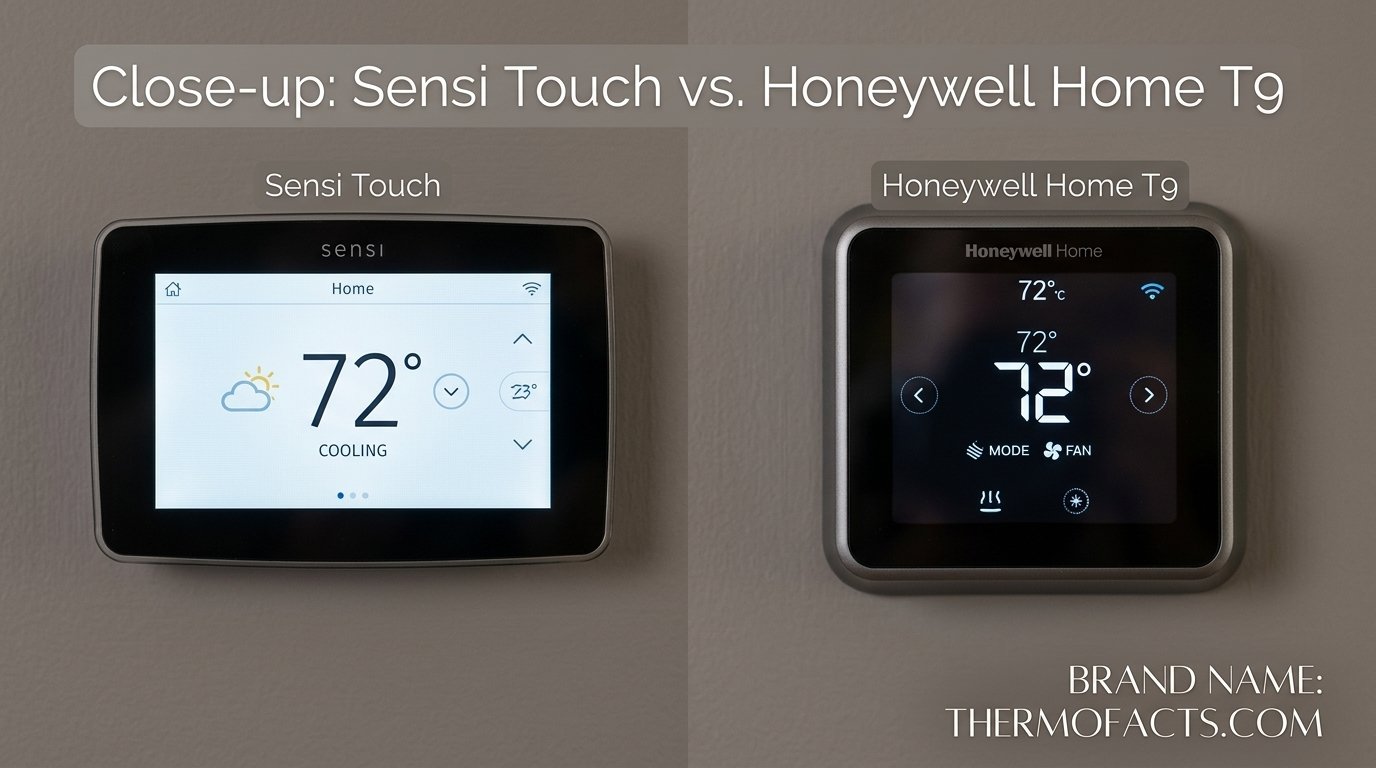
Let’s start with the short version, because most people want the headline before the deep dive. Sensi is the better pick when you want a simple, affordable smart thermostat that installs quickly, runs a clean app, and does the basics very well. Honeywell Home is the better pick when you want a broader range of models, room sensors, advanced comfort features, and a thermostat that can grow with a more complex HVAC setup.
Neither brand is a bad choice. Both have decades of heating and cooling experience behind them, both work with the major voice assistants, and both can lower your utility bills when you actually use the scheduling tools. The real question is which set of trade-offs fits your house, your wiring and your patience for settings menus.
- Choose Sensi if you value easy setup, a friendly app, fair pricing and a no-fuss experience.
- Choose Honeywell Home if you want room sensors, deeper customization, more model tiers, and flexibility for multi-stage or heat pump systems.
- Look closer at wiring first. A missing common wire changes which models in either brand make sense.
| Category | Sensi | Honeywell Home |
|---|---|---|
| Best for | Simple, affordable smart control | Feature-rich comfort and larger homes |
| Typical price tier | Budget to mid-range | Budget to premium |
| Room sensors | Not a core feature | Available on higher-tier models |
| App experience | Clean and minimal | Capable, with more settings |
| Installation | Beginner friendly | Beginner friendly, more options to configure |
| Model variety | Focused lineup | Wide lineup |
| Voice assistants | Major platforms supported | Major platforms supported |
If you want to see how one of these brands stacks up against another big name, our breakdown of Sensi vs Ecobee and our Nest vs Honeywell comparison add useful context.
Compare current Sensi smart thermostat prices and models.
Check Sensi on Amazon2. Who Makes Sensi and Honeywell? Understanding the Brands
Before comparing features, it helps to know who stands behind each product, because that shapes support, software updates and long-term availability.
Sensi: a heating and cooling specialist
Sensi is the smart thermostat line from Emerson’s climate technologies heritage, now part of Copeland. That background matters. Emerson spent decades building controls for residential and commercial HVAC equipment, so Sensi thermostats were designed by people who think about compressors, relays and staging for a living. The product line is intentionally focused: a few well-tuned models rather than dozens of variants.
Honeywell Home: a household name with a licensing twist
Honeywell invented the modern round thermostat in the last century, and the name is still synonymous with home heating. Today, thermostats sold as Honeywell Home are made by Resideo under a brand license. In practice, that means the engineering, apps and support come from Resideo, while the Honeywell Home name carries the reputation. This is worth knowing if you ever read an old review that discusses the older Honeywell app, since the software has moved on since then.
Why brand history matters to you
- Support depth: Both brands have large support libraries and installer communities, so help is easy to find.
- Installer familiarity: HVAC technicians know both. If you hire a pro, neither will confuse them.
- Software longevity: Both companies have maintained their apps for years, which matters when a smart thermostat depends on cloud services.
If you want a refresher on how these devices function in general, start with what a thermostat is and how thermostats work. Both guides make the rest of this comparison easier to follow.
See popular Honeywell Home thermostats and current deals.
Check Honeywell on Amazon3. The Model Lineups Compared
Comparing brands in the abstract can be misleading, because each brand sells several products at very different price points. A basic Honeywell programmable model has little in common with the flagship, and the same is true for Sensi. Here is how the families line up.
The Sensi family
The Sensi lineup is built around two ideas: a simple Wi-Fi thermostat with a clean interface, and a touchscreen model with a larger color display. The entry model focuses on app control and scheduling. The Touch models add a full touchscreen, a more polished look and tighter integration with the major smart home platforms. Sensi does not try to sell you a dozen near-identical products, which makes shopping easier. If you want to dig into one of them, read our Emerson Sensi Touch review.
The Honeywell Home family
Honeywell Home covers more ground. At the bottom are straightforward programmable and basic Wi-Fi models. In the middle sits the T5 family, a friendly smart thermostat for everyday homes. At the top are the T9 and T10 Pro models, which add smart room sensors, geofencing and, on the Pro, indoor air quality integration. If you are considering the middle tier, our Honeywell Home T5 review covers it in detail, and our Honeywell Home T9 review covers the premium option.
| Tier | Sensi | Honeywell Home |
|---|---|---|
| Entry | Wi-Fi model with app and scheduling | Basic programmable and entry Wi-Fi models |
| Mid-range | Touchscreen Sensi models | T5 and similar smart models |
| Premium | Top Sensi touchscreen with full smart integrations | T9 with sensors, T10 Pro with air quality support |
| Room sensor support | Limited | Yes, on T9 and T10 Pro |
Notice that Honeywell’s breadth is both a strength and a source of confusion. You get more choice, but you also need to read model numbers carefully. For the top end, Honeywell Home T9 vs T10 Pro explains the real differences.
How to read the model names without getting lost
Thermostat shopping gets confusing fast because manufacturers love alphanumeric names. Here is a practical way to cut through it. With Honeywell Home, the number after the letter generally signals the tier: a lower number points to a simpler device, while the T9 and T10 Pro sit near the top with the most capability. With Sensi, the difference is mostly between the standard model and the Touch versions that add a full-color touchscreen and more polished integrations. When a listing is vague, find the exact model number printed on the box or in the product details, then look up its manual. That single step prevents most mismatched purchases.
What each lineup is really trying to do
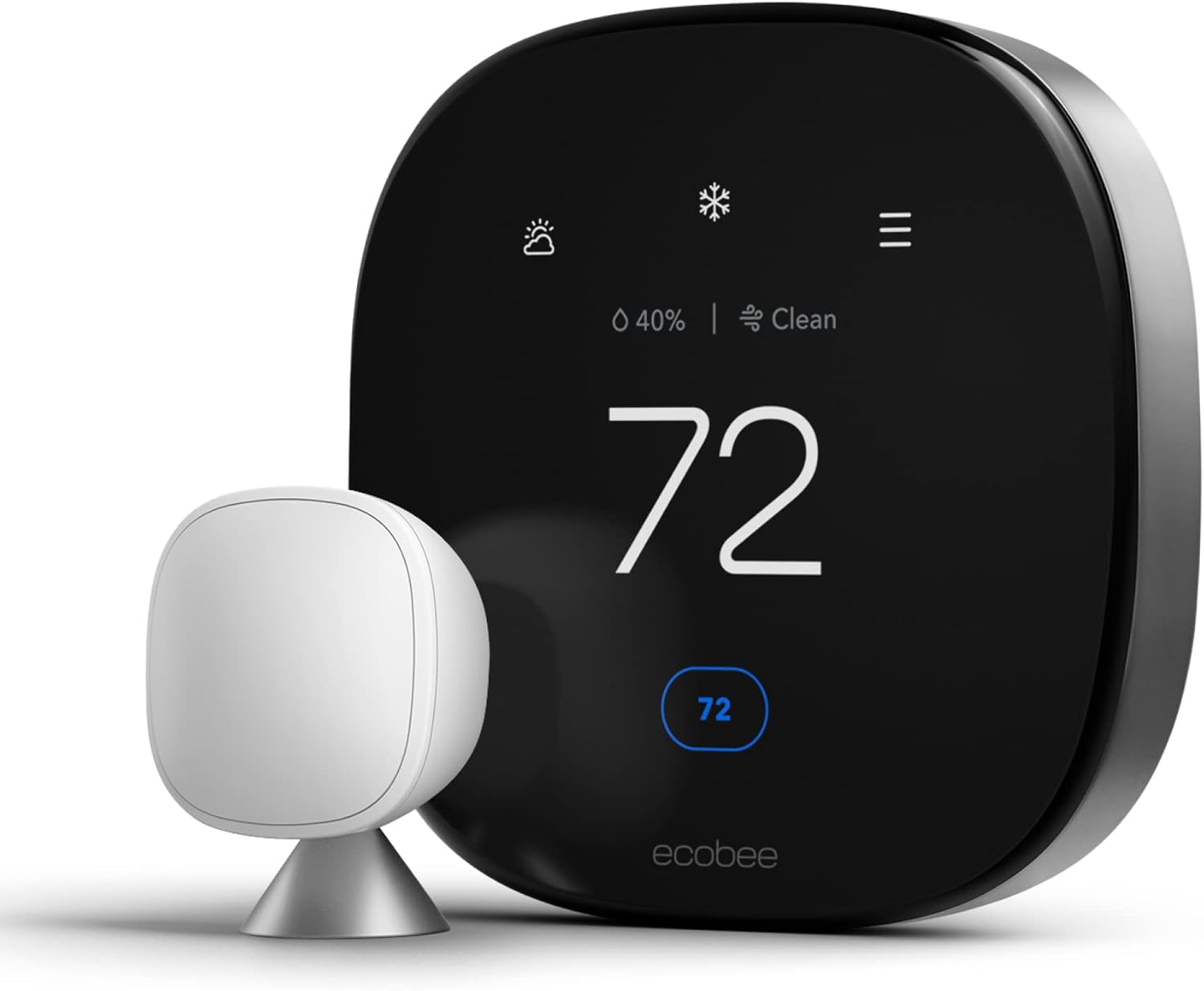
Sensi’s strategy is to be the thermostat you stop thinking about after the first week. The company keeps the lineup tight, polishes the experience and lets the price do some of the persuading. Honeywell Home’s strategy is coverage: it wants a product for the renter who needs something cheap, the family that wants a mainstream smart thermostat, and the enthusiast who wants sensors and air quality data. Understanding that difference in philosophy explains many of the feature gaps you will see throughout this comparison. If you are cross-shopping a third brand, our guide to the Ecobee Smart Thermostat Premium shows what a sensor-focused competitor looks like.
Browse the Sensi Touch smart thermostat lineup.
Shop Sensi Touch4. Design, Display and Ease of Use
You will look at your thermostat every day, so the display and interface matter more than spec sheets suggest. A thermostat that feels clumsy gets ignored, and an ignored thermostat does not save energy.
Sensi: simple and tidy
Sensi leans toward minimalism. The Touch models use a bright, easy-to-read screen with large temperature numbers and a small set of clear controls. Menus are shallow, so adjusting the setpoint, switching modes or changing the fan takes a tap or two. People who dislike hunting through settings tend to love this approach. Family members who are less comfortable with technology also pick it up quickly.
Honeywell Home: more to adjust
Honeywell Home thermostats, especially the T9 and T10 Pro, show more information on screen and offer more ways to customize. You can set up sensors, fine-tune system settings and tweak comfort preferences. The trade-off is a slightly deeper menu structure. The basic experience is still easy, but you may spend more time exploring on day one. If you want help with the basics, see how to adjust a Honeywell thermostat and how to read a thermostat.
Look and feel on the wall
Both brands now ship sleek, modern designs that blend into most rooms. Sensi tends toward a clean rectangular look. Honeywell offers both rectangular touchscreens and, in some families, a more traditional style. If appearance is a priority, our guide on thermostat cover ideas and the tip on the best wall color behind your thermostat can help you finish the look.
Display visibility
- Backlight and brightness: Both brands use backlit touchscreens on their upper models. If you like screens that are readable in a dim hallway, see our list of touchscreen thermostats with backlight.
- Button vs touch: Entry models in both brands may use physical buttons, which some older users prefer.
- Keypad locking: If you need to prevent tampering, check programmable thermostats with keypad lock.
Everyday situations where the interface matters
Think about how the thermostat gets used in real life. Late at night you walk into a dark hallway and want to nudge the temperature one degree without waking anyone. A bright, legible display with large numbers wins here, and both brands do this reasonably well on their touchscreen models. During a hot afternoon, a guest wants to know how to switch from heat to cool. A shallow menu structure helps, and Sensi tends to have the edge for visitors who have never touched a smart thermostat. When you are away, the app becomes the interface, and how quickly it loads matters more than anything on the wall. Finally, there is the maintenance side: if the screen shows a message you do not recognize, you want the explanation to be plain English. Both brands improved their on-screen messaging over time, though neither is perfect.
One more point deserves mention: accessibility. Larger fonts, strong contrast and clearly labeled buttons are not only for older users. Anyone who has tried to read a small screen in bright sunlight understands the value. If this is a priority in your household, test the model in a store or read owner feedback that specifically mentions readability.
Find a touchscreen thermostat that fits your wall and your style.
Shop Touchscreen Thermostats5. Installation and C-Wire Needs
For many homeowners, installation is the deciding factor. Both brands design their products for do-it-yourself installation, and both include wire labels, a mounting plate and step-by-step app guidance. The real difference comes down to your wiring.
The common wire explained
A common wire, often called the C-wire, supplies continuous low-voltage power to a smart thermostat so its screen and Wi-Fi radio can stay active. Older thermostats did not need it, so many homes do not have one connected at the wall. Most modern Wi-Fi thermostats need constant power, so a missing C-wire is the number one reason a smart thermostat install gets complicated. Our thermostat wiring guide walks through the terminals.
What to expect from each brand
Sensi has long been known for flexibility with power. Some Sensi models can run on batteries when there is no common wire, while the touchscreen models generally want a C-wire for a bright display and Wi-Fi. Honeywell Home models vary: some run from batteries as a backup, while the T9 and T10 Pro are designed to work with a C-wire or the included power adapter kit. For a deeper look at power approaches, see Nest vs Sensi: power stealing vs battery backup.
Always confirm the details for the exact model you are buying, since power requirements differ by product.
| Install factor | Sensi | Honeywell Home |
|---|---|---|
| DIY friendly | Yes | Yes |
| C-wire flexibility | Some models work without one | Varies; premium models prefer one |
| Included adapter | Varies by model | Often included with higher-tier models |
| Wire labels in box | Yes | Yes |
| App-guided setup | Yes | Yes |
A simple install checklist
- Turn off power to your HVAC system at the breaker.
- Photograph the existing wiring before touching anything.
- Label each wire with the supplied stickers.
- Remove the old thermostat and mount the new base plate.
- Connect each wire to the matching terminal.
- Attach the display, restore power and follow the on-screen setup.
Before you start, run through whether your thermostat is compatible with your furnace, and if the wiring looks confusing, review the line voltage vs low voltage test so you do not connect a low-voltage thermostat to a line-voltage system. If you plan to hide the wires, our guide on hiding thermostat wires is a handy finishing step.
Mistakes that cause most failed installs
- Not labeling wires first. Once the old thermostat is off the wall, it is easy to forget which wire went where. Take a clear photo and label every wire before disconnecting.
- Assuming wire color means function. Colors are a convention, not a law. Trust the terminal letter the wire was connected to, not its color.
- Ignoring a hidden C-wire. Many walls contain a spare wire tucked behind the plate or at the furnace control board. Check before buying an adapter.
- Skipping the compatibility check. Systems with unusual wiring, such as certain boilers or line-voltage setups, need specific models.
- Leaving the breaker on. Shorting low-voltage wires can blow a fuse on the control board, turning a simple upgrade into a service call.
- Forgetting the system type setting. After installation, choose the right equipment type in the settings. Selecting the wrong one is a classic reason a heat pump runs backward.
If a home has an older system and you are unsure whether it can take a smart thermostat at all, read how to tell if your thermostat can be upgraded in house. And if the new thermostat is installed but the furnace refuses to start, why the thermostat does not start the furnace covers the usual suspects.
When to call a professional
There is no shame in calling an HVAC technician. If you see line-voltage wires, multiple unfamiliar terminals, a boiler system, or any sign of damaged insulation, stop and get help. A technician can also add a common wire properly, which is often a quick job for someone with the right tools. Compare that expense with the cost and frustration of a mistake, and professional help often looks like a bargain.
Need a power adapter or wiring accessory for your install?
Shop C-Wire Adapters6. Apps and Smart Home Support
A smart thermostat is only as smart as its app and its integrations. This is where the day-to-day experience either feels effortless or becomes a small daily annoyance.
The Sensi app
The Sensi app is widely praised for being clean and quick. You open it, see the current temperature, and adjust it. Schedules are easy to build, and the interface avoids jargon. The app handles remote control, scheduling, alerts and basic energy information. It is not trying to be a dashboard for your entire house, and many owners appreciate that focus.
The Honeywell Home app
Honeywell Home thermostats use the Resideo app, which offers remote control, scheduling, geofencing controls, sensor management and alerts. Because the T9 and T10 Pro have more features, the app has more screens. For people who like to tune things, that is a plus. For people who want to set it and forget it, it can feel like extra clutter.
Voice assistants and smart home platforms
Both brands work with the big assistants, including Amazon Alexa and Google Assistant, and both support additional platforms on selected models. Sensi has historically been a favorite among Apple Home users because of its HomeKit support on certain models. If Apple Home matters to you, compare options in our best Apple HomeKit thermostats list. Support varies by model, so always check the product listing before you buy.
Connectivity reliability
Wi-Fi thermostats depend on your router. A stable connection makes either brand feel snappy; a weak signal at the thermostat location makes both feel sluggish. Read our explainer on how smart thermostat connectivity works and consider whether Wi-Fi thermostats are worth it for your home.
App strengths
- Sensi: fast, clean, easy scheduling
- Honeywell: richer controls and sensor management
- Both: remote access and voice control
App weaknesses
- Sensi: fewer advanced options
- Honeywell: more screens to learn
- Both: depend on your home Wi-Fi quality
Updates, privacy and long-term support
A smart thermostat is a small computer on your wall, which means it receives software updates, stores schedules in the cloud and may collect usage data. Both brands publish privacy information, and both let you control basic account settings. Before you buy, spend a few minutes reading the privacy policy for the app you will actually use. Ask yourself whether you are comfortable with location-based features such as geofencing, because they rely on your phone’s position. If you prefer to keep things local, you can turn geofencing off and rely on schedules alone.
Long-term support is the other quiet factor. A thermostat can last for many years, but cloud apps change. Brands with large installed bases, like these two, have strong incentives to keep older models working. That is reassuring, though no one can promise how any app will look a decade from now. There is also a safety angle: connected thermostats can alert you to extreme indoor temperatures while you are away. Our piece on how a smart thermostat improves home safety explains how those alerts work.
Shop smart thermostats that work with Alexa, Google and Apple Home.
See Compatible Thermostats7. Sensors, Geofencing and Smart Scheduling
This is the section where the gap between the brands is most visible, so it deserves careful attention.
Remote room sensors
One of the biggest comfort upgrades in a modern thermostat is a remote sensor. Instead of reading only the temperature at the wall, the thermostat can pay attention to the rooms you actually use. Honeywell Home offers this on the T9 and T10 Pro through smart room sensors, which can also detect occupancy. That means the system can favor the bedroom at night and the living room during the day. Sensi does not center its lineup on remote sensors, so homes with hot and cold spots may find Honeywell’s approach more useful. To understand the concept, read about what a thermostat remote sensor is and how remote sensor range compares in multi-zone setups.
Geofencing
Geofencing uses your phone’s location to adjust the temperature when you leave or return. Both brands offer some form of it, and it can be a practical way to avoid heating or cooling an empty house. Read more in what a geofencing thermostat is and the home and away feature.
Scheduling versus learning
Neither Sensi nor Honeywell is built around an aggressive self-learning algorithm the way some competitors are. Both rely on schedules you set, supported by features like geofencing. If you prefer a thermostat that learns your habits automatically, see what adaptive learning is and schedule versus learning. Personally, a well-built schedule is more predictable, and predictability is what most households want.
Feature checklist
| Feature | Sensi | Honeywell Home |
|---|---|---|
| Remote room sensors | Not a focus | Yes, on T9 and T10 Pro |
| Occupancy detection | No | Yes, with smart sensors |
| Geofencing | Yes | Yes |
| Scheduling | Flexible 7-day schedules | Flexible schedules |
| Automatic learning | No | No |
| Alerts | Yes | Yes |
| Air quality integration | No | On T10 Pro with compatible equipment |
If you are curious how all these ideas fit together, our guide to key features to compare when buying a smart thermostat is a useful companion.
Add room sensors to even out hot and cold spots.
Shop Room Sensors8. HVAC and Heat Pump Compatibility
Compatibility is where a lot of thermostat purchases go wrong. A great smart thermostat is useless if it cannot control your equipment, so check this section before you buy anything.
Conventional systems
Both Sensi and Honeywell Home support standard forced-air furnaces and air conditioners, and most models handle common multi-stage configurations. If you have a typical gas furnace with central air, either brand will usually work. If you want to understand your system better, read about split HVAC systems and packaged HVAC units.
Heat pumps
Heat pumps need a thermostat that supports reversing valve control and, ideally, auxiliary heat management. Both brands offer models that handle these systems, but settings matter. See our picks for the best thermostat for a heat pump, and if you have a specific brand, the guide on thermostats for Bosch heat pumps may help. If you are thinking about the equipment itself, consider inverter technology in HVAC.
Baseboard and line voltage systems
Electric baseboard heaters typically use line voltage, which most standard smart thermostats from either brand do not support. You need a thermostat designed for line voltage. See the best thermostat for baseboard heaters. The same caution applies to radiant floors, covered in the best thermostat for radiant floor heat.
Compatibility quick reference
| System type | Sensi | Honeywell Home |
|---|---|---|
| Gas furnace and central AC | Supported | Supported |
| Multi-stage systems | Supported on many models | Supported on many models |
| Heat pumps with aux heat | Supported on many models | Supported on many models |
| Line voltage baseboard | Not on standard models | Not on standard models |
| Zoning and complex setups | Limited | Stronger on higher tiers |
Fan control, staging and run behavior
Beyond simply turning equipment on and off, a thermostat controls the fan and, in multi-stage systems, decides when to engage a second stage. Both brands let you choose between automatic and continuous fan operation, and some Honeywell models add circulation features. Running the fan constantly can even out temperatures and improve filtration, but it also uses electricity. If you are curious about the cost, read how much electricity the thermostat fan uses.
Staging is where a quality thermostat quietly earns its keep. A well-tuned system runs the lower stage longer and calls on the second stage only when needed, which keeps the home steadier and often saves energy. Honeywell’s higher-tier models give you more control over these behaviors, which appeals to tinkerers. Sensi’s defaults are sensible for most homes, which appeals to everyone else. If your system is older or oddly configured, it is worth understanding how heating and cooling thermostats differ before you decide.
When the problem is the equipment, not the thermostat
A new thermostat will not fix a failing furnace or a undersized air conditioner. If the house still feels uncomfortable after an upgrade, see why your house feels cold even with the heating on and what to check when the furnace will not turn on but the fan works. Sometimes the honest answer is a bigger project, and our overview of HVAC system replacement costs helps you plan for it.
Shop heat pump compatible smart thermostats.
Shop Heat Pump Thermostats9. Energy Savings: Can Either Brand Cut Your Bills?
Many people buy a smart thermostat hoping it will pay for itself, and it often can, but only when it is used well. The thermostat does not create savings on its own; your schedule and settings do.
Where savings actually come from
- Setbacks: Lowering the heat or raising the cooling setpoint while you are asleep or away.
- Geofencing: Automatically adjusting when the house is empty.
- Reminders and reports: Seeing run times so you can spot waste.
- Better comfort control: Not needing to overheat or overcool to feel comfortable in a problem room.
Sensi and savings
Sensi delivers savings by making schedules simple. Because the app is easy, people tend to actually build and maintain a schedule, which is where the money is saved. Its energy tools are straightforward rather than elaborate.
Honeywell and savings
Honeywell Home adds sensor-driven comfort and occupancy awareness. If a home has an upstairs that overheats while the downstairs thermostat reads comfortable, sensors can help the system make better decisions and reduce wasted run time.
For realistic expectations, read how a smart thermostat saves money and whether smart thermostats really save money. Our ranking of the best smart thermostats for energy savings shows which models perform well, and the tips in HVAC energy efficiency tips help you get more from any thermostat. Be sure to check smart thermostat rebates, since a utility rebate can shorten your payback period.
Recommended settings
A good starting point is to follow recommended thermostat settings for winter and, for bedrooms, check the ideal room temperature for sleeping. If you travel, see what temperature to set when away in winter.
A realistic savings example
Imagine a three-bedroom home where the family is out from morning until late afternoon on weekdays and asleep for eight hours at night. With a simple schedule, the thermostat lowers the heating setpoint during the workday and overnight, then raises it shortly before people return and wake. Over a heating season, those setbacks reduce the hours the furnace runs at full demand. The exact dollar figure depends on local energy prices, insulation and climate, so any promise of a specific amount should be treated with skepticism. What is dependable is the principle: fewer hours at a higher temperature difference between inside and outside means less energy used.
Now compare how each brand supports that routine. With Sensi, you build the schedule in a few taps and rarely need to touch it again. With Honeywell Home, you can build the same schedule and then layer on sensors, so the system prioritizes the bedroom at night and the living area in the evening. In a home with a sun-heated room or a drafty upstairs, that extra intelligence can prevent the common habit of overshooting the temperature just to make one room tolerable. In a well-balanced home, it adds little.
Mistakes that quietly erase savings
- Setting extreme setbacks that force the system to work very hard to recover.
- Overriding the schedule so often that it stops matching your life.
- Placing the thermostat near a sunny window, a vent or a kitchen, which skews readings. See why a thermostat shows the wrong room temperature.
- Ignoring filter changes and maintenance, which makes equipment run longer.
Compare energy-saving smart thermostats and find rebate-eligible models.
Shop Energy-Saving Thermostats10. Reliability, Troubleshooting and Lifespan
No thermostat is immune to hiccups. What matters is how often problems occur, how easy they are to fix, and how long the device lasts.
Common Sensi complaints
Reported Sensi issues tend to center on Wi-Fi connectivity, power and an occasional blank display, particularly in homes that lack a stable common wire. If you run into trouble, our walkthrough on why your Sensi thermostat may not be working and the steps to reset your Sensi thermostat usually solve it.
Common Honeywell complaints
Honeywell owners often report battery problems, connection hiccups and the occasional need to reset. Fortunately, there are guides for replacing the battery, resetting a Honeywell thermostat and even resetting one that has no reset button. A general reference is how to set, change, lock and reset your thermostat.
Lifespan
A decently made thermostat from either brand can run for many years. Honeywell publishes plenty of longevity information, and we cover it in how long Honeywell thermostats last. If yours is misbehaving, test it using how to tell if your thermostat is bad or the deeper checklist 12 symptoms, tests and real fixes, and ask yourself whether you need a new thermostat.
Symptoms worth knowing
- Display dim or blank: often power related. See thermostat low battery symptoms.
- Constant rebooting: see thermostat keeps rebooting.
- Clicking but nothing happens: see why your thermostat is clicking but not turning on.
- Not reaching the set temperature: see thermostat not reaching set temperature.
Reliability positives
- Both brands have deep troubleshooting resources
- Both are widely serviced by HVAC pros
- Resets fix many glitches
Reliability negatives
- Power issues cause many Sensi complaints
- Battery and connectivity issues show up on Honeywell
- Cloud dependence affects both
Warranty, support and what happens when something breaks
Both brands offer limited warranties, but the length and terms vary by model and region, so read the details for the specific product. Registration may be required for extended coverage. Beyond the paperwork, think about the support experience. Sensi’s support resources are straightforward and focused on a small lineup, which makes answers easier to find. Honeywell Home’s larger catalog means more documentation, though you may need to be careful that you are reading instructions for your exact model. Third-party installers and HVAC technicians are usually comfortable with either brand, which is a real advantage when you need a second opinion.
A good habit is to keep a note of your model number, installation date and wiring photo somewhere safe. If something goes wrong, that information saves time. Remember that many problems that look like hardware failures are actually power or settings issues, so work through the basics, including the guide to resetting a thermostat, before assuming the device is dead. If your system says heat is on but nothing is happening, see thermostat says heat on but no heat.
Keep fresh batteries and spare parts handy for your thermostat.
Shop Thermostat Batteries11. Pricing and Value
Prices change often and vary by retailer, so treat any figure as a ballpark and check current listings. What does stay consistent is the general positioning of each brand.
Where Sensi sits
Sensi typically lands at the budget to mid-range part of the market. You get a polished smart thermostat without paying for features you may not use. It is often an easy “value” pick, which is why it shows up so often in lists such as the best budget thermostats and the best battery-powered smart thermostats.
Where Honeywell Home sits
Honeywell Home spans from inexpensive programmable models to premium smart thermostats with sensors. The T5 delivers moderate pricing for solid smart features, while the T9 and T10 Pro cost more because of sensors and advanced capabilities.
Cost of ownership
The sticker price is only part of the story. Add an adapter if you need a common wire, sensors if you want multi-room comfort, and professional installation if your wiring is complicated. Also consider long-term savings and any rebates. Our guide to smart thermostats for rental properties may be useful if you manage several units.
| Cost factor | Sensi | Honeywell Home |
|---|---|---|
| Upfront cost | Lower to mid | Lower to high |
| Extra sensors | Not a core option | Additional cost for smart room sensors |
| Common wire adapter | May be needed on some models | Often included on higher tiers |
| Best value for | Straightforward homes | Homes needing comfort control |
If you are weighing Honeywell against another big competitor on price, see Honeywell vs Emerson, the corporate parent of Sensi, and smart vs programmable thermostats to see whether you need a smart model at all.
Thinking in total cost over several years
Picture two households. The first buys an entry Sensi, installs it in an evening with an existing common wire, and builds a simple schedule. Their total cost is the thermostat itself plus a little time. The second buys a premium Honeywell Home with extra sensors for a two-story house with an overheating upstairs. Their upfront cost is higher, but if the sensors let them stop overcooling the downstairs, they may recoup some of the difference through lower running time and, just as importantly, a more comfortable home. Neither household made a mistake; they bought for different problems.
The trap to avoid is paying for features you will never use. If you do not plan to place sensors in other rooms, a premium sensor-ready model may be money wasted. Conversely, buying the cheapest option for a home with real comfort problems often leads to disappointment and a second purchase. Match the tool to the problem and the price usually takes care of itself.
Compare current prices on budget and mid-range smart thermostats.
Check Honeywell T5 Prices12. Which One Should You Buy? Scenario-Based Recommendations
Rather than declaring a single winner, let’s match each thermostat to the situation where it shines. That is more honest, and more useful.
Choose Sensi if…
- You want an easy install and a friendly app.
- Your home is average in size with no major hot or cold spots.
- You are on a budget but still want smart control.
- You use Apple Home and want smooth integration.
- You prefer fewer settings and a simple interface.
Choose Honeywell Home if…
- You have uneven temperatures between rooms and want remote sensors.
- You want occupancy detection and richer comfort controls.
- You have a larger or multi-level home.
- You want a wide choice of models and price tiers.
- You want air quality equipment integration through a Pro-level model.
Special situations
- Older adults: Clear displays and simple controls matter most. See the best thermostat for elderly users.
- Rentals: Consider ease of removal and tamper protection. See thermostat lock boxes.
- Comparing with other brands: Read Nest Thermostat vs Honeywell T9, Wyze vs Ecobee and Ecobee Premium vs Enhanced.
A simple decision flow
- Check your wiring. Do you have a common wire, or can you add an adapter?
- Confirm your system type. Standard forced air, heat pump, or line voltage?
- Name your biggest annoyance. Uneven rooms point to Honeywell sensors. High bills and complicated schedules point to simplicity and Sensi.
- Decide your budget. Include any adapter or sensors you will need.
- Check smart home needs. Confirm voice assistant and platform support for the exact model.
- Buy, install and set a schedule the same week. A thermostat saves nothing while it sits in the box.
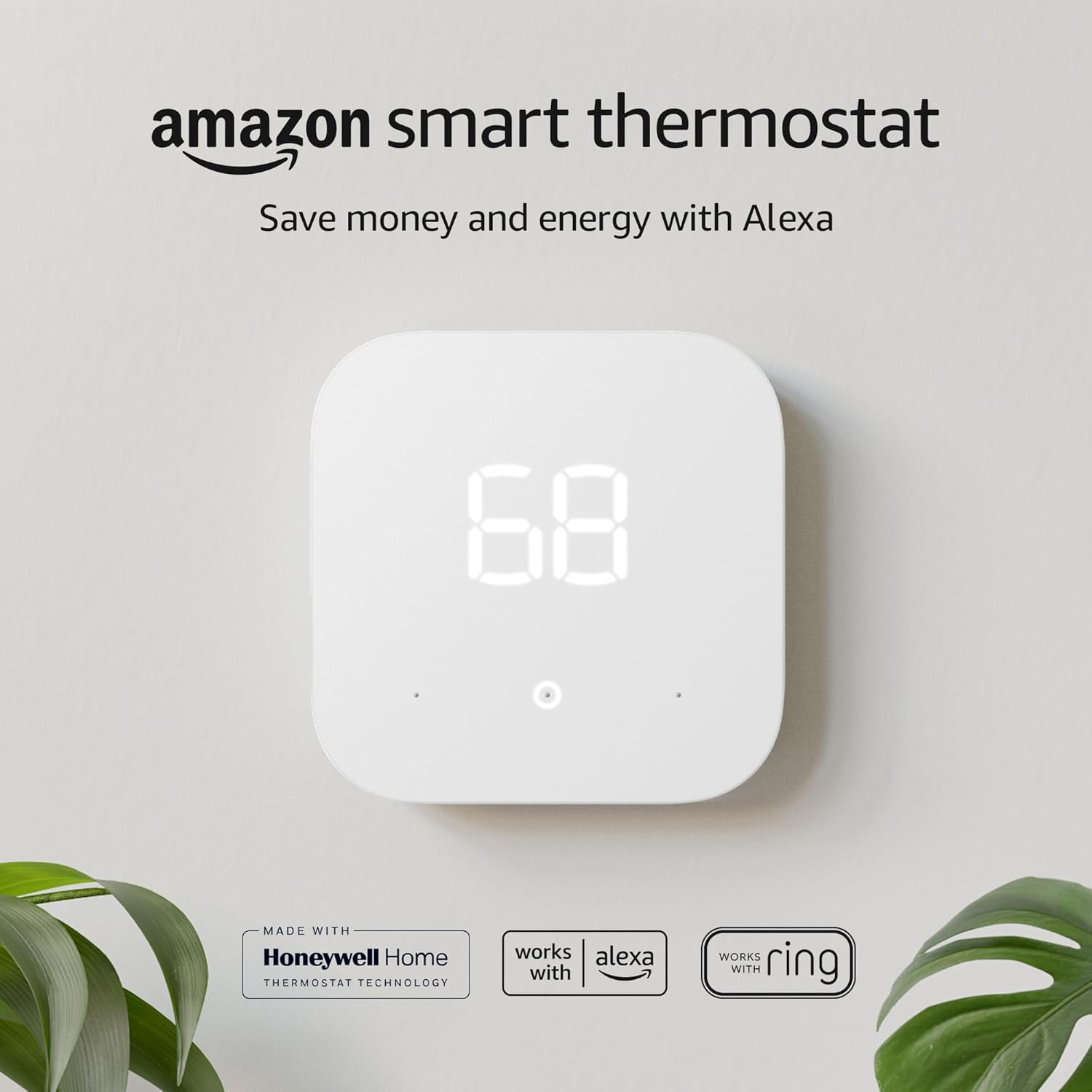
Before you finalize, it can help to glance at related head-to-head matchups, such as Google Nest vs Amazon Smart Thermostat and our review of the Nest Learning Thermostat, because understanding the wider market makes the Sensi vs Honeywell decision feel much more grounded.
Ready to choose? Compare both brands side by side on Amazon.
Compare Thermostats NowFrequently Asked Questions About Sensi vs Honeywell
1. Is Sensi owned by Honeywell?
No. Sensi comes from Emerson’s climate technologies business, now part of Copeland. Honeywell Home thermostats are made by Resideo under a brand license. They are separate competitors.
2. Which is easier to install, Sensi or Honeywell?
Both are designed for DIY installation, with labels and app guidance. Sensi often feels slightly simpler because there are fewer options to configure, but the real difficulty depends on whether your system has a common wire.
3. Do Sensi thermostats need a C-wire?
It depends on the model. Some Sensi models can run on batteries without a common wire, while the touchscreen models generally want a C-wire. Always check the specific model’s requirements.
4. Does Honeywell offer remote sensors and does Sensi?
Honeywell Home offers smart room sensors on the T9 and T10 Pro. Sensi does not make remote sensors a core part of its lineup, so Honeywell is the stronger pick for balancing room temperatures.
5. Which brand has the better app?
Sensi has a cleaner, simpler app. Honeywell’s Resideo app offers more controls and sensor management. Choose based on whether you value simplicity or customization.
6. Will either brand work with Alexa, Google and Apple Home?
Both support the major voice assistants on most smart models, and Sensi is well known for HomeKit support on selected models. Check each model’s listing for exact compatibility.
7. Can I use a Sensi or Honeywell smart thermostat with a heat pump?
Yes, many models from both brands support heat pumps, including auxiliary heat. Confirm your wiring and system type with the manufacturer’s compatibility tool before buying.
8. Will a smart thermostat from either brand lower my energy bill?
It can, when you use schedules, setbacks and geofencing consistently. Savings vary by climate, home insulation and habits, so treat any quoted percentage as an estimate.
9. Which thermostat is better for electric baseboard heat?
Standard models from both brands are low-voltage and generally unsuitable for line-voltage baseboard heaters. Look for a thermostat specifically designed for line-voltage systems.
10. How do I reset a Sensi or Honeywell thermostat?
Reset steps depend on the model. Many resets restore Wi-Fi settings or clear glitches without affecting your schedule. Follow the guides for your exact model, and consult the manual if you are unsure.
11. Which is better for a large home with multiple floors?
Honeywell Home’s sensor-equipped models are generally better for large or multi-level homes because they can account for temperature differences between rooms.
12. Is it worth upgrading from a basic programmable thermostat?
For most households, yes. Remote control, easier scheduling and alerts are real conveniences, and the potential savings can offset the cost over time. See whether your existing system can be upgraded before you buy.
Conclusion: Picking Your Perfect Thermostat
The Sensi vs Honeywell question does not have a single universal answer, and anyone who tells you otherwise is oversimplifying. Sensi shines through simplicity: a quick install, a clean app and fair pricing make it a comfortable choice for everyday homes. Honeywell Home wins on range and capability: more models, smart room sensors, occupancy detection and advanced features for homes that need them.
Start by checking your wiring, your HVAC type and your biggest comfort complaint. If your needs are simple, Sensi will make you happy. If your home has uneven temperatures or you want deeper control, Honeywell Home is worth the extra investment. Either way, a well-set schedule matters more than the logo on the front.
Ready to upgrade your comfort? Shop top-rated Sensi and Honeywell thermostats today.
Shop Thermostats on Amazon



 Home
 Info
 Compare
 Reviews
 Shop