
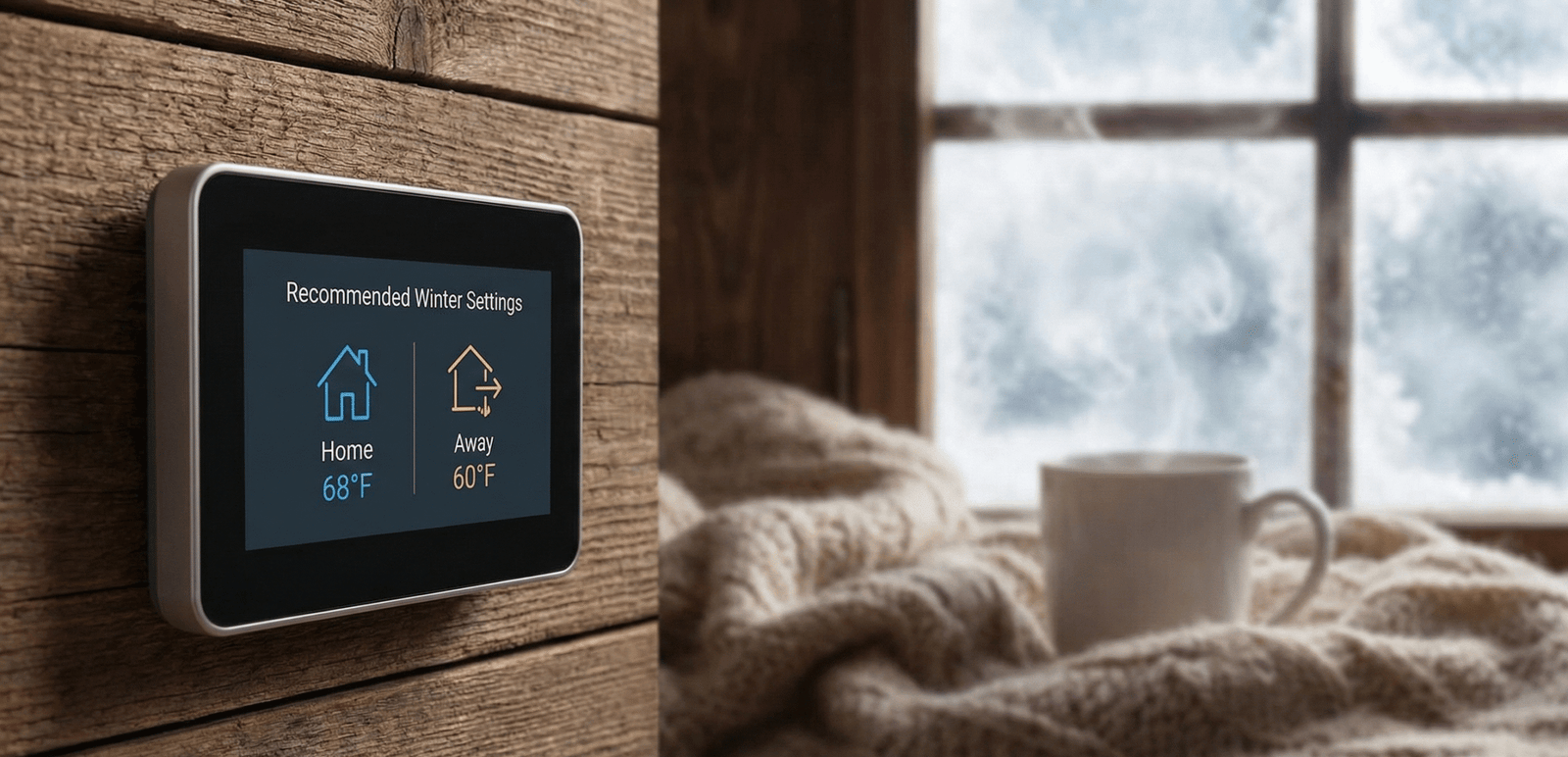
Recommended Thermostat Settings for Winter : The Complete Energy-Saving Guide
As winter settles in, the battle between staying cozy and keeping the utility bill under control begins. Every degree on the dial represents a meaningful percentage of your monthly energy expenses. But what is the ideal number? Is it better to keep the house at a constant temperature, or should you let it drop while you are at work or sleeping?
As specialists in HVAC efficiency and home automation, we have compiled the definitive guide to winter thermostat settings for 2026. Whether you are using a basic manual unit or a high-tech smart thermostat, understanding how your thermostat works is the first step to mastering your home’s comfort and your energy bills.
📋 Jump to a Section
- The Quick Answer: Recommended Winter Temperatures
- The Setback Strategy: Fact vs. Fiction
- Detailed Hourly Schedule Recommendations
- Climate Zone Adjustments: Your Region Matters
- Types of Thermostats Compared
- Heat Pump Settings: A Different Strategy
- Settings by Heating System Type
- Thermostat Placement: Why Location Skews Your Readings
- Settings for Elderly Residents, Babies & Pets
- Vacation Settings: Don’t Freeze Your Pipes
- Winter Humidity: The Other Half of Comfort
- What Winter Heating Actually Costs, By Fuel Type
- Rebates, Tax Credits & Utility Incentives
- Settings for Renters & Apartments
- Supplemental Heat: Wood Stoves, Fireplaces & Space Heaters
- Zoning Systems: Heating Only the Rooms You Use
- Common Thermostat Mistakes to Avoid
- Top Smart Thermostats for Winter Savings
- Glossary of Thermostat Terms
- Troubleshooting: When the Thermostat Doesn’t Listen
- FAQ
⚡ The Quick Answer
According to the U.S. Department of Energy, the ideal thermostat settings for winter are:
Key Savings Fact: Lowering your thermostat by 7–10°F for 8 hours a day can save up to 10% per year on your heating and cooling bills, according to the U.S. Department of Energy. On a $2,000 annual HVAC bill, that’s $200 back in your pocket — just from adjusting a schedule.
The “Setback” Strategy: Fact vs. Fiction
A persistent myth claims that “it costs more to re-heat the house than to simply maintain the temperature.” For the vast majority of homes using a gas furnace, oil boiler, or electric air handler, this is false. The rate of heat loss from your home is directly proportional to the difference between indoor and outdoor temperatures — the colder your house, the slower it loses heat to the outside. Setting back the temperature while you are away or asleep means your home loses heat more slowly during that period, reducing the total energy needed to maintain comfort across the day.
The exception — and it is an important one — is heat pumps. We address this separately in the section below.
Implementing the setback strategy effectively depends on your control system. If you are still turning a manual dial every morning and evening, you are likely forgetting half the time and saving nothing. This is precisely where smart vs. programmable thermostats make a transformative difference — they execute your setback schedule automatically and return the house to your comfort temperature before you need it, not after.
💡 Why the Setback Works (Simply Explained)
Think of your home as a cup of hot coffee. The cooler the room around it, the slower the coffee loses heat. Turning down your thermostat while you sleep doesn’t mean the furnace works harder when it wakes up — it means the furnace did less total work through the night. The math consistently favors setbacks for gas and electric systems.
This is also why the size of the setback and the length of the setback period both matter. A 2°F setback for two hours barely registers on a monthly bill, while a 7–10°F setback held for a full 8-hour workday or overnight sleep period is where the commonly cited 10% annual savings figure actually comes from. Households that only manage a shallow, short setback shouldn’t expect anywhere close to that ceiling — it represents the upper end of what’s achievable with a disciplined, consistently applied schedule, not a guaranteed outcome from any adjustment at all.
Detailed Schedule Recommendations
A programmed schedule is the most reliable path to consistent winter savings. Here is a template you can enter directly into any programmable or smart thermostat today. Adjust the timing windows to match your actual household routine — the temperatures are the part that matters most.
| Time of Day | Activity | Recommended Temp | Reason |
|---|---|---|---|
| 5:30 AM – 7:00 AM | Pre-Wake Recovery | 68°F (20°C) | Smart thermostats with Adaptive Recovery start the furnace early so the house is warm when you wake — not 20 minutes after. |
| 7:00 AM – 8:30 AM | Morning Routine | 68°F (20°C) | Comfortable temperature for getting dressed, breakfast, and preparing for work or school. |
| 8:30 AM – 4:30 PM | Work / School Away | 58°F – 60°F (14°C – 15°C) | Empty house requires minimal heating. A 10°F setback for 8 hours is the DOE’s primary savings recommendation. Use geofencing if your schedule is irregular. |
| 4:30 PM – 5:00 PM | Pre-Arrival Recovery | Ramp to 68°F | Begin recovery 30–45 minutes before arrival. Smart thermostats using geofencing handle this automatically when you leave work. |
| 5:00 PM – 10:00 PM | Evening — Home & Active | 68°F (20°C) | Optimal comfort for dinner, family time, and evening activities. |
| 10:00 PM – 5:30 AM | Sleep | 65°F (18°C) | Research consistently shows cooler sleeping environments (60–67°F) improve sleep quality for most adults. See our guide on the ideal room temperature for sleeping. |
Climate Zone Adjustments: Your Region Matters
The 68°F / 65°F / 60°F baseline works as a national starting point, but it was never meant to be applied identically from Miami to Minneapolis. Building science treats “comfortable indoor temperature” as a function of both personal preference and the size of the gap between indoor and outdoor conditions. The wider that gap, the harder your equipment works to close it, and the more a small adjustment in your setpoint is worth in dollar terms. Homeowners in harsh winter climates often find they need to nudge the baseline slightly warmer to avoid a house that never quite feels caught up, while homeowners in mild winter climates can push savings further without sacrificing comfort.
| Climate Region | Typical Winter Lows | Suggested Home Temp | Notes |
|---|---|---|---|
| Upper Midwest & Northern Plains | Below 10°F for weeks at a time | 68–70°F | Larger indoor/outdoor gaps mean furnaces run near-continuously on the coldest days; smaller setbacks (5–7°F) prevent long, expensive recovery cycles. |
| Northeast & New England | 10–25°F | 66–68°F | Older housing stock in this region often has more air infiltration, so pairing thermostat setbacks with draft-sealing delivers outsized results. |
| Mid-Atlantic & Ohio Valley | 20–35°F | 66–68°F | Swingy weather rewards smart thermostats with outdoor-temperature-aware recovery, since a 40°F day and a 20°F day need very different ramp-up times. |
| Pacific Northwest | 30–45°F, high humidity | 65–67°F | Mild but damp winters mean the standard setback strategy works well, but indoor humidity control matters more here than the temperature setpoint itself. |
| Mountain West & High Plains | Below 20°F overnight, large daily swings | 66–68°F | Dry air and elevation intensify the “feels colder than the thermometer says” effect; a humidifier often lets you comfortably run 1–2°F cooler. |
| South & Gulf Coast | 35–55°F, occasional freezes | 68°F, with wide setbacks | Heating season is short, so aggressive away setbacks (10°F+) rarely cause recovery problems and produce the largest relative savings on a small heating bill. |
| Southwest Desert | 25–50°F, large day/night swings | 66–68°F | Homes built primarily for cooling often have less wall insulation for heat retention, so nighttime setbacks should be modest to avoid slow, costly morning recovery. |
Two homes with identical thermostat schedules can post very different heating bills depending on insulation quality, window count and orientation, and how tightly the building envelope is sealed. If you consistently find your house drifting several degrees below the setpoint on the coldest nights regardless of how the thermostat is programmed, the limiting factor is usually the building, not the settings — see our energy-saving tips further down this guide for the fixes that matter most alongside your thermostat schedule.
Local utility and municipal energy offices frequently publish region-specific guidance that goes beyond national averages, since they have direct visibility into local rate structures and typical home construction in your specific service area. If your utility offers a free or low-cost home energy audit, it’s one of the most reliable ways to learn exactly where your particular home is losing heat, rather than relying on regional averages alone.
Types of Thermostats Compared
The temperature targets in this guide apply no matter which thermostat sits on your wall, but how reliably you actually hit those targets depends heavily on the hardware. Here’s how the major categories stack up:
| Thermostat Type | How Scheduling Works | Typical Savings Realized | Best For |
|---|---|---|---|
| Manual / Mechanical Dial | No scheduling — a human must physically turn the dial for every change | Minimal; most households forget to adjust it consistently | Households with rigid retirees or stay-at-home routines who genuinely will move the dial by hand |
| Digital Non-Programmable | Digital display, still requires manual adjustment for each period | Slightly better than mechanical due to precise readouts, but still relies on memory | Budget replacements where scheduling isn’t a priority |
| 7-Day Programmable | Independent schedule for every day of the week | Consistent setback savings once programmed correctly and left alone | Households with a different schedule each weekday (shift workers, mixed school pickup days) |
| 5-2 or 5-1-1 Programmable | One schedule for weekdays, separate schedule(s) for weekend days | Similar to 7-day for households with consistent weekday routines | Traditional 9-to-5 households who want simpler setup than a full 7-day model |
| Wi-Fi Smart Thermostat | App-based scheduling plus geofencing that detects when your phone leaves or approaches home | Captures savings on irregular days a fixed schedule would miss entirely | Households with unpredictable comings and goings |
| Learning Thermostat | Observes your manual adjustments over the first one to two weeks and builds its own schedule | Comparable to a well-programmed smart thermostat with far less manual setup effort | Households that want automation without configuring a schedule themselves |
The single biggest predictor of realized savings isn’t which category you buy — it’s whether the setback actually happens every single day rather than occasionally. This is the core argument for upgrading away from manual and non-programmable models: they only save money on the days a person remembers to act, and in most households, that’s not every day.
Heat Pump Settings: A Fundamentally Different Strategy
If your home uses a heat pump rather than a gas furnace, the standard setback strategy requires important modification. Heat pumps operate most efficiently when maintaining a relatively stable indoor temperature. Large temperature setbacks — dropping 7–10°F while away and then recovering — can force the heat pump to call for Auxiliary Heat (electric resistance strips) during recovery. Auxiliary heat is dramatically more expensive than heat pump operation, potentially costing several times more per hour of runtime.
Read More: Is the Bosch Heat Pump Good? | Best Thermostat for Bosch Heat Pumps
Recommended Heat Pump Winter Settings
Many modern heat pump-compatible smart thermostats — including the Honeywell T9 and Ecobee — include a setting called “Heat Pump Lockout” or “Aux Heat Lockout” that prevents the system from engaging expensive resistance strips during mild weather. Configuring this correctly for your climate can save significantly on winter operating costs.
Settings by Heating System Type
“Thermostat setting” assumes every home converts a setpoint into heat the same way. It doesn’t. The equipment behind the wall changes how quickly your home responds, how expensive each degree is, and how aggressive your setbacks should be.
Gas Furnace (Forced Air)
The most common heating system in North America, and the one the standard 68°F / 65°F / 60°F schedule in this guide is built around. Gas furnaces recover quickly — typically 15 to 30 minutes to climb 5–8 degrees — which makes them well suited to aggressive setbacks. Because natural gas is usually the least expensive fuel per BTU in most regions, the dollar savings from a disciplined schedule tend to be smaller in percentage terms than for electric resistance heat, but still meaningful over a full season.
Oil-Fired Boiler or Furnace
Oil systems behave similarly to gas furnaces in terms of recovery speed, but oil is typically the most expensive fuel per BTU of the common options, which makes disciplined setbacks proportionally more valuable. Oil boilers heating water for radiators or baseboards have more thermal mass in the system itself, so expect a slightly slower response to setpoint changes than a forced-air furnace — budget an extra 10–15 minutes of recovery time before arrival.
Propane Furnace
Functionally similar to natural gas in recovery behavior, but propane is priced per gallon and the cost per BTU is usually higher than piped natural gas, closer to (and sometimes above) home heating oil. Households on propane typically see some of the largest percentage savings from consistent setback scheduling of any forced-air fuel type.
Electric Resistance Baseboard or Wall Heaters
These use line-voltage (120V or 240V) thermostats rather than the low-voltage (24V) thermostats most of this guide discusses, and they heat 100% of the electricity they consume into warmth with no combustion losses — but electricity is usually the most expensive way to generate a BTU of the fuels discussed here. Because baseboard heaters have almost no thermal lag, they respond to setpoint changes within minutes, making them excellent candidates for tight, aggressive scheduling. See our dedicated guide on thermostats for baseboard heaters for wiring and product compatibility.
Radiant Floor Heating (Hydronic)
Radiant floor systems store heat in the slab or subfloor itself, giving them enormous thermal mass and correspondingly slow response times — often 2 to 4 hours to feel a setpoint change, and sometimes longer in a thick concrete slab. Large setbacks are largely counterproductive here: by the time the floor responds, the setback period may already be ending. Most radiant floor manufacturers recommend a narrow band of no more than 2–3°F between occupied and unoccupied setpoints, with any deeper setback reserved for extended vacations only.
Geothermal (Ground-Source Heat Pump)
Geothermal systems share the heat pump principle discussed above — they move heat rather than generate it, and they are most efficient maintaining a stable temperature. The same 2–4°F setback guidance for air-source heat pumps applies to geothermal systems, with the added benefit that geothermal systems rarely rely on expensive electric resistance backup, since the stable underground temperature keeps the heat pump’s output sufficient even in extreme cold.
Wood, Pellet, or Coal Stoves as Primary Heat
Stove-heated homes generally don’t use a central thermostat to control the stove itself, but many pair a stove with a backup central system on a thermostat set several degrees below the stove’s typical output — for example, a furnace set to 60–62°F as a safety net that only engages if the stove burns down overnight. This prevents the furnace from fighting the stove for control while still protecting the home from a cold snap if the fire goes out.
Thermostat Placement: Why Location Skews Your Readings
A thermostat can only respond to what it senses, and a poorly located thermostat senses the wrong thing constantly. If your home never seems to match its setpoint, or one room always runs cold while the thermostat insists the target temperature has been reached, placement is one of the first things to check before assuming the settings — or the equipment — are wrong.
The ideal placement is an interior wall, roughly 52–60 inches above the floor, in a central, frequently occupied room such as a living room or hallway that represents the “average” temperature of the home — not the warmest or coldest room. Kitchens are a poor choice due to heat from cooking and appliances; bathrooms are a poor choice due to humidity spikes from showers, which can affect both temperature and humidity readings on thermostats with integrated humidity sensors.
If relocating a hardwired thermostat isn’t practical, most smart thermostat systems with add-on room sensors (such as the Ecobee SmartSensor line) solve this by averaging temperature readings across multiple rooms, or letting you prioritize a specific room — such as a bedroom at night — over the thermostat’s own built-in sensor. This is often a far more affordable fix than moving wiring inside a wall.
Adjusted Settings: Elderly Residents, Infants & Pets
The DOE’s 68°F recommendation is calibrated for healthy adults in typical clothing. Several household circumstances call for higher baseline temperatures:
Thermostat Settings for Elderly Residents
Older adults — particularly those over 65 — have reduced thermoregulatory efficiency and are at higher risk for hypothermia at temperatures that feel comfortable to younger household members. The National Institute on Aging recommends keeping home temperatures at 68–74°F (20–23°C) for elderly residents during winter. This is especially important during sleeping hours, when the standard 65°F sleeping setback may be too cold for seniors and should instead remain at 68°F or above.
If an elderly household member lives alone and controls their own thermostat, a smart thermostat with remote monitoring can give family members useful peace of mind — many models allow a secondary user to view current indoor temperature remotely and receive an alert if the home drops below a set threshold, which can flag anything from a forgotten setback to an equipment failure during severe cold.
Thermostat Settings for Babies and Toddlers
Infants cannot regulate their own body temperature effectively. The American Academy of Pediatrics recommends keeping a baby’s room between 68–72°F (20–22°C) year-round, including overnight. If your home uses a single-zone thermostat, consider a space heater with a built-in thermostat for the nursery rather than heating the entire home to 72°F — the energy cost difference is significant. If you use a multi-room sensor system like the Honeywell T9, you can configure the nursery sensor as the nighttime priority room, ensuring the baby’s room stays at target even if the rest of the house setbacks.
Thermostat Settings for Pets
Most healthy dogs and cats are comfortable between 60–75°F (15–24°C) when left at home during the day. The standard 60°F away setback is generally safe for healthy adult pets. However, short-coated breeds, elderly pets, very small animals, and birds require warmer environments — typically no lower than 65°F (18°C) during extended daytime absences. Always research your specific pet species’ temperature requirements, particularly for exotic animals, reptiles, or fish.
Reptiles, amphibians, and tropical fish are a separate category entirely — most rely on supplemental heat sources (heat lamps, under-tank heaters, aquarium heaters) to maintain species-specific temperatures well above typical home heating setpoints, and a household thermostat setback should never be relied upon as their primary heat source. If a whole-home setback could affect a terrarium or aquarium’s ambient temperature, verify the enclosure’s dedicated heating equipment can maintain the correct range independently.
Vacation Settings: Don’t Freeze Your Pipes
Heading out for an extended winter trip? Never turn the heat completely off. If the temperature inside your walls drops to 32°F or below, water in supply and drain pipes can freeze and expand — causing pipes to burst. Burst pipes during a winter vacation can cause tens of thousands of dollars in water damage to flooring, walls, and personal belongings before you return home.
The universally recommended vacation minimum is a “Permanent Hold” of 55°F (13°C). This provides a safe thermal buffer above freezing even during extreme cold snaps while minimizing fuel consumption during your absence.
For a complete guide on extended winter absences — including what to do with your pipes, water heater, and home security — read our dedicated resource: What temperature to set your thermostat when on vacation in winter.
A few additional precautions compound the protection a 55°F hold provides. Shut off the main water supply valve and drain exposed outdoor spigots before an extended winter trip if you won’t have anyone checking the home. Ask a neighbor, family member, or house-sitter to physically check the property every few days during severe cold snaps, since a thermostat can only report the temperature it senses — it cannot detect a burst pipe, a tripped breaker on the furnace circuit, or a fuel delivery that didn’t arrive as scheduled. If your homeowner’s or renter’s insurance policy has specific requirements for unoccupied-home heating minimums during winter months, confirm the exact figure with your insurer, since some policies specify a minimum temperature or a maximum number of consecutive unattended days as a condition of coverage for water-damage claims.
Winter Humidity: The Other Half of Comfort
Temperature is only half of winter indoor comfort. Relative humidity plays an equally important role — and it’s frequently ignored until problems develop. During winter, heating systems dramatically reduce indoor relative humidity as cold outdoor air (which holds little moisture) is brought in and heated. The result is dry indoor air that causes:
- Dry skin, chapped lips, and irritated sinuses
- Increased susceptibility to respiratory viruses (research indicates low humidity environments favor airborne virus transmission)
- Wood furniture and flooring shrinkage, cracking, and squeaking
- Static electricity buildup
- A home that feels colder than the thermometer indicates — dry air feels colder on skin, which can lead to overheating the home unnecessarily
Recommended Winter Indoor Humidity
The EPA and most HVAC professionals recommend maintaining indoor relative humidity between 30–50% RH during winter. Below 30% RH, the comfort and health drawbacks above begin to appear. Above 50% RH in winter, condensation on windows and cold walls can promote mold and mildew growth.
If you have a whole-house humidifier connected to your HVAC system, a thermostat with IAQ control (such as the Honeywell T10 Pro) can maintain your target humidity automatically alongside temperature. If not, a portable room humidifier with a built-in humidistat is an effective lower-cost alternative for the rooms you use most.
Whole-House vs. Portable Humidifiers
Whole-house humidifiers install directly into the ductwork of a forced-air system and add moisture to the entire home’s air supply as it circulates, typically requiring a plumbing connection and periodic filter or pad replacement. Portable humidifiers — evaporative, ultrasonic, or steam-based — treat a single room and need manual refilling, but require no installation and can be moved to whichever room needs it most, such as a bedroom overnight. For most single-family homes with central forced-air heat, a whole-house humidifier delivers more consistent results with less day-to-day maintenance; for apartments, homes with non-forced-air heat, or anyone wanting to target one specific room, a portable unit is usually the more practical choice.
Whichever type you use, clean it on the manufacturer’s recommended schedule — stagnant water in a humidifier’s reservoir is a common source of mold and bacterial growth, which the unit will then circulate directly into your indoor air along with the added moisture.
What Winter Heating Actually Costs, By Fuel Type
Percentages are useful for understanding relative savings, but most households want to know what a thermostat schedule is actually worth in dollars. The honest answer is: it depends heavily on your fuel type, your local utility rates, your climate zone, and how well-insulated your home is — so treat the figures below as a framework for estimating your own numbers, not a universal answer.
| Fuel Type | Relative Cost per BTU | Setback Value | What Drives the Bill |
|---|---|---|---|
| Natural Gas | Typically lowest of the common fuels | Meaningful in dollar terms even though it’s a lower percentage of a smaller starting cost | Furnace efficiency rating (AFUE), local gas rates, home size and insulation |
| Electricity (Resistance) | Typically the highest of the common fuels | Very high — resistance heat has no efficiency multiplier working in your favor, so every degree matters | Local electricity rates, time-of-use pricing if applicable, insulation quality |
| Electricity (Heat Pump) | Lower than resistance electric because of the efficiency multiplier, but setbacks must stay small | Moderate — savings come more from a stable, well-tuned setpoint than from deep setbacks | Heat pump efficiency rating (HSPF), outdoor temperature, aux heat lockout settings |
| Heating Oil | Usually higher than gas, often comparable to or above propane | High — oil’s higher per-gallon cost makes disciplined scheduling especially worthwhile | Boiler efficiency, local delivery pricing, tank size and delivery frequency |
| Propane | Generally the highest or second-highest of the common fuels per BTU | High — often the fuel type where a thermostat upgrade pays for itself fastest | Local propane pricing, tank ownership vs. lease terms, furnace efficiency |
💡 A Simple Way to Estimate Your Own Savings
Take your most recent full winter heating bill (or the total for a typical heating month) and multiply it by roughly 1% for every degree you lower your average daytime setpoint, and by roughly 1% for every degree you extend your away and sleep setbacks, up to the DOE’s commonly cited 10% ceiling for a 7–10°F, 8-hour setback. This won’t be perfectly precise for your specific home, but it gives a realistic order of magnitude before you commit to a new thermostat or schedule.
Two additional factors swing the real-world number more than most people expect: how long your heating season actually runs, and how tightly your home retains heat. A home in a short, mild heating season with excellent insulation might see a smaller absolute dollar savings from the same percentage improvement than a drafty home in a six-month heating season — because the baseline bill itself is so much larger in the second case.
Rebates, Tax Credits & Utility Incentives
Beyond the thermostat’s own price tag, many households can offset part of the cost of a smart or programmable thermostat — and of broader efficiency upgrades that make any thermostat schedule more effective — through three overlapping incentive channels.
Utility Company Rebates
Many electric and gas utilities offer instant or mail-in rebates for Energy Star-certified smart thermostats, sometimes stacked with a small ongoing bill credit in exchange for allowing the utility to make minor, opt-out adjustments to your setpoint during periods of extreme grid demand (often called a “demand response” or “peak time savings” program). Check your utility’s website or your monthly bill insert for current program details, since availability and amounts vary widely by provider and change over time.
Federal and State Tax Credits
Home energy efficiency tax credits periodically cover a percentage of the cost of qualifying smart thermostats, insulation upgrades, air sealing, and high-efficiency HVAC equipment such as heat pumps. Because eligibility rules, credit percentages, and qualifying product lists change from year to year, always verify current terms directly with the IRS or your state energy office before purchasing with a credit in mind — don’t rely on outdated blog posts (including older versions of guides like this one) for exact figures.
Manufacturer Trade-In and Loyalty Programs
Several major thermostat brands periodically run trade-in promotions that offer a discount on a new smart thermostat when you register an old unit, or bundle a free smart thermostat with certain new furnace or heat pump installations through participating HVAC contractors. It’s worth asking your installer directly whether any current promotion applies to your purchase.
Settings for Renters & Apartments
Not everyone controls their own thermostat. Renters in buildings with centralized heating, master-metered utilities, or landlord-controlled setpoints face a different set of choices — but there is still meaningful ground to work with.
- In-unit thermostat, tenant-paid utilities: Everything in this guide applies directly. If your lease allows it, a battery-powered smart thermostat is usually a fully removable, non-permanent upgrade — just keep the original thermostat to reinstall before move-out.
- In-unit thermostat, utilities included in rent: The financial incentive to set back the temperature is weaker, but comfort, sleep quality, and humidity control benefits from the same 65–68°F guidance still apply. Some leases restrict extreme setpoints to protect shared building systems — check your lease before making large changes.
- Centrally controlled heat, no in-unit thermostat: Focus on what you can control: door draft stoppers, window insulation film, radiator reflector panels behind exposed radiators, and portable space heaters used safely (never left unattended and always on a hard, non-flammable surface away from curtains and bedding) for supplemental warmth in the room you occupy most.
- Radiator-heated units: Steam and hot water radiators are typically controlled by a simple valve rather than a thermostat, and often can’t be turned fully off without risking freeze damage to shared building pipes. Bleeding trapped air from a radiator that heats unevenly (a common, tenant-doable maintenance task) can meaningfully improve its output without touching the building’s central controls.
Supplemental Heat: Wood Stoves, Fireplaces & Space Heaters
Many households heat one primary living space with a wood stove, gas fireplace insert, or space heater while relying on central heat as backup for the rest of the home. Coordinating supplemental heat with your thermostat schedule prevents the two systems from working against each other.
Wood-Burning and Pellet Stoves
Because a wood stove has no thermostat of its own, the central system’s thermostat should be set several degrees below the stove’s typical steady-state output for the room it heats — commonly 4–8°F lower — so the furnace stays idle while the stove is actively burning and only engages as a safety net if the fire dies down. Setting the central thermostat to match or exceed the stove’s output causes the furnace to run needlessly, burning fuel to heat a room the stove is already heating.
Gas Fireplaces and Inserts
Standalone gas fireplaces with their own remote or wall control operate independently of the central thermostat in most homes. The same principle applies: if you’re actively using the fireplace to heat a room, a lower central setpoint prevents the furnace from duplicating that work elsewhere in a way that overheats adjacent rooms.
Electric Space Heaters
Space heaters are useful for briefly warming a single occupied room without heating an entire home to the same level — for example, a home office during work hours instead of running central heat to 68°F throughout the house. Because space heaters draw significant current on a standard 15- or 20-amp circuit, never run one on an extension cord, never leave one running unattended or overnight, and keep at least three feet of clearance from anything flammable. Look for a model with a tip-over shutoff and overheat protection, both now standard on reputable Energy Star-adjacent space heater lines.
Zoning Systems: Heating Only the Rooms You Use
A single central thermostat treats the entire home as one temperature zone, even though bedrooms, living areas, and rarely used guest rooms have very different real-world occupancy patterns. Zoning systems address this by dividing the home into independently controlled areas.
Ducted Zoning
Motorized dampers inside the ductwork open and close based on signals from multiple thermostats — typically one per floor or wing — allowing, for example, the upstairs bedrooms to stay cooler overnight while the main floor stays warmer for an evening in the living room. Retrofitting ducted zoning into an existing forced-air system is a significant undertaking best handled by an HVAC contractor, but it can meaningfully reduce the volume of conditioned air wasted on unoccupied spaces.
Ductless Mini-Split Zoning
Mini-split heat pump systems are inherently zoned — each indoor head unit has its own setpoint, so a guest room can sit at 60°F while the primary bedroom holds 68°F on the same system, with no ductwork or dampers required. This makes mini-splits an increasingly popular choice for additions, converted attics, and homes without existing ductwork, in addition to their role as a primary or supplemental heat pump system.
Smart Vent Zoning
A lower-cost alternative to true mechanical zoning, smart vents replace standard registers with motorized versions that open and close based on a room sensor and app schedule, working with your existing single central thermostat and ductwork. Results are more modest than true zoning since the central system still runs on one call for heat, but smart vents can meaningfully reduce overheating in rarely used rooms without a full HVAC retrofit.
Common Thermostat Mistakes to Avoid
Mistake: Cranking the thermostat way up to “heat faster”
Furnaces and heat pumps produce heat at a fixed rate regardless of how high the setpoint is set — a furnace set to 80°F does not heat the house any faster than one set to 68°F, it simply keeps running longer once 68°F is reached. Setting an extreme high temperature “to warm up faster” routinely results in an overheated home and wasted energy once the occupant forgets to turn it back down.
Mistake: Constantly adjusting the setpoint by small amounts
Frequent small adjustments (bumping up 1°F, then back down, repeatedly through the day) prevent a system from settling into an efficient run cycle and can cause more short-cycling than a stable schedule with two or three planned setpoints per day.
Mistake: Closing too many supply vents to “save energy”
Closing more than 10–20% of the vents in a forced-air system can increase duct static pressure beyond what the blower is designed for, reducing efficiency and, in some systems, damaging the equipment over time. If a room is chronically too warm, a smart vent or a professional duct-balancing adjustment is a safer fix than closing registers by hand.
Mistake: Ignoring the thermostat’s fan setting
Leaving the fan switched to “ON” instead of “AUTO” keeps air circulating even when the heating cycle has finished, which can make the home feel drafty and slightly increases electricity use from the blower motor running continuously.
Mistake: Setting a deep setback on a heat pump
As covered in the heat pump section above, applying the same 7–10°F setback that works well for a gas furnace to a heat pump system frequently triggers expensive auxiliary resistance heat during recovery, sometimes erasing the setback’s savings entirely.
Mistake: Never replacing the air filter
A filter left in place for a full heating season restricts airflow, forces the system to run longer to deliver the same heat, and in severe cases can trigger a high-limit safety shutdown — all avoidable with a filter that typically costs under $20.
Top Smart Thermostats for Winter Savings
If you are still adjusting a manual dial, you are leaving money on the table every winter. Modern smart thermostats pay for themselves in one to two heating seasons through geofencing setbacks, Adaptive Recovery, and precision scheduling. Here are our top picks for 2026:

Google Nest Learning Thermostat
Best for “Set It and Forget It.” The Nest learns your schedule within 7–10 days and adjusts automatically — no manual programming required. Ideal for households with unpredictable schedules who don’t want to think about settings at all. Premium build with stainless steel and glass design.
Best for: Auto-learning, aesthetic premium, irregular schedules
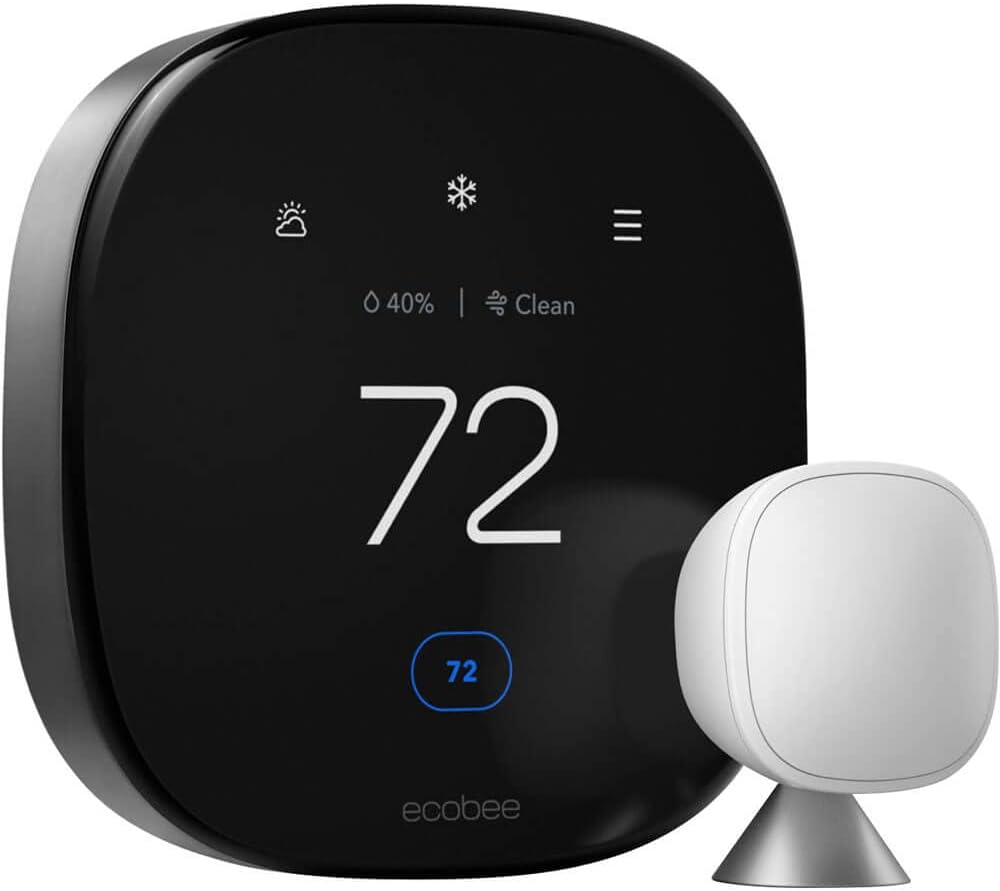
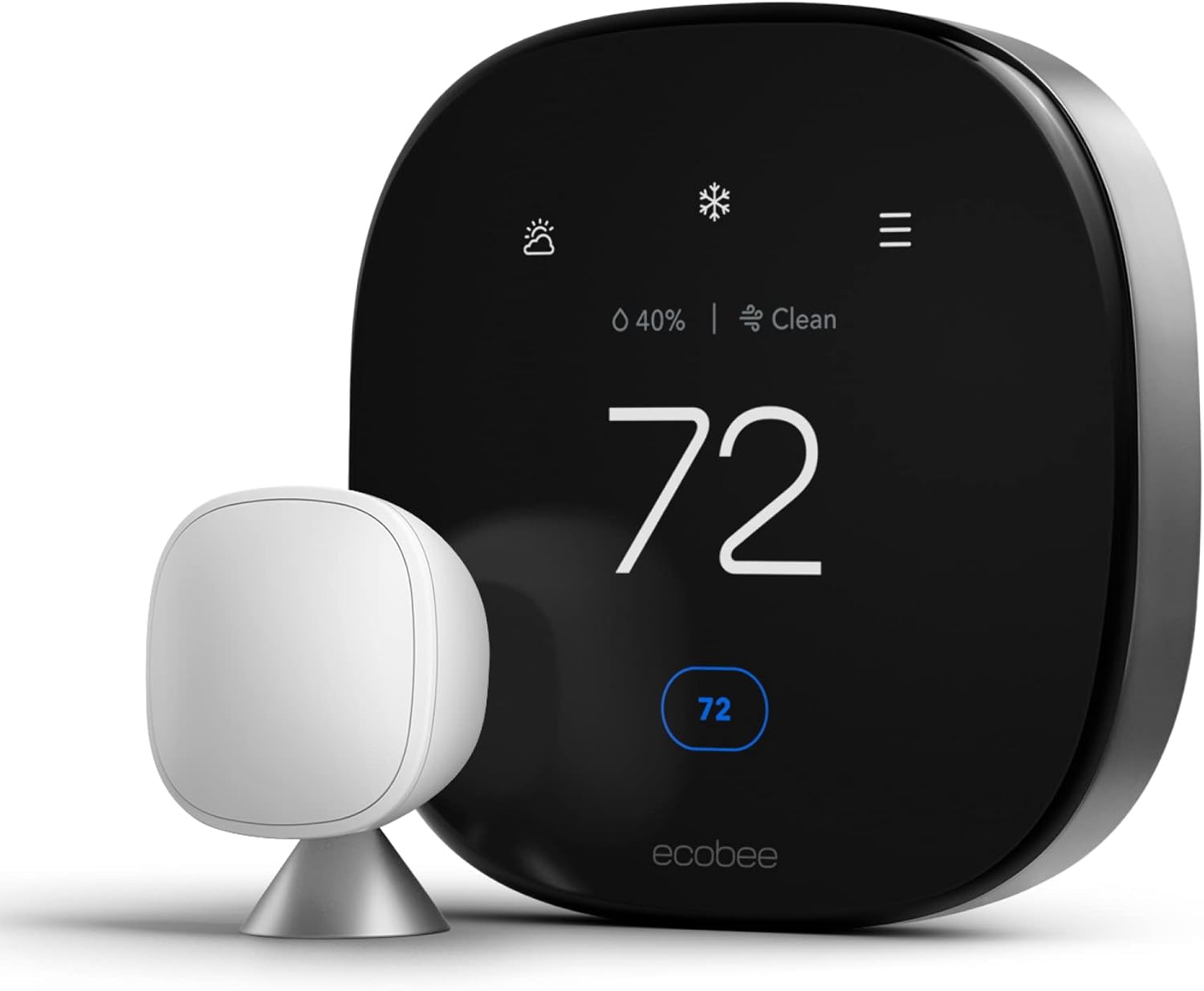
Ecobee Smart Thermostat Premium
Best for Multi-Room Precision. Includes a SmartSensor for a second room out of the box, delivers excellent energy usage reports, and is the only major smart thermostat with a built-in air quality monitor and Alexa speaker. Ideal for data-driven homeowners and Apple HomeKit users.
Best for: Room sensors, energy data, HomeKit, Alexa built-in
Compare: Ecobee vs Wyze
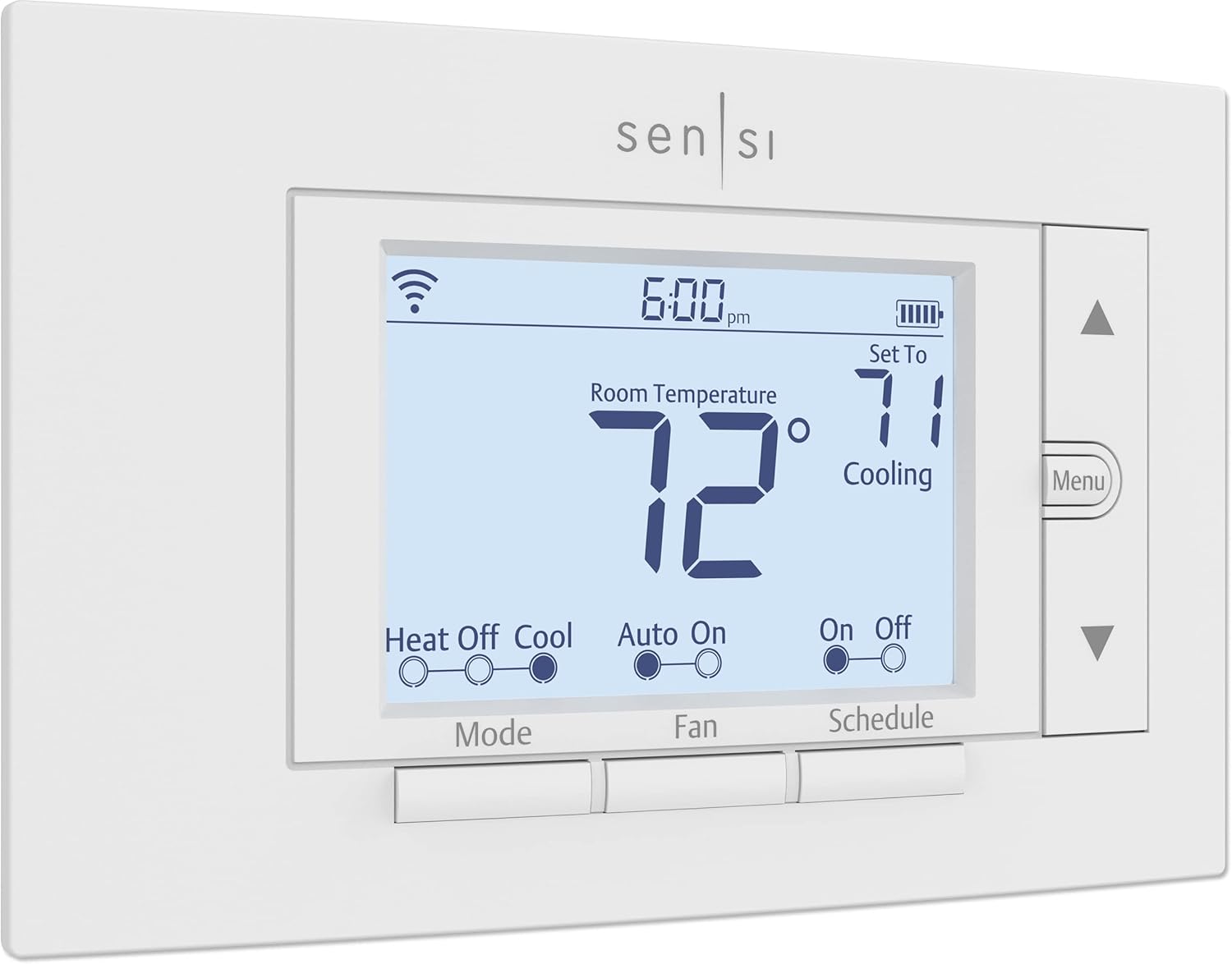
Emerson Sensi Wi-Fi
Best No-C-Wire Budget Option. Runs on standard AA batteries, fits old thermostat footprints, and doesn’t require a C-wire. Energy Star certified and Apple HomeKit compatible. The simplest smart thermostat upgrade path for older homes with 2-wire systems.
Best for: No C-wire homes, budget HomeKit, simple upgrade
Additional Winter Energy-Saving Tips Beyond the Thermostat
Your thermostat settings are the most impactful lever you control, but several complementary actions compound the savings:
- Replace air filters monthly in winter: A clogged filter forces your furnace to work harder, increasing runtime and energy consumption. A clean filter is the single easiest maintenance step with the most consistent impact on efficiency, and it’s also the first thing to check any time the system seems to be underperforming its thermostat setting.
- Seal door and window drafts: A thermostat set to 68°F in a drafty home runs far more than one set to 70°F in a well-sealed home. Weather-strip tape and door sweeps cost $10–30 and can reduce heating load meaningfully; a simple way to find drafts is running a hand slowly around window and door frames on a windy day, or holding a lit candle near the frame and watching for flicker.
- Use ceiling fans in reverse: Most ceiling fans have a reverse (clockwise) winter mode that pushes warm air collected at the ceiling back down to the living area. Running fans on low in reverse reduces how hard your furnace has to work to maintain comfort, since warm air naturally rises and pools near the ceiling of rooms with tall or vaulted ceilings.
- Let sunlight work for you: Open south-facing blinds and curtains during daylight hours to allow passive solar heat gain. Close all window coverings at dusk to retain the heat — even a single-pane window loses far less heat with a closed curtain or cellular shade than with one left open overnight.
- Check your furnace’s heat exchanger: A cracked heat exchanger is a carbon monoxide risk and an efficiency destroyer. Annual HVAC maintenance inspections catch this before it becomes dangerous, and most HVAC contractors bundle this inspection with a broader fall tune-up that also checks ignition components, blower operation, and refrigerant charge on heat pump systems.
- Consider a zone-based approach: If your home has multiple floors or wings, closing vents and doors to unused rooms (guest rooms, formal dining rooms) reduces the volume of air your furnace needs to heat — a simple, free savings measure. See the dedicated zoning section above for more structured options if this becomes a recurring need.
- Add attic insulation: Heat rises, and an under-insulated attic is one of the largest sources of winter heat loss in a typical home. Most building codes recommend R-38 to R-60 of attic insulation depending on climate zone; homes built before the 1990s frequently fall well short of current recommendations.
- Insulate accessible ductwork: Ducts running through unconditioned spaces such as attics, crawlspaces, and garages lose heat before it ever reaches a room. Wrapping accessible ducts in insulation, and sealing duct joints with mastic or foil tape (not standard cloth “duct tape,” which degrades quickly), reduces this loss.
- Reverse your water heater’s vacation mode logic: If your water heater has a vacation setting, use it during extended winter trips to reduce standby energy loss — but never fully shut off or drain a water heater in freezing conditions without professional guidance, since some setups require the heater to remain active to protect connected plumbing.
- Schedule an annual combustion safety check: Alongside efficiency, an annual inspection of any gas or oil combustion appliance verifies proper venting and confirms carbon monoxide detectors near sleeping areas are functioning — an essential safety step, not just an efficiency one, for any home running a furnace or boiler through the winter.
Glossary of Thermostat Terms
Thermostat manuals and product listings are full of jargon that isn’t always self-explanatory. Here’s a plain-language reference for the terms used throughout this guide and most product pages you’ll encounter while shopping.
| Term | What It Means |
|---|---|
| Setback | A scheduled reduction in temperature during hours the home is unoccupied or the household is asleep, used to reduce total energy consumption. |
| Recovery | The period during which the system brings the home back up to the comfort setpoint after a setback, ideally timed to finish right as occupants return or wake. |
| Adaptive Recovery / Smart Recovery | A feature on many smart thermostats that learns how long your specific home takes to recover from a setback and starts the recovery cycle earlier on colder days, so the target temperature is reached exactly on schedule rather than 20–30 minutes late. |
| Geofencing | Uses your smartphone’s location to detect when you leave a defined radius around your home (triggering an away setback) and when you’re approaching (triggering recovery), without needing a fixed schedule. |
| C-Wire (Common Wire) | A wire that provides continuous low-voltage power to a smart thermostat’s display and Wi-Fi radio. Many older homes lack one; most modern smart thermostats include a “power extender kit” or built-in workaround for homes without it. |
| Auxiliary Heat / Aux Heat | Electric resistance heating strips built into many heat pump air handlers that engage when the heat pump alone can’t meet demand quickly enough — during a deep setback recovery or in very cold outdoor temperatures. |
| Heat Pump / Aux Heat Lockout | A configurable setting that prevents auxiliary heat from engaging above a certain outdoor temperature, forcing the more efficient heat pump to work slightly harder and longer instead of switching to expensive resistance heat. |
| AFUE (Annual Fuel Utilization Efficiency) | A percentage rating for gas and oil furnaces indicating how much of the fuel’s energy is converted to usable heat versus lost up the flue. A 95% AFUE furnace converts 95 cents of every fuel dollar into heat. |
| HSPF (Heating Seasonal Performance Factor) | An efficiency rating for heat pumps in heating mode; higher numbers indicate a system that produces more heat per unit of electricity consumed. |
| Short Cycling | A malfunction pattern where the heating system turns on and off far more frequently than normal, usually caused by restricted airflow, a failing sensor, or an oversized unit, and which increases wear and reduces efficiency. |
| Design Temperature | The coldest outdoor temperature a heating system is engineered to comfortably handle for a given region; a system running constantly at temperatures above its design temperature typically indicates undersizing or a building envelope problem. |
| Zoning | Dividing a home into independently heated and cooled areas, each with its own thermostat or sensor, rather than treating the entire home as a single temperature zone. |
| Deadband | The temperature gap a thermostat maintains between its heating and cooling setpoints (relevant on systems that do both) to prevent the two systems from fighting each other in swing-season weather. |
Troubleshooting: When the Thermostat Doesn’t Listen
You set the thermostat to 68°F, but the house remains at 62°F two hours later. Or you hear the furnace attempting to start, but no warm air appears. Winter is peak season for HVAC failures — higher runtime demands reveal underlying issues that went unnoticed in shoulder seasons. Before calling a professional, work through these common causes:
- Short Cycling (furnace turns on and off rapidly): Check your air filter first — a blocked filter can cause the heat exchanger to overheat and trigger the high-limit safety switch, shutting the burner down within minutes of starting. Also check: Thermostat keeps rebooting.
- Screen Says “Heat On” But Air Is Cold: The thermostat is signaling the furnace but the furnace isn’t responding. This could be a tripped breaker on the furnace circuit, a failed igniter, a dirty flame sensor, or a pressure switch issue on high-efficiency condensing furnaces. Check: Thermostat says heat on but no heat.
- Fan Running 24/7: A fan that won’t shut off makes the home feel cold and drafty even when the heat is on, because it’s circulating unheated air. Your fan mode switch may be set to “ON” instead of “AUTO.” Check: How much electricity does the fan use?
- Clicking Without Starting: A clicking sound from the thermostat or furnace area without successful ignition typically indicates a relay, igniter, or control board issue. Check: Why is my thermostat clicking but not turning on?
- Temperature Not Reaching Set Point: If the furnace runs continuously but can’t reach 68°F on extremely cold days, your system may be undersized for the design temperature, your home may have significant air infiltration, or your furnace’s heat exchanger may be partially failing. Check: Thermostat not reaching set temperature.
- Baseboard Heaters Not Responding: Electric baseboard heating systems use line-voltage (120V/240V) thermostats — not the same as the 24V smart thermostats discussed in this guide. If you have baseboard heating, see our dedicated resource: Thermostat for baseboard heaters guide.
- Smart Thermostat Offline or Unresponsive in the App: Wi-Fi smart thermostats depend on a stable home network connection; a router reboot resolves the majority of connectivity complaints. If the thermostat stays online but stops responding to schedule or geofencing commands specifically, check that location permissions and background app refresh are still enabled on your phone.
- House Warm Upstairs but Cold Downstairs (or Vice Versa): Uneven heating between floors is usually a duct balancing or airflow issue rather than a thermostat problem, since one thermostat is trying to represent the average temperature of a home that naturally stratifies — warm air rises, so upper floors often run several degrees warmer than lower floors on the same call for heat. A zoning system, discussed above, is the most complete fix for chronic floor-to-floor imbalance.
Frequently Asked Questions
What is the most energy-efficient thermostat temperature for winter?
The U.S. Department of Energy identifies 68°F (20°C) while home and awake as the most energy-efficient temperature that maintains comfort for healthy adults. Combining this with a setback to 60°F during away hours and 65°F while sleeping — using either a programmable schedule or geofencing — can reduce your annual heating bill by up to 10% compared to a fixed 68°F all day.
Is it cheaper to keep the heat at a constant temperature all day?
No, for gas and electric forced-air systems. Maintaining a constant 68°F all day when no one is home uses more energy than setting back to 60°F and recovering before arrival. The recovery cost (heating the house back up) is always less than the cost of maintaining a higher temperature through an 8-hour absence. The heat pump exception to this rule is addressed above — for heat pumps, keep setbacks small (2–4°F maximum).
Are Wi-Fi thermostats worth it for winter savings?
Yes, particularly for the geofencing and remote monitoring features. Geofencing automatically applies setbacks when you leave and recovers before you return — without relying on a rigid schedule that doesn’t account for irregular days. Remote monitoring lets you verify your home’s temperature while traveling and receive alerts if the furnace fails. See: Are Wi-Fi thermostats worth it?
My thermostat isn’t reaching the set temperature. Is it broken?
Not necessarily. Common non-failure causes include: the thermostat is mounted in a drafty or poorly representative location (near a door, in direct sunlight, or near a heat-producing appliance); your HVAC system is undersized for the current outdoor design temperature; your air filter is clogged, restricting airflow; or there’s significant air infiltration through doors, windows, or the building envelope. Before assuming a broken thermostat, check: Thermostat not reaching set temperature and how to tell if your thermostat is bad.
What temperature should I set my thermostat to in winter to save money?
For maximum savings with acceptable comfort: set 68°F when home and active, 65°F while sleeping, 60°F while away, and 55°F as a minimum on vacation. The single biggest savings lever is the away setback — if you achieve nothing else, getting your thermostat to drop to 60°F during 8+ hours of daytime absence will produce the most significant energy bill reduction.
Can I install a smart thermostat myself?
Yes — most smart thermostats are designed for DIY installation and include app-guided setup. The main variable is whether your home has a C-wire for constant power. Thermostats like the Honeywell T9, Ecobee, and Wyze include a C-wire adapter for homes without one. If you are replacing an older model, read Thermostat instructions for homeowners before starting.
What should I set my thermostat to at night in winter?
65°F (18°C) is the standard recommendation for most healthy adults. Research on sleep quality indicates that cooler core body temperature — facilitated by a cooler room — improves both sleep onset speed and sleep depth. The optimal sleep temperature range for most adults is 60–67°F. If you have elderly household members or infants, keep nighttime temperatures at 68°F or above as explained in the dedicated section above.
How do I prevent frozen pipes when I’m away in winter?
Set a permanent temperature hold of at least 55°F (13°C) — never turn the heat off entirely. Also: let cold-cabinet faucets drip slowly in extreme cold, open cabinet doors under sinks on exterior walls to allow heat circulation, and disconnect and drain outdoor hose bibs before the season. A Wi-Fi thermostat with freeze-warning alerts will notify you if the temperature drops unexpectedly while you are away. Read our full guide: What temperature to set your thermostat when on vacation in winter.
What is the ideal thermostat setting for a heat pump in winter?
Keep a heat pump close to a single steady setpoint — typically 68°F while home and awake — and limit any away or sleep setback to 2–4°F rather than the 7–10°F drop recommended for gas furnaces. Deeper setbacks on a heat pump often trigger costly auxiliary electric resistance heat during recovery, which can offset or exceed the savings from the setback itself.
Should I set my thermostat higher for elderly parents or grandparents?
Yes. The National Institute on Aging recommends 68–74°F for elderly residents due to reduced ability to regulate body temperature, which is warmer than the standard 65°F sleeping setback recommended for healthy younger adults. If an elderly household member lives with you, keep nighttime and away setbacks shallow throughout their living areas.
Does closing vents in unused rooms actually save money?
Closing a small number of vents in rarely used rooms can modestly reduce the volume of air your system heats, but closing too many (generally more than 10–20% of total vents) can increase duct pressure beyond design tolerances and reduce overall system efficiency. A smart vent system or professional duct balancing is a safer way to reduce heating in specific rooms.
How much colder should my home be while I’m asleep?
A drop of 3°F from your daytime setpoint — commonly from 68°F to 65°F — is the widely cited sweet spot that balances measurable sleep-quality benefits with continued comfort for most healthy adults. Some people comfortably sleep at 60–63°F under adequate bedding, while households with infants or elderly members should keep nighttime temperatures closer to 68°F.
Is 60°F too cold for a house in winter?
60°F is a reasonable away-from-home setback temperature for most gas- and oil-heated homes with healthy occupants, but it is not recommended as a sustained living temperature, and it is too cold for infants, elderly residents, or anyone with certain circulatory conditions. It is also warmer than the 55°F minimum recommended for extended vacation absences, since 60°F assumes a same-day return and recovery.
Do smart thermostats really pay for themselves?
For most households that previously used a manual or non-programmable thermostat, yes — the combination of consistent setback scheduling and geofencing typically recovers the purchase price within one to two heating seasons through reduced runtime, especially on higher-cost fuels like propane, oil, or electric resistance heat. Households upgrading from an already well-used 7-day programmable thermostat will see a smaller marginal improvement, since much of the setback savings was already being captured.
Why does my house feel cold even though the thermostat reads 68°F?
Air temperature and perceived comfort aren’t the same thing. Low indoor humidity (common during winter heating), direct drafts near windows and doors, and cold surface temperatures on floors, walls, and windows can all make a room feel several degrees colder than the thermostat’s reading. Addressing humidity (see the humidity section above) and draft-sealing often solves a “feels cold” complaint more effectively than raising the setpoint further.
What temperature should a nursery be kept at overnight?
The American Academy of Pediatrics recommends 68–72°F for a baby’s room year-round, including overnight, which is warmer than the standard adult sleeping setback of 65°F. Many parents use a dedicated nursery sensor on a multi-room smart thermostat, or a separate space heater with a built-in thermostat, rather than raising the temperature for the entire home overnight.




 Home
Home
 Info
Info
 Compare
 Reviews
 Shop
Shop