
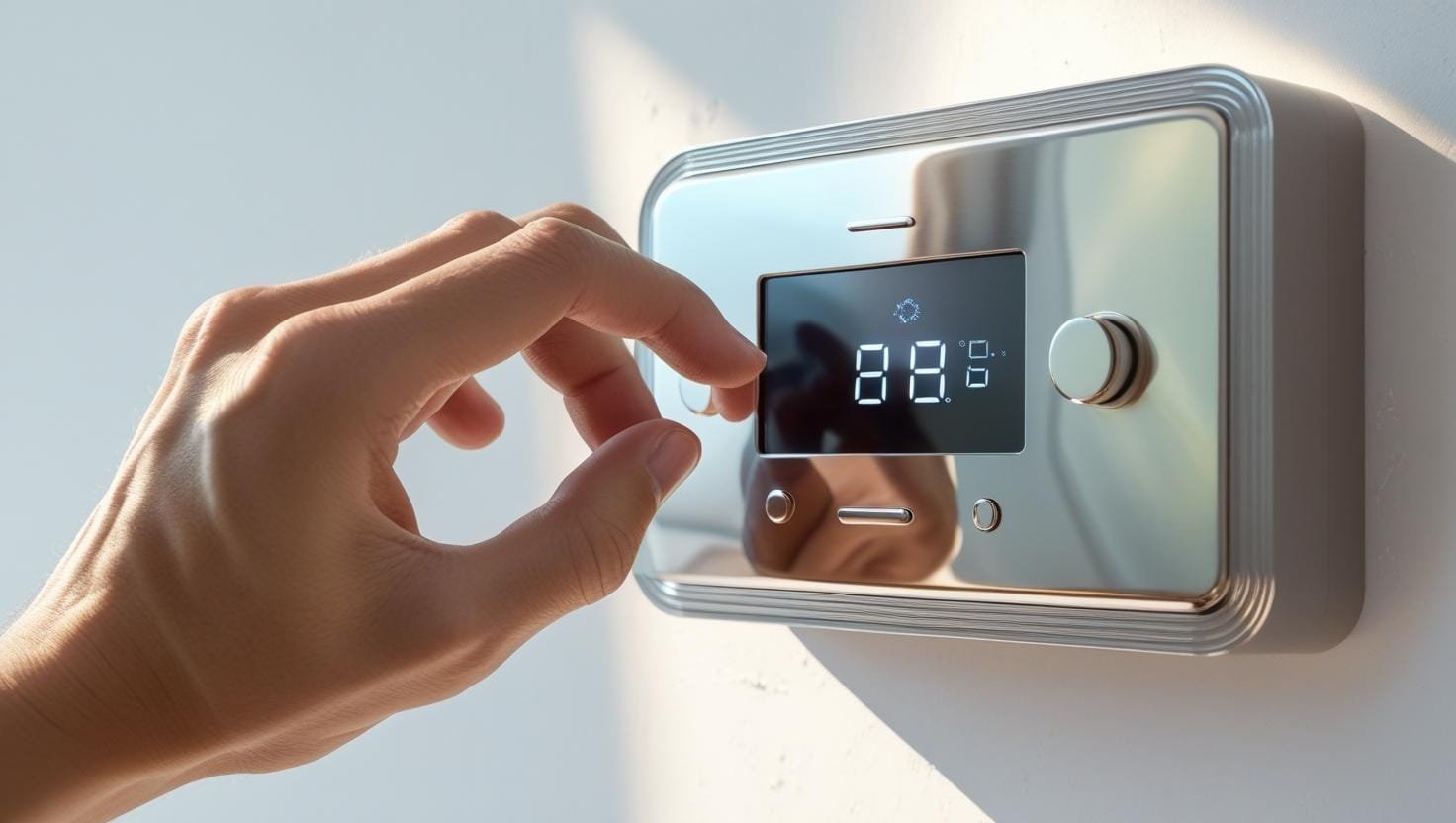
The Ultimate Guide to Thermostats 🌡️
Ever wondered about that little box on your wall or the crucial part in your car’s engine? It’s a thermostat, a small device with a massive impact on our comfort, safety, and efficiency. This guide breaks down exactly what a thermostat is, how the different types work, their history, their wiring, common failures, and their most critical applications.
In This Guide
- What Is a Thermostat?
- A Brief History
- How a Thermostat Works
- Smart Thermostats
- Thermostat Types by Voltage
- Thermostat Wiring & Terminal Letters
- The C-Wire Problem
- Heat Pump Thermostats & Aux Heat
- Thermostats in Cars
- Troubleshooting Common Problems
- Calibration & the Anticipator
- Humidistats & Aquastats
- Where to Install a Thermostat
- Zoning Systems
- Comparing Popular Smart Brands
- What Thermostats Are Used For
- Further Reading & Video
- FAQs
What is a Thermostat? A Precise Definition
At its most fundamental level, a thermostat is a control device that automatically regulates temperature. It accomplishes this by sensing the ambient temperature of a physical system (like a room, an engine, or an oven) and comparing it to a desired temperature, known as the “setpoint.” If the measured temperature deviates from the setpoint, the thermostat performs actions—typically by opening or closing an electrical circuit—to bring the system’s temperature back to the desired level.
It’s a common misconception that a thermostat produces heating or cooling. It does not. Instead, it acts as the mission control center, the commander that gives orders to the actual heating and cooling equipment. For example, it tells your furnace to ignite, your air conditioner to start its compressor, or your car’s cooling fan to turn on. Its entire purpose is to maintain thermal equilibrium without manual intervention.
In short: A thermostat is an automatic switch that turns heating or cooling systems on or off to maintain a specific, user-defined temperature, acting as the brain of any climate control system.
A Brief History: From Clunky Contraptions to Smart Devices
The concept of automated temperature regulation isn’t new. The journey began in the 17th century with Dutch innovator Cornelis Drebbel, who developed a mercury-based thermostat to regulate the temperature of a chicken incubator. However, the first commercially successful and widely adopted thermostat was invented by Warren S. Johnson in 1883. His device was purely mechanical and was designed to regulate the dampers in building furnaces.
The 20th century saw the popularization of the iconic round, mechanical thermostat featuring a bimetallic strip, a design that dominated homes for decades. The digital revolution of the late 20th century brought programmable thermostats, allowing users to set different temperatures for different times of the day, a significant leap in energy conservation. Today, we are in the era of smart thermostats, which connect to the internet, learn user habits, and can be controlled from anywhere in the world, representing the pinnacle of convenience and efficiency.
How Does a Thermostat Work? A Deep Dive into the Technology
The “how” of a thermostat’s operation varies significantly with its age and type. While the goal is the same, the internal mechanisms are worlds apart. Let’s explore the most common types.
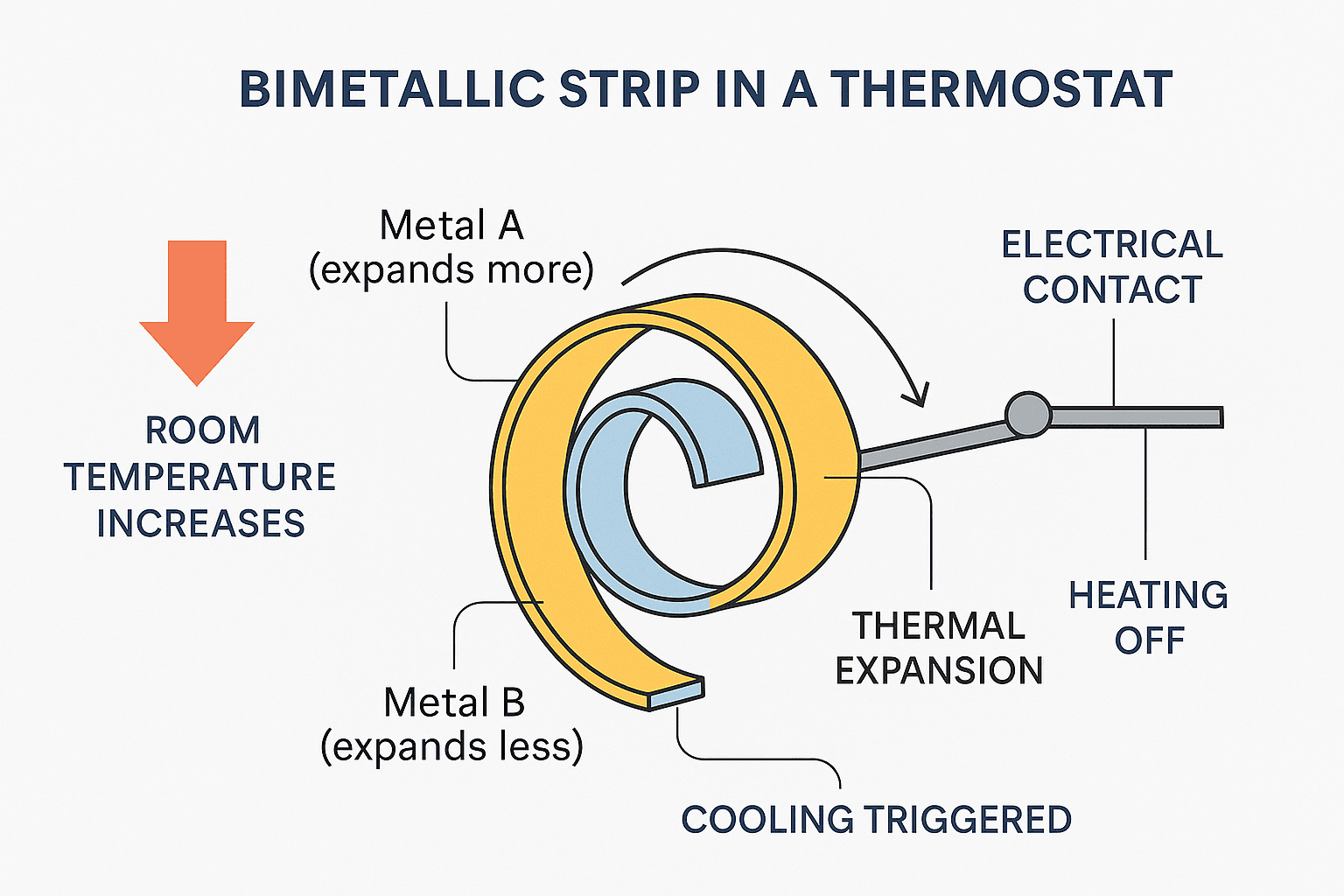
1. The Classic Mechanical Thermostat (Bimetallic Strip)
This is the technology that powered thermostats for the better part of a century. The genius lies in its simplicity. The core component is a bimetallic strip, which is essentially a sandwich of two different metals (often steel and copper) bonded together. These metals have different coefficients of thermal expansion, meaning they expand and contract by different amounts when heated or cooled.
When the room cools, the strip cools and coils more tightly. This coiling action causes the strip to tilt a small vial containing mercury, which flows to one end and completes an electrical circuit. This signals the furnace to turn on. As the room warms up, the strip expands and uncoils, tilting the vial back, breaking the circuit, and shutting the furnace off. Non-mercury versions use a simple snap-action switch instead.
2. The Modern Digital Thermostat (Thermistors and Microprocessors)
Digital thermostats, which are standard today, offer far greater precision and functionality. They replace moving parts with solid-state electronics.
- Temperature Sensor: Instead of a bimetallic strip, they use a thermistor. A thermistor is a type of resistor whose electrical resistance changes predictably with temperature. It’s highly sensitive and provides a much more accurate reading.
- Microcontroller: The brain of the digital thermostat is a small computer chip. It constantly measures the electrical resistance of the thermistor. An Analog-to-Digital Converter (ADC) translates this resistance value into a digital temperature reading.
- Decision Making: The microcontroller compares this digital temperature to the user’s setpoint. If the temperature is too low, it sends an electrical signal via a relay to turn on the heat. If it’s too high, it signals the air conditioner. This digital control allows for features like programming, screen displays, and more precise temperature management.
The Next Generation: What Are Smart Thermostats?
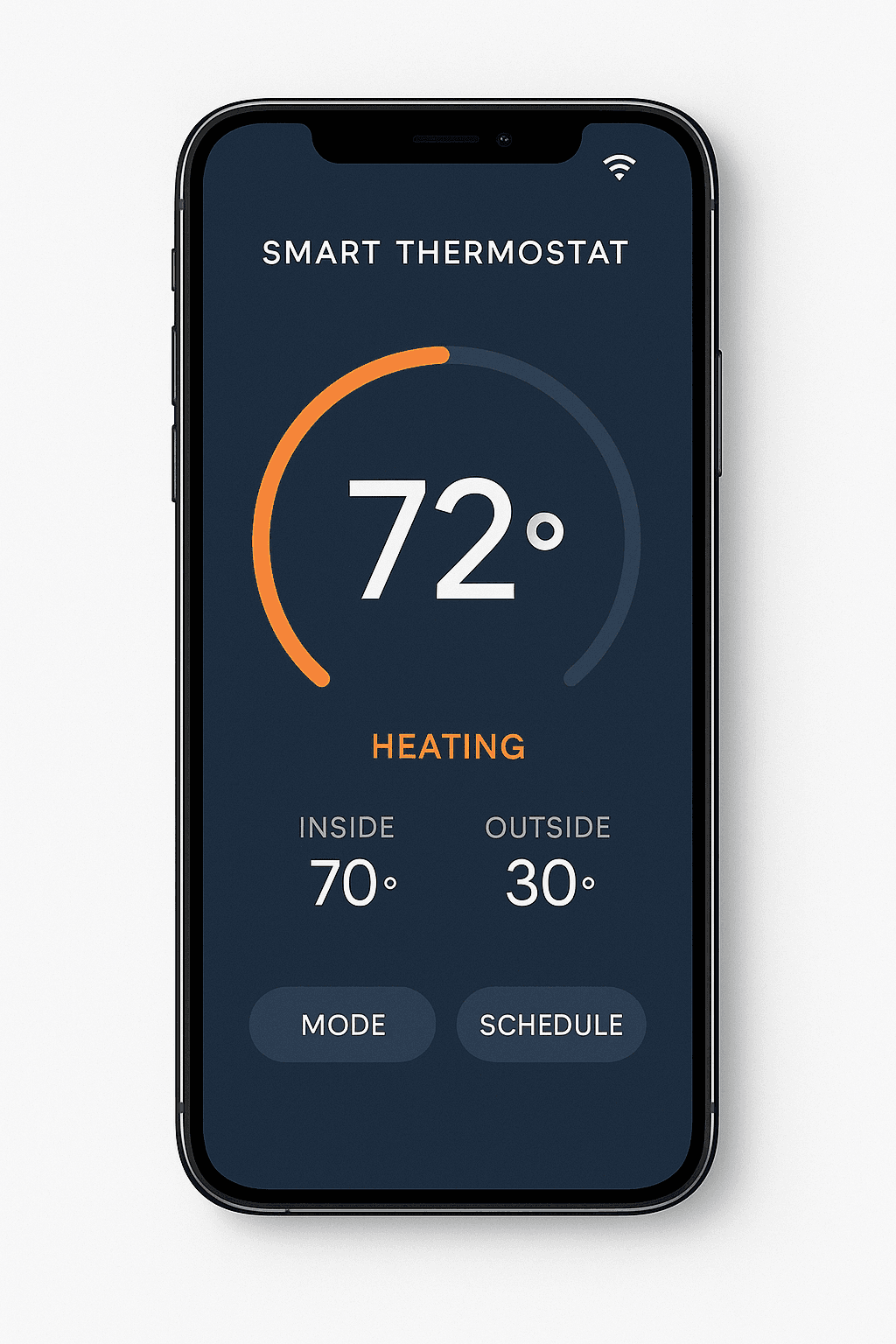
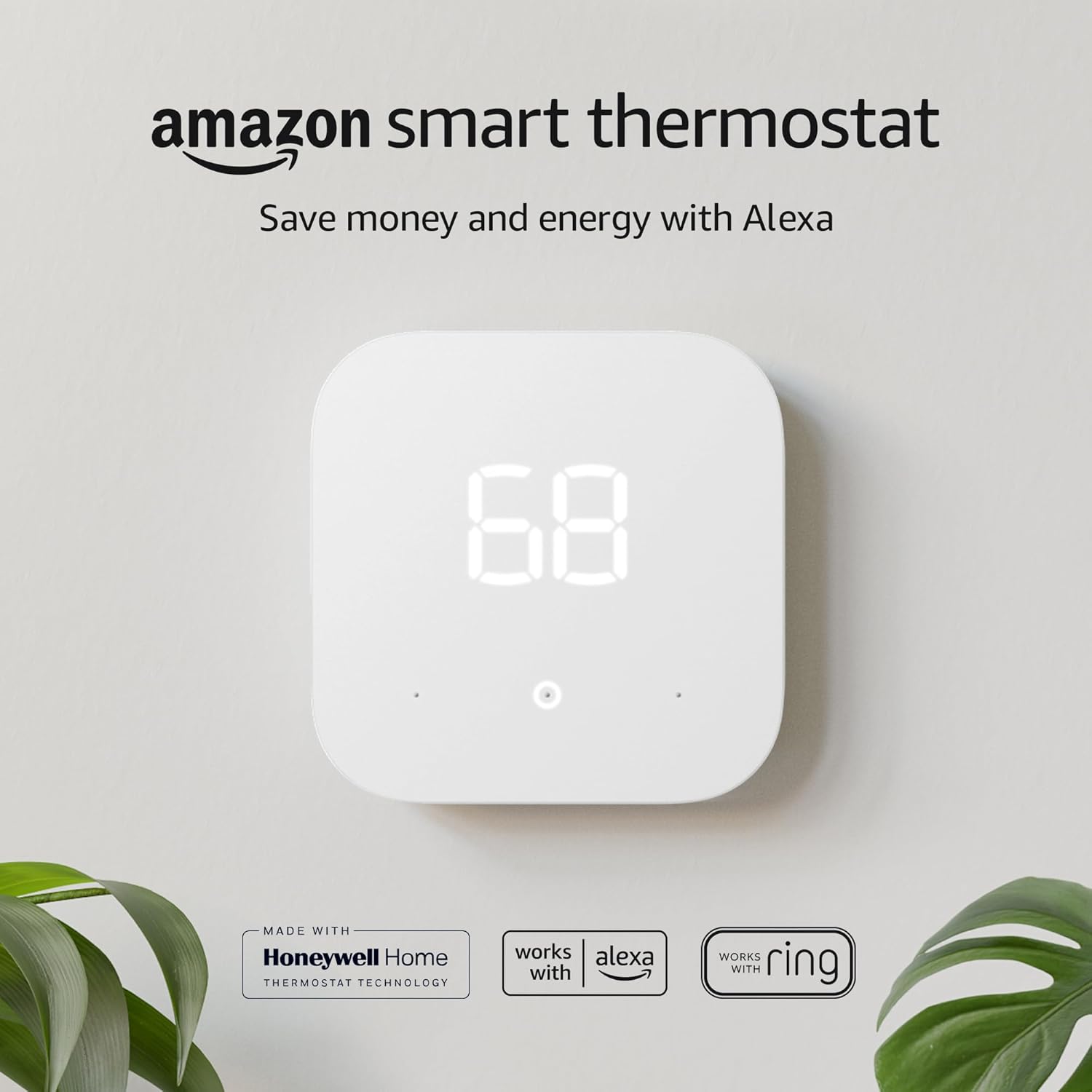
Smart thermostats are a revolutionary evolution of the digital thermostat. They incorporate Wi-Fi connectivity and advanced software to offer unprecedented control and energy savings.
Key Features of Smart Thermostats:
- Remote Control: Connects to your home’s Wi-Fi, allowing you to adjust the temperature from your smartphone, tablet, or computer, no matter where you are.
- Learning Algorithms: Many models learn your daily routines and temperature preferences over time. They can automatically create a schedule that optimizes comfort while saving energy, turning the temperature down when you’re away and back up before you get home.
- Geofencing: Uses your phone’s GPS location to determine if you are home or away, automatically adjusting the temperature to an energy-saving “Away” mode.
- Energy Reports: Provide detailed reports on your energy usage, helping you understand how your habits affect your utility bills and where you can save more.
- Voice Control: Integrate with smart home assistants like Amazon Alexa, Google Assistant, and Apple Siri for hands-free voice commands.
Thermostat Types by Voltage: Low-Voltage, Line-Voltage, and Millivolt Systems
One of the most searched — and most confused — thermostat topics is voltage classification. Not every thermostat runs on the same electrical principle, and buying the wrong type for your system is one of the most common DIY mistakes homeowners make. Broadly speaking, residential thermostats fall into three voltage categories, and knowing which one you have is the first step before you ever touch a wire.
Low-Voltage Thermostats (24V)
The overwhelming majority of central heating and cooling systems — forced-air furnaces, central air conditioners, and heat pumps — use low-voltage control circuits. A small transformer inside the furnace or air handler steps household 120V or 240V power down to a safe 24 volts AC. This 24V signal travels through thin, color-coded thermostat wire (often called “18/5” or “18/8” cable, referring to the wire gauge and number of conductors) to the thermostat, which simply opens and closes these low-voltage circuits to call for heat, cooling, or fan operation. Because the voltage is so low, low-voltage thermostats are generally safe for homeowners to install themselves, provided the power is shut off at the breaker first.
Line-Voltage Thermostats (120V/240V)
Line-voltage thermostats are a different animal entirely. Instead of controlling a small transformer circuit, they switch the full household voltage — typically 120V or 240V — directly. These are most commonly found controlling electric baseboard heaters, in-wall electric heaters, radiant floor heating systems, and some window air conditioners. Because line-voltage thermostats carry the full current that powers the heating element itself, they require thicker gauge wiring and heavier-duty internal switching components. Installing or replacing a line-voltage thermostat is considerably more dangerous than a low-voltage swap, and many electricians recommend hiring a licensed professional rather than attempting it as a weekend project, since a mistake here can cause arcing, melted terminals, or a house fire rather than simply an inoperative furnace.
Millivolt Thermostats
Millivolt systems are the quiet third category, most often found on older gas wall furnaces, freestanding gas stoves, and some boilers that use a standing pilot light rather than an electronic igniter. In a millivolt system, the pilot flame heats a thermocouple or thermopile, which generates a tiny electrical current — measured in thousandths of a volt rather than full volts — that powers the gas valve directly. A millivolt thermostat doesn’t need batteries or a C-wire because the pilot flame itself generates enough current to operate the thermostat’s switch. The tradeoff is that millivolt thermostats are far less compatible with smart thermostat upgrades, since most Wi-Fi models are designed around 24V systems and will not function reliably — or at all — on millivolt current without a specialized add-on kit.
Before shopping for a replacement thermostat, always check your current unit’s rear label or your HVAC system’s control board documentation. Installing a low-voltage smart thermostat on a line-voltage baseboard heater circuit — or vice versa — can damage the equipment and voids most manufacturer warranties.
Thermostat Wiring Explained: What Every Terminal Letter Means
If you’ve ever pulled an old thermostat off the wall, you’ve probably stared at a tangle of colored wires labeled with cryptic single letters — R, W, Y, G, C — and wondered what any of it means. This is one of the highest-value things to understand before replacing a thermostat, because wire color is not a universal standard across manufacturers, and the letter printed on the terminal is what actually matters, not the wire’s color. Here’s a plain-English breakdown of the terminals you’ll encounter on most residential systems.
- R (and Rc): This is the power wire, carrying 24VAC from the transformer to the thermostat. On systems with separate heating and cooling transformers, R handles heating power while Rc (sometimes Rh) handles cooling power, and a small jumper is typically installed between R and Rc when a single transformer serves both.
- W and W2: The heat-call wires. W activates the first stage of heating (igniting a gas furnace’s burners or energizing an electric heat strip). W2 controls a second stage of heating, which activates during unusually cold conditions when the first stage alone can’t keep the space at the setpoint.
- G: Controls the indoor blower fan independently of heating or cooling, letting you run the fan on its own for air circulation.
- Y and Y2: These call for cooling by engaging the air conditioner’s compressor. Two-stage or variable-speed air conditioners use Y2 for the higher cooling stage.
- C (Common): The common wire completes the low-voltage circuit and provides constant, uninterrupted 24V power to the thermostat itself, independent of whatever the thermostat is currently calling for. This is discussed in detail in the next section, because it’s the single biggest sticking point when upgrading to a smart thermostat.
- O and B: Found on heat pump systems, these control the reversing valve that switches the heat pump between heating and cooling modes. Wire color for O and B is not standardized — some systems use orange for O and blue for B, and misconnecting the two can cause the heat pump to heat when it should cool, or vice versa.
- AUX / E: The auxiliary and emergency heat terminals handle backup heating input for heat pump systems, typically an electric heat strip or a secondary furnace used when the heat pump cannot meet demand on its own.
- U: A less common terminal used to control an attached humidifier, dehumidifier, or ventilator.
The safest wiring practice, whether you’re a confident DIYer or handing the job to a technician, is to photograph the existing wiring — including which letter each colored wire is currently seated in — before disconnecting anything. Wiring diagrams printed inside thermostat manuals are useful references, but the ground truth is always your specific system’s control board, since consulting the owner’s manual and matching wires to the control board’s own labeling is the recommended way to confirm compatibility before installation.
The C-Wire Problem: Why Smart Thermostats Sometimes Won’t Work
If there’s one wiring issue that generates more support calls and return requests than any other in the smart thermostat era, it’s the missing common wire. Homes built or wired before smart thermostats became mainstream frequently used simple two-, three-, or four-wire systems that never included a C-wire, because older mechanical and even early digital thermostats didn’t need continuous power — they could run for months on a coin-cell battery. Smart thermostats and Wi-Fi-enabled models, on the other hand, require continuous 24-volt power through the C wire in order to run their screens, radios, and sensors around the clock.
How to Tell If You Have a C-Wire
The easiest way to check is to remove your existing thermostat’s faceplate and look at the wiring terminal block behind it. If you see a wire connected to a terminal labeled “C,” you already have one. If that terminal is empty — or if there’s an unused wire capped off and tucked into the wall behind the mounting plate — you likely have a spare conductor that was never connected, which is good news, since it may simply need to be pulled forward and attached.
What Happens If You Don’t Have One
A thermostat display that is blank or unresponsive after installation is one of the most common symptoms of a missing or loose C-wire connection. Homeowners in this situation generally have a few realistic paths forward:
- Use a C-wire adapter kit: Some adapter or “C-or-aux” kits create a virtual common wire by cleverly borrowing current from the fan (G) or compressor (Y) circuits during idle periods, though these are considered niche workarounds that need to be configured precisely to avoid damaging the HVAC control board.
- Run a new dedicated C-wire: The most reliable long-term fix is running an entirely new wire from the furnace or air handler to the thermostat location, though this typically involves opening walls or fishing wire through existing chases and may call for a licensed technician if you’re not comfortable with electrical work.
- Choose a battery-powered smart thermostat: A handful of smart thermostat models are designed to run on internal batteries rather than requiring a C-wire, though they typically sacrifice some always-on features like continuous Wi-Fi connectivity or advanced ambient sensors in exchange for that flexibility.
Before buying a smart thermostat, check the product’s compatibility checker (most major brands offer one online) and confirm whether your existing wire bundle includes a common wire. It can save you an extra trip to the hardware store — or an unplanned wall repair.
Heat Pump Thermostats and Auxiliary Heat: What Makes Them Different
Heat pump systems are handled differently from standard furnace-and-AC setups, and this trips up a lot of people shopping for a replacement thermostat. A standard thermostat built for conventional heating and cooling generally isn’t compatible with a heat pump, because heat pump thermostats include specific terminals — such as O/B and Aux/E — that control the reversing valve and the auxiliary or emergency heat functions unique to how heat pumps operate. Using an incompatible thermostat on a heat pump system risks improper operation or even equipment damage.
Understanding Auxiliary Heat
A heat pump moves heat rather than generating it, which makes it highly efficient in mild-to-moderately-cold weather but less effective once outdoor temperatures drop close to or below freezing. During particularly cold weather, the heat pump may need help keeping the home warm, and this is where auxiliary heating — often an electric heat strip — kicks in, with the thermostat responsible for signaling the system to activate that backup heat source when it’s needed. On dual-fuel systems, this backup role is instead filled by a gas or oil furnace rather than electric strips.
It’s worth noting that “auxiliary heat” and “emergency heat” are related but distinct settings on most heat pump thermostats. Auxiliary heat kicks in automatically, working alongside the heat pump’s compressor to supplement its output. Emergency heat, by contrast, is typically a manual override that shuts the compressor off entirely and relies solely on the backup heat source — used when the heat pump itself has failed and needs servicing, not as a routine cold-weather setting.
Common Heat Pump Wiring Mistakes
This kind of issue is common during shoulder seasons like October and April, when outdoor temperatures sit well above the heat pump’s balance point but auxiliary heat still engages unnecessarily, driving up energy bills, and the U.S. Department of Energy has noted that incorrectly configured auxiliary heat controls are among the most frequently mishandled aspects of heat pump installation. Double-checking that the W/Aux wire is landed on the correct terminal, and that the thermostat’s aux heat lockout temperature is set sensibly for your climate, can meaningfully reduce winter utility bills.
When Aux Heat Is Working Correctly
- Kicks in only during genuinely cold snaps or rapid setpoint changes
- Cycles off automatically once the heat pump can carry the load alone
- Cabin/room air stays consistently warm without long recovery lag
Signs of a Wiring or Setting Problem
- Aux heat runs constantly, even in mild weather
- Unusually high electric bills during shoulder-season months
- Reversing valve stuck, causing heating when cooling is selected (or the reverse)
The Unsung Hero: What Does a Thermostat Do in a Car?
While often overlooked, the thermostat in your car’s engine is absolutely critical for its health, performance, and longevity. Its function is more complex than just turning something on or off; it’s a dynamic regulator of engine temperature by controlling the flow of coolant.
The Two-Phase Operation
The automotive thermostat is a small, temperature-sensitive valve positioned in the cooling system between the engine block and the radiator. It operates in two main phases:
1. Engine Warm-Up (Thermostat Closed): When you start a cold engine, the thermostat remains completely closed. This blocks the path for coolant to flow to the radiator. The coolant continues to circulate within the engine block itself. This is intentional. It allows the engine to heat up to its optimal operating temperature (typically 195-220°F or 90-104°C) as quickly as possible. A cold engine is inefficient, produces more emissions, and experiences greater wear.
2. Normal Operation (Thermostat Open): Inside the thermostat is a small cylinder containing a special wax that melts and expands at a specific temperature. Once the coolant reaches this temperature, the expanding wax pushes a pin that opens the valve. This allows hot coolant to flow out of the engine and into the radiator, where it is cooled by airflow. The now-cooler fluid is then pumped back into the engine to absorb more heat. The thermostat constantly modulates, opening and closing to maintain the engine within its ideal temperature range.
Diagnosing a Failed Automotive Thermostat
A failed thermostat can cause significant engine problems. It typically fails in one of two ways:
| Failure Mode | Symptoms | Consequences |
|---|---|---|
| Stuck Closed | Engine rapidly overheats; temperature gauge spikes into the red. Steam or boiling sounds from the engine. Poor engine performance. Check engine light may come on. | Extremely dangerous for the engine. Can lead to warped cylinder heads, blown head gaskets, and catastrophic engine failure. Requires immediate attention. |
| Stuck Open | Engine takes a very long time to warm up. Temperature gauge stays low. Poor heater performance (no hot air in the cabin). Decreased fuel economy. Check engine light (P0128 code). | Less immediately damaging but still problematic. Reduces fuel efficiency, increases emissions, and causes accelerated engine wear over time. |
Troubleshooting Common Household Thermostat Problems
Beyond automotive failures, home HVAC thermostats develop their own recognizable set of symptoms. Below is a practical troubleshooting reference for the issues that generate the most search traffic and service calls.
| Symptom | Likely Cause | What to Check First |
|---|---|---|
| Blank or unresponsive display | Dead batteries, tripped breaker, or missing/loose C-wire on a smart thermostat | Replace batteries; check the furnace’s low-voltage fuse and breaker; confirm C-wire connection |
| Thermostat reads correctly but HVAC won’t turn on | Miswired terminal, tripped safety switch (e.g., condensate float switch), or dead transformer | Inspect wire terminals against the labeled letters; check condensate pan/float switch; test transformer output |
| System short-cycles (turns on/off rapidly) | Oversized equipment, dirty air filter restricting airflow, or a poorly located/miscalibrated sensor | Replace the air filter; relocate thermostat away from heat sources or drafts; check equipment sizing with an HVAC technician |
| Temperature reading feels inaccurate | Thermostat mounted in direct sunlight, near a vent, or above a heat-generating appliance | Compare against a separate room thermometer; consider recalibration or relocation |
| Heat pump runs constantly in mild weather | Auxiliary heat lockout temperature set too high, or a wiring fault on the W/AUX terminal | Review the aux heat lockout setting in the thermostat menu; verify W/AUX wiring |
| Wi-Fi thermostat frequently disconnects | Weak router signal at the thermostat’s location, or firmware needing an update | Check signal strength in the thermostat’s settings menu; move the router or add a Wi-Fi extender; update firmware |
Short-cycling deserves special mention because it’s often misdiagnosed as a “bad thermostat” when the real culprit is elsewhere in the system. A furnace or air conditioner that’s oversized for the space it serves will satisfy the thermostat’s setpoint quickly, then shut off, only to have the room temperature drift again minutes later — creating a rapid on/off pattern that wears down the compressor or ignition components far faster than normal cycling would. Before replacing a thermostat to fix short-cycling, it’s worth ruling out a clogged air filter, blocked return vent, or refrigerant issue, since these mechanical causes are considerably more common than a faulty control board.
Thermostat Calibration and the Heat Anticipator
Older mechanical thermostats included a small adjustable component called a heat anticipator — a tiny resistive heating element mounted next to the bimetallic strip. Its job was to “trick” the thermostat into shutting the furnace off slightly before the room actually reached the setpoint, compensating for the residual heat still radiating from the furnace’s heat exchanger and ductwork after the burners shut off. Without an anticipator, a room could overshoot the target temperature by several degrees, causing uncomfortable temperature swings and wasted energy. Anticipators had to be manually adjusted (usually via a small dial) to match the amperage draw of the specific furnace’s gas valve — a step that many DIY installers historically skipped or got wrong, leading to the “wide swing” comfort complaints associated with older systems.
Digital and smart thermostats have largely made the mechanical anticipator obsolete. Modern units use software-based algorithms — often called “cycle rate” or “adaptive recovery” settings — to achieve the same goal electronically, learning how quickly a given home heats or cools and adjusting when to end a heating or cooling cycle accordingly. That said, even digital thermostats can drift out of calibration over years of use, particularly cheaper models with basic thermistors. If your thermostat consistently reads a temperature that doesn’t match a reliable separate thermometer placed nearby, most models include a hidden calibration offset in their installer or advanced settings menu that lets you correct the reading by a degree or two.
Humidistats and Aquastats: The Thermostat’s Lesser-Known Cousins
Search interest around thermostats frequently overlaps with two related but distinct control devices: humidistats and aquastats. Understanding the difference helps clarify what each device is actually doing in a home comfort system.
Humidistats
A humidistat operates on the same basic principle as a thermostat, but it measures relative humidity instead of temperature, using a sensor (often a hygroscopic material that expands or contracts with moisture) to trigger a whole-home humidifier or dehumidifier. Many modern smart thermostats now include a built-in humidistat function, displaying indoor humidity alongside temperature and allowing a connected humidifier or ERV/HRV ventilation system to be controlled from the same interface — which is one reason the U-terminal mentioned earlier in the wiring section exists on many thermostat models.
Aquastats
An aquastat is essentially a thermostat for liquid rather than air, most commonly found on hydronic (hot water) heating boilers and some water heaters. It senses the temperature of water circulating through a boiler and cycles the burner on and off to keep that water within a target range, similar in principle to how a car’s thermostat manages coolant temperature. Aquastats often include both a high-limit safety function — shutting the burner off if water gets dangerously hot — and a low-limit function that can protect a boiler from “cold-start” damage in some systems by delaying circulation until the water reaches a minimum temperature.
Where to Install a Thermostat for Accurate Readings
Thermostat placement has an outsized effect on comfort and energy bills, yet it’s rarely considered once a thermostat is already mounted. A poorly placed thermostat can cause a perfectly functional HVAC system to behave erratically, cycling too often or not often enough because it’s reading a location that doesn’t reflect the average temperature of the living space.
- Avoid direct sunlight: A thermostat mounted on a wall that receives afternoon sun can read several degrees higher than the actual room temperature, causing the air conditioner to run longer than necessary.
- Stay away from supply vents and return grilles: Air blowing directly on the sensor causes it to react to localized airflow rather than the room’s true average temperature, contributing to short-cycling.
- Keep clear of heat-generating appliances and electronics: Placing a thermostat near a TV, lamp, or kitchen appliance can create a false-warm reading.
- Mount at the standard height: Roughly 52–60 inches above the floor, on an interior wall, is considered the sweet spot — interior walls tend to track average whole-home temperature better than exterior walls, which are more exposed to outdoor temperature swings.
- Choose a centrally located, frequently occupied room: Hallways and rarely used rooms often run cooler or warmer than the rooms people actually spend time in, skewing the thermostat’s sense of “comfortable.”
Zoning Systems: Multiple Thermostats, One HVAC System
Larger homes, or homes with rooms that never seem to match the rest of the house in temperature (a chilly upstairs bedroom, a sweltering sunroom), often benefit from a zoning system rather than a single whole-home thermostat. A zoned HVAC setup uses two or more thermostats, each controlling motorized dampers inside the ductwork, to direct conditioned air preferentially toward whichever zone is actively calling for heating or cooling. A central control panel — sometimes called a zone control board — coordinates these dampers and communicates with the furnace or air handler so that only the zones that need conditioning receive it, while dampers in satisfied zones partially close.
Zoning is particularly popular in multi-story homes, since heat naturally rises and upper floors tend to run warmer in summer and cooler relative to demand in winter compared to the ground floor. It’s also common in additions or sunrooms with different insulation or window exposure than the rest of the house. The tradeoff is added complexity and upfront cost: zoning requires compatible ductwork, a zone control panel, and typically a professional installation, making it a bigger investment than swapping a single thermostat — but for homes with persistent room-to-room temperature complaints, it often solves problems that no amount of single-zone thermostat troubleshooting ever could.
Comparing Popular Smart Thermostat Approaches
Shoppers researching a smart thermostat upgrade often want to know how the major approaches on the market differ in practice, beyond marketing copy. While specific model lineups change frequently, the smart thermostat category generally splits along a few consistent lines worth understanding before you buy.
| Approach | Strengths | Trade-Offs |
|---|---|---|
| Learning / auto-schedule models | Builds a schedule automatically from your manual adjustments; minimal setup effort | Takes days to weeks to “learn” your routine accurately; early schedule can feel off |
| Manually programmed models | Full control over exact schedule from day one; often less expensive | Requires the user to build and maintain the schedule themselves |
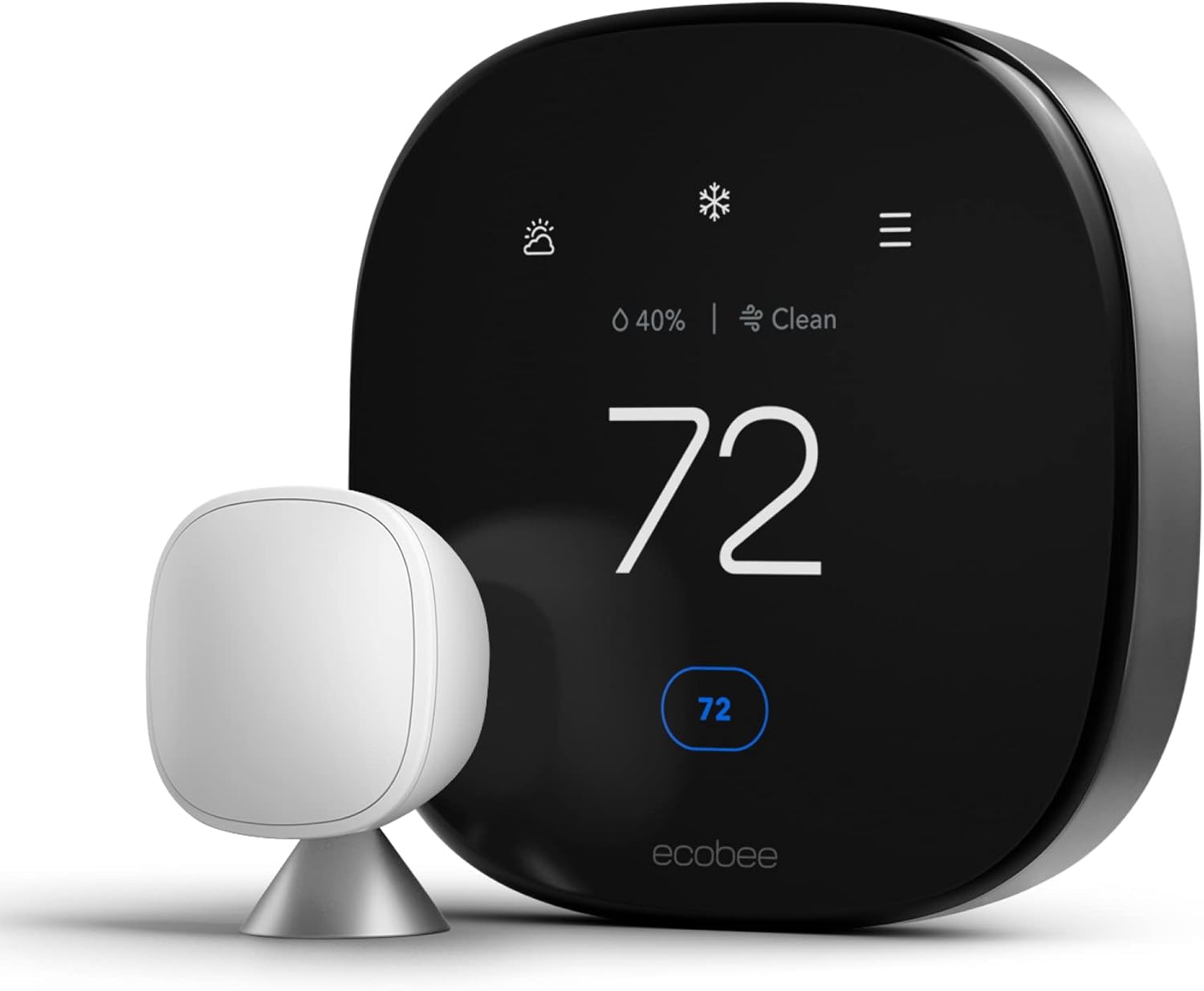
| Sensor-expandable systems | Remote room sensors let the system average or prioritize temperature from multiple rooms, not just where the thermostat is mounted | Additional sensors are usually sold separately and add to total cost |
| Basic Wi-Fi models without learning | Simple remote control and scheduling via app; typically the most affordable smart option | Lacks advanced automation like geofencing or occupancy-based adjustments |
Regardless of which approach fits your household best, compatibility should be the first filter, not the last. Confirming your wiring — particularly whether a C-wire is present, and whether your system is heat pump, dual-fuel, or conventional — before comparing feature lists will narrow the field considerably and prevent a frustrating return process.
Beyond the Basics: What Are Thermostats Used For?
While home climate control and cars are the most familiar examples, thermostats are ubiquitous in modern life, providing silent, automatic control in countless applications.
- Home Appliances: Your oven uses a thermostat to maintain the correct baking temperature. Your refrigerator and freezer use one to cycle the compressor and keep food safely chilled. Your water heater has a thermostat to keep water at a consistent temperature, and your clothes iron uses one to prevent scorching.
- Industrial and Scientific Fields: In laboratories, scientific incubators and chemical baths rely on high-precision thermostats to maintain exact temperatures crucial for experiments. In manufacturing, thermostats control processes like plastic molding, chemical reactions, and food processing.
- Commercial Buildings: Large-scale HVAC systems in offices, hospitals, and schools use complex networks of thermostats and sensors to manage climate across different zones, ensuring both comfort and energy efficiency on a massive scale.
Further Reading & Video
Want to go deeper on the science and history behind thermostats? The resources below are good next stops.
📖 Wikipedia: Thermostat
For the full technical and historical background — including early inventors, patent history, and the physics of temperature regulation — Wikipedia’s thermostat entry is a solid reference.
🎥 How a Thermostat Works
Frequently Asked Questions About Thermostats
Can I install a smart thermostat myself?
In most low-voltage systems, yes — the process mainly involves labeling and transferring a handful of color-coded wires. Line-voltage systems and complex heat pump or dual-fuel setups are better left to a licensed HVAC technician or electrician.
What is the ideal thermostat setpoint for energy savings?
Many energy agencies recommend around 68°F (20°C) in winter while home and awake, and a few degrees lower while sleeping or away, with the reverse logic (higher setpoints while away) applied for summer cooling. The exact number depends on personal comfort and local climate.
Why does my thermostat say “Aux Heat” and is that bad?
It simply means your heat pump’s backup heat source has engaged to supplement the compressor during colder weather. Occasional aux heat use is normal; if it runs constantly in mild weather, it usually points to a wiring or lockout-setting issue.
Do all thermostats need a C-wire?
No. Most basic mechanical and simple digital thermostats run on a battery or draw parasitic power without needing one. Most Wi-Fi-enabled smart thermostats do need continuous power through a C-wire, though some models offer battery-only alternatives.
What does it mean if my thermostat shows a wire-check or “E” error?
This generally indicates the thermostat isn’t detecting expected voltage on a terminal it expects to be wired, often due to a loose connection, blown low-voltage fuse, or a miswired terminal. Check connections against the terminal letters before assuming the thermostat itself is defective.
Can a thermostat be too far from the furnace to work properly?
Signal strength isn’t typically the issue since wired thermostats communicate over dedicated low-voltage wire, not distance-limited signals. However, very long wire runs can occasionally introduce voltage drop on older or thin-gauge wiring, which is worth checking if a distant thermostat behaves erratically.
Is it normal for a heat pump thermostat to feel like it’s blowing cool air while heating?
Yes — heat pumps deliver air that’s warmer than room temperature but often cooler than the output of a gas furnace, which can feel less “hot” even though it’s effectively heating the space. This is a normal characteristic of heat pump operation, not necessarily a malfunction.
What’s the difference between a programmable and a smart thermostat?
A programmable thermostat lets you set a fixed weekly schedule directly on the device, with no internet connection required. A smart thermostat adds Wi-Fi connectivity, remote app control, and often adaptive or learning features on top of scheduling.
Why does my thermostat’s temperature reading not match a separate thermometer in the same room?
This is often caused by thermostat placement (sunlight, drafts, nearby heat sources) rather than a defective sensor. Relocating the thermostat or using its internal calibration offset can usually resolve small discrepancies.
Can a humidistat be added to an existing thermostat setup?
In many cases yes, provided the thermostat has a U-terminal or similar humidity-control wiring and the HVAC system has a compatible whole-home humidifier or dehumidifier installed.
How often should a home thermostat be replaced?
There’s no fixed lifespan, but mechanical thermostats often last decades, while digital and smart models are more commonly replaced every 8–12 years as features and efficiency improve, or sooner if a household upgrades its HVAC system.
Why would a thermostat need a zoning system instead of just a bigger HVAC unit?
Zoning solves room-to-room temperature imbalances caused by layout, sun exposure, or multiple floors — problems that oversizing equipment doesn’t fix and can actually make worse through short-cycling.
As an Amazon Associate, this site earns from qualifying purchases. Product links, where present, support the maintenance of this guide at no extra cost to you.




 Home
Home
 Info
Info
 Compare
 Reviews
 Shop
Shop