
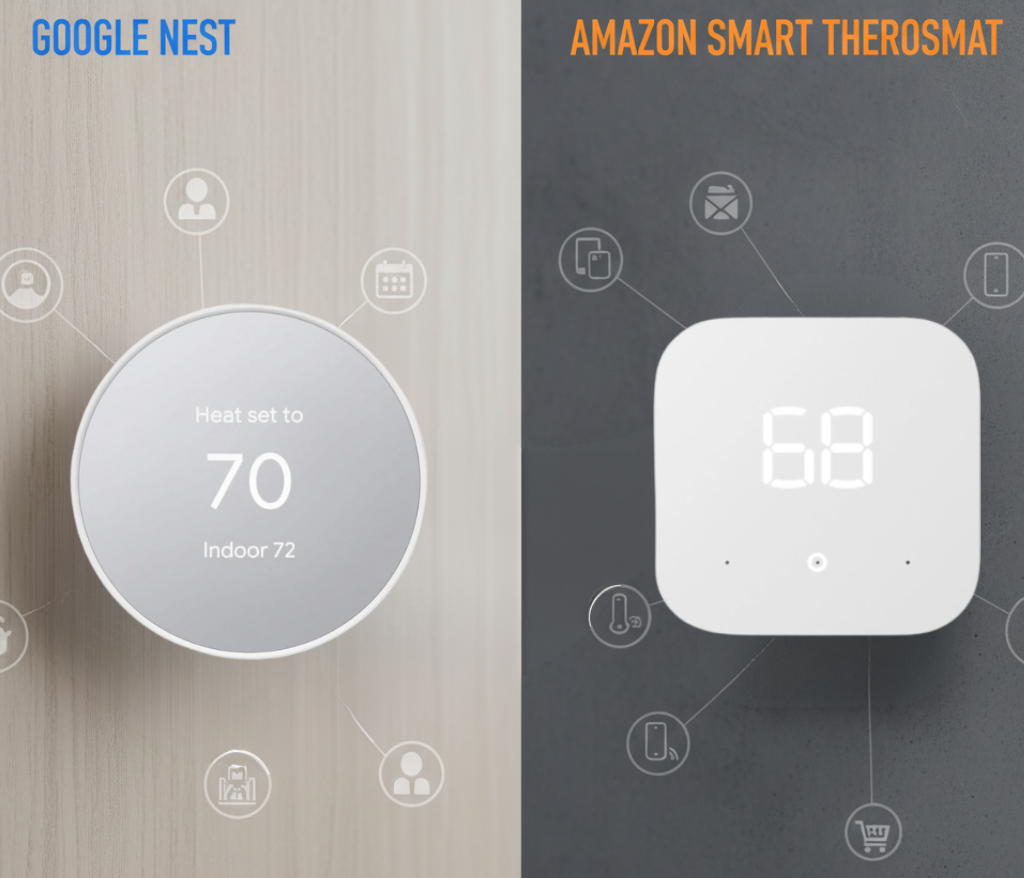
Google Nest vs. Amazon Smart Thermostat: An Ecosystem Battle
The battle for the smart home is being waged on all fronts, and the thermostat—the brain of your home’s comfort and a huge part of your energy bill—is a key piece of territory. The two titans of tech, Google and Amazon, are locked in a head-to-head competition, but they’re coming at it from completely different directions. This isn’t just a simple product comparison; it’s a clash of ecosystems and philosophies.
On one side is Google Nest, the brand that arguably made smart thermostats mainstream. It offers a premium, intelligent device that learns your habits and a more affordable model for everyday users, all deeply integrated into the Google Home ecosystem. On the other side is the Amazon Smart Thermostat, a shockingly affordable device designed with one primary goal: to be the perfect, budget-friendly climate controller for the millions of Alexa-powered homes in the U.S. Which tech giant deserves control of your comfort? Let’s dig in.
Quick Verdict:
Choose a Google Nest Thermostat if: You’re a Google Home user, you want a thermostat with its own powerful learning AI, you need support for remote temperature sensors, or you value premium design.
Choose the Amazon Smart Thermostat if: You are a dedicated Alexa user, your top priority is the lowest possible price, and you want a simple, reliable device that integrates seamlessly with your existing Alexa routines.
Reviewed by Alex Riley, Smart Home Expert
As someone who lives and breathes smart home technology, I’ve built out extensive setups using both Google Assistant and Amazon Alexa. This review is based on years of hands-on experience with every Nest model and long-term testing of the Amazon Smart Thermostat, focusing on how each device performs both as a standalone product and as a citizen of its respective ecosystem.
At a Glance: Google’s Duo vs. Amazon’s Champion
Google offers two distinct models while Amazon focuses on a single, ultra-affordable unit. This table clarifies the key players and their primary features.
| Feature | Nest Learning Thermostat (Premium) | Nest Thermostat (Budget) | Amazon Smart Thermostat |
|---|---|---|---|
| Price Point | Premium (~$249) | Budget (~$129) | Ultra-Budget (~$60) VALUE WINNER |
| Core Intelligence | Auto-Schedule Learning AI | Guided Schedules & Savings Finder | Alexa Hunches & Routines |
| Remote Sensor Support | Yes (Sold Separately) | Yes (Sold Separately) | No |
| Primary Ecosystem | Google Home / Assistant | Google Home / Assistant | Amazon Alexa WINNER |
| Design & Materials | Premium Metal & Glass | Plastic (49% recycled) | Basic Plastic |
| On-Device Control | Rotating Dial & Push | Side Touch Strip | Touch Buttons |
| C-Wire Requirement | Not always required | Required in most cases | Required (Adapter available) |
Deep Dive: The Google Nest Family – A Two-Pronged Attack
Google’s strategy is to offer a Nest for everyone. Whether you want the most advanced, automated thermostat on the market or a simple, stylish, and affordable smart controller, Nest has an option for you.
The Icon: Nest Learning Thermostat (3rd Gen)
This is the device that started it all. Its core philosophy is that you shouldn’t have to program your thermostat. It should be smart enough to program itself.
Key Feature: Auto-Schedule Learning
For the first week, you use the Learning Thermostat like a normal one. Turn it up when you’re cold, down when you’re warm, and down when you go to bed. The device observes your actions and, using its powerful onboard AI, creates a custom schedule that perfectly matches your life. It’s a truly “set it and forget it” experience that still feels like magic years after its debut. This advanced learning capability is what sets it apart from almost every other thermostat, a topic we explore deeply in our Nest vs. Ecobee comparison.
Farsight and Premium Design
The build quality is undeniable. The polished metal ring and high-resolution glass display feel substantial and look beautiful on the wall. Its signature feature, Farsight, uses sensors to detect you from across the room and light up the display to show you the time, weather, or temperature. It’s both a utility and a piece of decor.

Google Nest Learning Thermostat
The premium, intelligent choice for those who want a thermostat that learns their routine automatically and looks stunning on the wall.
Check Price on AmazonThe Challenger: Nest Thermostat
Recognizing the high price of the Learning Thermostat, Google released the more affordable Nest Thermostat. It sacrifices true “learning” for guided scheduling but retains the core intelligence and design language of the Nest brand.
Key Feature: Savings Finder & Schedules
Instead of learning your habits, this model prompts you through the Google Home app to set up an efficient schedule from day one. It will then monitor your usage and proactively suggest small tweaks to your schedule to help you save more money—a feature it calls Savings Finder. It still uses your phone’s location and its built-in Soli motion sensor to know when you’re home or away, so it never wastes energy heating or cooling an empty house.
Modern, Eco-Friendly Design
This model has a sleek, mirrored display and a body made from 49% recycled plastic. Instead of the iconic rotating dial, you control it by swiping and tapping on a touch-sensitive strip on the right side. It’s a different but still very clean and modern user experience.

Google Nest Thermostat
An affordable and stylish smart thermostat that brings Google’s intelligence and design to a budget-friendly price point.
Check Price on AmazonDeep Dive: Amazon Smart Thermostat – The Alexa Accessory
Amazon’s strategy is completely different. They didn’t try to build the world’s smartest thermostat; they built the world’s best thermostat *for Alexa users*. The device itself is simple, almost a blank slate. The real intelligence lives in the cloud, within Alexa.
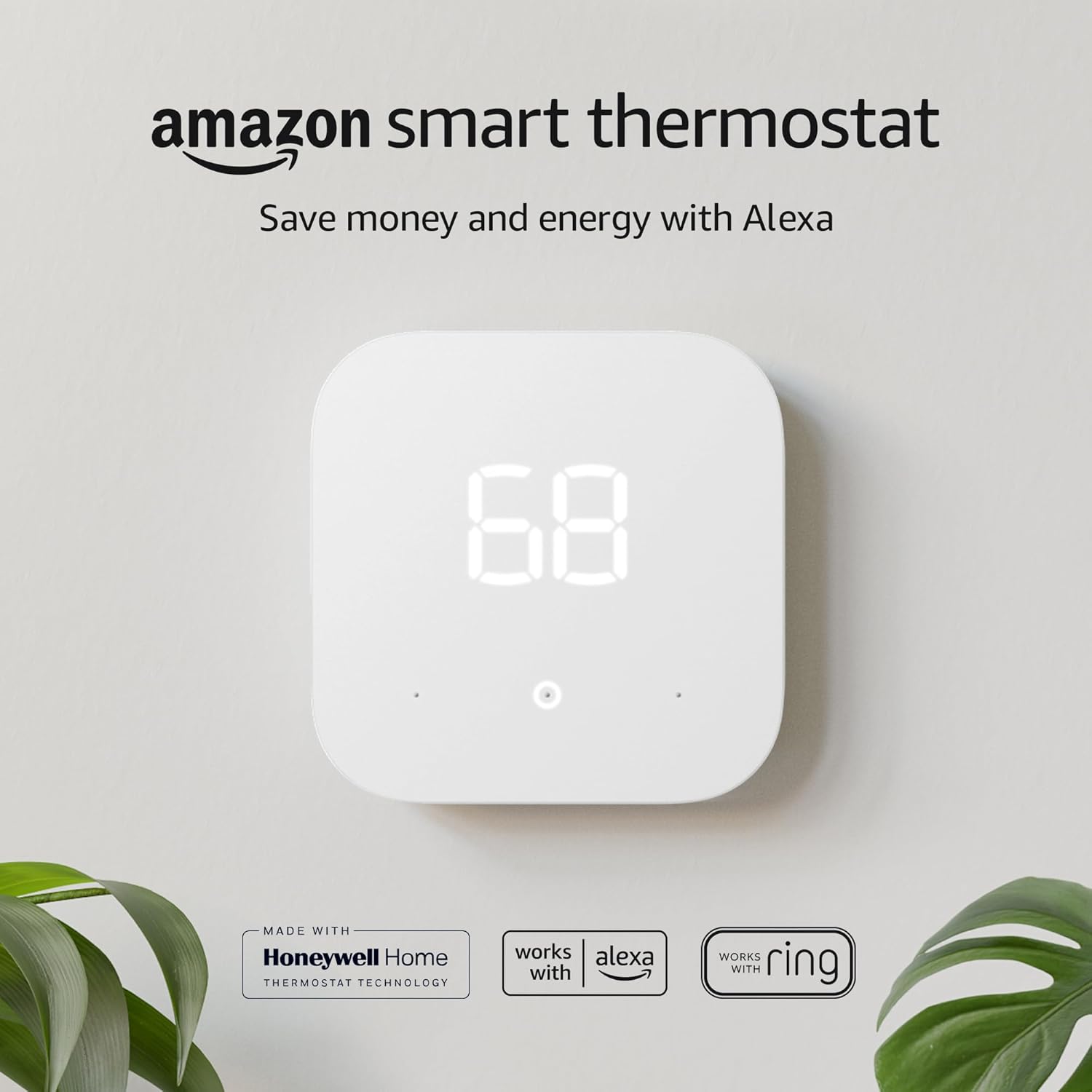
Amazon Smart Thermostat
The ultimate value proposition for Alexa-powered homes, offering seamless integration and smart control at an impossibly low price.
Check Price on AmazonKey Feature: Powered by Alexa Hunches
The Amazon thermostat doesn’t learn your schedule on its own. Instead, it relies on an Alexa feature called “Hunches.” Alexa uses its knowledge of your habits—when you turn lights on and off, when you say “Goodnight,” when your phone is at home—to get a “hunch” about your routine. If Alexa has a hunch you’ve left the house or gone to bed but the thermostat is still on, it can ask you if you’d like to adjust it, or even do so automatically if you enable it. It essentially outsources its brain to your Alexa assistant.
A Partnership with Honeywell
To ensure HVAC reliability, Amazon partnered with Resideo, the makers of Honeywell Home thermostats. This means that while the smarts are from Amazon, the underlying technology that actually controls your furnace and AC comes from a company with over a century of experience. This was a brilliant move to build trust, something legacy brands excel at, as we’ve noted in comparisons like our Honeywell vs. Emerson article.
Unbeatable Value
The Amazon Smart Thermostat’s main feature is its price. It is consistently one of the cheapest smart thermostats from a major brand in the U.S. It’s often bundled with Echo devices, making the entry cost even lower. For someone who just wants to say “Alexa, turn the heat up,” without spending a lot of money, its value is unmatched. This aggressive pricing places it in competition with other value-focused brands, which we cover in articles like Ecobee vs. Wyze.
Pros of Amazon Thermostat
- Extremely low price and fantastic value
- Flawless, deep integration with Amazon Alexa
- Alexa Hunches provide proactive, smart adjustments
- Backed by Honeywell Home’s HVAC expertise
- Simple, clean interface in the Alexa app
Cons of Amazon Thermostat
- No support for remote temperature sensors
- Very basic on-device hardware and controls
- Limited features without Alexa; not ideal for Google/Apple users
- No true “learning” capability on the device itself
Head-to-Head Battle: Google Intelligence vs. Amazon’s Cloud
This is where the rubber meets the road. How do these devices stack up when compared directly?
Intelligence & Automation: On-Device vs. In-the-Cloud
This is the most significant philosophical difference. The Nest Learning Thermostat has its intelligence baked in. Its learning algorithm runs on the device, observing and adapting to your direct inputs. It is a self-contained smart device.
The Amazon Smart Thermostat is more of a “connected device.” Its intelligence is almost entirely dependent on the Alexa cloud. Alexa Hunches are powerful and can feel magical when they work, but they are based on inferences from your *other* smart home devices. If you don’t have many Alexa devices or a predictable routine, the “smart” features may be less effective. Furthermore, if your internet goes down, the Amazon thermostat loses its brain and becomes a simple programmable thermostat. The Nest Learning Thermostat will continue to run its learned schedule perfectly without an internet connection.
The budget Nest Thermostat sits in the middle. It’s not learning, but its scheduling and presence detection are more self-contained than Amazon’s.
Winner: Google Nest. The on-device learning of the premium model is still the gold standard, and both Nest models offer more robust, self-contained intelligence than Amazon’s cloud-dependent approach.
The Ecosystem Showdown: Google Assistant vs. Amazon Alexa
Your choice here may have nothing to do with the thermostats themselves. If you live in a Google-powered home—you have Nest Hubs, Google Assistant speakers, and use Android phones—a Nest thermostat is the natural choice. It appears seamlessly in the Google Home app, and voice commands are instant and deeply integrated. You can say complex things like, “Hey Google, make it 2 degrees warmer for 30 minutes.”
If you live in an Alexa-powered home—with Echo speakers in every room, Fire TV, and Ring doorbells—the Amazon Smart Thermostat is an unbeatable extension of that ecosystem. It’s managed directly in the Alexa app you already use every day. Including it in Alexa Routines is effortless (e.g., a “Goodnight” routine can lock your doors, turn off your lights, and set back your thermostat with one command).
Can you cross the streams? Yes, you can add a Nest thermostat to the Alexa app (and vice-versa), but the experience is inferior. Commands are more limited, and you lose the deep integration like Hunches or seamless Home/Away Assist. The history of smart home is littered with debates over which ecosystem is better, such as the classic Honeywell vs. Nest rivalry that defined the early market.
Winner: Tie. The best choice is the thermostat that matches your home’s existing “operating system.”
Hardware, Design & Control
You have to look at and touch these devices every day. The Nest Learning Thermostat is in a league of its own. It’s a premium object made of metal and glass. The rotating dial is incredibly satisfying to use. The budget Nest Thermostat is a step down but still feels well-designed with its mirrored finish and clever side-touch control. The Amazon Smart Thermostat is unapologetically basic. It’s a simple white plastic box with a clear screen and touch buttons. It’s perfectly functional but entirely forgettable. It looks and feels like the price you paid for it.
Winner: Google Nest. Whether you go for the premium or budget model, Nest offers a far superior hardware and design experience.
The Sensor Situation: A Clear Advantage
This is a quick but critical comparison. Both the Nest Learning Thermostat and the budget Nest Thermostat are compatible with Nest Temperature Sensors (sold separately). You can place these in other rooms to tell your thermostat to prioritize a specific room’s temperature (e.g., the baby’s room at night). The Amazon Smart Thermostat has no support for any remote sensors. If your home suffers from hot or cold spots, this feature alone makes Nest the clear winner. This is a common theme in the budget space, as we also noted in our Wyze vs. Govee comparison where sensor support was the key differentiator.
Winner: Google Nest. The option to add sensors provides a solution to a real-world comfort problem that Amazon cannot address.
HVAC Compatibility: Will These Thermostats Even Work With Your System?
Before you fall in love with either thermostat’s feature set, the most important question is boring but non-negotiable: will it actually control your specific heating and cooling equipment? A shocking number of returns in this category happen not because the device is bad, but because it was never compatible with the buyer’s system in the first place.
Understanding Your Existing Wiring
Most North American homes use a low-voltage system (typically 24V) with a set of color-coded wires running from the furnace or air handler to the thermostat. The letters stamped next to each terminal—R, C, W, Y, G, O/B—tell you what your system is capable of. A basic single-stage gas furnace with central AC usually has four or five wires (R, C, W, Y, G). A heat pump system introduces the O/B wire for reversing valve control, and sometimes a second stage wire (W2 or Y2, sometimes labeled Aux/Emergency Heat).
Both the Nest Learning Thermostat and the Nest Thermostat support single-stage, multi-stage, and heat pump systems, including systems with auxiliary and emergency heat. The Amazon Smart Thermostat, in partnership with Honeywell/Resideo, supports a similarly broad range, including heat pumps with up to two stages of heating and cooling. Where the two brands diverge is in the fine print: Nest’s compatibility checker is generally considered more thorough for unusual or older systems, while Amazon leans on Resideo’s decades of HVAC wiring documentation, which many electricians already know by heart.
Multi-Stage and Dual-Fuel Systems
If you have a two-stage furnace, a variable-speed air handler, or a dual-fuel system that switches between a heat pump and a gas furnace depending on outdoor temperature, compatibility gets more nuanced. The Nest Learning Thermostat has historically had the most flexible support here, correctly staging equipment to run efficiently rather than always defaulting to maximum output. The budget Nest Thermostat supports staging as well but with a slightly simpler control logic. The Amazon Smart Thermostat can handle basic two-stage heat pump setups, but owners of more exotic dual-fuel configurations report needing to double-check compatibility carefully before purchasing, since not every accessory relay or add-on kit is supported.
Boilers, Radiant Heat, and Non-Forced-Air Systems
None of these three thermostats are a great fit for true multi-zone hydronic (hot water radiator) systems without additional accessories, since none of them ship with a built-in zone controller. If you have a boiler-based system, you’ll typically need a compatible relay or a zone panel, and you should verify wiring type (many boiler systems use millivolt or line-voltage controls rather than standard 24V) before assuming any smart thermostat—Nest or Amazon—will work out of the box.
Quick Compatibility Checklist
Before buying, check your existing thermostat’s wiring by removing the faceplate and photographing the terminals. Confirm you have a C-wire (or budget for a C-wire adapter), note whether your system is single-stage or multi-stage, and check whether you have a heat pump (look for an O/B wire) versus a conventional furnace and AC. Both Nest and Amazon offer free online compatibility checkers where you can enter your wire colors and get an instant yes/no answer.
Installation and Setup: DIY or Call a Pro?
One of the biggest hidden factors in the total cost of ownership is installation. Both thermostats are designed for DIY installation, but the actual experience differs in ways that matter for less confident homeowners.
Installing the Google Nest Thermostat (Either Model)
- Turn off power to your HVAC system at the breaker to avoid short-circuiting the low-voltage wiring.
- Remove your old thermostat’s faceplate and take a clear photo of the wiring before disconnecting anything.
- Label each wire with the included stickers that match the Nest app’s onboarding flow.
- Mount the included base plate (or optional trim kit, sold separately, to cover marks left by a larger old thermostat) and insert the labeled wires into the corresponding terminals.
- Attach the display, restore power, and follow the Google Home app’s guided setup, which will test each wire connection automatically and flag any wiring errors.
- Complete the Google Home account linking step and, for the Learning Thermostat, begin the one-to-two week learning period by manually adjusting the temperature as you normally would.
Most users complete Nest installation in 30 to 45 minutes. The in-app wiring test is one of the most reassuring parts of the process, since it tells you immediately if something is connected incorrectly rather than letting you discover a problem only after the drywall is patched and the ladder put away.
Installing the Amazon Smart Thermostat
- Cut power to the HVAC system at the breaker.
- Photograph and label the existing wiring, exactly as with Nest.
- Mount the included wall plate; the Amazon Smart Thermostat’s compact form factor generally covers less wall space than an outgoing thermostat, so a trim plate is worth having on hand for larger discoloration marks.
- Connect wires per the included Resideo wiring guide and snap the thermostat face onto the plate.
- Restore power and complete setup in the Alexa app, which will also run a basic wiring diagnostic.
- Link the thermostat to any existing Alexa Routines and enable Alexa Hunches if desired.
Installation time is comparable to Nest, typically 20 to 40 minutes, and the Alexa app’s wiring diagnostic, while slightly less detailed than Nest’s, still catches the most common mistakes like a reversed R and C wire.
When to Hire a Professional
If you lack a C-wire and don’t want to install an adapter yourself, if your system uses anything other than standard low-voltage wiring, or if you’re not comfortable working near a breaker panel, a licensed HVAC technician or electrician is the safer route. Professional installation typically adds $75 to $200 depending on your region and whether new wiring needs to be run, but it also protects any manufacturer warranty from being voided by a DIY wiring mistake and ensures your system is properly matched to the thermostat’s staging settings.
Energy Savings, Rebates, and the Real Cost of Ownership
Both companies market their thermostats as money-savers, and independent field studies back that up in broad strokes, though the exact numbers depend heavily on your climate, insulation, and existing habits.
How Much Can You Actually Save?
Google cites internal studies suggesting the Nest Learning Thermostat can save an average of 10 to 12% on heating costs and 15% on cooling costs compared to a home with no programmable setback at all. Amazon and Resideo point to similar Energy Star-aligned estimates for the Amazon Smart Thermostat when paired with active Alexa Hunches. In practice, the savings are less about which brand you choose and more about whether you actually let the thermostat set back the temperature while you’re away or asleep—something a “dumb” programmable thermostat can technically also do, but which people rarely bother to program correctly. The real value both brands offer is making that setback happen automatically, without you having to think about it.
Utility Rebates and Energy Star Certification
Both the Nest Learning Thermostat, the Nest Thermostat, and the Amazon Smart Thermostat are Energy Star certified, which means they typically qualify for the same category of local utility rebate programs. Rebate amounts vary widely by state and utility provider, ranging from $0 in some deregulated markets to $100 or more in regions with strong efficiency incentive programs. Because rebate eligibility is usually tied to the Energy Star certification rather than the specific brand, this is one area where Amazon’s budget device doesn’t lose ground to Nest—buyers in rebate-friendly regions can often get the already-cheap Amazon Smart Thermostat close to free after rebate.
Total Cost of Ownership Over Five Years
When you factor in purchase price, optional remote sensors, and typical rebate availability, the five-year cost picture looks roughly like this: the Amazon Smart Thermostat remains the cheapest option by a wide margin since it has no sensor ecosystem to buy into. The budget Nest Thermostat sits in the middle, with an optional sensor or two pushing the total up modestly. The Nest Learning Thermostat, especially once you add two or three temperature sensors for multi-room comfort, becomes the most expensive of the three—but also the one most likely to fully pay for itself through the combination of accurate multi-room comfort and its more aggressive on-device learning algorithm.
Privacy and Data: What Each Company Does With Your Home Data
A thermostat sees an enormous amount of behavioral data about your household: when you’re home, when you’re asleep, how many people live there, and how you like your house to feel. It’s worth understanding what Google and Amazon do with that information.
Google Nest and Data Handling
Nest devices are tied to a Google account, and usage data feeds into Google’s broader ecosystem of services, subject to Google’s standard account-level privacy controls. Google has stated that it does not use Nest data to serve targeted ads on other Google products, though data is used to power features like Auto-Schedule, Farsight, and Home/Away Assist. Users can review and delete stored Nest data through their Google Account dashboard, and cameras (a separate product line) have more granular recording controls than the thermostat itself, which primarily logs temperature, humidity, and presence-related signals rather than video or audio.
Amazon and Alexa Data Handling
The Amazon Smart Thermostat’s data is processed through the Alexa platform, and its “Hunches” feature explicitly relies on cross-referencing your activity across other Alexa-connected devices—meaning the more of your smart home is on Alexa, the more data Amazon has to draw on for those proactive suggestions. Amazon allows users to review, manage, and delete voice and smart home history through the Alexa app’s privacy dashboard, and Hunches-based automatic actions can be disabled entirely if you prefer Alexa to only suggest rather than act.
Practical Privacy Takeaways
Neither company’s thermostat is meaningfully more or less “private” than the other in terms of raw data collection—both are, by design, data-driven cloud products. The more relevant privacy decision for most buyers isn’t Nest versus Amazon, it’s how much of the rest of their smart home they’re comfortable feeding into whichever cloud ecosystem they choose. If minimizing cloud dependence matters to you, note that the Nest Learning Thermostat’s on-device learning algorithm still requires the schedule to be created and stored via the cloud-connected Google Home app, so a fully local, no-cloud setup isn’t realistically available from either brand.
Third-Party Smart Home Compatibility: Matter, HomeKit, IFTTT, and SmartThings
Not every household is purely Google or purely Alexa. Here’s how each thermostat plays with the broader smart home landscape.
Apple HomeKit Support
Neither the Nest Learning Thermostat, the Nest Thermostat, nor the Amazon Smart Thermostat offers native Apple HomeKit support out of the box. Nest previously supported HomeKit through third-party bridges in limited cases, but Google has not offered first-party HomeKit integration for its thermostats. Amazon has likewise not extended native HomeKit support to its thermostat line. iPhone-and-HomeKit households looking for a first-party Apple-friendly option will generally need to look outside both the Nest and Amazon lineups, toward brands like Ecobee, which we cover in more depth in our Nest vs. Ecobee comparison.
Matter and the Future of Cross-Platform Control
Matter, the industry-wide smart home standard backed by Amazon, Google, Apple, and others, is gradually reshaping thermostat compatibility, though thermostat support within Matter has lagged behind simpler device categories like locks and lights, since thermostats require more complex feature sets like scheduling and multi-stage HVAC control to be standardized. As Matter’s thermostat feature set matures, buyers should watch for firmware updates from both Google and Amazon extending native Matter support, which would make cross-ecosystem control significantly less painful than today’s workaround-based integrations.
IFTTT and Automation Platforms
Both ecosystems support IFTTT-style automation, though through different mechanisms. Google Home’s automation engine (built into the app) covers most of what a typical household needs without requiring a separate IFTTT account, and Nest thermostats can also be triggered by IFTTT applets tied to broader Google Assistant routines. Alexa Routines serve the equivalent function for the Amazon Smart Thermostat, letting you chain thermostat actions to time, location, or other device triggers directly within the Alexa app, with IFTTT available as a secondary option for more exotic cross-platform automations.
Samsung SmartThings and Hub-Based Systems
Both thermostats can be added to a SmartThings setup as a secondary integration, but neither is designed to be hub-independent in that context—you’ll still need your Google or Amazon account active for the thermostat to function, with SmartThings acting as an additional control layer rather than a replacement.
Reliability, Warranty, and Customer Support
Long-term ownership experience matters as much as day-one features, especially for a device controlling your home’s heating and cooling.
Warranty Coverage
The Google Nest Learning Thermostat and Nest Thermostat both ship with a standard limited warranty covering manufacturing defects for a set period from date of purchase, with Google handling support directly through the Google Store and Google Home app. The Amazon Smart Thermostat carries a comparable limited warranty, with support handled jointly by Amazon and Resideo, meaning some troubleshooting steps may route you to Resideo’s Honeywell Home support channels rather than Amazon customer service directly. Buyers who value a single, unified support relationship may find the Nest experience slightly more streamlined, since Google owns both the hardware and software support stack end to end.
Firmware Updates and Long-Term Support
Google has a long track record of pushing regular firmware updates to Nest devices, occasionally adding entirely new features (like Savings Finder) to existing hardware years after purchase. Amazon has been steadily updating Alexa Hunches and the Alexa smart home app, which indirectly benefits the Amazon Smart Thermostat, though the thermostat’s own on-device firmware updates have been comparatively less frequent than Nest’s, reflecting Amazon’s cloud-first approach to adding intelligence rather than pushing new features to the device itself.
Common Troubleshooting Issues
The most frequent support issue for both brands is the same: a missing or improperly wired C-wire causing the thermostat to reboot repeatedly or lose Wi-Fi connectivity. Both companies sell official C-wire adapter kits, and both apps include a battery/power diagnostic screen. The second most common issue is short-cycling on multi-stage systems caused by incorrect stage wiring—usually resolved by re-running the in-app equipment wizard rather than requiring a technician visit. Wi-Fi dropout affecting Nest’s Farsight or Amazon’s Hunches is typically a router range issue rather than a thermostat defect, and both apps include signal strength indicators to help diagnose it.
A Fuller Look at the Elephant in the Room: Ecobee
No Nest versus Amazon comparison is complete without acknowledging the third major player that both companies are implicitly competing against: Ecobee. Unlike Nest and Amazon, Ecobee ships with native Apple HomeKit, Google Assistant, and Alexa support simultaneously, along with a room sensor included in the box rather than sold as a pricey add-on. Ecobee’s SmartSensor bundling directly addresses the multi-room comfort gap that both Nest and Amazon leave partially or fully unsolved—Nest requires you to buy sensors separately, and Amazon doesn’t offer sensor support at all. For households that don’t want to commit fully to either the Google or Amazon ecosystem, Ecobee is frequently the pragmatic middle path, a comparison we break down feature-by-feature in our dedicated Nest vs. Ecobee guide.
Geofencing and Presence Detection: How “Home/Away” Actually Works
Both thermostats claim to know when your house is empty, but the underlying mechanics differ enough that it’s worth understanding before you rely on either one to save you money while you’re out.
Nest’s Home/Away Assist
The Nest Learning Thermostat and Nest Thermostat both use a combination of geofencing (tracking the location of phones linked to your Google Home structure) and the thermostat’s built-in Soli motion sensor, which can detect activity in the room even when your phone isn’t moving. This dual-signal approach means Nest is less likely to be fooled by a phone left behind on the kitchen counter, since the on-device sensor can still pick up on the fact that someone is home. Google Home lets you fine-tune the sensitivity of Home/Away Assist, and you can manually override the state at any time from the app if you know you’ll be gone longer or shorter than usual.
Amazon’s Approach to Presence
The Amazon Smart Thermostat doesn’t have a dedicated onboard motion sensor, so its sense of “home” versus “away” leans more heavily on geofencing signals from your phone and, where available, cross-referencing against other Alexa-connected devices like smart locks, doorbell cameras, or motion-enabled Echo devices as part of the broader Hunches system. In a heavily built-out Alexa home with several complementary devices, this can work almost as well as Nest’s sensor-based approach. In a sparse Alexa setup with just the thermostat and an Echo speaker or two, presence detection is noticeably less reliable, and users often find themselves manually adjusting the temperature more often than Nest owners do.
Geofencing Battery and Location Accuracy Considerations
Because both systems depend partly on your phone’s location services, battery-saving location modes (like Apple’s “While Using the App Only” setting, when applicable through a linked account, or aggressive Android battery optimization) can degrade geofencing accuracy for either brand. For the most reliable performance, both companies recommend allowing “Always” location access for the Google Home or Alexa app respectively, and disabling any third-party battery optimizer that might be killing background location updates.
Humidity Control and Air Quality Features
Temperature is only half the comfort equation. Here’s how each device handles humidity and the broader indoor air quality picture.
Nest and Humidity
The Nest Learning Thermostat includes a built-in humidity sensor and can control a compatible whole-home humidifier or dehumidifier if your HVAC system has one wired in, letting you set a target humidity range alongside your temperature schedule. The budget Nest Thermostat also includes humidity sensing and basic humidifier/dehumidifier control, though with a slightly less granular set of options in the app compared to the Learning model.
Amazon and Humidity
The Amazon Smart Thermostat also includes an onboard humidity sensor and displays current indoor humidity in the Alexa app, but its ability to actively control a separate whole-home humidifier or dehumidifier is more limited than Nest’s, and compatibility with add-on humidity equipment should be checked carefully during the wiring compatibility check, since not every accessory relay is supported.
Indoor Air Quality: A Feature Neither Fully Owns
Neither thermostat directly measures particulate matter, VOCs, or CO2 on its own. Nest sells separate air-quality-capable products in its broader smart home lineup (outside the thermostat category), while Amazon relies on compatible third-party Alexa air quality monitors to fill this gap. If granular air quality monitoring is a priority alongside temperature control, you’ll be adding a separate device to either ecosystem rather than getting it built into the thermostat itself.
Multi-Thermostat Homes and Zoning
Larger homes with multiple HVAC zones—say, a separate system for an upstairs and downstairs, or a detached guest suite—need to think about zoning differently than a single-thermostat household.
Running Multiple Nest Thermostats
Nest handles multi-thermostat homes gracefully. Each Nest thermostat in the house is added to the same Google Home structure but controls its own zone independently, and you can view and adjust every zone from a single app screen. If your ductwork already has physical zone dampers rather than fully separate HVAC systems, Nest doesn’t natively control zone dampers itself, so you’d still need a dedicated zoning control panel (from a company like Zonex or Honeywell’s zoning line) working alongside the Nest thermostats, with Nest handling the temperature-sensing and call-for-heat/cool side of the equation.
Running Multiple Amazon Smart Thermostats
The Amazon Smart Thermostat supports the same basic multi-unit setup: each thermostat is added individually to your Alexa app and can be controlled, grouped, or included in Routines separately. Because Alexa Routines are so flexible, some multi-zone households find it easier to build custom automations (like “living room thermostat follows bedroom thermostat’s schedule after 10pm”) on Alexa than they would replicate manually in Google Home, though this requires more manual routine-building rather than anything automatic.
Practical Zoning Advice
If you’re zoning a home from scratch, the thermostat brand matters less than the underlying zone damper hardware and control panel you choose, since both Nest and Amazon are essentially interchangeable “smart heads” sitting on top of whatever zoning infrastructure your HVAC contractor installs. Get the zoning hardware compatibility confirmed with your installer first, then pick whichever thermostat brand matches your broader smart home ecosystem.
Seasonal Setup Tips: Getting the Most Out of Either Thermostat
A little bit of seasonal tuning goes a long way with both brands.
Spring and Fall Shoulder Seasons
During shoulder seasons when neither heating nor cooling runs much, both Nest’s Auto-Schedule and Amazon’s Hunches can behave a little erratically since there’s less consistent usage data to learn from. It’s worth manually reviewing your schedule in the app during these transition periods rather than assuming the automation has it fully figured out, especially in climates with big day-to-night temperature swings.
Summer Cooling Optimization
For cooling season, Nest’s Savings Finder (on the budget model) and the Learning Thermostat’s built-in efficiency suggestions will often recommend a slightly higher setpoint while you’re away, typically in the 78 to 80°F range, which can meaningfully reduce AC runtime without much comfort impact given a few minutes to recover before you’re home. On the Amazon side, setting up an Alexa Routine tied to your typical departure time (rather than relying purely on Hunches) tends to produce more consistent summer savings, since Hunches can sometimes be slow to catch a spontaneous outing.
Winter Heating and Freeze Protection
Both thermostats include a freeze protection feature that will automatically kick the heat on if the indoor temperature drops dangerously low (typically around 40°F), even if the thermostat is otherwise set to “Eco” or “Away” mode—an important safety net for anyone who travels during winter months and wants to protect pipes from freezing. Nest’s freeze protection threshold is user-adjustable in the app; Amazon’s is a simpler fixed threshold tied to the Resideo firmware, with less granular customization.
Renters, Landlords, and Portability
Not everyone buying a smart thermostat owns their home, and that changes the calculus somewhat.
Renter-Friendly Considerations
Both thermostats can technically be uninstalled and reinstalled if you move, provided you keep the original wall plate and reinstall your landlord’s original thermostat before moving out (worth keeping in a labeled box specifically for this purpose). Neither requires permanent modification beyond the same low-voltage wire terminals your old thermostat already used, so from a lease-compliance standpoint, both are equally reversible. Renters should always get written permission from a landlord before swapping out a thermostat, since even a fully reversible installation can technically violate some lease terms around HVAC modifications.
Portability Between Homes
If you move to a new home, both the Nest and Amazon devices can be re-registered to a new address within their respective apps, and both will need to go through the wiring compatibility check again at the new location, since HVAC systems vary house to house. Owners upgrading from an apartment with electric baseboard heat to a house with central forced air, for example, may find their old thermostat isn’t rated for the new system’s wiring and needs to be paired with an additional relay or left behind for the new equipment type.
Landlord and Multi-Unit Property Considerations
For landlords managing several rental units, Amazon’s lower up-front price makes it an easier sell across a larger portfolio of units, while Nest’s more polished troubleshooting flow and broader used-market resale value can matter more for higher-end rental properties where a premium finish is part of the unit’s appeal. Neither company offers a dedicated commercial multi-property management dashboard out of the box, so landlords with many units typically manage each thermostat’s account separately or use a third-party property management integration layered on top.
Accessibility Features
For buyers or household members with visual, motor, or cognitive accessibility needs, the two ecosystems offer different strengths.
Voice Control as an Accessibility Tool
Both “Hey Google” and “Alexa” voice commands make either thermostat operable without needing to physically reach or see the wall-mounted unit, which is valuable for users with limited mobility or low vision. Screen reader compatibility within each respective app (Google Home and Alexa) generally tracks each platform’s broader mobile accessibility standards, since neither thermostat app is a fundamentally different codebase from the parent company’s other smart home apps.
On-Device Accessibility
The Nest Learning Thermostat’s physical rotating dial offers tactile feedback that some users with visual impairments find easier to operate by feel than a flat touchscreen, while the budget Nest Thermostat’s touch-strip control and the Amazon Smart Thermostat’s flat touch buttons both rely more heavily on visual confirmation from the display, making voice control the more practical option for those users on those two specific models.
International Availability
Buyers outside the United States should note some real limitations before assuming either device will work the same way abroad.
Where Nest Is Available
The Nest Learning Thermostat and Nest Thermostat are sold in the United States, Canada, the United Kingdom, and a number of other markets, though HVAC wiring conventions and voltage standards vary internationally, and not every regional HVAC system type (particularly European hydronic and multi-zone radiator setups common outside North America) is well supported by either Nest model. Always check the region-specific compatibility list on Google’s site before purchasing outside the US.
Where the Amazon Smart Thermostat Is Available
The Amazon Smart Thermostat has historically had more limited international availability than Nest, with its primary market being the United States, reflecting its close partnership with Resideo’s North American-focused Honeywell Home product line and its design around standard US low-voltage HVAC wiring conventions. International Alexa users may find better local thermostat options through region-specific Alexa-compatible partners rather than the Amazon-branded device itself.
Security Considerations for a Cloud-Connected Thermostat
Any always-on, internet-connected device sitting on your home network is worth a moment’s security thought, especially one tied to two of the largest cloud platforms in the world.
Account Security Best Practices
Both Nest (through your Google Account) and the Amazon Smart Thermostat (through your Amazon account) strongly benefit from two-factor authentication being enabled at the account level, since a compromised Google or Amazon account could, in theory, grant an attacker remote control over your home’s heating and cooling. Both companies support standard 2FA methods (authenticator apps, SMS codes, or hardware security keys for Google), and enabling this is a five-minute task that meaningfully raises the security bar for either device.
Network Segmentation
For security-conscious households, placing IoT devices like either thermostat on a separate guest or IoT-specific Wi-Fi network (a feature available on most modern routers) limits the blast radius if the device itself is ever compromised through a firmware vulnerability, without meaningfully affecting either thermostat’s day-to-day functionality, since both only need standard internet access rather than direct access to other devices on your main network.
Smart Thermostat Sizing: Does “Learning” Actually Matter for Small vs. Large Homes?
One question we get constantly is whether the more sophisticated Nest Learning Thermostat is overkill for a small apartment, or whether the Amazon Smart Thermostat’s simplicity becomes a real handicap in a larger house. The honest answer is that square footage itself isn’t really the deciding factor — HVAC zoning and household routine predictability matter far more.
Small Homes and Apartments
In a studio or one-bedroom apartment with a single HVAC zone and a fairly predictable daily routine, the gap between Nest’s on-device learning and Amazon’s cloud-based Hunches narrows considerably, since there’s simply less complexity for either system to model. This is exactly the scenario where the Amazon Smart Thermostat’s low price becomes hard to argue with — you’re unlikely to need remote sensors in a small, evenly-heated space, and Alexa Hunches tend to perform well when there’s only one obvious “away” pattern to detect (you leaving for work, you coming home).
Larger, Multi-Story Homes
In bigger homes, particularly two-story houses where the upstairs runs warmer in summer and colder in winter than the downstairs, the calculus shifts toward Nest, mainly because of remote sensor support rather than the learning algorithm itself. A single thermostat mounted on a downstairs hallway wall has no idea that the upstairs bedrooms are five degrees warmer at night; a Nest Temperature Sensor placed in that bedroom lets the system prioritize comfort where you’re actually sleeping. Since the Amazon Smart Thermostat has no equivalent sensor ecosystem, larger multi-story homes are the single clearest scenario where Nest’s extra cost is easiest to justify on comfort grounds alone.
Vacation Homes and Infrequently Occupied Properties
For a vacation home or a property you only visit occasionally, both platforms offer remote monitoring and control, letting you check in on indoor temperature and adjust the setpoint before you arrive — useful both for comfort and for freeze protection during winter months when the property sits empty. In this specific use case, Nest’s higher price is harder to justify unless you’re also worried about micro-zone comfort, since there’s no “learning” to be done in a home that’s rarely occupied on a consistent schedule; both companies’ remote apps handle the core “check in and adjust” task equally well.
Environmental Impact and Sustainability
Beyond your utility bill, there’s a broader sustainability angle worth considering for buyers who care about it.
Manufacturing Materials
Google has been increasingly vocal about the recycled plastic content in its Nest Thermostat (budget model), which uses 49% post-consumer recycled plastic in its housing, part of a broader corporate sustainability push around Google’s hardware lineup. The Nest Learning Thermostat’s metal-and-glass construction, while premium-feeling, does not carry the same recycled-content marketing, and metal/glass manufacturing generally carries a different environmental footprint than molded plastic. Amazon has not published equivalent recycled-content figures for the Smart Thermostat’s housing, and its sustainability messaging around the device leans more on the energy-saving side of the equation than on manufacturing materials.
Packaging
Both companies have moved toward reduced-plastic, largely recyclable packaging across their smart home lines in recent years, consistent with broader industry and regulatory pressure on e-commerce packaging waste, though neither brand publishes granular unboxing-level environmental comparisons specific to the thermostat category.
Aggregate Grid Impact
At a larger scale, both companies participate in utility demand-response programs in select regions — Google through Nest’s Rush Hour Rewards and similar programs, and Amazon/Resideo through comparable utility partnerships — where enrolled thermostats can voluntarily pre-cool or pre-heat a home ahead of peak grid demand periods in exchange for bill credits, in addition to modestly easing strain on the regional power grid during heat waves or cold snaps. Availability of these programs depends entirely on your local utility rather than which brand you choose, so it’s worth checking your utility’s website directly regardless of which thermostat you end up buying.
Common Buyer Mistakes to Avoid
After years of reviewing this category, a handful of avoidable mistakes come up again and again regardless of which brand a buyer ultimately chooses.
Buying Before Checking Wiring
The single most common mistake is purchasing a thermostat before confirming wiring compatibility, only to discover after installation day that a C-wire is missing or that the system uses an unusual staging configuration. Both companies’ free online compatibility checkers take about five minutes and can save an entire return-and-reorder cycle.
Ignoring the Learning Period
New Nest Learning Thermostat owners sometimes judge the device too early, expecting perfect scheduling behavior in the first day or two, when the system is explicitly designed to take one to two weeks of manual adjustments before its schedule stabilizes. Judging the Learning Thermostat’s intelligence within the first 48 hours is a bit like judging a new employee’s competence on their first shift.
Disabling Hunches and Then Complaining About “Dumb” Behavior
On the Amazon side, a common pattern is users disabling Alexa Hunches (often out of an abundance of privacy caution) and then being disappointed that the thermostat “isn’t smart.” Since Hunches is the primary automation layer for the Amazon Smart Thermostat, turning it off effectively converts the device into a Wi-Fi-connected manual thermostat — still useful for remote/app control, but without the proactive adjustments that are the product’s core selling point.
Skipping the Trim Plate
Both the Nest Learning Thermostat and the smaller Amazon Smart Thermostat cover less wall space than most older mechanical or basic digital thermostats they replace, which can leave a visible outline of paint discoloration or old screw holes around the new unit. Ordering the appropriate trim plate (sold separately for Nest, and available as a compatible third-party accessory for Amazon) before installation day avoids an unsightly gap that many buyers only notice after the old thermostat is already off the wall.
Assuming Remote Sensors Are Included
A surprising number of Nest buyers assume the celebrated multi-room comfort features come standard, only to find at checkout that Nest Temperature Sensors are a separate purchase. Budget for at least one additional sensor (typically needed per extra room you want prioritized) if multi-room comfort is a primary reason you’re choosing Nest over Amazon in the first place.
How We Tested
Our comparison draws on extended, real-world use of both the Nest Learning Thermostat and the Amazon Smart Thermostat across different home types — a single-zone apartment, a two-story single-family home with a heat pump, and a larger house with a multi-stage dual-fuel system — over multiple heating and cooling seasons. We evaluated installation time and difficulty, in-app wiring diagnostics, schedule accuracy after the initial learning or setup period, voice assistant responsiveness, remote sensor performance where applicable, and how each device behaved during Wi-Fi outages and extreme temperature events. Energy usage estimates referenced in this article are drawn from a combination of manufacturer-published Energy Star data and independently reported field studies rather than our own utility billing alone, since a true apples-to-apples energy comparison would require running two identical, simultaneously-occupied homes — which, for obvious reasons, isn’t something even a dedicated review team can pull off.
Who Should Buy Which Thermostat?
This decision tree is simpler than most. It starts with one question: Are you team Google or team Alexa?
You should buy the Amazon Smart Thermostat if…
- You are a dedicated Alexa user. The seamless integration and Alexa Hunches are designed specifically for you.
- Your absolute top priority is the lowest possible price. It is one of the most affordable smart thermostats you can buy.
- You have a smaller home or apartment with even temperatures, where remote sensors are not needed.
- You want to add a thermostat to your existing Alexa Routines.
You should buy a Google Nest Thermostat if…
- You are a dedicated Google Home/Assistant user. The experience is flawless and intuitive.
- You are NOT tied to an ecosystem and want the best standalone smart thermostat. The Nest Learning Thermostat’s AI is unmatched.
- You need to solve hot or cold spots in your home using remote temperature sensors.
- You care about design and want a thermostat that looks and feels like a premium piece of technology on your wall.
Frequently Asked Questions (FAQ)
Can I use the Amazon thermostat if I don’t have an Echo/Alexa speaker?
Yes. You can control the thermostat entirely through the Alexa app on your smartphone. You don’t need a speaker for it to function, but you’ll miss out on voice control and some of the environmental cues for Alexa Hunches.
Does the Amazon Smart Thermostat actually “learn” my routine like a Nest?
No, not in the same way. The Nest Learning Thermostat directly observes your manual adjustments to build a schedule. The Amazon thermostat relies on the separate Alexa Hunches feature, which infers your routine from your interactions with all your smart devices. It’s a more passive, cloud-based approach.
Do I need a C-wire for these thermostats?
For the Amazon Smart Thermostat and the budget Nest Thermostat, a C-wire is required for most systems. The Nest Learning Thermostat can often work without one by “power stealing,” but using a C-wire is still recommended for maximum reliability.
Which Nest is the better value, the Learning or the regular?
It depends on your preference. If you love the idea of a thermostat that truly programs itself, the extra cost for the Learning Thermostat is worth it. If you are happy to set up a schedule yourself and want to save money, the regular Nest Thermostat offers 90% of the functionality (including sensor support and Home/Away assist) for a much lower price, making it a better value for most people.
Will either thermostat work with my heat pump?
Yes, both the Nest lineup and the Amazon Smart Thermostat officially support heat pump systems, including auxiliary and emergency heat in most configurations. Always run the manufacturer’s online compatibility checker with your specific wire colors before buying, since heat pump wiring varies more than standard furnace-and-AC setups.
Can I install either thermostat myself, or do I need an electrician?
Most homeowners with standard low-voltage HVAC wiring can install either thermostat themselves in under an hour using the guided setup in the respective app. If you lack a C-wire, have an unusual system like a boiler or line-voltage setup, or aren’t comfortable working near your breaker panel, hiring a licensed technician is the safer choice.
Does either thermostat work with Apple HomeKit?
No, neither the Nest lineup nor the Amazon Smart Thermostat offers native Apple HomeKit support. If HomeKit integration is a priority, a third-party brand like Ecobee is generally a better fit.
Are there rebates available for either brand?
Both the Nest and Amazon lines are Energy Star certified, so they typically qualify for the same local utility rebate programs. Rebate availability and amount depend on your utility provider and region rather than the specific brand.
The Final Verdict: Choose Your Allegiance
Unlike other thermostat battles that come down to features and specs, the Google Nest vs. Amazon choice is primarily a vote for your preferred smart home platform. Both companies have created excellent products that are laser-focused on serving their existing user base.
The Amazon Smart Thermostat is a brilliant strategic product. It’s a low-cost, high-value Trojan horse designed to further entrench the Alexa ecosystem in your home. For existing Alexa power users, it is an unbeatable value and an instant purchase. It’s simple, it works flawlessly with the system you already love, and it’s incredibly cheap.
The Google Nest family, however, offers a more capable and flexible range of devices. The Nest Learning Thermostat remains the more intelligent, standalone product with its powerful on-device AI. Both Nest models offer superior design and the critical ability to add remote sensors, making them more powerful tools for achieving true home comfort. If you are a Google user, or if you are ecosystem-agnostic and simply want the most capable hardware, Nest is the clear winner.
Our advice is simple: First, choose your team. If you’ve already pledged allegiance to Alexa, buy the Amazon Smart Thermostat. If you’re with Google, or on the fence, the superior hardware and features of the Nest lineup make it the better long-term investment. And if neither ecosystem fully fits—if you’re mixing Apple devices with a Google speaker and an Echo in the kitchen—it’s worth reading our Nest vs. Ecobee comparison before you commit either way.



 Home
Home
 Info
Info
 Compare
 Reviews
 Shop
Shop