
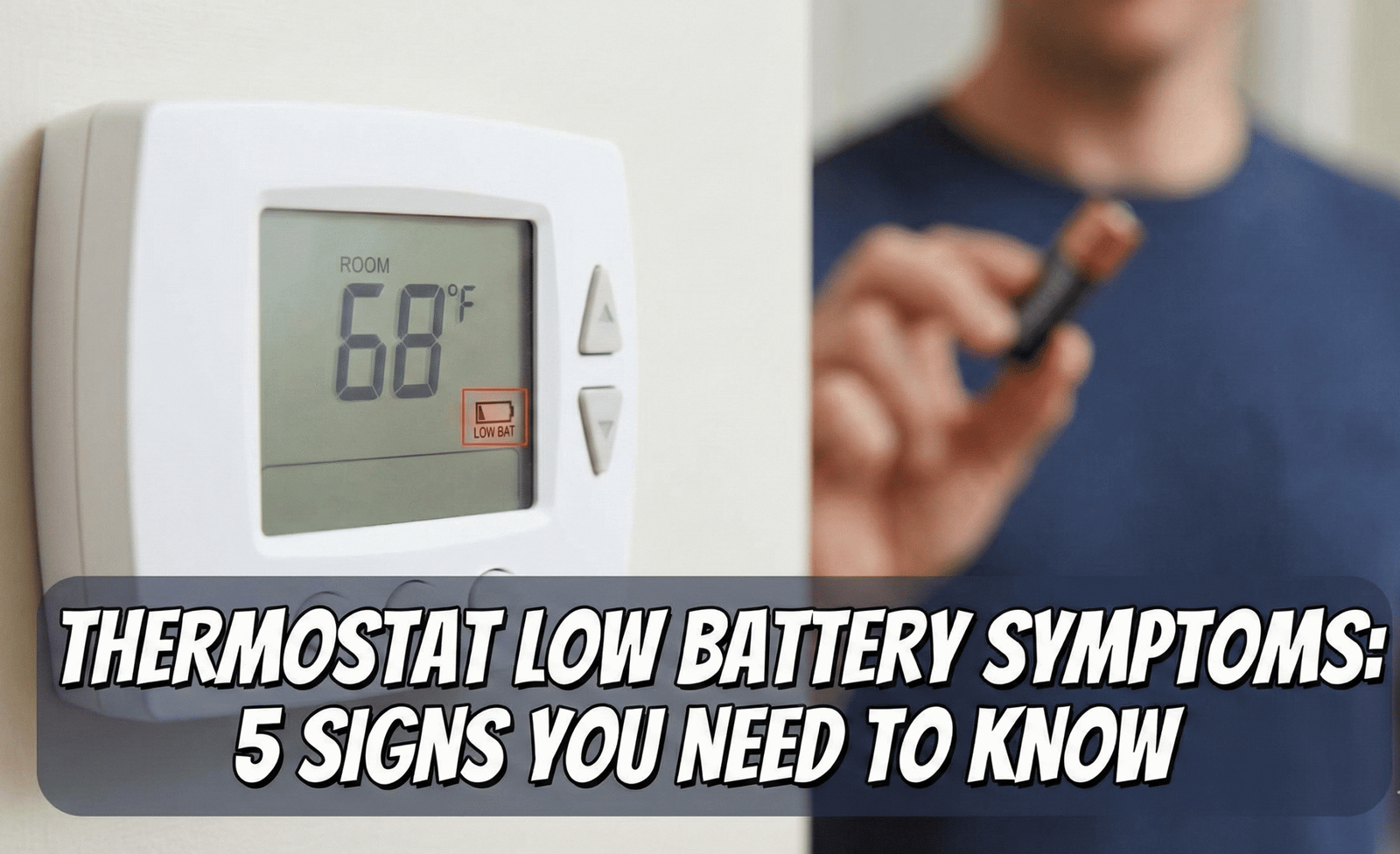
7 Silent Signs of Low Thermostat Batteries (And How to Fix Them)
We often think of our HVAC system as a massive, powerful machine. Yet, the entire system—your furnace, your AC condenser, your blower motor—is often controlled by two tiny AA batteries. When those batteries start to fade, the symptoms aren’t always as obvious as a blank screen. Instead, your home might experience “ghost” issues: flickering displays, erratic temperatures, or a furnace that clicks but never ignites.
As experts in climate control, we have analyzed the nuances of how thermostats work to bring you this definitive guide. Whether you have a standard Honeywell or a modern smart unit, identifying low battery symptoms early can save you an expensive service call.
What You’ll Learn In This Guide
- The 7 silent low-battery symptoms
- What battery type your thermostat actually uses
- How long thermostat batteries really last
- Brand-by-brand battery guides (Honeywell, Nest, Ecobee, Emerson Sensi, White-Rodgers, Braeburn)
- Alkaline vs. lithium vs. rechargeable batteries
- What the low-battery icon actually means on each display
- Step-by-step replacement instructions
- Battery vs. hardwired vs. power-stealing thermostats
- Fixing problems that appear after a battery swap
- Preventing corrosion and safe disposal
- Seasonal maintenance checklist
- Frequently asked questions
⚡ Quick Answer: What are the symptoms of low thermostat batteries?
Beyond the obvious low-battery icon, watch for these operational failures:
- Fading Display: The backlight is dim or the text is hard to read.
- Slow Response: Buttons take seconds to register a press.
- HVAC Short Cycling: The heating/cooling turns on and off rapidly.
- Temperature Drift: The room temp doesn’t match the setting.
- Loss of Wi-Fi: Smart units drop connection to save power.
- Settings Reset: Programmed schedules vanish after a power blip.
- Clicking Sounds: The relay tries to engage but lacks the voltage to hold.
1. The “Fading Ghost” Display
The most visual indicator is the screen itself. Digital thermostats require a specific voltage to maintain the Liquid Crystal Display (LCD). As battery chemistry degrades, the voltage drops. You might notice the numbers look “washed out” or the backlight flickers when you press a button. This is often the first warning before total failure.
2. Erratic Temperature Readings (Sensor Drift)
This is a subtle but frustrating symptom. Internal temperature sensors rely on stable voltage to provide an accurate resistance reading. When the battery is low, the sensor data can drift.
For example, your room might be 70°F, but the thermostat reads 65°F and keeps the heat blasting. Before you assume the unit is broken or read our guide on how to tell if your thermostat is bad, simply swap the batteries. It is the cheapest diagnostic test you can do.
3. The “Click of Death” (Relay Failure)
Inside your thermostat, there is a mechanical relay that closes the circuit to send 24V signals to your furnace (W wire) or AC (Y wire). Closing this switch takes a burst of energy.
If the batteries are weak, they might have enough power to *display* the temperature, but not enough to *snap* the relay shut. You will hear a click, but nothing happens. Or worse, it might click repeatedly. This is a common cause for why your thermostat is clicking but not turning on.
4. Wi-Fi Disconnects (Smart Thermostats)
If you own a Sensi, Ecobee, or Honeywell smart thermostat, the Wi-Fi radio is a power hog. To preserve the core heating functions, many units will kill the Wi-Fi connection as soon as the battery dips below a certain threshold.
If your app says “Thermostat Offline” but the unit on the wall looks fine, check the power source. This is often mistaken for a router issue. For more on connectivity, check why is my Sensi thermostat not working.
5. HVAC Short Cycling
Short cycling is when your system turns on for 2 minutes, shuts off, and turns back on. Low batteries can cause the control voltage to fluctuate, sending confused signals to the control board. This puts immense stress on your compressor and heat exchanger.
If this is happening, don’t confuse it with a thermostat that keeps rebooting, which is usually a hardwiring issue, though symptoms overlap.
What Type of Battery Does Your Thermostat Actually Use?
Before you run to the store, it helps to know that “thermostat battery” is not a single product. Manufacturers use at least four different battery formats, and grabbing the wrong one is one of the most common reasons a replacement doesn’t fix the problem. Here’s a breakdown of what’s inside the compartment you just popped open.
AA and AAA Batteries
These are the most common cells found in mid-range programmable and Wi-Fi thermostats. Most units take two AA or two AAA cells wired in series to produce 3 volts total, which is enough to drive the display, the microcontroller, and the relay coil simultaneously. Because these two chemistries look similar but are not interchangeable in size, always match the compartment exactly rather than assuming “any double-A will do.” Mixing an AA and an AAA in the same unit is impossible by design, but mixing an old AA with a brand-new one is a mistake people make constantly, and it is one of the fastest ways to create the voltage imbalance that triggers erratic behavior.
CR2032 and CR2025 Coin Cells
Compact, wireless, and increasingly common in slim smart thermostats, coin cell batteries provide 3 volts from a single cell instead of two. They are frequently used as a backup power source that only kicks in when the C-wire or the main AA pack fails, which is why a coin cell dying often shows up as memory loss (a reset clock, a wiped schedule) rather than a completely dead screen. CR2032 and CR2025 look nearly identical, but CR2032 is thicker; using the thinner CR2025 in a CR2032 slot can create a loose connection and intermittent contact, so check the etched markings on the old cell before buying a replacement.
9V Batteries
Less common today but still found in older mechanical and early digital thermostats, a single 9V block battery supplies enough voltage on its own without needing a second cell. These tend to have a shorter practical lifespan under continuous load compared to a pair of AAs, simply because there is only one cell doing the work instead of two working together.
Lithium vs. Alkaline vs. Rechargeable NiMH
Chemistry matters as much as size. Alkaline batteries are inexpensive and widely available, but their voltage output declines steadily and somewhat unpredictably as they drain, which is exactly the kind of “slow fade” that produces dim displays and sensor drift long before the battery is technically empty. Lithium batteries, like the Energizer Ultimate Lithium line, hold a flatter voltage curve for most of their life and then drop off quickly near the end, meaning your thermostat runs at full strength for longer and gives you a shorter, more honest warning window. Lithium cells also tolerate temperature extremes far better, which matters if your thermostat sits in an uninsulated hallway, an attic stairwell, or a vacation home that swings between freezing and hot. Rechargeable NiMH batteries are worth a special mention because many manufacturers explicitly advise against them: a fully charged NiMH cell only outputs about 1.2 volts instead of the 1.5 volts alkaline and lithium cells provide, and some thermostats will read that lower voltage as a permanent low-battery state even right after charging, triggering constant warnings or refusing to hold settings.
How Long Do Thermostat Batteries Actually Last?
This is one of the most searched questions homeowners have, and the honest answer is “it depends,” but not in a vague way—there are concrete factors that determine the number.
⚡ Quick Answer: How often should you change thermostat batteries?
Most alkaline-powered thermostats need new batteries every 6 to 12 months. Lithium batteries in the same unit typically last 2 to 5 years. Coin-cell backup batteries (CR2032/CR2025) often last 3 to 5 years because they only draw power intermittently. As a rule of thumb, replace batteries at the start of both heating season and cooling season, even if no warning has appeared yet.
Several variables push that estimate up or down. A thermostat without a C-wire that “power steals” a trickle of electricity from the HVAC wiring to recharge itself will drain its batteries far faster than a fully hardwired unit that only uses batteries as a backup. A Wi-Fi-enabled thermostat that constantly pings your router uses noticeably more power than a basic non-connected model. Extreme ambient temperatures, whether from an unconditioned attic or an unheated vacation cabin, also shorten battery life because cold in particular reduces a cell’s effective capacity. Finally, how often the display lights up matters: a household that walks past the thermostat and taps the screen a dozen times a day will drain batteries faster than one that rarely touches it.
| Battery Chemistry | Typical Lifespan (Standard Use) | Typical Lifespan (No C-Wire / Power Stealing) |
|---|---|---|
| Alkaline AA/AAA | 6–12 months | 2–5 months |
| Lithium AA/AAA | 2–5 years | 8–14 months |
| CR2032/CR2025 Coin Cell (backup only) | 3–5 years | N/A (backup role) |
| 9V Alkaline | 4–8 months | 1–3 months |
Brand-By-Brand Thermostat Battery Guide
While the general symptoms above apply to almost any brand, the exact battery type, compartment location, and low-battery icon differ from manufacturer to manufacturer. Here’s what to expect from the units we get asked about most.
Honeywell Thermostat Batteries
Most Honeywell thermostats use two AA alkaline batteries, though some older 3000 and 5000 series models take AAA cells instead, and certain premium Wi-Fi models like the VisionPRO line use a single CR2032 coin cell for backup memory. The FocusPRO and T6 Pro series are the most common AA-based units in circulation. If your Honeywell display shows a small battery icon in the corner rather than a full-screen warning, you typically still have a few days of runtime left before performance actually degrades.
Nest Thermostat Batteries
Google Nest thermostats are a special case because they are designed to run primarily off the C-wire and use an internal rechargeable lithium-ion battery as backup rather than user-replaceable AA or coin cells. If a Nest display goes dark, the fix is almost never “buy new batteries”—it’s checking the C-wire connection or letting the unit recharge directly from the HVAC transformer. A Nest that repeatedly shows a low-battery icon despite being wired correctly usually points to an HVAC system that isn’t providing enough current to keep the internal cell topped up, which is a wiring or compatibility issue rather than a simple battery swap.
Ecobee Thermostat Batteries
Ecobee thermostats are built to require a C-wire and do not use standard replaceable AA, AAA, or coin-cell batteries in their main unit; power comes directly from the 24V HVAC transformer. Where batteries do show up is in the wireless remote sensors, which typically use a single CR2032 coin cell that lasts roughly a year under normal use. If an Ecobee sensor stops reporting temperature or shows as offline in the app, the coin cell inside that specific sensor—not the main thermostat—is almost always the culprit.
Emerson Sensi Thermostat Batteries
Sensi thermostats generally ship with two AA alkaline batteries and are designed to work with or without a C-wire, using the batteries as either the primary power source or a backup depending on your wiring. Because Sensi’s Wi-Fi radio checks in with the app regularly, homes without a C-wire tend to see faster battery drain than the box’s stated runtime suggests, which is why Emerson recommends lithium AAs for battery-only installations.
White-Rodgers Thermostat Batteries
White-Rodgers spans a wide range of battery formats depending on model and age: some units use CR2032 or CR2025 lithium coin cells, others use alkaline button cells, and older or specialized configurations use standard AA or AAA cells. Because the format varies so much across the product line, the safest approach is to check the markings on the battery you’re removing, or the label printed inside the compartment, rather than assuming based on another White-Rodgers model you’ve owned before.
Braeburn Thermostat Batteries
Most standard Braeburn programmable thermostats use two AA batteries as their primary power source, with some models adding a CR2032 coin cell purely as a backup for memory retention. When replacing the AA pair, swap both at once to keep the voltage even across the pair; when replacing the coin-cell backup, you generally don’t need to disturb the main AA compartment at all.
⚡ Quick Answer: What does the low-battery icon actually mean?
A low-battery icon does not mean your thermostat is about to die immediately—it means the unit has detected voltage below its internal threshold, which is usually set with a buffer of several days to a few weeks of remaining runtime. However, once the icon appears, the flat part of the voltage curve is ending, so display dimming, Wi-Fi drops, and relay hesitation can start appearing within days, especially in cold weather. Treat the icon as a “replace this week” warning, not a “replace this year” suggestion.
Comparison: Battery vs. Hardwired
Not all thermostats rely on batteries equally. Understanding your device type is key. (Read more: Best Battery Operated Thermostats).
| Feature | Battery Only | C-Wire (Hardwired) | Power Stealing (No C-Wire) |
|---|---|---|---|
| Primary Power | AA/AAA Batteries | HVAC Transformer (24V) | Charging via HVAC wires |
| Battery Role | Everything (Display + Relays) | Backup (Memory/Time) | Buffer for high-power tasks |
| Low Battery Symptom | Total Shutdown | Clock Resets | Wi-Fi drops / Reboots |
How to Change Your Batteries Correctly
It seems simple, but getting it wrong can reset your system programming.
- Pull gently: Most faceplates pull straight off the wall. Some have a hidden tab on the bottom.
- Check the type: Most take AA or AAA. Some older Honeywell models use a coin cell for memory backup.
- Use Lithium: We strictly recommend Energizer Ultimate Lithium batteries. They handle temperature fluctuations (hot hallways/cold vestibules) much better than standard alkaline.
- Verify Orientation: Ensure the positive (+) and negative (-) ends match.
- Snap back: Ensure the pins align perfectly to avoid bending them.
What to Do If Your Thermostat Still Malfunctions After a Battery Swap
Fresh batteries fix the majority of “ghost” symptoms, but not all of them. Below are the most common post-replacement issues homeowners report, and what’s actually happening in each case.
The Schedule or Program Disappeared
If your thermostat relies on batteries for both power and memory, pulling both AA cells at the same time—rather than one at a time—can briefly cut all power and wipe programmed schedules, much like unplugging a computer instead of shutting it down. To avoid this, replace one battery, wait a moment, then replace the second, keeping at least partial voltage flowing throughout the swap on units that support it. If the schedule is already gone, you’ll simply need to reprogram it; this is a one-time inconvenience rather than a sign of a bigger fault.
The Thermostat Won’t Reconnect to Wi-Fi
A dead battery event can sometimes drop a smart thermostat out of its saved Wi-Fi network entirely, not just temporarily disconnect it. After replacing batteries, give the unit two to three minutes to boot fully before assuming the network needs to be re-added from scratch. If it still shows offline in the app, a manual network re-pairing through the thermostat’s setup menu—rather than another battery change—is typically what resolves it.
The Screen Is On But Nothing Responds
This points away from batteries and toward the relay or control board itself, especially if you’ve already confirmed fresh batteries are correctly oriented. A display drawing enough current to light up but a relay that never engages can indicate a stuck contact or a board-level fault rather than a power issue, and at that point it’s worth consulting how to tell if your thermostat is bad before replacing more batteries unnecessarily.
The Thermostat Still Shows a Low-Battery Warning
Occasionally a fresh set of batteries doesn’t clear the warning icon right away. This is usually one of three things: the batteries themselves are weak from long shelf storage, the polarity is reversed on one cell, or the contacts inside the compartment have light corrosion preventing a full connection. Wiping the contacts with a dry cloth or a cotton swab and testing the new batteries in another device first will quickly tell you which of the three you’re dealing with.
Preventing Corrosion and Extending Battery Life
Corrosion is the quiet killer of thermostat battery compartments, and it’s almost always preventable. Alkaline batteries can leak potassium hydroxide if left in a device well past their expiration date or if a weak, nearly-dead cell sits unused for months, and that leakage can eat through the metal contacts inside the compartment, breaking the circuit even after you insert brand-new batteries.
- Set a replacement reminder: Change batteries at the same time you change HVAC filters, roughly every 60–90 days for alkaline setups, so you never let a cell sit until it’s fully drained.
- Buy in matched pairs: Purchase batteries from the same package and install them at the same time, since partially-used cells drain unevenly and stress the weaker one.
- Store spares properly: Keep spare batteries in a cool, dry drawer rather than a garage or attic where temperature swings accelerate self-discharge.
- Inspect during filter changes: A quick visual check for white or blue crust on the contacts takes seconds and catches corrosion before it spreads.
- Choose lithium for hard-to-reach units: If your thermostat is on a vaulted ceiling or in a spot you rarely visit, the higher upfront cost of lithium batteries is easily worth the years of runtime.
How to Safely Dispose Of or Recycle Old Thermostat Batteries
Standard alkaline AA and AAA batteries are considered safe for regular household trash in most US municipalities, since modern alkaline cells no longer contain mercury, but many hardware stores and big-box retailers still offer free battery drop-off bins as a convenience and to keep them out of landfills. Lithium batteries, including the CR2032 and CR2025 coin cells common in smart thermostats, should generally not go in regular household trash because they retain some charge and pose a small fire risk if punctured or crushed in a garbage truck; tape the terminals with clear tape and take them to a battery recycling drop-off point instead. If your municipality has specific e-waste or battery collection rules, those local guidelines always take precedence over general advice.
Seasonal Thermostat Battery Maintenance Checklist
Because most HVAC service calls spike right at the start of heating and cooling season, building thermostat batteries into your seasonal routine prevents the most inconvenient failures—the ones that happen on the first cold night or the first heat wave.
- Early Fall: Replace batteries before heavy furnace use begins, and confirm auxiliary/emergency heat settings work if you have a heat pump.
- Mid-Winter: If you’re leaving for a vacation or extended trip, install fresh lithium batteries beforehand to reduce the risk of a dead thermostat and frozen pipes while you’re away.
- Early Spring: Replace batteries again before switching the system over to cooling mode, and clean any light corrosion you notice in the compartment.
- Mid-Summer: Check Wi-Fi connectivity and battery status through the companion app if you have a smart thermostat, since higher indoor screen usage during summer can drain cells faster.
Recommended Products for Power & Testing
Don’t let a $2 battery destroy a $5,000 HVAC system. Here are our top picks.

Energizer Ultimate Lithium AA (4-Pack)
The Gold Standard. These last significantly longer in smart devices and won’t leak corrosion into your expensive thermostat terminals.
Check Price on Amazon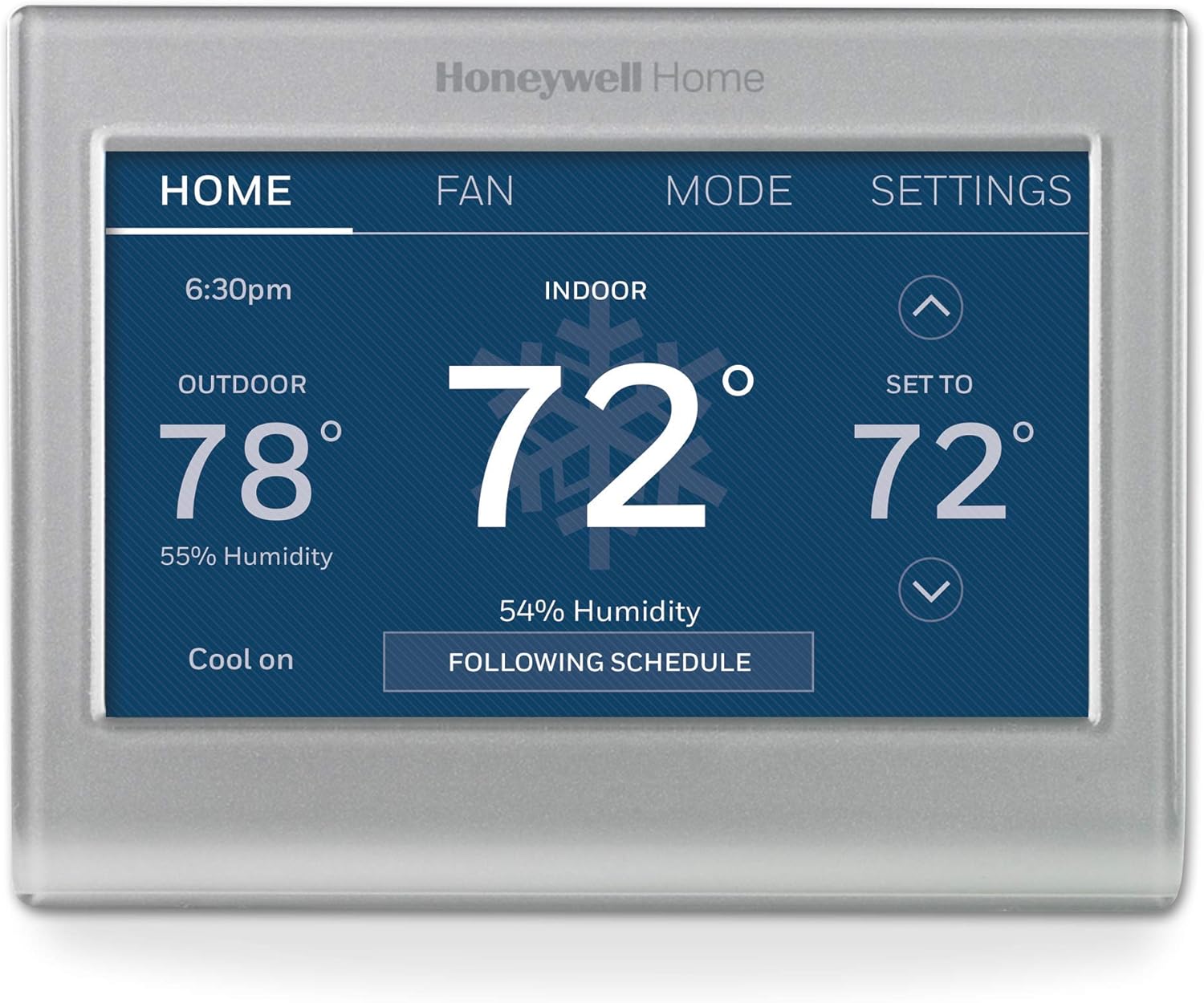
Honeywell Home Smart Color Thermostat
Time for an Upgrade? If your old battery unit is failing, this model uses a C-wire for reliable power and has a customizable color screen.
Check Price on AmazonRelated: Honeywell vs Emerson
Advanced Troubleshooting: “I Changed Batteries, But It Still Won’t Work”
If fresh batteries didn’t solve the issue, dig deeper:
- Corrosion: Look for blue/white crust on the battery terminals. Clean it with a cotton swab dipped in vinegar.
- Loose Wiring: The vibration of removing the cover can loosen the R or W wires. Check the screws.
- C-Wire Issues: If you upgraded to a smart thermostat without a C-wire, batteries will drain in days. You may need a power adapter kit. (Are WiFi thermostats worth it?).
Frequently Asked Questions
How do I know if my thermostat battery is dead versus a wiring problem?
A dead battery usually produces a gradual decline: dimming, slow buttons, and drift over days or weeks. A wiring problem tends to appear suddenly and often coincides with the HVAC system not responding at all, even though the display looks perfectly normal. If the screen is bright, responsive, and shows the correct time but the system simply won’t turn on, suspect wiring or the relay before batteries.
Can I use rechargeable batteries in my thermostat?
Most manufacturers advise against it because rechargeable NiMH batteries output about 1.2 volts fully charged, compared to 1.5 volts for alkaline or lithium, and many thermostats interpret that lower voltage as a permanently low battery. Some units tolerate it fine; check your model’s manual before relying on rechargeables.
Why does my thermostat drain batteries so fast?
The most common cause is a missing C-wire, which forces the thermostat to “power steal” small amounts of electricity from the HVAC wiring while relying on batteries for the rest, draining them far faster than a fully hardwired setup. A Wi-Fi radio that checks in with your home network constantly is the second most common cause.
Is it normal for a brand-new thermostat to show a low-battery warning right away?
It can happen if the batteries included in the box sat in a warehouse for a long time before installation, or if they were inserted with reversed polarity on one cell. Try a fresh, known-good set before assuming the unit itself is defective.
Do I need to replace both batteries at the same time?
Yes. Replacing only one of a pair creates a voltage mismatch between an older, weaker cell and a fresh one, which can cause the same erratic symptoms as having two old batteries.
What’s the difference between the backup coin cell and the main batteries?
On thermostats that have both, the main AA or AAA pair typically handles day-to-day operation, while a CR2032 or CR2025 coin cell preserves memory, clock settings, and programming during a power interruption. A dead coin cell usually shows up as lost schedules or a reset clock rather than a fully dark screen.
Can a low thermostat battery damage my furnace or AC unit?
Indirectly, yes. Short cycling caused by fluctuating control voltage puts repeated stress on the compressor and heat exchanger, and over months or years that extra wear can shorten the lifespan of expensive HVAC components.
Will changing the batteries reset my programmed schedule?
On many units, no, especially if you replace one battery at a time to maintain partial power. On thermostats where both cells are removed simultaneously with no other backup power source, a schedule reset is possible, so it’s worth writing down your settings beforehand as a precaution.
How do I find out what battery type my specific thermostat model needs?
Check the label printed inside the battery compartment, which almost always lists the required type and quantity, or check the markings stamped directly on the old battery before disposing of it. The model number on the back or front of the unit will also let you look up the manufacturer’s specification sheet.
Should I use name-brand batteries or generic ones?
Name-brand alkaline and lithium batteries tend to have more consistent manufacturing tolerances and lower leak rates, which matters more for a device you check infrequently, like a thermostat, than for something like a TV remote you’d notice failing immediately.
My smart thermostat has a C-wire but still uses batteries. Why?
Many C-wire-powered smart thermostats still include a battery compartment purely as a backup, so the unit keeps its clock, schedule, and Wi-Fi credentials during a power outage or if the C-wire connection is temporarily interrupted.
How long can I leave my thermostat without batteries during replacement?
If your unit has a C-wire providing continuous power, the batteries are backup-only and a brief swap causes no disruption. On a fully battery-powered unit with no C-wire, try to keep the gap under a minute or replace cells one at a time to minimize the chance of a memory reset.
How to Test a Thermostat Battery With a Multimeter
If you want a definitive answer instead of guessing from symptoms, a $10 multimeter settles the question in under a minute. Set the meter to DC voltage, touch the red probe to the positive terminal and the black probe to the negative terminal of each cell, and compare the reading to the battery’s rated voltage. A fresh AA or AAA alkaline cell should read close to 1.5 volts; anything below about 1.3 volts is worth replacing even if the thermostat hasn’t flagged a warning yet, since performance issues often begin before the internal threshold triggers the icon. For a pair of AA batteries wired in series, you can also test them together at the compartment contacts and look for a combined reading near 3.0 volts. CR2032 and CR2025 coin cells should read close to 3.0 volts fresh, with anything under 2.7 volts considered weak. If a multimeter shows healthy voltage but the thermostat still misbehaves, that’s a strong signal the fault lies in the wiring, the relay, or the control board rather than the batteries themselves.
Do Hardwired Thermostats Still Need Batteries?
This question comes up constantly because homeowners assume a C-wire eliminates the need for batteries entirely, and the answer is usually no, not fully. Most thermostats that support a C-wire still include a battery compartment for redundancy, so that a brief power outage, a tripped breaker, or a loose C-wire connection doesn’t wipe your schedule or reset the clock. In that role, the batteries can last far longer than in a battery-only installation, sometimes multiple years, because they’re rarely called on to do real work. The exception is a device explicitly marketed as “battery-free” or “hardwired-only,” such as most Ecobee and Nest main units, which either omit a battery compartment altogether or rely on an internal rechargeable cell instead of user-replaceable batteries. Always check your specific model’s specification sheet rather than assuming based on the presence or absence of a C-wire alone.
Common Thermostat Battery Myths, Debunked
Myth: “If the screen is on, the batteries are fine.”
A dim, flickering, or partially lit screen is itself a low-battery symptom, not proof of a healthy battery. Many thermostats can keep a display lit on very little voltage while lacking enough power to trigger the relay, which is exactly the “click but no ignition” scenario described earlier in this guide.
Myth: “Bigger batteries last longer, so I can use a 9V adapter in an AA slot.”
Battery size and voltage are tied to the specific circuit design inside your thermostat. Forcing a higher-voltage cell into a slot designed for a lower voltage, even with an adapter, risks damaging the sensitive electronics rather than extending runtime.
Myth: “Rechargeable batteries always save money in the long run.”
For high-drain devices like flashlights or game controllers, rechargeables make sense. For thermostats, the lower voltage output of NiMH cells can cause a device to misread its own power level, triggering false low-battery warnings or, in some models, refusing to hold a charge state correctly at all.
Myth: “A brand-new thermostat will never need battery troubleshooting.”
New units can ship with batteries that have been sitting in a warehouse or on a store shelf for a year or more, quietly self-discharging the entire time. It’s good practice to swap in a fresh, known set immediately after installing any new thermostat rather than trusting the batteries included in the box indefinitely.
Repair or Replace: When Battery Troubleshooting Isn’t Enough
Sometimes the honest answer to a battery complaint is that the thermostat itself has reached the end of its useful life. If you’ve confirmed healthy voltage with a multimeter, cleaned any visible corrosion, reseated the wiring, and the unit still won’t hold a set point or respond reliably, it’s time to weigh a full replacement against continued troubleshooting. As a general guideline, thermostats older than 10 years, units that have been exposed to moisture or a past leak, or models that have already needed a relay or board repair once are usually better candidates for replacement than for another round of battery-focused fixes. On the other hand, a thermostat under five years old showing only the symptoms described in this guide, with contacts that test clean and dry, is very likely to be fully restored by a proper battery swap using the correct chemistry and type for that model.
Glossary of Thermostat Power Terms
- C-Wire (Common Wire): A dedicated wire that provides continuous 24V power to a smart thermostat, eliminating the need to rely on batteries for primary power.
- Power Stealing: A technique some thermostats use to draw small amounts of electricity from the R and W/Y wires when no C-wire is present, supplementing battery power.
- Relay: The internal switch that closes a circuit to activate your furnace, air conditioner, or fan when the thermostat calls for heating or cooling.
- Voltage Drift: The gradual decline in output voltage as a battery discharges, which can cause sensor readings and display brightness to degrade before a battery is fully dead.
- Coin Cell: A small, flat, round battery (such as a CR2032) commonly used for backup memory power rather than primary device operation.
- Auxiliary/Emergency Heat: A heat pump’s backup heating mode, which typically requires a functioning thermostat with adequate battery or wired power to engage correctly during very cold weather.
More Frequently Asked Questions
Why does my thermostat only lose Wi-Fi in cold weather?
Cold temperatures reduce a battery’s effective capacity even when the battery isn’t old, so a cell that performs fine in a warm hallway in summer may struggle to power a Wi-Fi radio once temperatures drop, especially in an uninsulated space. Switching to lithium batteries, which tolerate cold far better than alkaline, often resolves this specific pattern.
Can I run my thermostat entirely without batteries if I have a C-wire?
On most units, technically yes for day-to-day operation, but leaving the compartment empty removes the backup that protects your schedule and settings during a power interruption. It’s generally worth keeping a set installed even on a fully wired unit.
Is it safe to touch thermostat battery terminals with bare hands?
Yes, standard AA, AAA, and coin-cell batteries used in thermostats operate at low, safe voltages for normal handling. The main precaution is avoiding contact with any corrosion or leaked electrolyte, which can irritate skin, rather than the battery terminals themselves.
My thermostat takes two different battery types. Is that normal?
Yes, this is common on units that use one battery type (often AA or AAA) for primary power and a separate coin cell for backup memory. Check your compartment carefully, as some models tuck the coin cell behind or beside the main battery holder.
DIY Battery Fix vs. Calling an HVAC Technician
Most of the symptoms in this guide are solvable with a $5 pack of batteries and five minutes of your time, but it’s worth knowing exactly where the line sits between a battery problem and something that genuinely needs a licensed technician. Understanding that boundary can save you both an unnecessary service call and, in the other direction, a dangerous delay in getting real help.
Signs It’s Still a Battery Problem
- The display dims, flickers, or shows a low-battery icon before the malfunction begins.
- Symptoms appeared gradually over days or weeks rather than instantly.
- The thermostat is more than six months past its last battery change.
- A multimeter confirms voltage below the rated level for the installed batteries.
- The issue temporarily improves after tapping or resetting the unit, consistent with intermittent low-voltage contact.
Signs You Need a Professional
- Fresh, multimeter-tested batteries are installed correctly and the problem persists unchanged.
- You smell burning, see scorch marks, or notice melted plastic near the wiring terminals.
- The furnace or AC runs continuously with no response to any thermostat setting.
- Breakers trip repeatedly when the system tries to start.
- The thermostat is wired into a heat pump system and auxiliary heat won’t engage during genuinely cold weather, which can indicate a wiring or control-board fault beyond battery power.
If you’re seeing any of the professional-level signs above, stop troubleshooting batteries and treat it as an electrical or HVAC safety issue rather than a power-source issue.
How Home Location and Climate Affect Thermostat Battery Life
Two identical thermostats in two different homes can have dramatically different battery lifespans, and the difference usually comes down to where the unit is physically mounted and what climate it’s operating in. A thermostat mounted on an interior wall in a climate-controlled hallway experiences relatively stable temperatures year-round, which keeps battery chemistry performing close to its rated specifications. A thermostat mounted near an exterior door, in a three-season room, in a basement stairwell, or in a vacation property that isn’t consistently heated or cooled will see far wider temperature swings, and both very cold and very hot conditions accelerate the internal chemical reactions that eventually reduce a battery’s usable capacity. Homes in climates with long, harsh winters tend to see the fastest battery drain during the coldest months, precisely when a working thermostat matters most for preventing frozen pipes, which is why seasonal battery replacement before winter is one of the highest-value five-minute maintenance tasks a homeowner can do. Coastal and high-humidity climates introduce a second factor: moisture in the air can accelerate corrosion on battery contacts even without an actual leak, so homes in humid regions benefit from slightly more frequent visual inspections of the battery compartment in addition to routine replacement.
Quick Reference: Battery Type by Common Thermostat Model
While you should always confirm against the label inside your own unit’s compartment, this quick reference covers the configurations we’re asked about most often.
| Model / Series | Primary Battery | Backup Cell |
|---|---|---|
| Honeywell FocusPRO / T6 Pro | 2x AA Alkaline | None |
| Honeywell 3000/5000 Series | 2x AAA Alkaline | None |
| Honeywell VisionPRO 8000 | C-Wire preferred | CR2032 |
| Google Nest (Learning / Thermostat) | Internal rechargeable cell (C-wire charged) | N/A |
| Ecobee (main thermostat) | C-Wire required, no user battery | N/A |
| Ecobee Room Sensor | N/A | CR2032 |
| Emerson Sensi | 2x AA Alkaline | None (C-wire optional) |
| White-Rodgers (varies by model) | AA/AAA or coin cell, model-dependent | Sometimes CR2032/CR2025 |
| Braeburn Programmable | 2x AA Alkaline | Sometimes CR2032 |
Conclusion
A low battery icon is more than an annoyance; it is a warning that your home’s comfort system is about to lose its brain. By recognizing the subtle signs—fading displays, clicking noises, and Wi-Fi drops—you can maintain a comfortable home year-round.
Explore More at Thermo Facts
From heating your home to keeping your lunch warm, we cover it all. Check out our specialized guides:
External Resource: HB McClure – 7 Ways to Tell Your Thermostat is Broken
As an Amazon Associate, ThermoFacts earns from qualifying purchases.




 Home
Home
 Info
Info
 Compare
 Reviews
 Shop
Shop