
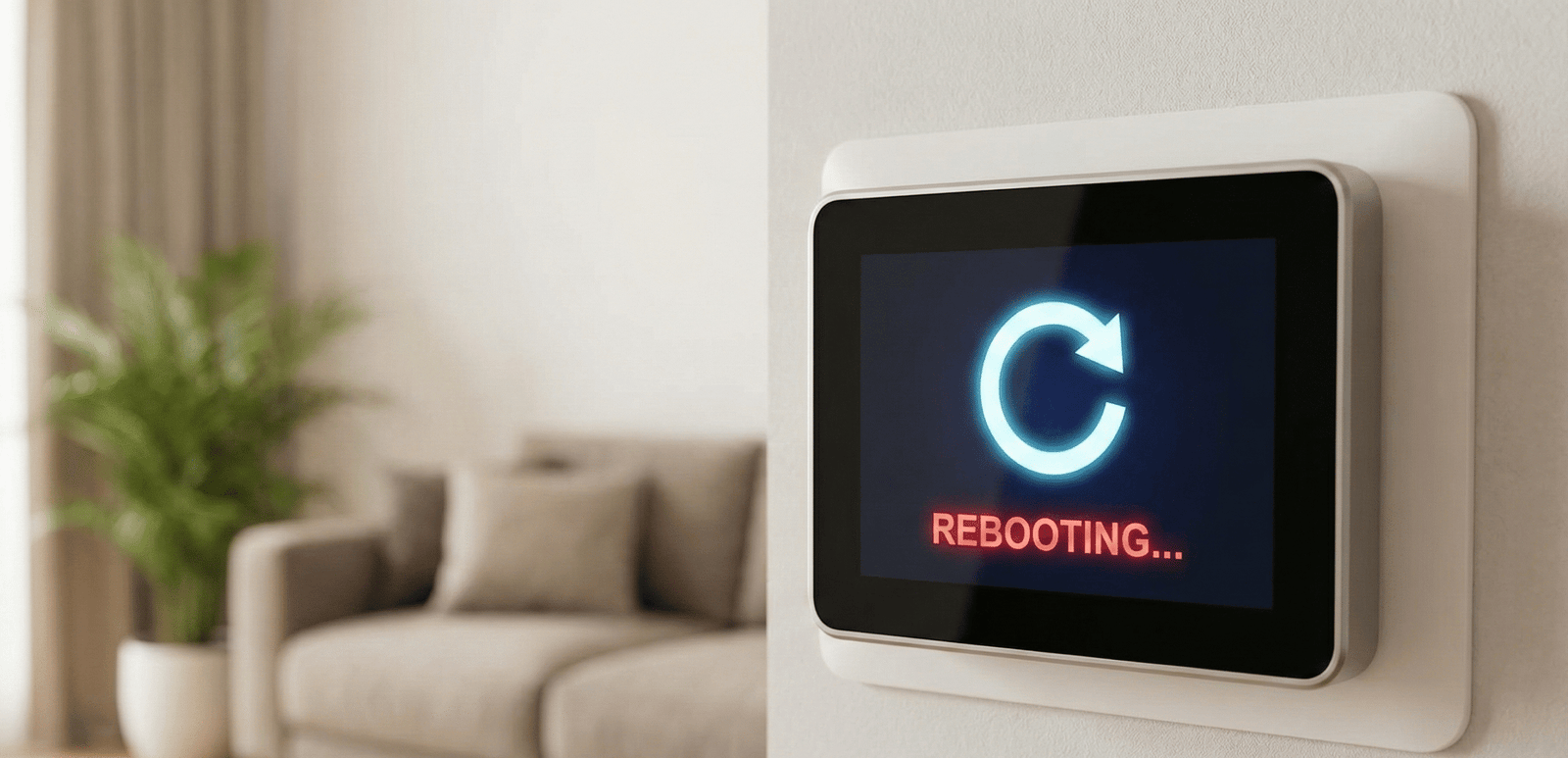
Why Does My Thermostat Keep Rebooting? (Expert Troubleshooting Guide)
It is a frustrating scenario: You walk past your hallway, glance at your smart thermostat, and the screen is black. A few seconds later, the logo appears, it boots up, and then shuts down again. Or worse, every time your AC or furnace tries to kick on, the thermostat dies. If you are asking, “Why does my thermostat keep rebooting?” you are dealing with a power interruption issue that can damage your HVAC system if left unchecked.
⚡ The Quick Answer (AEO)
A thermostat usually keeps rebooting due to power stealing or safety interruptions. The most common causes are:
- Lack of a C-Wire: Without a Common wire, smart thermostats try to steal power from the HVAC system, causing it to cycle on and off.
- Tripped Float Switch: A clogged condensate drain line cuts power to the thermostat to prevent water damage.
- Overheating Furnace: A dirty air filter causes the high-limit switch to trip, cutting power to the unit.
- Weak Battery: The internal battery can no longer hold the charge during the relay “click.”
In this comprehensive guide, we will move beyond the basics. We will explore electrical loops, safety switches, and how to differentiate between a bad thermostat and a failing HVAC component. We will also touch on how this compares to other issues like a thermostat clicking but not turning on. By the end, you will be able to look at exactly how and when your thermostat restarts and translate that pattern into a specific, fixable cause rather than guessing at parts or scheduling an expensive diagnostic visit before you have to.
It is worth saying up front that a reboot itself is rarely the actual malfunction. Modern thermostats are designed to restart automatically as a protective response any time their power supply is interrupted or their internal software encounters an error it cannot recover from gracefully. The reboot is the symptom you can see; the real fault is almost always upstream of the thermostat, in the wiring, the transformer, a safety switch, or the Wi-Fi connection feeding it. Treating the thermostat as the problem, rather than as a reporter of the problem, is the single most common mistake homeowners make when chasing this issue, and it is why so many people replace a perfectly good thermostat only to watch the new one start rebooting within days.
Common Symptoms and What They Usually Mean
Before diving into individual causes, it helps to match what you are actually seeing on the screen to the likely category of problem. The pattern of the reboot is often a bigger diagnostic clue than any single wire.
- Screen goes fully black, then the logo reappears, on a loop: Almost always a power problem — missing C-wire, weak battery, or an overloaded transformer.
- Reboots only when the AC or heat physically turns on: Points to voltage sag from the compressor, inducer motor, or a short-cycling system rather than a standing wiring fault.
- Reboots at a consistent time of day or night regardless of HVAC activity: Suggests a scheduled firmware update, a demand-response event, or an automated cloud sync rather than an electrical fault.
- Stuck on a percentage or “Updating…” screen before restarting: A software/Wi-Fi problem, not a wiring problem — see the firmware and Wi-Fi section below.
- Reboots only in extreme heat or cold snaps: A marginal transformer or connection that only fails under peak electrical load.
- Reboots the moment someone touches the screen, especially in winter: Consider static discharge before assuming a hardware fault.
Does it reboot even on battery power alone, disconnected from the wall?
→ Yes: Thermostat hardware or firmware issue. Try a factory reset, then consider replacement.
→ No: Continue below.
Does it only reboot when heating/cooling is actively running?
→ Yes: Suspect power stealing, an overloaded transformer, or HVAC short cycling.
→ No: Continue below.
Does it only happen after rain or high humidity, or in the cooling season?
→ Yes: Check the condensate float switch first.
→ No: Check Wi-Fi stability, firmware update history, and grid power quality in your area.
1. The “Power Stealing” Phenomenon (Common in Nest & Ecobee)
Modern smart thermostats require constant 24-volt power to run their Wi-Fi radios and color screens. If your home was built before 2010, you might only have 4 wires (R, W, Y, G) and lack the crucial C-Wire (Common Wire).
Without a C-wire, thermostats use a method called “power stealing” or “pulsing.” They sip tiny amounts of electricity through the heating or cooling wires. However, when the HVAC system is running, this power path can get interrupted. If the battery inside the thermostat drains faster than it can charge, the unit crashes and reboots. This is a key difference in smart vs programmable thermostats.
2. The Condensate Safety Switch (The Hidden Killer)
This is the number one reason for a thermostat rebooting during the summer. Your AC unit creates water (condensate). This water drains out through a PVC pipe. If that pipe gets clogged with algae or sludge, the water backs up.
Most modern air handlers have a Float Switch installed in the drain pan. When water lifts this float, it cuts the 24V power to the thermostat immediately to stop the AC from producing more water. The screen goes black. Once the water recedes slightly, power returns, and the thermostat reboots. This cycle repeats endlessly.
Related Guide: Understanding these components helps, much like knowing the difference in plastic vs aluminum housing in automotive cooling—materials and mechanics matter.
3. The High-Limit Switch (Furnace Overheating)
If your thermostat reboots only when the Heat is on, check your airflow immediately. If your air filter is dirty, the heat exchanger inside the furnace gets too hot. The “High Limit Switch” detects this danger and cuts power to the gas valve and often the thermostat circuit.
The thermostat dies, the furnace cools down, the switch resets, and the thermostat wakes up again. This is distinct from when a thermostat says heat on but there is no heat, where the thermostat usually stays powered on.
4. Grid Power Fluctuations, Brownouts, and Utility Demand Response
Not every reboot originates inside your walls. Utility-side power quality plays a bigger role than most homeowners realize. A “brownout” is a brief drop in voltage across the entire grid, usually triggered when regional demand spikes on the hottest afternoons of the year, when thousands of air conditioners are pulling from the same substation simultaneously. That sag ripples down through your service panel, through the furnace’s step-down transformer, and into the 24-volt control circuit that feeds your thermostat. A drop that is barely noticeable on your kitchen lights can be enough to starve a Wi-Fi-connected thermostat of the power it needs to keep its radio and processor alive.
There is also a category of “micro-outage” that most digital clocks never even register: power that disappears for a fraction of a second and returns before an incandescent bulb would visibly flicker. Older thermostats with simple mechanical relays shrug this off. A smart thermostat running a full operating system does not; a sub-second interruption is often enough to force a cold boot, because the processor treats any unexpected voltage loss as a crash rather than a blip.
Utility demand response programs add a second wrinkle. If you are enrolled in a program that lets your power company cycle your air conditioner’s compressor during peak-demand events, the compressor is briefly interrupted and restarted by a signal sent to your outdoor unit or thermostat. On some systems this control signal is delivered by toggling the same low-voltage wiring used to power the thermostat, and a poorly implemented interface can cause a visible reboot each time an event starts or ends. If your rebooting seems to line up suspiciously well with the hottest part of a summer afternoon, check whether your utility runs a demand response or “peak time rebate” program and whether your thermostat or outdoor condenser is enrolled.
5. Software Gremlins: Firmware Updates, Wi-Fi, and Boot Loops
If your electrical system checks out perfectly and the thermostat still restarts, the cause may never touch a single wire. Wi-Fi-connected thermostats are essentially small computers, and like any computer, they are vulnerable to software problems that have nothing to do with volts or amps.
Most smart thermostats install firmware updates automatically, usually overnight, and a healthy unit should restart only during that brief update window, immediately after a manual factory reset, or the moment it is first powered on. A thermostat that restarts far more often than that is telling you something is interrupting the update process itself. The most frequent culprit is an unstable Wi-Fi connection: mesh networks that hand a device off between access points mid-transfer, “band steering” that bounces the thermostat between 2.4GHz and 5GHz radios, guest-network isolation, or an aggressive ad-blocking DNS service can all cause an over-the-air update to stall partway through. When the download or verification step fails repeatedly, some thermostats respond by rebooting and trying again, creating a loop that looks identical to a power problem from the outside.
A rarer but more serious version of this problem happens when an update is interrupted while it is actually being written to the thermostat’s internal memory. If the write process is cut short, whether by a Wi-Fi dropout or a voltage sag at exactly the wrong moment, the result can be a corrupted boot partition. The thermostat then loops endlessly between its logo screen and a shutdown because it can never finish loading a complete, verified copy of its own operating system. This is more common on older thermostat hardware revisions that have been through many firmware cycles, since flash memory has a finite number of write cycles and can develop bad sectors over time.
Before assuming your hardware has failed, work through the software angle first:
- Confirm the thermostat is on a dedicated 2.4GHz network where possible, since most thermostat radios are not built for 5GHz and struggle on networks that automatically steer devices between bands.
- Temporarily disable guest-network isolation and VPN or private-DNS profiles during setup or troubleshooting, since these can silently block the specific servers a thermostat needs to reach to verify an update.
- Check the manufacturer’s app for a pending or “stuck” update before doing anything else. Many apps will show an update percentage that resets instead of completing.
- Only factory reset as a last step, after power and Wi-Fi have both been confirmed stable, since a reset will not fix an underlying electrical problem and will simply reboot again if the real cause is a weak C-wire connection.
If you already suspect a factory reset is warranted, our Sensi thermostat reset guide walks through the process in detail, and many of the same principles apply to other Wi-Fi thermostat brands.
6. HVAC Short Cycling: When the Thermostat Isn’t the Real Problem
“Short cycling” describes an HVAC system that turns on, runs for a very short period, and shuts off again, over and over. It is exhausting on equipment, and it is also a frequent, under-diagnosed cause of thermostat reboots that gets blamed entirely on the thermostat.
Every time your furnace or air conditioner starts a cycle, several components draw a burst of current: the inducer motor, the blower motor, the compressor contactor, and any igniter or gas valve involved. If the system is short cycling, that current draw happens far more frequently than it should, and each cycle represents another opportunity for the control transformer to sag under load. A system that short cycles because of an oversized unit, a stuck contactor, low refrigerant, a failing blower motor, or a thermostat mounted too close to a supply register (which can trick the thermostat into thinking the target temperature has already been reached) will hammer the transformer with restarts far more often than a healthy system would, and the thermostat pays the price by rebooting along with it.
The tell here is timing: if your thermostat only reboots during active heating or cooling calls, and you also notice the system itself cycling on and off in unusually short bursts (listen for the outdoor compressor or the furnace igniter clicking repeatedly within a few minutes), the thermostat is very likely a symptom rather than the disease. Fixing the short-cycling condition, not replacing the thermostat, is usually what actually resolves the reboots in this scenario.
7. Transformer Overload and VA Sizing Problems
Most residential furnaces and air handlers ship with a standard 40VA control transformer, which is normally more than enough to run a single traditional thermostat, a contactor coil, and a handful of basic safety switches. The math changes the moment you start adding accessories. A humidifier, an electronic air cleaner, a UV light, a zone control board, or a Wi-Fi thermostat that draws more current than an old mercury-switch model can all push the combined load past what a 40VA transformer was ever designed to deliver.
When the load creeps close to or past the transformer’s rating, the symptoms rarely show up as a dead system right away. Instead, voltage sags every time a relay or damper motor energizes, the transformer runs hotter than it should, and the thermostat sees a momentary voltage drop it interprets as a power loss, triggering a reboot. Over time, an overloaded transformer can also overheat and fail outright, or repeatedly blow the small in-line fuse on the furnace control board.
Rough VA guidelines that HVAC technicians commonly work from:
- A basic single-stage system with no accessories typically uses well under 40VA and rarely has trouble.
- Adding a smart thermostat, a bypass humidifier, or an air cleaner can be enough to push an older 40VA transformer close to its limit, especially if more than one accessory is present.
- Zoning systems are the single biggest transformer killer, since motorized dampers draw meaningfully more current than a thermostat alone, and running several zones off one small transformer is a very common source of chronic reboot and short-cycling complaints. Zoned systems and heat pumps with electric backup heat commonly call for a 75VA (or larger) transformer instead of the standard 40VA unit.
If you suspect this is your issue, this is one of the few causes on this list we recommend handing to a licensed HVAC technician or electrician rather than tackling yourself, since it typically involves replacing a line-voltage component inside the furnace cabinet, not just swapping low-voltage wires.
One more sign worth watching for: a transformer that is being pushed past its limit often runs audibly warmer and may develop a faint buzzing hum under load that was not present before. If you notice a new hum from inside the furnace cabinet coinciding with the reboots, or you can smell a faint hot-electronics odor near the control board after the system has been running, treat that as a reason to shut the system off and call a technician promptly rather than continuing to run it while you troubleshoot, since a badly overloaded transformer can be a fire risk if left unaddressed.
8. Thermostat Compatibility on Multi-Stage and Zoned Systems
Not every reboot problem is electrical at all; some are a compatibility mismatch that only looks like a power issue. Multi-stage furnaces, variable-speed air handlers, dual-fuel heat pump systems, and zoned homes with a central zone control panel all communicate with the thermostat differently than a simple single-stage system does. A thermostat that is not explicitly built and configured for that equipment can misread signals from the equipment, or the equipment can misread the thermostat’s calls, and the resulting confusion frequently manifests as unexpected restarts rather than a clean error message.
Zoned systems are a particularly common source of this problem. Many zone control panels use solid-state switches that leak a small amount of current even when a zone is technically off. A conventional thermostat ignores this leakage, but some smart, power-stealing thermostats can misinterpret that trickle as a legitimate call for heat or cooling, creating a feedback loop that shows up as random cycling, phantom zone activation, or a thermostat reboot every time the panel’s logic and the thermostat’s logic disagree. This effect tends to get worse when multiple smart thermostats share a single transformer through the same zone panel, compounding both the compatibility issue and the VA overload problem described above.
Before installing a new smart thermostat on anything other than a simple single-stage system, run your exact equipment model through the manufacturer’s official compatibility checker rather than assuming any thermostat with the right number of wire terminals will work. If you are replacing an older proprietary zone-compatible thermostat, our guide on swapping an HZ311 thermostat for an Ecobee covers one of the more common compatibility upgrades in detail.
9. Static Electricity and Environmental Triggers
In dry winter climates, static electricity is a legitimate and often-overlooked cause of thermostat reboots. Walking across synthetic carpet and then touching the thermostat screen or faceplate can deliver an electrostatic discharge strong enough to crash the small microcontroller inside a touchscreen thermostat, even though the discharge is far too small to be dangerous to you. If your reboots seem to correlate with someone in the household touching or adjusting the thermostat, especially during low-humidity months, static discharge is worth considering before you start pulling wires.
Thermostat placement itself can also be an environmental trigger. A thermostat mounted in direct afternoon sunlight, directly above a heat-producing appliance, or in a poorly ventilated alcove can experience internal temperatures well above the ambient room temperature the device is designed for. Extreme heat can affect the internal battery’s ability to charge properly and, in some cases, trigger a thermal-protection restart independent of anything happening on the HVAC side. Relocating a thermostat that is fighting its installation environment is sometimes the simplest fix available.
10. Smart Home Ecosystem Conflicts
Homes with multiple connected devices sharing a single Wi-Fi network and a single voice-assistant ecosystem occasionally see thermostat instability that has nothing to do with HVAC wiring at all. A router struggling under the combined load of security cameras, smart plugs, video doorbells, and streaming devices can starve a thermostat of the bandwidth it needs to maintain a stable connection, especially on budget routers with a limited number of simultaneous device connections. Voice-assistant integrations (Alexa, Google Home, or a third-party automation platform) that repeatedly poll the thermostat’s status or push schedule changes can also, in rare cases, trigger a cloud-side sync error that manifests locally as a restart.
If your reboots started shortly after adding a new smart home device, a new router, or a new automation routine, try temporarily removing the thermostat from any third-party automation platform and observing whether the reboots stop. This narrows the field considerably before you spend money on HVAC parts that were never the problem.
Brand-Specific Reboot Behavior: What to Expect
While the underlying electrical causes are universal, different thermostat brands handle power interruptions and software updates differently, which changes what a “normal” restart looks like on each platform.
Google Nest
Nest thermostats are known for aggressive power stealing on systems without a C-wire, and Nest’s own support documentation attributes the large majority of unexpected restarts to inadequate power delivery rather than software faults. A healthy Nest should restart only during an overnight software update, immediately after a manual reset, or when first installed. Frequent restarts outside those windows point strongly toward the C-wire, the transformer, or a short-cycling HVAC system.
ecobee
Ecobee ships most models with a Power Extender Kit (PEK) in the box specifically to avoid power-stealing reboot loops on systems without an existing C-wire, which is why ecobee thermostats tend to be more stable on older four-wire systems than competitors that rely purely on power stealing. When an ecobee does reboot repeatedly, it is more often tied to a zoning-panel compatibility issue or a transformer VA overload than to a missing C-wire, since the PEK already solves that specific problem for most homes.
Honeywell Home
Honeywell’s smart lineup spans a wide range of hardware generations, and older models in particular can be more sensitive to marginal transformer voltage than newer Nest or ecobee hardware. Honeywell units also tend to display a more descriptive on-screen wiring or power warning before a full reboot occurs, which can make early diagnosis easier if you catch the message before the screen goes black.
Sensi
Sensi thermostats are generally regarded as lower-power devices with simpler screens, which makes them somewhat less prone to power-stealing reboots than color-touchscreen competitors. When a Sensi does loop, it is disproportionately likely to be a software or Wi-Fi issue rather than a wiring issue, which is why a factory reset (see our Sensi reset guide) resolves a larger share of Sensi complaints than it does for other brands.
Is It Still Under Warranty?
Before investing time in extensive DIY diagnostics, check your thermostat’s warranty status, especially if the unit is less than two or three years old. Most major smart thermostat brands offer at least a one-year manufacturer warranty, often extendable when purchased and registered through an authorized retailer or when installed by a licensed contractor. If your troubleshooting points toward an internal hardware or firmware fault rather than a wiring or transformer issue, a warranty replacement can be faster and cheaper than any DIY part. Keep your purchase receipt and registration confirmation on hand, since most manufacturers will ask for proof of purchase date before processing a claim.
Step-by-Step Troubleshooting Guide
Step 1: Check the Batteries
Even hardwired thermostats have batteries. If they are corroded or old, they cannot bridge the power gap when the system switches modes. Reference our list of best battery-operated thermostats to see how these differ from fully hardwired ones.
Step 2: Inspect the Contact Pins
Pull the thermostat off the wall. Look at the pins connecting the faceplate to the backplate. Are they bent? Is there dust? A loose physical connection causes intermittent rebooting simply from the vibration of footsteps.
Step 3: The “Sensi” Reset
If you own a Sensi or similar Wi-Fi unit, software glitches can cause loops. Before replacing hardware, try a factory reset.
Guide: How to reset your Sensi thermostat.
Step 4: Check Your Wi-Fi Network and Router
Open your thermostat’s companion app and check the signal strength shown for your device. Weak signal, a recent router firmware update, a new Wi-Fi password, or a switch to a mesh system can all disrupt the update process described earlier. Move your router or add a Wi-Fi extender if the thermostat is at the edge of your signal range, and where possible, put the thermostat on a dedicated 2.4GHz network without band steering or guest isolation enabled.
Step 5: Test the Transformer Under Load
With your multimeter still set to VAC, measure across the R and C terminals both while the system is idle and again the instant a heating or cooling cycle starts. A transformer that reads a healthy 24-28V at idle but sags noticeably (or momentarily drops to near 0V) the second the compressor contactor or inducer motor energizes is a strong signal of an overloaded or failing transformer, especially if you have added a smart thermostat, humidifier, zone panel, or air cleaner since the transformer was last replaced.
Step 6: Isolate the Thermostat from the HVAC System
If your thermostat model supports battery-only operation, remove it from the wall backplate, leave the HVAC wiring untouched, and run it on fresh AA batteries alone for a few hours away from the wall. If it reboots even in this fully isolated bench-test state with no HVAC wiring connected at all, the problem lives inside the thermostat itself (or its software) rather than in your home’s electrical system, and hardware replacement becomes the more likely fix.
Step 7: Decode the Blinking Light or Error Code
Most smart thermostats use a blinking light color, an on-screen icon, or a specific error code to distinguish a power problem from a Wi-Fi problem or a hardware fault. Check your model’s app or printed manual for its specific error-code chart rather than guessing, since the same blinking pattern means different things across brands. Matching the exact code to the manufacturer’s chart will usually tell you immediately whether you are still chasing a wiring issue or whether it is time to move on to a warranty claim or replacement.
How Much Does It Cost to Fix a Rebooting Thermostat?
Costs vary widely depending on which cause above turns out to be the culprit, but knowing the rough range ahead of time makes it easier to decide between a DIY fix and a service call.
- C-wire adapter (Nest/Google power connector): Roughly $15–$25 for the part; a DIY install takes most homeowners under 30 minutes.
- Professional C-wire pull through existing walls: Typically $100–$250, depending on wall access and distance from the furnace to the thermostat.
- Condensate float switch replacement: $50–$150 for parts alone; a technician visit including labor commonly runs higher.
- Condensate line clearing: Often free-to-low-cost as a DIY job with a wet/dry vacuum and diluted vinegar; a professional drain-line flush is usually a modest add-on to a routine maintenance visit.
- Control transformer replacement: Commonly in the range of $150–$300 installed, more if the technician also needs to add an inline fuse or isolation relay for a zoning system.
- General diagnostic service call: Many HVAC companies charge a flat diagnostic fee, often in the $75–$200 range, which is frequently credited toward the repair if you proceed.
- New thermostat: Ranges enormously by feature set, from budget programmable models up through premium smart thermostats with sensors and zoning support.
Hardware Solutions: What You Might Need
If your wiring is the issue (specifically the lack of a C-wire), or your thermostat has simply failed electronically (how to tell if your thermostat is bad), here are the best parts to resolve the issue.

Google Nest Power Connector
The “No C-Wire” Fix. If your Nest keeps rebooting, this affordable add-on installs at the furnace to provide consistent power without running new cables through your walls.
View on Amazon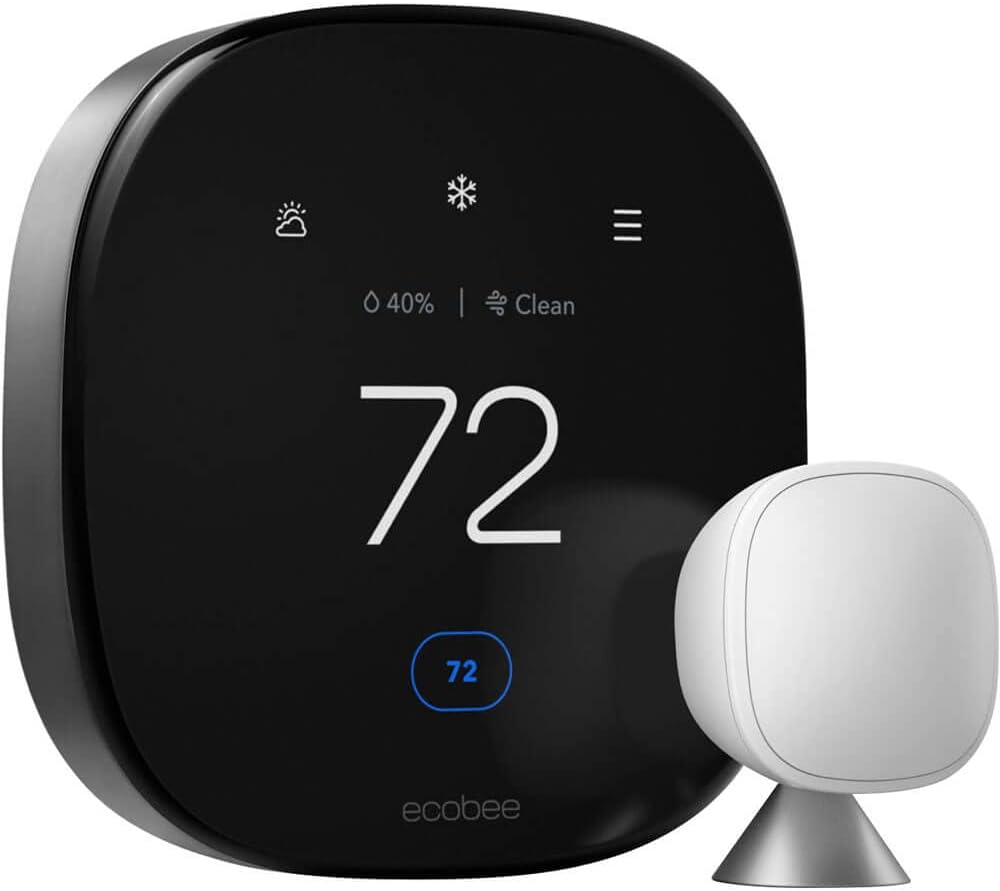
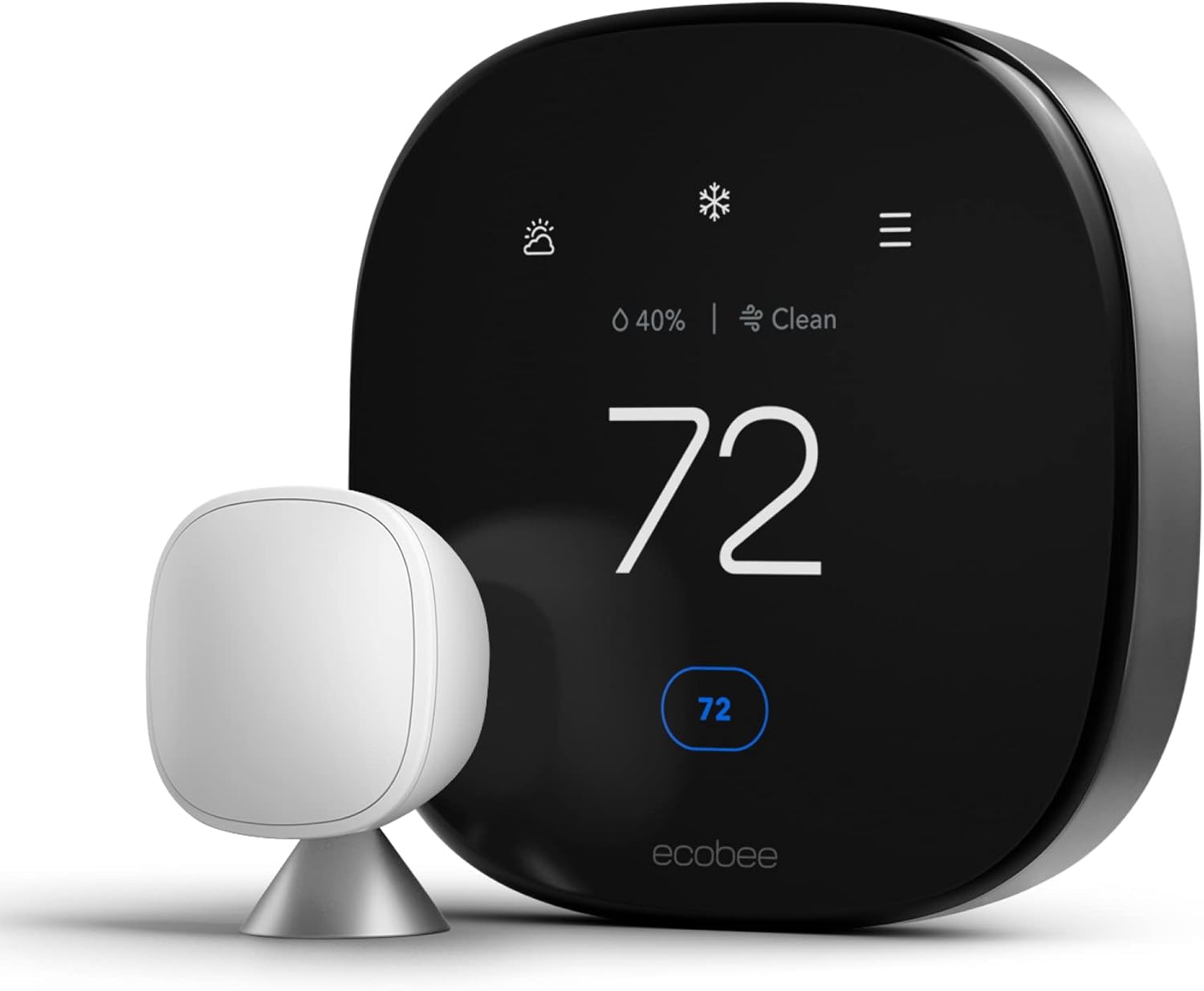
ecobee Smart Thermostat Premium
Best for Stability. Ecobee includes a Power Extender Kit (PEK) in the box, ensuring you never face power-stealing reboot loops. It’s a robust upgrade.
View on AmazonCompare: Ecobee vs Wyze

Klein Tools HVAC Multimeter
For the DIY Pro. To confirm if you are getting 24 volts at the R and C terminals, you need a reliable multimeter. Don’t guess—measure.
View on AmazonUnderstanding Your Thermostat Wiring Terminals
Several of the diagnostics above assume you can identify basic thermostat terminals by letter. A quick reference makes the rest of this guide easier to apply to your own system.
- R (or Rc/Rh): The 24V power terminal coming from the transformer; this is the “hot” side of the low-voltage circuit. Some systems split this into Rc (cooling transformer) and Rh (heating transformer).
- C: The Common wire, providing the constant return path that lets a thermostat draw continuous power instead of relying on power stealing or batteries.
- W: Calls for heat (the gas valve or electric heat strips).
- Y: Calls for cooling (the compressor contactor).
- G: Calls for the blower fan independent of heating or cooling.
- O/B: Used on heat pump systems to control the reversing valve, switching the system between heating and cooling modes.
- W2, Y2, E: Second-stage heating or cooling, or emergency/auxiliary heat, found on multi-stage systems and some heat pumps.
When you see a wiring diagram in your thermostat’s manual, matching each labeled wire on your furnace’s control board to this list will help you confirm quickly whether a wire is simply mislabeled, disconnected, or genuinely absent, before you assume a part has failed.
Advanced Diagnostics: Reading the Voltage
If you have a multimeter, set it to VAC (Volts AC). Touch one probe to the R (Red) terminal and one to the C (Common) terminal (or chassis ground if you have no C wire).
- Steady 24V – 28V: Your power supply is good. The thermostat faceplate is likely defective.
- Fluctuating Voltage (e.g., 18V -> 22V -> 0V): You have a loose connection, a failing transformer, or a safety switch (float/limit) that is “fluttering.”
- 0V: Blown fuse on the furnace board (usually a purple 3-amp fuse).
It helps to understand what each protective device is actually doing before you start swapping parts. Your home’s circuit breaker protects the 120V or 240V line-voltage wiring feeding the furnace itself; it will trip for a serious electrical fault but will rarely be the cause of a thermostat that reboots while the rest of the house has power. The small in-line fuse on the furnace control board (commonly a 3-amp automotive-style blade fuse) protects the low-voltage 24V control circuit specifically, and it is what typically blows when a stray wire touches bare metal, a stripped conductor shorts against the furnace cabinet, or a transformer is chronically overloaded. The transformer itself converts your home’s line voltage down to the 24V that actually runs the thermostat, relays, and safety switches; a failing or undersized transformer produces the fluctuating-voltage symptom described above rather than a hard 0V reading. Knowing which of these three components you are actually testing prevents a lot of wasted parts-swapping.
When to DIY vs. When to Call a Professional
Most of the causes covered in this guide are well within reach of a patient homeowner with a screwdriver and a multimeter. A smaller subset genuinely calls for a licensed technician, both for safety and because the fix requires tools or access most households do not have.
Safe to try yourself: replacing thermostat batteries, cleaning contact pins, changing a dirty air filter, flushing a condensate line with a wet/dry vacuum and diluted vinegar, resetting a float switch, adjusting Wi-Fi network settings, running a factory reset, and installing a basic C-wire adapter when the wiring already includes a spare conductor.
Better left to a licensed HVAC technician or electrician: replacing or upsizing a control transformer, running new C-wire through finished walls, diagnosing a short-cycling compressor or blower motor, repairing or replacing a zone control panel, adding an isolation relay for a zoned or hydronic system, and any work that involves opening the furnace cabinet’s line-voltage compartment. If you have already worked through the DIY steps above and the reboots persist, a diagnostic visit is usually the fastest path to a real answer rather than continuing to guess at parts.
Preventive Maintenance: Stop the Reboot Loop From Coming Back
Once you have resolved the current issue, a short seasonal routine keeps most of the causes on this list from returning.
- Change the air filter every 1–3 months (more often with pets or during heavy heating/cooling season) to prevent the airflow restriction that trips the high-limit switch.
- Flush the condensate drain line each spring before cooling season begins, using a wet/dry vacuum at the outdoor termination point or a cup of diluted vinegar poured into the indoor access port.
- Replace thermostat batteries annually, ideally on the same schedule as your smoke detectors, even on hardwired units that use batteries only as backup.
- Keep automatic firmware updates enabled, but make sure the thermostat sits on a stable, dedicated Wi-Fi band so updates can complete cleanly instead of stalling mid-install.
- Schedule an annual HVAC tune-up so a technician can check transformer voltage under load, inspect the contactor, and catch early signs of short cycling before it becomes a daily nuisance.
- Recalculate your transformer’s VA load any time you add a humidifier, air cleaner, UV light, or additional smart-home accessory to the same low-voltage circuit.
- Avoid direct sunlight and heat registers when choosing or relocating a thermostat’s mounting spot, and touch a grounded metal surface before handling the unit during dry winter months to discharge static electricity first.
Tools You’ll Need for DIY Diagnosis
Most of the diagnostic steps in this guide require nothing more exotic than what is already in a typical homeowner’s toolbox, plus one or two inexpensive additions.
- A digital multimeter with a VAC (AC voltage) setting — the single most useful tool for confirming whether you have a power problem before you replace any parts.
- A small screwdriver set for removing the thermostat faceplate and furnace access panels.
- A wet/dry shop vacuum for clearing a clogged condensate drain line at the outdoor termination point.
- White vinegar for flushing algae and sludge buildup from the condensate line during routine maintenance.
- Fresh AA or AAA batteries for isolating whether a reboot is power-related or hardware-related.
- A flashlight or phone light for inspecting wire terminals inside a dim furnace cabinet.
- Your thermostat’s model number handy for looking up brand-specific error codes and warranty status.
Repair or Replace? A Quick Decision Guide
Once you have identified the cause, you still have to decide whether it makes more sense to repair the existing setup or simply replace the thermostat outright. As a rough rule of thumb: if the root cause is external to the thermostat itself, such as a missing C-wire, a clogged condensate line, a dirty filter, or an undersized transformer, repairing that root cause is almost always cheaper and more effective than buying a new thermostat, since a new unit dropped into the same faulty wiring will simply develop the same symptoms. On the other hand, if your bench test in Step 6 confirms the thermostat reboots even in complete isolation from your home’s wiring, or if the unit is well past its warranty period and firmware updates no longer resolve the loop, replacement is usually the more practical path, particularly for thermostat hardware that is several years old and lacks features like local sensors or zoning support that newer models offer.
Glossary: Key Terms Used in This Guide
- C-Wire (Common Wire): The conductor that provides constant 24V power back to the thermostat, allowing it to run continuously instead of relying on power stealing or batteries alone.
- Power Stealing: A method some thermostats use to draw small amounts of electricity through the heating or cooling wires when no C-wire is present, which can become unstable when the HVAC system is actively running.
- Float Switch: A safety device in the condensate drain pan that cuts power to the cooling system (and often the thermostat) when water rises too high, preventing overflow damage.
- High-Limit Switch: A furnace safety device that shuts down the gas valve and often the control circuit if the heat exchanger gets dangerously hot, usually due to restricted airflow.
- Transformer: The component inside the furnace or air handler that steps household line voltage down to the 24V used by the thermostat and low-voltage controls.
- VA (Volt-Amps): The unit used to rate a transformer’s total capacity; adding accessories increases the combined VA load and can overload an undersized transformer.
- Short Cycling: A malfunction where an HVAC system turns on and off far more frequently than normal, stressing components and increasing the odds of a control-voltage sag.
- Contactor: The relay in the outdoor condensing unit that switches high-voltage power to the compressor and outdoor fan motor in response to a low-voltage signal from the thermostat.
- Boot Loop: A cycle where a device repeatedly restarts before finishing startup, most often caused by either an unstable power supply or corrupted firmware.
- Demand Response: A utility program that can briefly cycle high-draw appliances like air conditioners during peak grid demand in exchange for bill credits or lower rates.
Frequently Asked Questions
Why does my thermostat reboot when the AC turns on?
This is the classic sign of a weak capacitor or a heavy load dropping the voltage. When the massive outdoor compressor kicks on, it draws so much amperage that the voltage to the low-voltage transformer dips. If your thermostat battery is weak, it can’t bridge this split-second power drop, so it reboots.
Q: Can a bad contactor cause this?
A: Yes. A shorted contactor coil in the outdoor unit can pull too much power, causing the transformer to overheat or voltage to drop, resetting the thermostat.
Q: Is it the same for heat pumps?
A: Yes, specifically check the reversing valve solenoid. See our guide on Bosch heat pump thermostats for compatibility tips.
Q: Is a thermostat reboot loop actually dangerous?
A: The reboot itself is a safety feature working correctly, not a hazard on its own. The underlying cause is what matters: a chronically overloaded transformer or a shorted wire can eventually damage the furnace control board, so treat repeated rebooting as an early warning rather than a cosmetic annoyance.
Q: Can a rebooting thermostat damage my furnace or AC?
A: Indirectly, yes. Repeated power interruptions during a heating or cooling call can contribute to premature contactor wear and put extra thermal stress on an already-overloaded transformer. It is worth fixing the root cause promptly rather than living with the reboots long-term.
Q: Why does my thermostat only reboot at night?
A: Overnight reboots most often line up with a scheduled firmware update window, since most manufacturers push updates during low-usage overnight hours. If the timing is consistent night after night, check your app’s update history before assuming a wiring problem.
Q: Why does my thermostat reboot every morning at roughly the same time?
A: This pattern usually points to a scheduled event rather than a random fault: a programmed schedule change, a demand-response event tied to your utility’s peak-rate window, or a daily automatic sync between the thermostat and its cloud app. Check both your thermostat’s schedule settings and your utility program enrollment.
Q: My thermostat only reboots during extreme heat or cold. Why?
A: Extreme outdoor temperatures increase how hard your system has to work, which increases how often high-draw components like the compressor, inducer motor, and auxiliary heat strips cycle. More cycling means more opportunities for a marginal transformer or C-wire connection to sag under load, so problems that are invisible in mild weather often surface first during a heat wave or cold snap.
Q: Does a power outage reset my thermostat’s schedule?
A: On many models, yes, especially if the internal battery is also weak or depleted. A healthy backup battery should preserve your schedule and Wi-Fi credentials through a brief outage; if you find yourself reprogramming the thermostat after every outage, that is a sign the internal battery needs attention.
Q: Will a surge protector or UPS stop thermostat reboots?
A: A basic plug-in surge protector will not help, since thermostats run on low-voltage control wiring rather than a wall outlet. A small UPS or battery backup wired to the transformer’s primary side can smooth out brief grid brownouts, but it will not fix an undersized transformer, a bad C-wire connection, or a software-driven boot loop.
Q: How do I know if the problem is the thermostat itself or the HVAC system?
A: Run the bench test from Step 6 above: remove the thermostat from the wall and power it on battery-only, away from any HVAC wiring. If it still reboots with no furnace or AC connection at all, the fault is in the thermostat. If it runs perfectly fine on batteries alone, the cause is almost certainly somewhere in your home’s wiring, transformer, or HVAC equipment.
Q: My rental property or vacation home thermostat keeps rebooting when nobody is there. What should I check first?
A: Unoccupied properties are especially prone to two of the causes above: a slowly clogging condensate line that nobody notices until the float switch trips repeatedly, and Wi-Fi instability from a router that reboots or loses its lease while no one is around to reset it. If remote access keeps dropping along with the reboots, check your router’s uptime and consider a smart plug that lets you power-cycle it remotely.
Q: Can a bad capacitor in my AC unit cause the thermostat to reboot?
A: Yes. A weakening run or start capacitor makes the compressor draw a larger, longer surge of current when it starts, which can sag the transformer’s output just long enough to reboot a thermostat, especially one already running close to its power budget. If reboots are worsening over time and are paired with the outdoor unit humming without starting, have a technician test the capacitor.
Q: Should I just unplug the thermostat and use a different one temporarily?
A: If you have a spare basic thermostat on hand, wiring it in temporarily is actually a useful diagnostic step. A simple mechanical or low-power digital thermostat pulls far less current than a Wi-Fi color-touchscreen unit, so if the reboots stop entirely with a basic thermostat installed, that strongly points to a power-budget problem (missing C-wire or an overloaded transformer) rather than a fault elsewhere in the HVAC system.
Q: Is it normal for a brand-new thermostat to reboot a few times during setup?
A: Yes, a handful of restarts during initial setup, Wi-Fi pairing, and the first firmware update is normal and expected. What is not normal is that same behavior continuing well after setup is complete and the unit has been running stable for several days; treat ongoing reboots after the first week as a genuine fault to troubleshoot.
Final Takeaway
A thermostat that keeps rebooting is almost always reporting a problem that lives somewhere else in your home’s low-voltage system, whether that is a missing C-wire, a clogged condensate line, an overloaded transformer, or an unstable Wi-Fi connection interrupting a firmware update. Work through the symptom pattern first, confirm your findings with a simple multimeter test, and fix the actual root cause rather than repeatedly swapping in new thermostats. In the small number of cases where the fault turns out to be inside the thermostat itself, the bench test in this guide will make that clear before you spend money guessing, and a quick warranty check can save you the cost of a repair altogether.




 Home
Home
 Info
Info
 Compare
 Reviews
 Shop
Shop
Pingback: Honeywell T6 Pro Review: Is It Still Worth Buying?