
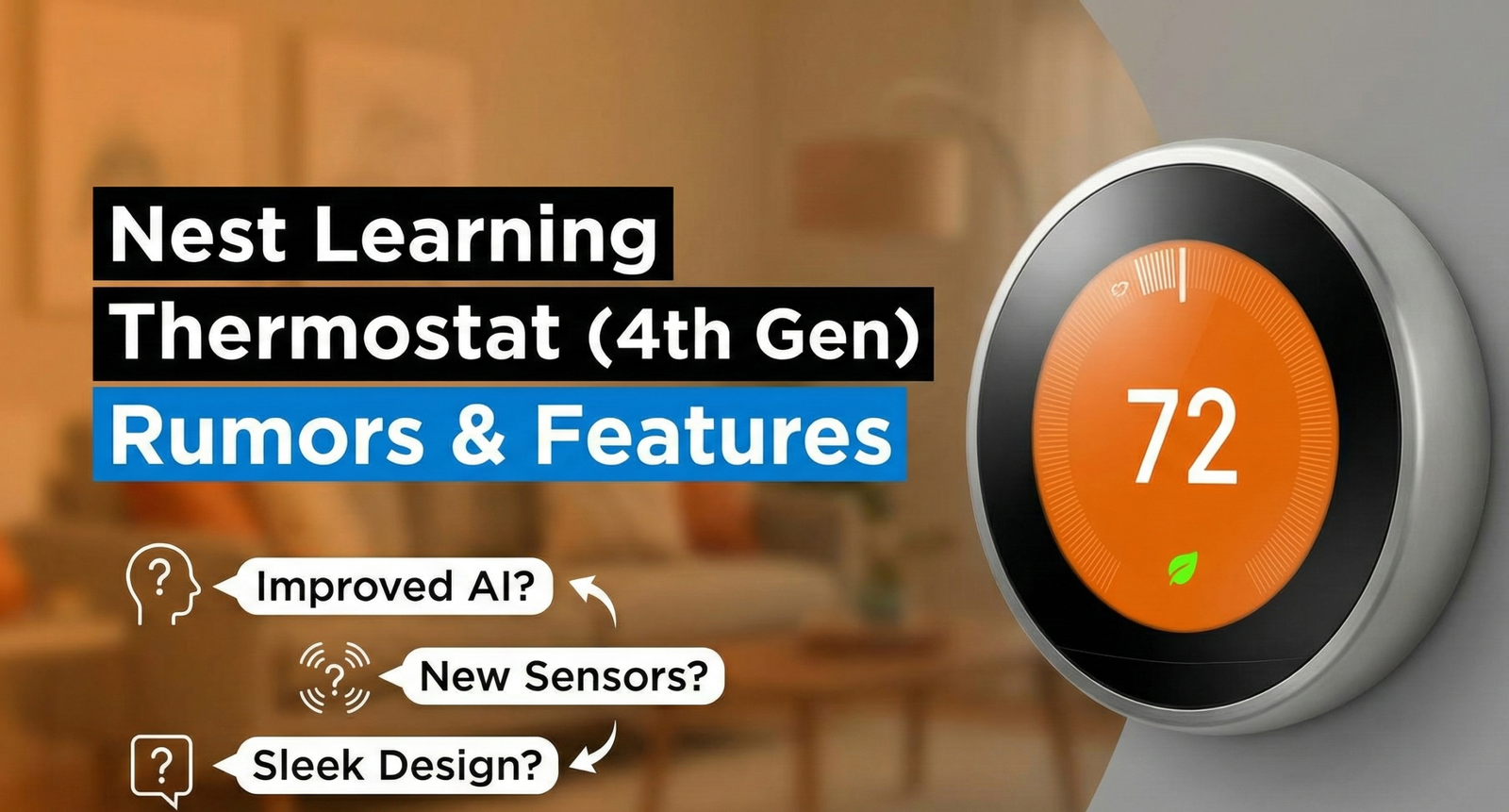
Google Nest Learning Thermostat (4th gen) Review
For nearly a decade, the Nest Learning Thermostat (3rd Generation) reigned as the undisputed king of smart home climate control. Since its release in 2015, it defined the aesthetic of the modern smart home: the stainless steel ring, the crisp circular display, and the intuitive “learning” algorithm that manages your home’s temperature without you lifting a finger. But a nine-year gap between flagship models is an eternity in consumer tech, and while Nest coasted on its reputation, rivals like Ecobee and Amazon spent that time closing the gap on sensors, app design, and voice-assistant compatibility.
Google finally answered with the Nest Learning Thermostat (4th gen), which launched in the United States and Canada in late August, arriving with a redesigned “bangle” dial, a much larger display, a bundled Nest Temperature Sensor (2nd gen), and native Matter support. We’ve spent extended hands-on time living with this thermostat, cross-referenced it against independent lab tests and long-term owner feedback, and dug through hundreds of verified purchase reviews to separate the marketing claims from the real day-to-day experience. This is not a rumor round-up — it’s a full review of the shipping product, covering the design, the setup process, real energy-savings numbers, the problems some owners have run into, and how it compares to the Ecobee Smart Thermostat Premium and other rivals.
Whether you’re upgrading from an aging 3rd Gen unit, migrating away from a basic programmable thermostat, or cross-shopping the entire smart thermostat category before you buy, this guide is built to answer the practical questions: what does it cost, does it actually save money, how hard is installation, what breaks, and is it worth the premium price tag.
Design: From Industrial to Invisible
The most immediately obvious change with the 4th Gen is the physical design. Where the 3rd Gen used a thick stainless steel ring and a small, deeply recessed LCD, the 4th Gen switches to a slim, borderless glass front that Google says is roughly 60% larger in visible display area than the previous generation. The bulky bezel is gone, replaced by a mirror-like polished finish that all but disappears into the wall when the screen is dark, and the outer “bangle” ring — the signature Nest control method since 2011 — has been retained, just refined into a slimmer, more tactile profile.
The overall footprint is noticeably slimmer off the wall than the chunky “hockey puck” shape of the 3rd Gen, and several reviewers have compared the profile to a large smartwatch face rather than a traditional thermostat. It comes across as considerably more premium in person than in photos, and it’s one of the rare smart home devices that reads as a deliberate piece of interior decor rather than a utilitarian control panel bolted to the wall.
Dynamic Farsight and the Soli Radar Chip
The 3rd Gen introduced “Farsight,” which allowed the screen to wake up when it sensed movement from across the room. The 4th Gen carries this forward as “Dynamic Farsight,” again built on Google’s Project Soli radar technology — the same proximity-sensing chip used in the Pixel 4 and the 2nd-gen Nest Hub. In practice, this means the display doesn’t just turn on when you walk by; it changes what information it shows depending on how close you are. From across the room you might just see the current temperature and weather in large text; step closer and the display shifts to show the schedule, humidity, or system status.
It’s a genuinely useful touch in day-to-day use, though it isn’t universally loved. Some owners have found that the “glanceable” full-screen weather and time display makes it harder to tell at a glance whether the heating or cooling system is actively running, since the classic Nest “leaf” and heating/cooling color indicators are smaller and less prominent than on earlier models. We’ll cover that complaint, along with the display’s early brightness issues, in the “Common Problems” section below.
This design shift matters when weighing the Google Nest vs Amazon Smart Thermostat, where Amazon leans into a utilitarian, budget-friendly rectangular design, while Google continues to charge a premium for jewelry-like hardware that’s clearly meant to be seen, not hidden in a hallway.
Build Quality and Materials Up Close
Picking the unit up out of the box, the difference in heft and material quality compared to the 3rd Gen is noticeable. The trim plate and backplate are metal rather than plastic on most finishes, and the overall assembly feels closer to premium consumer electronics — a Pixel phone or a high-end smart speaker — than to a traditional HVAC accessory. The bangle dial rotates with a smooth, damped resistance rather than the slightly looser click of earlier generations, and clicking the display module onto the backplate during installation gives a satisfying, secure snap rather than a fragile press-fit. The trade-off, as with most mirror-finish glass, is that fingerprints and dust show up more readily than on a matte surface, so it’s a thermostat that looks its best right after a quick wipe-down rather than one you can ignore indefinitely.
A Decade of Nest Learning Thermostats
Context helps explain why this redesign landed the way it did. The original Nest Learning Thermostat launched in 2011 and effectively created the smart thermostat category, followed by a 2nd Gen in 2012 with a slimmer profile, and the long-running 3rd Gen in 2015, which introduced the larger display and Farsight presence detection that this new model builds directly on. For nearly nine years after that, Google largely left its flagship thermostat unchanged while investing engineering effort elsewhere in its smart home lineup, even as it released the more budget-oriented Nest Thermostat (non-Learning) in 2020. That long gap is exactly why competitors like Ecobee were able to close so much ground on sensors and integrations, and why the 4th Gen reads less like an incremental refresh and more like Google trying to make up several product cycles’ worth of ground in one release.
Matter, Thread, and Ecosystem Compatibility
One of the biggest long-standing criticisms of the Nest lineup was its walled-garden nature inside the Google Home ecosystem, with no meaningful Apple HomeKit support. The 4th Gen Nest Learning Thermostat fixes that by being Matter-certified out of the box. Matter is the cross-manufacturer smart home standard backed by Google, Apple, Amazon, and Samsung, and it means the thermostat can be added to Apple Home, Amazon Alexa, or SmartThings as a native accessory, rather than through a clunky third-party bridge or skill.
Why Matter Support Actually Matters Here
- Cross-platform control: You can ask Siri to adjust the temperature just as easily as Google Assistant, and the thermostat shows up as a native tile in Apple Home, not a limited “smart plug”-style integration.
- Local resilience: Matter-over-Thread commands can route locally between devices rather than always round-tripping through the cloud, which can mean faster response and continued basic function during short internet outages.
- Future-proofing: As more smart home hubs standardize on Matter, this thermostat is far less likely to become an ecosystem dead end the way some older Works-with-Nest devices did.
It’s important to set expectations correctly, though: full setup and initial pairing still has to happen through the Google Home app. Matter mainly extends control and automation access to other platforms after that initial setup — it doesn’t let you configure the thermostat from scratch inside Apple Home or SmartThings. For anyone who has been debating Nest vs Ecobee thermostat primarily because of the lack of HomeKit support, that barrier is now effectively gone, and the decision comes down to feature set and price rather than ecosystem lock-in.
Voice Control: Google Assistant, Alexa, and Siri
Through Google Assistant, you get the deepest voice integration, including natural-language temperature changes, mode switching, and status queries (“what’s the temperature in the bedroom?”) that can reference a specific Nest Temperature Sensor by name. Alexa integration, whether through the legacy Works with Alexa skill or the newer Matter pairing, covers the fundamentals — set temperature, change mode, ask for current readings — but doesn’t expose every advanced setting available in the Google Home app itself. Siri, via Apple Home and Matter, currently offers the most basic tier of control: temperature adjustments and mode changes work reliably, but granular settings like Eco range configuration still require opening Google Home directly. If voice control is a primary reason you’re buying a smart thermostat, Google Assistant remains the fullest-featured option, with Alexa a close second and Siri support best treated as a convenient bonus rather than a primary control method.

Hardware and Software Features
Beyond the glass and metal, the internal hardware and companion software received a substantial overhaul. Here’s what actually shipped, based on the confirmed specification sheet and independent teardown coverage.
1. A Bundled, Redesigned Temperature Sensor
Every 4th Gen Nest Learning Thermostat now ships in the box with a Nest Temperature Sensor (2nd gen). These battery-powered pucks are placed in a room away from the thermostat itself — a bedroom, nursery, or home office, for example — and let the system prioritize the temperature in that specific room instead of just where the thermostat happens to be mounted, typically a hallway. This is the single most requested feature carried over from the 3rd Gen era, where the equivalent sensor had to be purchased separately. The thermostat is backward-compatible with older-generation Nest Temperature Sensors as well, so existing multi-sensor households don’t have to replace hardware they already own.
2. AI-Assisted Adaptive Scheduling
The original “Learning” algorithm that made the Nest brand famous in 2011 has been updated with what Google now markets as Adaptive Eco and Smart Schedule features, powered by more advanced on-device and cloud modeling. Rather than simply mimicking a fixed manual routine, the system continuously looks at your actual behavior, local weather forecasts, and how quickly your specific house heats up or cools down (its thermal inertia) to decide when to start pre-heating or pre-cooling. Over the first one to two weeks of ownership, the thermostat is noticeably more conservative and asks more confirmation questions; after that “learning” window, most owners report it settles into a schedule that requires very little manual adjustment.
3. Power Sharing and No C-Wire Requirement
One of the most common headaches with smart thermostats is the “C-wire” (common wire) requirement for continuous low-voltage power. Google’s patented Power Sharing technology, refined for the 4th Gen, is designed to draw power directly from the system wiring in most homes without needing a dedicated C-wire. It works well in the large majority of standard forced-air setups, but — as we’ll cover in the Common Problems section — a meaningful minority of buyers with older or unusual HVAC configurations still report being unable to complete setup without adding the separate Nest Power Connector accessory.
4. Smart Ventilation, Humidity Helper, and System Monitoring
For systems with a compatible whole-home ventilator, humidifier, or dehumidifier, the 4th Gen adds Smart Ventilation and Humidity Helper features that automatically manage air exchange and moisture levels alongside temperature, rather than requiring separate manual controls. The thermostat also monitors for early signs of HVAC trouble — such as a furnace that’s running unusually long to hit its target temperature — and can push an alert to the app suggesting the system may need a service check. Google is careful to frame this as informational rather than diagnostic, and it’s not a substitute for a qualified HVAC technician.
5. Internal Rechargeable Battery
Unlike some competitors that require you to briefly remove the thermostat from the wall to charge it over USB, the 4th Gen uses an internal rechargeable battery that tops up continuously from the system wiring (or the optional Power Connector), so in normal use you should never need to take it off the wall for a charge.
How the Adaptive Learning Algorithm Actually Works
It’s worth unpacking what “learning” actually means on this thermostat, since the term gets used loosely across the smart home category. For roughly the first one to two weeks after installation, the thermostat pays close attention to every manual adjustment you make — what temperature you set, at what time of day, and on which day of the week — and starts building a rough behavioral model. It cross-references this against motion and proximity data from the Soli-based Dynamic Farsight sensor and, if you’ve granted location access, phone-based Home/Away detection, to infer when the house is actually occupied versus empty.
Once a baseline pattern emerges, the system shifts from passively logging your adjustments to proactively proposing a schedule, which you can review and accept or continue to override. Overriding frequently resets the confidence level of that specific time slot, so the thermostat keeps re-learning rather than locking in a schedule you’ve since outgrown. Layered on top of the base schedule are two additional inputs: local weather forecast data, used to anticipate solar gain or an incoming cold front before it hits your house, and your specific home’s thermal inertia — essentially, a running estimate of how many minutes it takes your particular furnace or heat pump to move the indoor temperature by one degree, which is different in every home depending on insulation, square footage, and duct layout.
This is different from purely rule-based “smart” scheduling used by simpler thermostats, where you manually set fixed time blocks and the device does nothing more than follow them. It’s also different from ChatGPT-style generative AI, despite some marketing language leaning on “AI” branding — there’s no open-ended conversational reasoning involved, just a continuously updated statistical model tuned specifically for occupancy prediction and thermal behavior.
Finishes, Pricing, and Where to Buy
The Nest Learning Thermostat (4th gen) launched at an MSRP of $279.99 in the US ($379.99 in Canada) for the version bundled with the Nest Temperature Sensor (2nd gen) — there is no cheaper “thermostat only” configuration at retail, so budget for the full bundle price. Street pricing has softened somewhat since launch, and it’s common to see the thermostat discounted, bundled with utility rebates, or offered as part of seasonal retailer promotions, so it’s worth comparing current pricing before you buy rather than assuming MSRP is the going rate.
Polished Obsidian
A near-black, mirror-finish face that reads as the most “invisible” option against dark walls and modern interiors. The most commonly stocked finish across major retailers.
Polished Silver
A brighter, cooler metallic tone that tends to blend well with stainless steel appliances and lighter, minimalist wall colors.
Polished Gold
A warmer brass-toned finish aimed at buyers who want the thermostat to read more like a piece of hardware or jewelry than a utility fixture.
All three finishes use the same internal hardware and features — the difference is purely cosmetic, so choose based on what matches your wall color and existing fixtures rather than expecting any functional trade-off.
Sustainability and Materials
Google has leaned into sustainability messaging for this generation, and it’s more than a marketing footnote: the internal battery uses cobalt sourced entirely from recycled material, the thermostat-and-sensor bundle is built with a substantial share of recycled content overall, and the retail packaging is designed to be plastic-free. The device also carries Energy Star certification, which in most regions makes it eligible for utility and, in some cases, local or state rebate programs aimed at reducing residential energy consumption. None of this changes the core buying decision, but for buyers who factor sustainability credentials into large purchases, it’s a genuine step up from earlier Nest packaging and materials.
Finding and Applying Utility Rebates
Because the thermostat is Energy Star certified, many electric and gas utilities in the US and Canada offer instant or mail-in rebates that can meaningfully reduce the effective purchase price — in some markets, by $50 to over $200 depending on the program. These rebates are typically administered either directly at checkout through a utility’s own marketplace storefront, or after purchase through a rebate submission portal that asks for a receipt and the device’s serial number. Eligibility rules vary by provider: some restrict rebates to a single thermostat per household per year, others require proof that an older, non-smart thermostat is being replaced. It’s worth checking your utility’s website before buying anywhere else, since stacking a utility rebate on top of a retailer discount is often the single biggest lever for lowering the real-world cost of this thermostat below its $279.99 launch price.
You can buy the Nest Learning Thermostat (4th gen) directly from Google, or through major retailers and electric utility marketplaces that frequently list it alongside instant rebates for eligible customers. Because those utility-sponsored discounts can be substantial, it’s worth checking whether your electric or gas provider has a smart thermostat rebate program before paying full retail price anywhere else.
Ready to upgrade your home’s comfort?
Keep an eye on the latest smart home deals and be the first to own the next generation of climate technology.
View Current Nest Lineup on AmazonSetup, Wiring, and the Google Home App
Setup starts by pulling your existing thermostat’s faceplate off, photographing the wiring for reference, and using the Google Home app to walk through labeling each wire as it’s inserted into the new backplate’s push-connect terminals. Google’s step-by-step in-app instructions are widely considered best-in-class among DIY smart thermostat setups, using your phone’s camera to help confirm wire colors and terminal positions rather than relying on you correctly reading small printed labels.
Once the backplate is wired and the display module is clicked into place, the thermostat walks you through a compatibility check, Wi-Fi pairing, and a short calibration period where it verifies it can successfully call for heat, cooling, and fan operation before finishing setup. Most straightforward forced-air systems can be up and running in well under an hour, including the time spent turning off breaker power before starting.
The Move From the Nest App to Google Home
A significant, and for some owners unwelcome, change is that the 4th Gen is exclusive to the Google Home app — the standalone Nest app that longtime owners were used to is being phased out across Google’s device lineup, and existing 1st/2nd/3rd Gen thermostats have also been migrated over. Inside Google Home, the thermostat gets its own control card showing current temperature, mode, schedule, and any Nest Temperature Sensor readings, with deeper settings — Eco temperature ranges, Smart Ventilation, Humidity Helper, and notification preferences — available a tap or two further in.
Long-time Nest app users generally report a short adjustment period rather than a lasting problem: the core scheduling and Away/Home detection functions are all present in Google Home, just reorganized, though a handful of power-user features from the old Nest app (certain detailed energy history views, for example) have been trimmed down or moved.
Inside the Google Home App: A Feature Walkthrough
Once setup is finished, the thermostat’s control card in Google Home becomes the main hub for day-to-day use. Tapping the card brings up a large current-temperature dial you can drag to adjust manually, along with quick-access icons for switching between Heat, Cool, Heat/Cool, and Off modes. Beneath that sits a rolling seven-day schedule view, editable by tapping any individual block to change the target temperature or time range.
- Eco temperature range: Lets you define the minimum and maximum temperatures the thermostat should fall back to automatically when the home is detected as empty, balancing comfort against energy use.
- Quick Reserve / temporary hold: A one-tap override that lets you set a manual temperature for a set number of hours without disrupting the learned schedule underneath it.
- Sensor priority scheduling: If you have a Nest Temperature Sensor installed, this menu lets you assign which sensor (or the thermostat itself) should be trusted for each block of the day.
- Energy history: A simplified version of the old Nest app’s energy reports, showing daily heating and cooling runtime and how it compares to recent history and local weather.
- System status and alerts: Surfaces filter change reminders (where applicable), unusual runtime warnings, and connectivity status for the thermostat and any paired sensors.
- Notification preferences: Lets you choose whether you get push alerts for extreme temperature swings, potential HVAC issues, or simply a daily/weekly summary.
The app also supports multiple household members with shared or restricted control, useful for family homes or shared living situations where you don’t want every occupant able to permanently change the schedule.
Nest 4th Gen vs. 3rd Gen vs. Ecobee: Spec Comparison
| Feature | Nest 3rd Gen | Nest Learning Thermostat (4th gen) | Ecobee Smart Thermostat Premium |
|---|---|---|---|
| Display | 2.08-inch LCD, metal-ringed bezel | 2.7-inch borderless LCD, ~600x600px, mirror finish | Larger rectangular touchscreen |
| Protocol / Ecosystem | Nest Weave / Wi-Fi, limited third-party support | Matter, Thread, Wi-Fi — native Apple Home, Alexa, SmartThings | Native Siri, Alexa built-in speaker |
| Presence Detection | Farsight (infrared/PIR) | Dynamic Farsight (Soli radar) | Occupancy sensor + built-in CO2 sensor |
| Air Quality Monitoring | No | No built-in indoor air quality sensor | Yes, built-in CO2 and air quality |
| Included Remote Sensor | Sold separately | Nest Temperature Sensor (2nd gen) included | SmartSensor included |
| C-Wire Requirement | Power Sharing, often no C-wire needed | Power Sharing, works without C-wire in most homes; some edge cases need the Power Connector | Power Extender Kit available for C-wire-free installs |
| App | Legacy Nest app (being retired) | Google Home app only | Ecobee app |
| Launch Price (with sensor) | $249 (thermostat only) | $279.99 | $249.99 |
Real-World Energy Savings
The primary reason most consumers buy a smart thermostat is to reduce energy bills, and Google’s official claim for the Nest Learning Thermostat family is an average savings of around 12% on heating and 15% on cooling, with some marketing materials citing up to 31% total heating and cooling savings under ideal conditions — a range that depends heavily on your climate, how poorly your old system was previously scheduled, and how consistently you let the Adaptive Eco features run without manually overriding them.
In practice, owners coming from a basic non-programmable thermostat tend to see the largest, most noticeable drop in their bill, simply because any consistent schedule beats none at all. Owners upgrading from an already-well-configured 3rd Gen Nest report far more modest additional savings, since the core “learning” behavior isn’t dramatically different — the improvements are more about convenience, multi-room accuracy from the bundled sensor, and better handling of local weather-driven pre-heating and pre-cooling than a fundamentally new savings mechanism.
It’s also worth treating any thermostat’s advertised savings percentage as a directional estimate rather than a guarantee. Insulation quality, local climate severity, how many people are typically home during the day, and how aggressively the Eco range is configured all shift the real number up or down substantially from one household to the next. Two neighbors with identical thermostats and similar-sized homes can see noticeably different savings simply because one works from home full-time and the other doesn’t, which changes how much benefit the away-detection and pre-conditioning features can realistically provide.
Nest Renew and Time-of-Use Optimization
Nest Renew is Google’s free companion service that can shift some energy use toward times when the local grid is cleaner or, on eligible utility plans, cheaper. It’s opt-in during setup and layers on top of the core Adaptive Eco scheduling rather than replacing it. The financial upside is most meaningful if your utility already bills you on a time-of-use rate plan; on a flat-rate plan, the savings benefit is mostly about shifting toward greener energy rather than a lower bill.
For those weighing the Honeywell vs Nest decision, Nest’s long-standing advantage has been its autonomy — Honeywell’s mid-range lineup generally leans more heavily on manual programming and geofencing rather than genuine adaptive learning, so if “set it and forget it” matters more to you than granular manual control, Nest remains the more hands-off option.
Tips to Maximize Your Energy Savings
- Let the first few weeks run their course. Manually overriding the schedule constantly during the initial learning window slows down how quickly the thermostat converges on an accurate routine.
- Set a realistic Eco range. An Eco range that’s too aggressive (very hot in summer, very cold in winter) can cause the system to work harder catching up when you return home than it saved while you were away.
- Install a sensor in the room you actually spend the most time in, rather than the room that runs the most extreme temperature, so day-to-day comfort improves alongside the savings.
- Pair with a time-of-use utility rate if your provider offers one, since Nest Renew’s cost-based optimization only has a financial upside to work with when your electricity price actually varies by time of day.
- Keep firmware up to date. Google has shipped multiple post-launch updates addressing both bugs and efficiency tuning, so an outdated unit may be missing meaningful improvements.
Confirmed Pros
- Genuinely striking, high-end design with a much larger borderless display.
- Matter support finally brings real Apple Home and Alexa compatibility.
- Dynamic Farsight and Soli radar make presence detection feel more responsive.
- Bundled Nest Temperature Sensor (2nd gen) fixes multi-room accuracy out of the box.
- DIY-friendly, camera-guided installation with no C-wire needed in most homes.
Confirmed Cons
- One of the most expensive smart thermostats on the market at full price.
- Forced migration to the Google Home app frustrates some longtime Nest app users.
- Mirror finish shows fingerprints and smudges more readily than a matte bezel.
- A subset of verified buyers report inconsistent temperature holding and occasional HVAC cycling quirks.
- Only officially available in the US and Canada at launch.
Common Problems and How to Fix Them
No product this widely reviewed ships without complaints, and it’s worth going through the recurring ones honestly rather than only repeating the marketing highlights.
Dim Display in Auto-Brightness Mode
Shortly after launch, a wave of early buyers reported the display looked too dim to read comfortably, particularly in low-light rooms, with the auto-brightness feature seemingly under-lighting the screen rather than adjusting it usefully. Google acknowledged the issue and rolled out a fix that added a manual brightness override inside the Google Home app’s display settings, so if your unit still looks dim, check for a pending firmware update and manually raise the brightness rather than relying solely on auto mode.
C-Wire and Power Compatibility Issues
Power Sharing is designed to eliminate the need for a dedicated common wire in the large majority of installs, but a meaningful number of buyers with older two-wire heat-only systems, certain heat pump configurations, or systems with limited spare capacity on the furnace control board have reported being unable to finish setup without adding the Nest Power Connector accessory. If your compatibility check fails during setup, this accessory — which taps power more reliably from your furnace control board — resolves the issue in the overwhelming majority of cases.
Occasional Temperature Control Inconsistency
A subset of critical reviews describe the thermostat struggling to hold a set temperature consistently, running longer than expected trying to reach a target, or reverting to a previous setting unexpectedly. It’s worth noting HVAC technicians and troubleshooting threads turn up in the negative reviews of essentially every major smart thermostat brand, which suggests some of these reports trace back to furnace, heat pump, or wiring quirks in the specific home rather than a defect in the thermostat itself — but the frequency of these complaints in 4th Gen reviews is high enough to be worth taking seriously if you have an older or nonstandard HVAC system. If you experience this, start by double-checking your equipment compatibility settings inside the app and confirming staging (single-stage vs. two-stage heat/cool) matches your actual furnace or heat pump.
Dynamic Farsight Reduces At-a-Glance System Status
Some long-time Nest owners miss being able to instantly tell, from across the room, whether the system is actively heating or cooling, since the older, more prominent color-ring indicator has been replaced by the larger but sometimes busier Dynamic Farsight display. This is a software design trade-off rather than a defect, and it’s the kind of thing that’s worth seeing in person or in a hands-on video before you commit if it matters to you.
Early Hardware Failures
A small number of verified buyers report the thermostat failing entirely within weeks or months of installation — a blank screen, a unit that stops responding to the app, or a display that won’t wake. This rate appears to be low relative to total sales, and the device carries a standard limited warranty, but if you experience an early failure, contact Google support directly for an exchange rather than assuming it’s a wiring problem on your end.
Long-Term Reliability, Durability, and Warranty
It’s still relatively early in this generation’s lifecycle for definitive multi-year reliability data, but the pattern from earlier Nest generations offers a reasonable guide: the vast majority of units run trouble-free for years, with most reported failures clustering either in the first few weeks (a manufacturing or install-related defect) or after several years of continuous use (aging internal components). The mirror-finish glass front is more prone to visible micro-scratches over time than the matte plastic used on cheaper competitors, so it’s worth avoiding abrasive cleaners — a soft, slightly damp microfiber cloth is the safest way to keep the display smudge-free.
The thermostat is covered by Google’s standard limited hardware warranty from the date of purchase, and registering the device through the Google Home app is the fastest way to streamline a warranty claim if you do run into a defect. Retailers and utility marketplaces that bundle the thermostat with a rebate sometimes apply their own return windows on top of Google’s warranty, so it’s worth checking the specific seller’s return policy if you’re buying anywhere other than directly from Google.
One additional consideration for long-term reliability is software, not hardware: because the thermostat’s advanced features rely on an active Google account and cloud-connected services, its practical lifespan is tied not just to how long the physical components last, but to how long Google continues to support the current generation of the Google Home app and its backend. Earlier Nest devices have generally received years of continued support after launch, which is a reasonable baseline expectation here, but it’s a different risk profile than a purely offline mechanical thermostat that will keep working indefinitely regardless of any company’s support decisions.
How It Stacks Up Against the Competition
The smart thermostat market is more crowded than it’s ever been. To justify its price, the 4th Gen Nest has to hold its own against rivals that spent years innovating while Google’s flagship line stayed largely unchanged.
Nest vs. Ecobee Smart Thermostat Premium
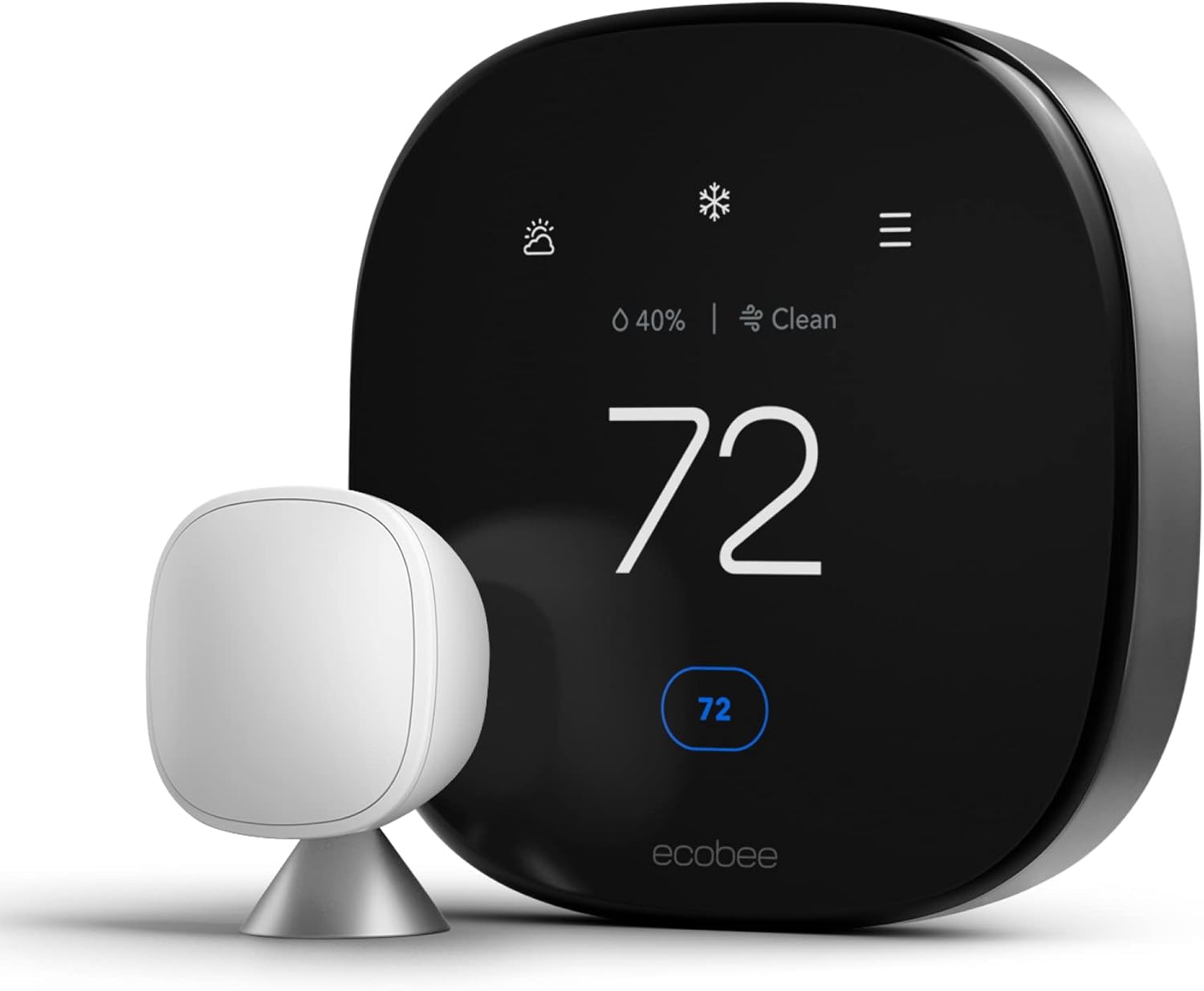
The Ecobee Premium remains the most feature-dense option in the category, with a built-in air quality and CO2 monitor plus a smoke and carbon monoxide alarm sensor baked into the unit itself — features the Nest simply doesn’t offer. The 4th Gen Nest counters with a more premium industrial design, Dynamic Farsight presence detection, and arguably a more mature, less fussy adaptive-learning algorithm honed over more than a decade. If you value design polish and a Google-centric smart home, the Nest tends to win; if you want more built-in sensors and a slightly more configurable automation engine, Ecobee remains the stronger pick. Our Ecobee3 Lite vs Google Nest comparison breaks down the entry-level tier for buyers on a tighter budget.
Nest vs. Honeywell Home T9
Honeywell is the “old guard” of HVAC controls, and the Honeywell Home T9 is a strong performer when it comes to long-range remote sensors and no-frills reliability, particularly for larger homes needing several sensors. It lacks the true adaptive “Learning” behavior that defines the Nest brand, leaning instead on geofencing and manual scheduling. The 4th Gen Nest generally outpaces the T9 on interface polish and smart home integration, though Honeywell remains a common recommendation from professional HVAC installers who prioritize proven reliability over design.
Nest vs. Amazon Smart Thermostat
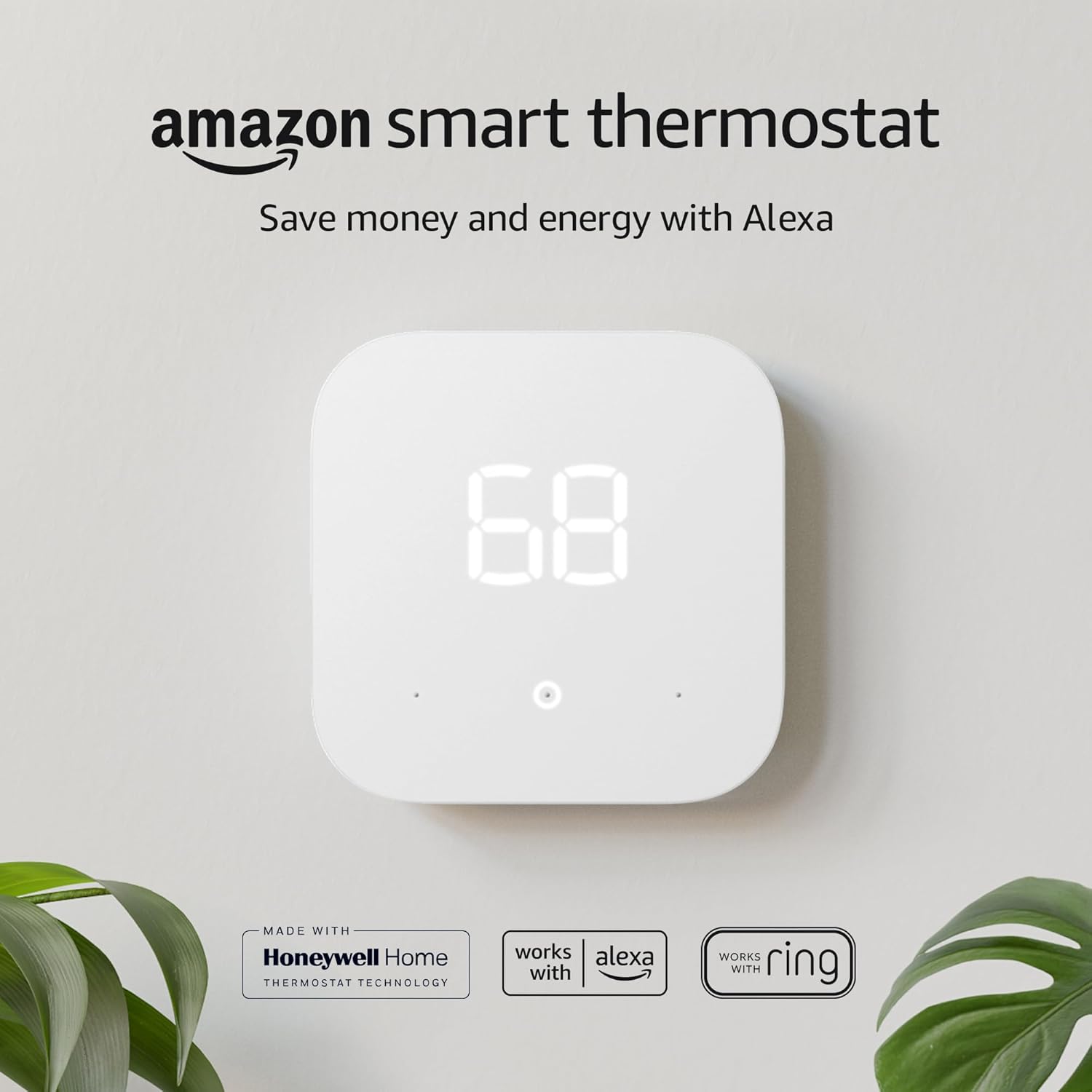
At the opposite end of the price spectrum, the Amazon Smart Thermostat trades nearly all of the Nest’s premium design and sensor ecosystem for a genuinely low price point and an extremely simple setup process. It’s a sensible pick for a rental property, a secondary home, or anyone who just wants Alexa voice control without paying for a design-forward centerpiece device. The 4th Gen Nest is the better choice if you want a bundled remote sensor, more advanced adaptive learning, and a thermostat that functions as a visible piece of home design rather than a utility fixture you’d rather not think about.
Nest vs. Budget Wi-Fi Thermostats (Wyze, Emerson Sensi, and Similar)
Below the Amazon Smart Thermostat sits an even more budget-focused tier — devices like the Wyze Thermostat and entry-level Emerson Sensi models, often priced well under $100. These strip things down to core functionality: Wi-Fi app control, basic geofencing, and simple scheduling, with none of the adaptive learning, bundled sensors, or radar-based presence detection found on the Nest. They’re a reasonable choice if your only goal is remote app control and a lower utility bill from consistent scheduling, and you don’t care about the thermostat as a design object or about squeezing out the last few percentage points of efficiency. Where they consistently fall short of the 4th Gen Nest is long-term software support and update cadence — budget brands are far more likely to slow or stop firmware updates a few years after purchase than a flagship Google device with an active product team behind it.
Should You Upgrade From the 3rd Gen?
If your 3rd Gen thermostat is still working reliably and you’ve already dialed in a schedule you’re happy with, the case for upgrading purely on energy-savings grounds is weak — the core learning behavior hasn’t fundamentally changed. The upgrade makes the most sense if any of the following apply to you:
- You want native Apple HomeKit or a deeper Alexa integration without a clunky bridge.
- You’ve been putting off buying a Nest Temperature Sensor and would rather it just come in the box.
- Your 3rd Gen unit’s display or ring mechanism has started to feel unresponsive or worn.
- You want Smart Ventilation or Humidity Helper support for a whole-home ventilator, humidifier, or dehumidifier.
- You simply want the larger, brighter display and refreshed design for aesthetic reasons.
If none of those apply, it’s reasonable to keep running your 3rd Gen thermostat until it genuinely needs replacing, and put the savings toward a Nest Temperature Sensor instead, which delivers a large share of the 4th Gen’s practical day-to-day benefit at a fraction of the cost.
It’s also worth weighing the cost against a straightforward payback calculation: at typical household energy spend, even the higher end of Google’s advertised savings percentages translates into a modest annual dollar amount, meaning the thermostat’s price premium over a basic programmable model is recovered gradually over several years rather than in a single billing cycle. For buyers motivated primarily by return on investment rather than design or ecosystem features, that math is worth running against your own utility bills before deciding whether the upgrade is worth it right now versus waiting for a future price drop or promotion.
Installation and HVAC Compatibility
One of the hallmarks of the Nest brand has always been DIY-friendliness, and the 4th Gen continues that with a redesigned backplate, a built-in bubble level, and push-connect wiring terminals that are easier to access and less fiddly than traditional screw terminals. It supports up to three-stage heating and two-stage cooling, which covers the overwhelming majority of residential forced-air, heat pump, and radiant systems in North America.
Before buying, it’s worth running your system through Google’s official compatibility checker using a photo of your existing wiring — this catches most edge cases (dual-fuel systems, certain proprietary heat pump control boards, high-voltage baseboard heat) before you’ve opened the box. For genuinely high-voltage baseboard or line-voltage setups that fall outside what any low-voltage Nest can support, our Mysa vs Sinope comparison covers dedicated line-voltage smart thermostats better suited to that equipment.
What You’ll Need Before You Start
- A screwdriver, the included wiring labels, and roughly 30–60 minutes of uninterrupted time.
- Your home Wi-Fi network name and password on hand for the in-app pairing step.
- The breaker or furnace switch turned off before you touch any wiring, even though the system is low voltage.
- A phone with the Google Home app installed to use the camera-guided wiring assistant.
Multi-Room Comfort and the Nest Temperature Sensor
Thermostats are almost always mounted in a central hallway, which historically meant bedrooms, additions, or upper floors could run hotter or colder than wherever the thermostat itself happened to be measuring. The bundled Nest Temperature Sensor (2nd gen) solves this by letting you designate specific rooms and times of day when the system should prioritize that sensor’s reading over the thermostat’s own. A common setup is prioritizing the bedroom sensor overnight and the living-room thermostat reading during the day, so the house is comfortable where and when it actually matters rather than wherever the wall-mounted unit happens to sit.
Multiple sensors can be added over time — the thermostat supports several placed around the home — which makes it genuinely useful for larger homes, homes with additions or converted spaces, or anyone who has previously dealt with a persistently too-hot upstairs or too-cold basement office.
Automations and Third-Party Integrations
Beyond Matter’s native control layer, the thermostat can be woven into broader home automation routines through Google Home’s own automation builder — triggering actions like “turn off the thermostat’s cooling mode when a connected smart lock is unlocked and a window sensor reports open” without any coding required. For more advanced or cross-platform automations, popular home automation platforms and shortcut services that support Google Home or Matter devices can reference the thermostat’s state (current temperature, mode, and target setpoint) as a trigger or action inside more complex routines, such as adjusting the thermostat automatically when a robot vacuum starts a cleaning cycle or when a security system arms for the night. This flexibility is one more practical benefit of the move to Matter, since these integrations previously required Nest-specific developer access rather than working through an open standard.
Privacy, Security, and Data Handling
As with any connected home device, the Nest Learning Thermostat continuously reports usage and sensor data back to Google to power its adaptive-learning and remote-access features, and setup requires a Google account. Buyers who are cautious about smart home data collection should review Google’s Nest privacy documentation directly, as data retention and usage details can change over time and are ultimately governed by Google’s own policies rather than anything we can confirm from the outside. Locally, Matter-over-Thread commands between the thermostat and other Matter devices in your home can route without going through the cloud, which reduces (but does not eliminate) reliance on an internet connection for basic operation.
Who Should (and Shouldn’t) Buy This Thermostat
A Good Fit If You…
- Already live in the Google Home, Apple Home, or Alexa ecosystem and want native integration.
- Have a multi-room home where temperature consistency between rooms has always been a problem.
- Want a thermostat that functions as a visible design element, not just a hidden utility.
- Are comfortable with a DIY, camera-guided wiring install.
- Have a standard forced-air, heat pump, or compatible radiant system.
Consider Something Else If You…
- Have a high-voltage baseboard or line-voltage-only heating system.
- Want built-in air quality or CO2 monitoring without buying separate hardware.
- Are on a tight budget and don’t need the design-forward hardware or bundled sensor.
- Live outside the US or Canada, where the 4th Gen isn’t officially sold yet.
- Strongly prefer the legacy Nest app’s interface over Google Home.
Is It a Good Fit for Rentals and Multi-Unit Buildings?
For landlords and property managers, the calculus is different than for an owner-occupied home. On the plus side, remote scheduling and away detection make it easier to keep a vacant unit at an efficient temperature between tenants, and the camera-guided setup means a maintenance team doesn’t need specialized HVAC training to install one correctly. On the downside, the account-based setup ties the thermostat to whichever Google account performs the initial installation, so transferring control between a departing and incoming tenant, or between a tenant and the property owner, takes a deliberate hand-off step inside the Google Home app rather than happening automatically. For large multi-unit buildings installing several units at once, it’s worth standardizing on a single management account (or a small number of them) from day one rather than letting individual technicians set each thermostat up under personal accounts, which can create access headaches later.
Frequently Asked Questions (FAQ)
When was the Nest Learning Thermostat (4th Gen) released?
It launched in the United States and Canada in late August, with pre-orders opening ahead of general availability. It was announced alongside a broader refresh of Google’s smart home device lineup.
Does the Nest 4th Gen work with Apple HomeKit?
Yes, through Matter. As a Matter-certified device, it’s natively compatible with the Apple Home app and Siri, in addition to Amazon Alexa and SmartThings, though initial setup still has to be completed in the Google Home app.
Does the 4th Gen Nest require a C-wire?
In most homes, no — Power Sharing lets it draw power without a dedicated common wire. Some older or unusual HVAC systems still need the separate Nest Power Connector accessory to complete setup, so it’s worth running the in-app compatibility check first.
What is the Soli sensor used for in the new Nest?
Soli is Google’s miniature radar chip, and it powers the Dynamic Farsight feature — detecting your presence and proximity to change what information the display shows as you approach, without you needing to touch or tap the thermostat.
How much does the Nest 4th Gen cost?
It launched at $279.99 in the US, bundled with a Nest Temperature Sensor (2nd gen). Street pricing has come down from that launch MSRP over time, and utility rebate programs can lower the effective cost further, so it’s worth comparing current retailer pricing before buying.
Do I need to use the Google Home app instead of the Nest app?
Yes. Google has migrated all of its thermostat hardware, including older generations, to the Google Home app, and the legacy standalone Nest app is being phased out.
Is the Nest 4th Gen better than the Ecobee Smart Thermostat Premium?
It depends on your priorities. The Nest has a more premium design and a more mature adaptive-learning algorithm, while the Ecobee Premium includes a built-in air quality and CO2 sensor plus a smoke/CO alarm that the Nest doesn’t offer.
Can I use my old Nest Temperature Sensors with the 4th Gen?
Yes. All generations of the Nest Temperature Sensor are compatible with the 4th Gen thermostat, though the redesigned 2nd-gen sensor included in the box offers improved battery life and range over the original.
Is the display too dim on the 4th Gen Nest?
Some early units shipped with an auto-brightness setting that many owners found too dim. Google addressed this with a software update that added a manual brightness control inside the Google Home app’s display settings.
What HVAC systems is the Nest 4th Gen compatible with?
It supports most 24V systems, including gas, electric, oil, forced air, heat pump, and radiant setups, with up to three-stage heating and two-stage cooling. It is not designed for high-voltage baseboard or line-voltage-only heating systems.
Is the Nest Learning Thermostat available outside the US and Canada?
At launch, official availability was limited to the US and Canada, which has been a point of frustration for international buyers who previously had access to earlier Nest generations in more markets.
How many finish colors does the Nest 4th Gen come in?
It’s available in three finishes: Polished Obsidian, Polished Silver, and Polished Gold. All three share identical internal hardware and features, so the choice is purely cosmetic.
Can I install the Nest 4th Gen myself, or do I need a professional?
Most owners install it themselves using the Google Home app’s camera-guided wiring assistant, typically in under an hour. Homes with unusual or older HVAC wiring, or anyone uncomfortable working near a breaker panel, may prefer to hire a professional installer.
Does the Nest 4th Gen work with a heat pump?
Yes, it supports most standard heat pump configurations, including systems with auxiliary or emergency heat. Some proprietary or dual-fuel heat pump control boards may need extra wiring accessories, so running the in-app compatibility check before buying is recommended.
Final Verdict: Is the Nest Learning Thermostat (4th Gen) Worth It?
Bottom line: The Nest Learning Thermostat (4th gen) is the most significant update to Google’s flagship thermostat in nearly a decade, and for most buyers already invested in a smart home ecosystem, it delivers on the redesign, the bundled sensor, and the long-overdue Matter support. It’s not cheap, and it’s not flawless — a real subset of owners report setup friction and temperature-control quirks worth taking seriously — but the core experience matches or beats anything else in the premium tier.
If you’re building a new smart home, deeply embedded in the Apple, Google, or Amazon ecosystem, or simply tired of hot and cold spots your old thermostat could never fix, the 4th Gen Nest earns its place as one of the best premium smart thermostats you can buy today. If you need something today on a tighter budget, or you’re not sold on the higher price, our Nest vs Sensi comparison shows you can get strong day-to-day performance for a fraction of the cost. But for design-conscious homeowners who want the most capable thermostat Google has ever built, the 4th Gen Nest is worth it.
Ready to upgrade your home’s comfort?
Keep an eye on the latest smart home deals and be the first to own the next generation of climate technology.
Check Price on Amazon



 Home
Home
 Info
Info
 Compare
 Reviews
 Shop
Shop