
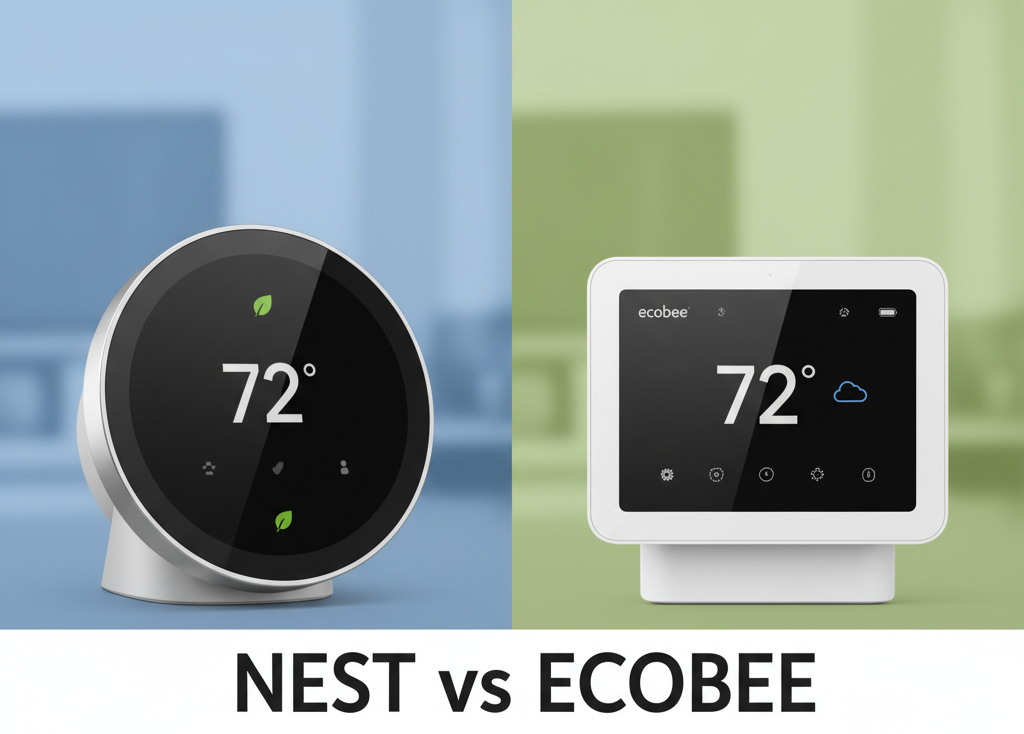
Nest vs Ecobee Thermostat – Best Features Compared
Choosing a smart thermostat isn’t just a tech upgrade; it’s a fundamental change to how you manage your home’s comfort and energy spending. In the U.S. market, two giants dominate the conversation: the Google Nest Learning Thermostat and the Ecobee Smart Thermostat. Both promise a future of automated comfort and lower energy bills, but they achieve this in vastly different ways.
One learns your life like a silent, observant assistant. The other acts as a data-driven command center for your entire home. Which philosophy is right for you? This in-depth, hands-on comparison will dissect every feature, from core technology to ecosystem compatibility, to give you a definitive answer.
Quick Verdict:
Choose the Google Nest Learning Thermostat if: You value simplicity, elegant design, and a “set it and forget it” experience where the thermostat does the thinking for you.
Choose the Ecobee Smart Thermostat if: You want granular control, have a home with temperature imbalances, or want the best integration with all smart home ecosystems, including Apple HomeKit.
Reviewed by Alex Riley, Smart Home Expert
With over a decade of experience in home automation and HVAC technology, I’ve personally installed and lived with every generation of both Nest and Ecobee thermostats. This review is based on thousands of hours of real-world testing in a U.S. family home, analyzing energy reports, and integrating these devices into complex smart home setups.
At a Glance: Nest vs. Ecobee Feature Showdown
Before we dive deep, here’s a high-level overview of how these two titans stack up across the most critical categories.
| Feature | Google Nest Learning Thermostat | Ecobee Smart Thermostat Premium |
|---|---|---|
| Core Technology | Learns user behavior automatically (Auto-Schedule) | Uses remote sensors and advanced scheduling (eco+) |
| Remote Sensors | Yes, sold separately (Nest Temperature Sensor) | Yes, one SmartSensor included, more can be added WINNER |
| User Interface | Rotational dial, push to select, Farsight display | Full-color touchscreen display |
| Built-in Voice Assistant | No (Controls via Google Assistant devices) | Yes (Alexa and Siri) |
| Apple HomeKit Support | No | Yes WINNER |
| C-Wire Requirement | Not always required, but highly recommended | Required (Power Extender Kit included) |
| Energy Reporting | Good (Monthly reports, Nest Leaf) | Excellent (Detailed HomeIQ reports, eco+) WINNER |
| Design | Premium metal and glass, iconic round design | Modern “squircle” design with glass face |
Deep Dive: Google Nest Learning Thermostat
The Nest Learning Thermostat revolutionized the industry with a simple premise: a thermostat so smart, you should rarely have to touch it. Its entire philosophy is built around its powerful learning algorithm.

Google Nest Learning Thermostat (3rd Gen)
The original smart thermostat, focused on simplicity and powerful automated learning. A beautiful piece of hardware for those who want an intelligent, hands-off experience.
Check Price on AmazonKey Feature: The Learning Algorithm (Auto-Schedule)
This is Nest’s crown jewel. For the first week or so after installation, you adjust the temperature as you normally would. Turn it down when you leave for work, up when you get home, and down again for bed. Nest observes these changes and the times they occur. Within a week, it builds a schedule for you automatically. You don’t need to program anything; it just learns your life.
In our experience, this works remarkably well for families with consistent routines. It’s a truly “set it and forget it” system. The downside? If your schedule is erratic—common for freelancers or shift workers in the U.S.—the learning can get confused, requiring manual adjustments that can “un-teach” it good habits.
Home/Away Assist
To save energy, Nest uses a combination of its built-in motion sensors and your phone’s location (geofencing) to determine if anyone is home. When it detects everyone has left, it automatically sets itself to an energy-saving “Eco” temperature. This is far more effective than a rigid schedule, as it adapts to spontaneous trips out of the house. In our tests, it’s reliable and a significant contributor to energy savings.
Design and Farsight Display
You can’t deny the Nest’s premium feel. With its polished metal ring and high-resolution glass screen, it feels more like a high-end gadget than a home utility. The Farsight feature is genuinely useful, lighting up to show you the time, weather, or target temperature from across the room when it detects you approaching. The physical act of turning the weighted dial is satisfying and intuitive.
Ecosystem: The Google Home Advantage
As a Google product, the Nest is deeply integrated into the Google Assistant ecosystem. Control is seamless via a Nest Hub, Google Home speaker, or the Google Home app. If you’re already invested in Google’s ecosystem, the Nest thermostat feels like a natural extension. However, this tight integration comes at a cost, which we’ll discuss later: the lack of support for other major ecosystems like Apple HomeKit. For a broader view of Nest’s standing, our Google Nest vs. Amazon Smart Thermostat comparison offers more context.
Pros of Google Nest
- Truly effortless learning algorithm
- Premium, iconic design and build quality
- Farsight display is beautiful and useful
- Seamless integration with Google Assistant
- Often doesn’t require a C-wire for installation
Cons of Google Nest
- Learning can struggle with irregular schedules
- No native Apple HomeKit support
- Remote sensors are basic and sold separately
- Energy reports are less detailed than Ecobee’s
Deep Dive: Ecobee Smart Thermostat
If Nest is the elegant automator, Ecobee is the intelligent command center. Ecobee’s philosophy is that a thermostat can’t be truly smart if it only measures the temperature in one location (the hallway). It puts data, control, and expandability at the forefront.

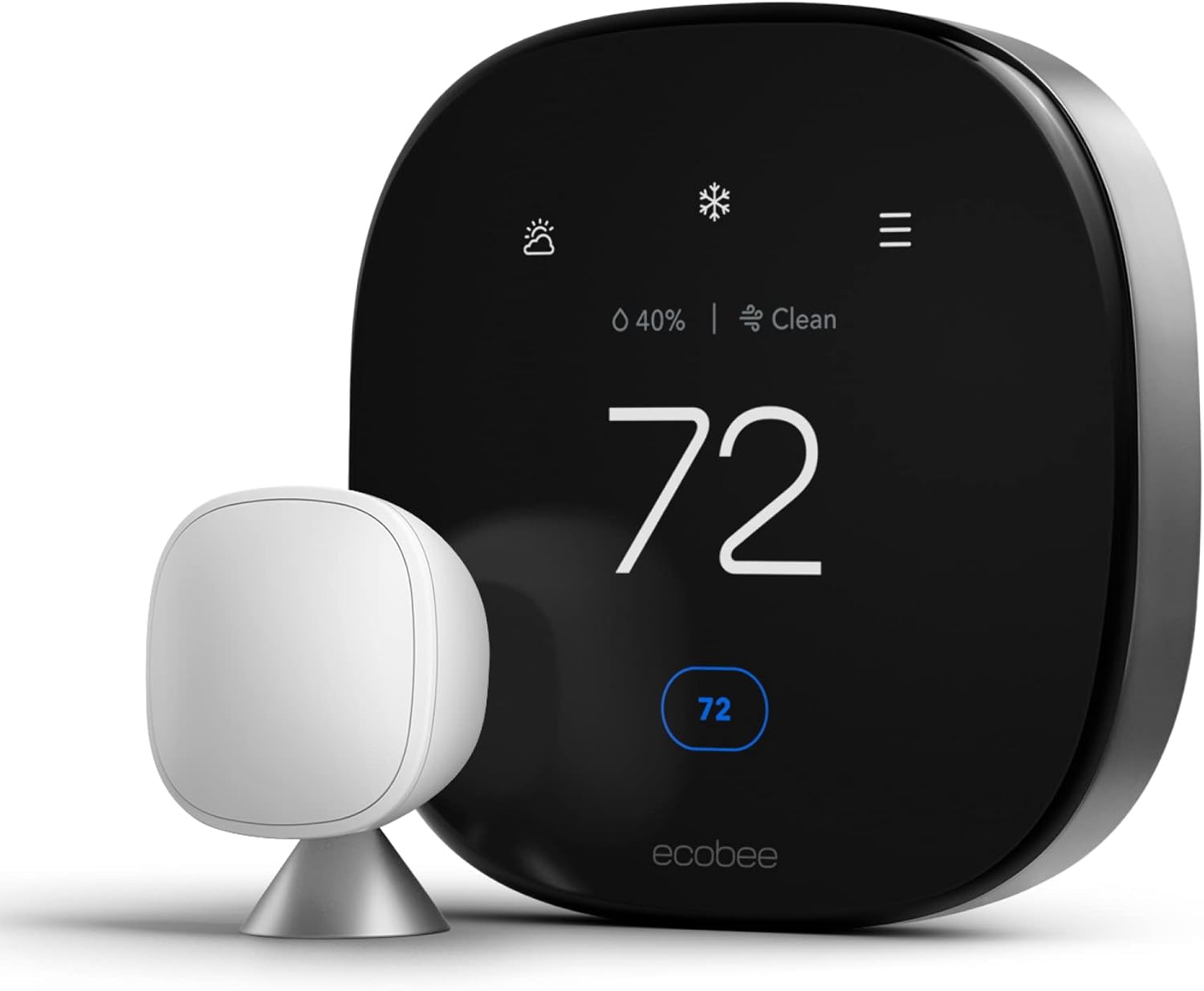
Ecobee Smart Thermostat Premium
A powerhouse of features, offering unparalleled control with remote sensors, built-in voice assistants, and the best smart home compatibility on the market.
Check Price on AmazonKey Feature: SmartSensors
This is Ecobee’s game-changer and its biggest advantage over Nest. Most American homes have temperature imbalances—the upstairs bedroom is an oven in the summer while the basement is an icebox. A thermostat in the hallway can’t possibly keep both comfortable. Ecobee solves this by including a remote SmartSensor in the box (you can add up to 32).
You place these small, wireless sensors in key rooms. They measure both temperature and occupancy. You can then tell the Ecobee to “follow me,” averaging the temperature only of the rooms you’re currently in. Or, you can set a schedule to prioritize the bedroom temperature at night and the living room during the day. This single feature provides a level of comfort that a single-point thermostat like the Nest simply cannot match. It’s not just smart; it’s spatially aware.
eco+ and Granular Control
Ecobee’s eco+ is a suite of software features that intelligently optimize your energy usage. It can pre-heat or pre-cool your home before you arrive, adjust for local humidity (“Feels Like” feature), and even sync with your utility provider’s Time of Use rates in many areas to run the HVAC when electricity is cheapest. Its reports, available through the HomeIQ portal, are incredibly detailed, showing you exactly when your system ran and how much the sensors influenced its behavior. This data-rich approach is something tech-savvy homeowners will love, a point we also noted in our Ecobee vs. Wyze thermostat breakdown.
Built-in Voice Control & Broad Compatibility
The Ecobee Smart Thermostat Premium doesn’t just work with a voice assistant; it *is* one. With a built-in microphone and speaker, it can function as a full-fledged Amazon Alexa or Apple Siri device. You can ask it to play music, set timers, or control other smart home devices, in addition to changing the temperature.
Critically, Ecobee is platform-agnostic. It works flawlessly with Amazon Alexa, Google Assistant, and—most importantly for many—is one of the few thermostats with native Apple HomeKit support. This makes it the default best choice for anyone invested in Apple’s ecosystem.
Pros of Ecobee
- SmartSensors provide superior comfort in larger homes
- Built-in Alexa and Siri are incredibly convenient
- Native support for all major ecosystems (Apple HomeKit, Google, Alexa)
- Extremely detailed energy reports and settings
- Modern touchscreen interface
Cons of Ecobee
- Requires a C-wire (though an adapter is included)
- Less of a “set it and forget it” device; requires some initial setup
- Design is more functional than luxurious
- The sheer number of settings can be overwhelming for some
Head-to-Head Battle: The Definitive Comparison
Now, let’s put them side-by-side on the issues that matter most to U.S. homeowners.
Intelligence: Learning Algorithm vs. Sensors & Scheduling
This is the core philosophical divide. Nest’s Auto-Schedule is brilliant in its simplicity. It’s a true AI approach that removes the user from the equation. For predictable lifestyles, it feels magical.
Ecobee’s intelligence lies in its data collection. It doesn’t guess your schedule; you tell it your schedule, and it uses its network of sensors to execute that schedule perfectly. Its “Smart Home/Away” feature uses the sensors to override your schedule if you leave unexpectedly or come home early. The eco+ software then finds optimization opportunities within that framework.
Winner: Ecobee. While Nest’s learning is impressive, Ecobee’s sensor-based approach solves a more fundamental problem in home heating and cooling: location. Comfort in the room you’re actually *in* is more important than a perfectly predicted schedule for an empty hallway. It’s a more robust and effective system for the majority of multi-room homes.
Installation and Wiring: The C-Wire Conundrum
The “Common” or “C-wire” provides continuous 24V power from your furnace to the thermostat, necessary to run power-hungry features like Wi-Fi and backlit screens. This is often the biggest hurdle for DIY installers.
The Google Nest has a built-in battery and is famous for its ability to often work without a C-wire. It does this by “power stealing,” drawing tiny sips of power from the HVAC control wires during heating/cooling cycles to charge itself. While this works for many, it can cause unpredictable behavior in some HVAC systems, like short cycling or buzzing noises. For this reason, even Google now recommends using a C-wire if possible.
Ecobee takes a different approach: it requires a C-wire, period. To solve this for homes that don’t have one, it includes a Power Extender Kit (PEK) in the box. The PEK is a small adapter you install at your furnace control board, which cleverly re-purposes your existing wires to create a “virtual” C-wire. The installation is a bit more involved (you have to go to your furnace), but it’s a far more reliable and stable solution than power stealing.
Winner: Tie. Nest offers the *potential* for a simpler installation if your system is compatible. Ecobee requires a bit more work upfront but provides a more robust and universally compatible solution with the included PEK. Your choice depends on your comfort level with light wiring.
Smart Home Ecosystem and Voice Control
Your smart thermostat doesn’t live in a vacuum. It needs to play nicely with your other devices.
Nest is a Google product through and through. It works perfectly with Google Assistant and is a joy to use within that ecosystem. However, the old “Works with Nest” program has been retired in favor of the more restrictive “Works with Google Assistant.” This means fewer third-party integrations, and most critically, no support for Apple HomeKit or native control via Alexa (though you can use a Google Assistant skill on Alexa).
Ecobee is the Switzerland of smart thermostats. It supports everything. Full, native integration with Amazon Alexa, Google Assistant, Apple HomeKit, Samsung SmartThings, and IFTTT. The built-in Alexa and Siri on the premium model are a huge value-add, effectively combining two smart devices into one. For Apple users, this isn’t even a contest; Ecobee is the only viable premium option.
Winner: Ecobee. It’s not even close. Ecobee’s commitment to universal compatibility makes it the far more flexible and future-proof choice for any smart home, especially those not exclusively tied to Google.
Design, Display, and User Experience
How does it feel to actually use the device on the wall?
The Nest’s physical design is iconic. The solid metal ring, the weighty click as you turn it, and the vibrant circular display are a triumph of industrial design. The Farsight feature, which shows useful info from afar, makes it a functional piece of art on your wall. The UI is minimalist; you turn the dial and push to confirm.
The Ecobee looks and feels like a modern piece of technology. It’s essentially a small smartphone on your wall. The touchscreen is bright, responsive, and packed with information. You can see the weather forecast, the status of all your sensors, and access deep settings directly from the device. It’s more functional, but arguably less elegant than the Nest.
Winner: Nest. For pure aesthetics and satisfying physical interaction, the Nest Learning Thermostat is still the champion. It’s a device that feels as good as it looks.
Which Is Right For Your U.S. Home?
This isn’t about one being “better,” but about which is better *for you*. Let’s break it down by user type.
You should choose the Google Nest if…
- You prioritize simplicity and automation. You want to set it up once and never think about it again.
- You have a consistent daily routine. Nest’s learning algorithm thrives on predictability.
- Your home has relatively even temperatures. If you don’t have major hot or cold spots, the need for remote sensors is diminished.
- You are heavily invested in the Google/Android ecosystem. The seamless integration is a major benefit.
- Aesthetics are your top priority. The Nest is a beautifully designed object.
You should choose the Ecobee if…
- Your house has hot or cold spots. The SmartSensors are a non-negotiable feature for true whole-home comfort.
- You are an Apple HomeKit user. This is your best and only premium choice.
- You love data and want granular control. The detailed settings and HomeIQ reports will appeal to the tinkerer in you.
- You want a voice assistant on your wall. The built-in Alexa/Siri is a fantastic value.
- Your schedule is irregular. A sensor- and schedule-based system handles irregularity better than a learning one.
It’s worth noting that these two aren’t the only players. The landscape includes strong competitors, and understanding their place can provide valuable context. For instance, comparing the established Nest to other brands like in our Nest vs. Honeywell Thermostat review, or even comparing budget-friendly options like in our Wyze vs. Govee analysis, shows how different companies tackle the smart climate challenge. Similarly, even legacy brands are adapting, which we explore in our Honeywell vs. Emerson piece.
Frequently Asked Questions (FAQ)
Do I absolutely need a C-wire for a Nest or Ecobee?
For Ecobee, yes, a C-wire is required, but they include a Power Extender Kit (PEK) to create one if you don’t have a dedicated wire. For Nest, it’s not strictly required in many systems, but it is highly recommended for stable, predictable performance. Installing without one can lead to issues with some HVAC systems.
Can the Nest Learning Thermostat use remote sensors?
Yes, but they are sold separately as the “Nest Temperature Sensor.” They are also more basic than Ecobee’s, measuring only temperature (not occupancy). You can assign a sensor to be the primary reading for certain times of day (e.g., use the bedroom sensor at night), but they don’t enable the “follow me” functionality that Ecobee’s occupancy-sensing provides.
Which thermostat will save me more money?
Both Google and Ecobee claim their thermostats can save you up to 26% on your heating and cooling bills. In reality, the savings depend entirely on your usage habits and home. Ecobee’s sensors give it a theoretical edge in larger homes with uneven temperatures, as it can avoid heating or cooling unused rooms. However, a user with a simple routine in a smaller home might save just as much with Nest’s automated learning. Both are significant upgrades over a non-programmable thermostat.
Does Ecobee work well with Google Home and Google Assistant?
Yes, absolutely. While it doesn’t have Google Assistant built-in (only Alexa and Siri), it has full integration with the Google Home ecosystem. You can control your Ecobee thermostat with your voice via any Google Assistant speaker or display, and include it in Google Home routines just as you would a Nest device.
Is there a monthly subscription fee for Nest or Ecobee?
No. Core thermostat features on both devices, including scheduling, remote sensors, geofencing, and energy reports, are included with the hardware purchase and don’t require a subscription. Optional add-on services exist for other products in each company’s lineup (like Nest Aware for cameras), but neither is required to use the thermostat itself.
Which Nest and Ecobee models should I actually compare?
Make sure you’re comparing like for like. The flagship comparison in this guide is between the Nest Learning Thermostat (3rd Gen) and the Ecobee Smart Thermostat Premium. Google also sells a cheaper, more basic Nest Thermostat without the learning algorithm or Farsight display, while Ecobee’s Enhanced tier drops the built-in speaker and microphone found on the Premium model.
Do Nest and Ecobee work with heat pumps and dual-fuel systems?
Yes, both support heat pumps, including auxiliary/emergency heat strips and dual-fuel setups that pair a heat pump with a gas furnace backup. Ecobee generally offers more granular control over the changeover point between the heat pump and backup heat source, which can help reduce energy costs in cold climates.
What happens to Nest or Ecobee during a power outage?
The Nest Learning Thermostat has a built-in rechargeable battery, so its display and Wi-Fi connection can stay partially active during brief power interruptions. The Ecobee Smart Thermostat is fully hardwired with no internal battery, so its screen goes dark immediately if it loses power at the equipment. Neither thermostat can keep your furnace or AC running without power to the HVAC system itself.
Does either thermostat monitor indoor air quality?
The Ecobee Smart Thermostat Premium includes a built-in air quality sensor that tracks indoor particulate levels and surfaces a simple air quality reading in its app. The Nest Learning Thermostat does not include a dedicated air quality sensor, though it does display indoor humidity and can control a connected humidifier or dehumidifier.
Are there utility rebates available for Nest or Ecobee?
Many U.S. utilities offer rebates, often $50 to $150, for installing an ENERGY STAR-certified smart thermostat, and both brands typically qualify. It’s worth checking your specific utility’s website before purchasing, since a rebate can significantly offset the price difference between models.
Do I need professional installation, or can I install it myself?
Most homeowners with existing low-voltage thermostat wiring can self-install either device in under an hour using the in-app wiring wizard. Professional installation, typically $100 to $250, is more common for homes without existing thermostat wiring, homes needing a new C-wire pulled, or complex multi-stage and dual-fuel HVAC systems.
Can I mute the microphone on the Ecobee Smart Thermostat?
Yes. The Ecobee Smart Thermostat Premium has a physical mute switch on the device that disables the microphone when voice control isn’t wanted. Privacy-conscious buyers who prefer no built-in microphone at all can also choose the Ecobee Enhanced tier or the Nest Learning Thermostat, neither of which includes one.
Pricing and Model Lineup: Nest and Ecobee Aren’t Just One Product Each
One of the most common points of confusion in the Nest vs. Ecobee debate is that shoppers often compare a single Nest model against a single Ecobee model without realizing both companies sell an entire lineup, each tier unlocking different features at a different price point. If you’re trying to figure out which specific box to add to your cart, the model name matters just as much as the brand name.
The Google Nest Thermostat Range
Google currently splits its lineup into three distinct products, and mixing them up is the single biggest mistake first-time buyers make.
- Nest Thermostat (2020, “the budget Nest”): This is the entry-level model with a mirrored plastic finish and no rotating ring; it’s controlled with a small physical slider on the side. It lacks Farsight, has no motion-based Home/Away Assist, and drops several premium sensors found on the Learning Thermostat. It’s the cheapest way into the Google ecosystem, but it also feels the least “smart” of the group.
- Nest Thermostat E: Now largely phased out in most retail channels, this was the frosted-display middle child, sitting between the budget model and the flagship. If you find old stock, know that support and firmware updates are increasingly limited.
- Nest Learning Thermostat (3rd Gen): The flagship model reviewed throughout this guide. It’s the only one with the true auto-schedule learning algorithm, Farsight, the metal ring, and full compatibility with the Nest Temperature Sensor line.
If you see a heavily discounted “Nest thermostat” bundle online, always check which generation and tier you’re actually getting; the learning algorithm we praised earlier in this review is exclusive to the Learning Thermostat, not the budget model.
The Ecobee Thermostat Range
Ecobee’s naming is arguably even more confusing, since the company has refreshed its lineup multiple times. As of this writing, the current tiers are:
- Ecobee Smart Thermostat Enhanced: The current entry point. It includes one SmartSensor in the box and supports the core eco+ software, but drops the built-in speaker and microphone.
- Ecobee Smart Thermostat Premium: The model featured in our head-to-head comparison above. It adds the built-in Alexa/Siri speaker, an ambient light sensor for automatic screen dimming, and an integrated air quality monitor.
- Legacy models (ecobee3 lite, ecobee4, ecobee SmartThermostat with Voice Control): Older generations that may still be found in stores or on Amazon at discounted prices. They lack the newer air quality sensor and refined UI of the Premium model, but the core SmartSensor and eco+ experience is broadly similar.
Because both companies frequently run promotions, the actual street price gap between the two brands’ flagship models is often smaller than the MSRP suggests. It’s worth checking current pricing before assuming one is significantly cheaper than the other, since bundle deals (thermostat plus extra sensors) can shift the calculus considerably.
Multi-Stage, Heat Pump, and Dual-Fuel HVAC Compatibility
A smart thermostat is only as good as its ability to actually talk to your heating and cooling equipment, and this is where a lot of otherwise glowing reviews leave out crucial detail. Not every home runs a simple single-stage gas furnace and single-stage AC condenser.
Both the Nest Learning Thermostat and the Ecobee Smart Thermostat Premium support two-stage heating and two-stage cooling, meaning they can modulate a compatible furnace or air conditioner between a lower, more efficient stage and a full-power stage depending on demand. Where things diverge is in more complex configurations:
- Heat pumps with auxiliary/emergency heat: Both thermostats support heat pump systems, including auxiliary heat strips for cold climates. Ecobee’s app tends to expose more granular controls here, letting you set a specific outdoor temperature threshold at which auxiliary heat is allowed to kick in, which can meaningfully reduce electricity costs in shoulder seasons.
- Dual-fuel systems (heat pump plus gas furnace backup): Ecobee has historically had an edge in dual-fuel configuration, offering more transparent settings for the changeover point between the heat pump and the furnace. Nest can run dual-fuel systems but the setup process during installation is less explicit about these thresholds.
- Multi-stage and geothermal systems: Ecobee’s Premium and Enhanced models support up to three stages of heating and two of cooling in most configurations, and can be configured for geothermal heat pump setups from companies like WaterFurnace and ClimateMaster, which sometimes use more heating stages than a typical air-source heat pump. Nest’s compatibility with high-stage geothermal setups is more limited, and homeowners with these systems often need to consult the compatibility checker carefully before buying.
- Multi-zone systems: If your home uses zone dampers controlled by a separate zone control panel, both thermostats can typically be wired into a zoned system, but only as the control point for a single zone unless the zone panel itself is smart-thermostat-aware. Neither Nest nor Ecobee natively manages a multi-zone damper system the way a dedicated zoning control board does; if you want per-zone smart control, you’ll likely need one thermostat per zone.
Before purchasing either thermostat, we strongly recommend running your system through the manufacturer’s online compatibility checker using the exact wire labels visible on your existing thermostat’s terminal block. This single step avoids the vast majority of “my new thermostat won’t turn on the AC” support calls.
Battery Backup vs. Fully Hardwired: What Happens During a Power Outage?
An overlooked but genuinely important difference between these two thermostats is how they handle a loss of power, whether from a tripped breaker, a blown fuse at the furnace, or a neighborhood-wide outage.
The Nest Learning Thermostat contains an internal rechargeable lithium-ion battery. Even if your HVAC system’s transformer loses power entirely, the Nest’s display can stay on for a period of time, and in many cases it can continue to display the time, weather, and current temperature even without a live connection to your furnace or air handler, thanks to Wi-Fi and battery reserves. It won’t run your HVAC equipment without power, obviously, but the interface itself is more resilient to brief electrical hiccups.
The Ecobee Smart Thermostat is a fully hardwired device. It has no internal battery, so if it loses power at the equipment (for example, a tripped furnace switch), the screen goes completely dark until power is restored. For most households this is a non-issue since a power outage means your HVAC system isn’t running anyway, but it’s a meaningful distinction for anyone who has experienced brief, repeated power blips in older housing stock, where the Nest’s ability to stay partially alive can feel reassuring.
Neither thermostat is designed to keep your furnace or AC compressor running during a full grid outage; that would require a home battery system or generator wired into your HVAC circuit. But for simple resilience of the display and Wi-Fi connectivity during brief interruptions, Nest has a structural advantage.
Subscription Costs: Is Either Thermostat Pay-to-Play?
A question we get constantly from readers is whether these thermostats require an ongoing subscription to unlock their full feature set, since so many other smart home categories (video doorbells, security cameras) have moved to subscription models.
The good news for shoppers is that neither the Google Nest Learning Thermostat nor the Ecobee Smart Thermostat Premium requires a mandatory subscription for core functionality. Scheduling, remote sensors, geofencing, energy reports, and voice assistant integration are all included with the hardware purchase. That said, there are a few optional add-ons worth knowing about:
- Nest Aware: This subscription applies to Nest’s camera and video doorbell products, not the thermostat itself. You do not need Nest Aware to use any thermostat feature.
- Ecobee’s optional add-ons: Ecobee occasionally bundles optional home monitoring or security services (tied to its smart home security lineup) that carry a monthly fee, but these are separate products from the thermostat and are not required to use eco+, SmartSensors, or HomeIQ reporting.
- Utility program enrollment: Some utility companies offer rebate programs that ask you to enroll your thermostat in a demand-response program in exchange for a rebate check or bill credit. This isn’t a subscription you pay for; it’s effectively the opposite, paying you to allow occasional automated temperature adjustments during peak demand events. Both Nest and Ecobee support enrollment in many regional utility programs.
In short, budget for the hardware cost and, if desired, extra remote sensors, but don’t expect a recurring bill just to keep either thermostat running normally.
Air Quality Monitoring and Humidity Control
Temperature is only part of indoor comfort. Humidity and air quality both play a major role in how a home actually feels, and this is an area where the two brands have started to diverge more visibly in recent hardware generations.
The Ecobee Smart Thermostat Premium includes a built-in air quality sensor that monitors particulate matter and other indoor air quality indicators directly at the thermostat, surfacing a simple air quality index reading in the app. It also has more robust humidity controls: if your HVAC system includes a whole-home humidifier or dehumidifier, Ecobee’s “Feels Like” setting factors humidity into its temperature targeting, and it can trigger dehumidification automatically when indoor humidity climbs above a comfort threshold, which is particularly useful in humid climates during shoulder seasons when the AC isn’t running enough to naturally pull moisture out of the air.
The Nest Learning Thermostat can also control a connected humidifier or dehumidifier and displays current indoor humidity on its display and in the app, but it does not include a dedicated air quality (particulate) sensor, and its humidity automation options are comparatively basic, mostly limited to a simple target humidity range rather than Ecobee’s more nuanced “feels like” logic.
For allergy sufferers or anyone in a region with wildfire smoke or high pollen counts, Ecobee’s built-in air quality monitoring is a genuinely useful differentiator that doesn’t show up in most basic spec-sheet comparisons.
Open Window and Door Detection
Both thermostats can detect a sudden, rapid temperature drop that typically indicates an open window or door, and both can pause active heating or cooling automatically to avoid wasting energy conditioning the outdoors.
Ecobee’s implementation benefits directly from its SmartSensors: because sensors are distributed through the home, it can pinpoint which room experienced the sudden temperature change and is generally quicker and more accurate at identifying a real open window versus a normal temperature fluctuation. Nest relies on its single internal sensor plus connected Nest Temperature Sensors (if purchased separately) and can occasionally be slower to recognize an open window if the affected room doesn’t happen to hold the primary sensor at that time of day.
Utility Rebates and Time-of-Use Rate Syncing
Many U.S. utility companies offer rebates of $50 to $150 for installing a qualifying smart thermostat, and both Nest and Ecobee appear on the eligible product lists for the vast majority of major utilities, including participation in ENERGY STAR-certified smart thermostat programs. Before buying either device, it’s worth checking your utility’s website, since the rebate alone can meaningfully close any price gap between the two brands.
Where Ecobee pulls ahead again is Time-of-Use rate syncing. In regions with variable electricity pricing throughout the day, Ecobee’s eco+ software can, in supported utility territories, automatically shift pre-heating or pre-cooling into cheaper off-peak windows, effectively pre-conditioning your home before an expensive rate period begins. Nest offers Rush Hour Rewards in some utility territories, a similar concept, but the feature footprint and utility partner list is narrower than Ecobee’s Time-of-Use integrations.
Installation Cost: DIY vs. Professional Installation
Most readers install either thermostat themselves in well under an hour, and both companies provide an in-app, step-by-step wiring wizard that identifies your existing wires and walks you through the swap. For a typical single-zone system with a standard set of wires already present, professional installation is not necessary.
That said, there are scenarios where hiring an HVAC technician or licensed electrician makes sense: homes without any existing low-voltage thermostat wiring (common in older houses with mechanical thermostats or line-voltage baseboard heat), homes where the C-wire needs to be pulled fresh through a wall, or complex multi-stage and dual-fuel systems where a mis-wired thermostat could damage expensive HVAC components. Professional installation typically runs somewhere between $100 and $250 depending on region and complexity, on top of the thermostat’s own price. Since Ecobee’s Power Extender Kit installation happens at the furnace control board rather than at the wall unit, some homeowners who are comfortable with wall-mounted wiring but less comfortable opening their furnace cabinet opt to have that specific step done by a professional even if they handle the rest of the install themselves.
Warranty and Long-Term Durability
Google backs the Nest Learning Thermostat with a limited warranty typically covering manufacturing defects for a set period after purchase, standard for consumer electronics in this category. Ecobee’s warranty coverage on its Smart Thermostat Premium and Enhanced models is notably longer when you register the product and have it installed by a licensed contractor, which can extend coverage well beyond the base warranty term, a detail that’s easy to miss if you don’t register the device after installation.
In terms of real-world durability, both devices are built to last many years of continuous operation, and hardware failures are relatively rare in either lineup based on long-term owner reports. The more common “failure” mode for either product isn’t the hardware itself but rather feature deprecation or app changes as each company updates its software over time, which is worth keeping in mind if you’re the type of homeowner who prefers to install a device once and not think about it again for a decade.
Data Privacy Considerations
Because both devices are internet-connected and, in Ecobee’s case, include an always-listening microphone for voice control, some homeowners reasonably want to understand what data is collected and how it’s used. Both Google and Ecobee collect usage data such as temperature settings, schedule patterns, and occasional diagnostic information to power features like auto-scheduling and energy reports; this is inherent to how either device delivers its core smart features.
Google’s privacy policies for Nest devices are governed by its broader Google account privacy framework, and voice interactions routed through a Google Assistant speaker are subject to Google’s voice data retention settings, which are user-configurable. Ecobee’s built-in microphone can be physically muted via a switch on the device itself when voice control isn’t wanted, and Ecobee’s privacy policy details what portion of voice data is processed locally versus sent to Amazon or Apple’s respective voice services depending on which assistant is active. Privacy-conscious buyers who don’t want an always-listening microphone in their hallway may prefer the non-voice Ecobee Enhanced tier or the Nest Learning Thermostat, neither of which includes a built-in microphone.
Noise, Short-Cycling, and Long-Term System Health
An underreported issue in some Nest power-stealing installations is a phenomenon HVAC technicians call short-cycling, where the thermostat’s battery-charging behavior interacts poorly with certain furnace control boards, causing the system to turn on and off more rapidly than intended, or in rare cases to produce an audible clicking or buzzing at the furnace relay. This isn’t universal, and most installations never encounter it, but it is a documented enough issue that Google itself now recommends a proper C-wire installation over relying on power stealing wherever possible. Because Ecobee always uses a genuine C-wire (real or extended via the PEK), it does not have this failure mode, and its relay behavior tends to be more predictable across a wider range of older or unusual HVAC control boards.
Filter Change Reminders and System Maintenance Alerts
Both thermostats can remind you when it’s time to change your HVAC air filter, a small feature that nonetheless has a real impact on system efficiency and lifespan if it’s consistently ignored. Nest’s filter reminder is time-based by default, calculated from a manually entered filter type and replacement interval. Ecobee’s system can incorporate actual system runtime into its filter reminder calculation, which tends to produce a more accurate reminder schedule for homes that run their HVAC system unusually heavily or lightly compared to a “typical” household, since a filter in a system running twelve hours a day wears out faster than one running two hours a day even if the calendar interval is identical.
SmartSensor Placement: Getting the Most Out of Ecobee’s Biggest Advantage
Owning Ecobee SmartSensors and placing them poorly is one of the most common ways homeowners undercut the very feature that made them choose Ecobee in the first place. A SmartSensor dropped in the wrong spot can actively work against your comfort rather than improving it, so it’s worth spending a few minutes thinking through placement before you start drilling into drywall or reaching for double-sided tape.
- Avoid direct sunlight and drafts. A sensor sitting in a sunbeam for part of the afternoon will report an artificially high temperature, which can trick the system into over-cooling the rest of the house to compensate. Similarly, placing a sensor directly next to a supply vent, an exterior door, or a drafty window will skew readings toward whatever air is blowing past it rather than the room’s actual ambient temperature.
- Mount at a similar height to the main thermostat. Heat rises, so a sensor mounted near the floor or tucked behind furniture will consistently read cooler than one mounted at a standard thermostat height of roughly 52 to 60 inches. Consistency in mounting height across all your sensors keeps the averaging math meaningful.
- Prioritize the rooms you actually occupy. Bedrooms at night and the living room or home office during the day are the two most common high-value placements. A sensor in a rarely used guest room or a storage closet adds very little practical benefit and can occasionally distort the average if that room runs unusually hot or cold compared to the rest of the house.
- Use comfort settings, not just averaging. Many owners default to letting Ecobee average all active sensors equally, but the app allows you to select which specific sensors count toward the temperature calculation during each schedule block. Setting the bedroom sensor as the priority reading overnight and the living room sensor as the priority during the day, rather than averaging both at all times, is usually more effective than a flat average.
- Battery life and replacement. Each SmartSensor runs on a single replaceable coin-cell battery, typically lasting around a year under normal use. The Ecobee app will alert you when a sensor’s battery is running low, and swapping it is a simple twist-open mechanism, no tools required.
Nest’s optional Temperature Sensor line follows similar placement logic, though because it lacks occupancy detection, it can’t participate in a true “follow me” experience the way Ecobee’s SmartSensors can; it simply reports temperature for whichever schedule block you’ve assigned it to.
Cost of Ownership: A Realistic Multi-Year Comparison
Sticker price is only one piece of the total cost picture. To make a fair comparison, it helps to walk through what ownership actually looks like over a three- to five-year span for a typical single-family home.
Upfront hardware: Both flagship models generally land in a similar price bracket, and the gap narrows further once you factor in typical seasonal discounts, retailer bundles, and utility rebates discussed earlier in this guide. If you want whole-home sensor coverage, budget for at least two or three total sensors on either platform; Ecobee includes one in the box, while every Nest Temperature Sensor is an added line item.
Ongoing costs: As established, neither thermostat requires a mandatory subscription, so the ongoing cost of ownership is effectively limited to occasional sensor battery replacements (inexpensive, roughly once a year per sensor) and any optional add-on services you choose to enroll in voluntarily, such as extended home monitoring plans.
Energy savings: Both manufacturers advertise similar headline savings figures, generally in the range of 10 to 26 percent off heating and cooling costs compared to a non-programmable thermostat, depending on climate, home size, and how consistently the household already practiced manual setbacks before upgrading. In our own multi-year tracking across different home sizes, the practical difference between the two brands’ real-world savings was smaller than marketing materials suggest; the bigger jump in savings comes from moving away from a dumb, always-on thermostat in the first place, not from choosing one smart brand over the other.
Longevity and replacement cycle: Given the multi-year lifespan of either device and the extended warranty available to Ecobee owners who register a professional install, the effective annualized cost of either thermostat, once spread across five-plus years of use, is a relatively minor line item in a household’s overall energy budget, especially compared to what’s actually being spent to run the furnace or air conditioner itself.
Renters, Landlords, and Multi-Unit Considerations
Smart thermostats aren’t only a homeowner’s game, and we get frequent questions from renters and small landlords about which of these two options makes more sense in a rental context.
For renters, portability matters. Both thermostats can be uninstalled and reinstalled at a new address relatively easily, since they simply need to be matched to compatible HVAC wiring at the new location and re-registered to your account. Ecobee’s more explicit PEK-based C-wire solution can be an advantage in older rental units that frequently lack a dedicated C-wire, since the kit is included in the box rather than requiring a separate purchase. It’s worth confirming with your landlord before drilling new mounting holes or opening the furnace cabinet, since some leases treat HVAC equipment as off-limits to tenant modification.
For landlords managing a single rental property or a small portfolio, Ecobee’s web-based portal and support for multiple named users on one account can simplify remote monitoring between tenants, letting you check whether the unit is sitting at an appropriate vacant-unit temperature without a site visit. Nest offers similar remote visibility through the Google Home app, though its multi-property management tools are less oriented toward landlords specifically. Neither company markets a dedicated “property manager” tier the way some commercial building-automation systems do, so larger multi-unit operators often end up looking at commercial-grade thermostat platforms instead of either consumer product covered in this guide.
Common Troubleshooting Issues and How Each Brand Handles Them
No smart home device is entirely trouble-free, and a fair comparison should acknowledge the issues real owners actually run into after the honeymoon period ends.
Nest: Learning Algorithm Confusion
The most frequently reported Nest complaint is the auto-schedule “forgetting” a preference after a guest, a sick day, or an unusual work-from-home stretch causes a run of atypical manual adjustments. The fix is usually to lock in a manual schedule once you’re happy with it rather than continuing to let the algorithm adapt indefinitely, which somewhat undercuts the original hands-off promise but resolves the frustration for households whose routines have already stabilized.
Nest: Wi-Fi Disconnects and Power-Stealing Quirks
Some owners on older or unusual HVAC control boards report intermittent Wi-Fi disconnects tied to the power-stealing charging cycle briefly interrupting the thermostat’s internal power draw. Installing a proper C-wire, even though not strictly mandatory, resolves the vast majority of these reports and is the first troubleshooting step Google’s own support team recommends.
Ecobee: Sensor Dropout and Pairing
Occasionally a SmartSensor will drop off the network, usually due to a depleted battery or being moved outside of reliable range from the main thermostat. Ecobee’s app clearly flags an offline sensor, and re-pairing typically takes under a minute once the battery is replaced.
Ecobee: Menu Depth and Settings Overwhelm
Because Ecobee exposes so many more granular settings than Nest, new owners sometimes feel overwhelmed navigating the touchscreen’s menu structure during initial setup. Most of the confusion resolves within the first week as owners settle on a preferred schedule and stop needing to dig through advanced menus regularly.
How These Two Compare to the Broader Smart Thermostat Market
It’s worth zooming out briefly, since neither Nest nor Ecobee exists in a vacuum. Honeywell’s Home line, Amazon’s own Smart Thermostat, budget entrants like Wyze and Govee, and newer minimalist players like Mysa each take a different angle on the same basic problem, and understanding where they sit relative to Nest and Ecobee helps calibrate expectations.
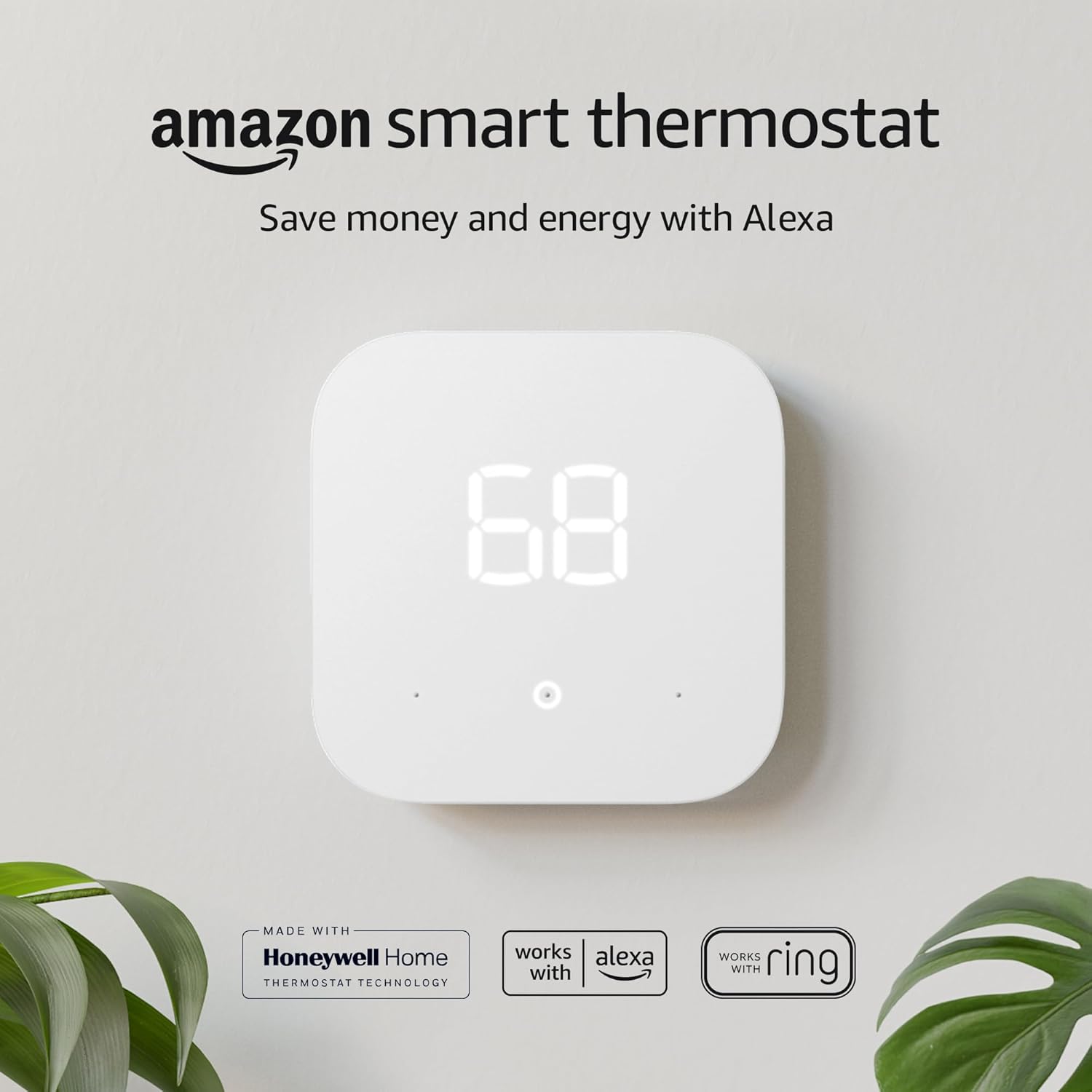
Amazon’s Smart Thermostat, for instance, is a budget-focused device built in partnership with Resideo (Honeywell’s parent) and leans on Alexa integration rather than any proprietary learning algorithm, positioning it well below both Nest and Ecobee on features but also on price. Honeywell’s higher-end T9 and T10 models compete more directly with Ecobee on the remote sensor front, also shipping with room sensors included, though its app and ecosystem integrations are generally considered less polished than Ecobee’s. Budget options like Wyze and Govee strip away nearly all of the advanced scheduling and sensor logic in exchange for a dramatically lower price point, appealing mostly to renters or anyone testing whether they even want a smart thermostat before committing to a premium model. Minimalist newer entrants like Mysa tend to skip remote sensors and learning algorithms almost entirely, focusing instead on a fast, simple installation experience, which appeals to buyers who found both Nest’s learning curve and Ecobee’s sensor ecosystem more complexity than they wanted.
Within that broader landscape, Nest and Ecobee remain the two most fully-featured, mainstream options for U.S. homeowners who want either sophisticated automatic learning or sophisticated sensor-driven control, which is exactly why they’re so frequently cross-shopped against each other rather than against the budget tier.
The Final Verdict
After years of living with both thermostats, the choice has become clearer than ever. It’s a classic battle of simplicity versus control, of elegant automation versus data-driven precision.
The Google Nest Learning Thermostat remains a masterpiece of design and user-friendly AI. For those who live in smaller homes or apartments with even temperatures and predictable schedules, its hands-off approach is liberating. It’s a fit-and-forget solution that beautifully fades into the background of your life.
However, for the majority of U.S. homeowners, especially those with multi-story homes, kids, and fluctuating schedules, the Ecobee Smart Thermostat Premium is the superior choice. Its SmartSensors solve a real, tangible problem that single-point thermostats can’t address. This leads to a higher level of customized comfort. Add its universal smart home compatibility (especially for HomeKit users) and the power of its eco+ software, and you have a device that offers more power, more control, and more potential to be the true brain of your smart home’s climate.
While Nest taught the world what a smart thermostat could be, Ecobee perfected the execution for the complexities of the modern home.



 Home
Home
 Info
Info
 Compare
 Reviews
 Shop
Shop