
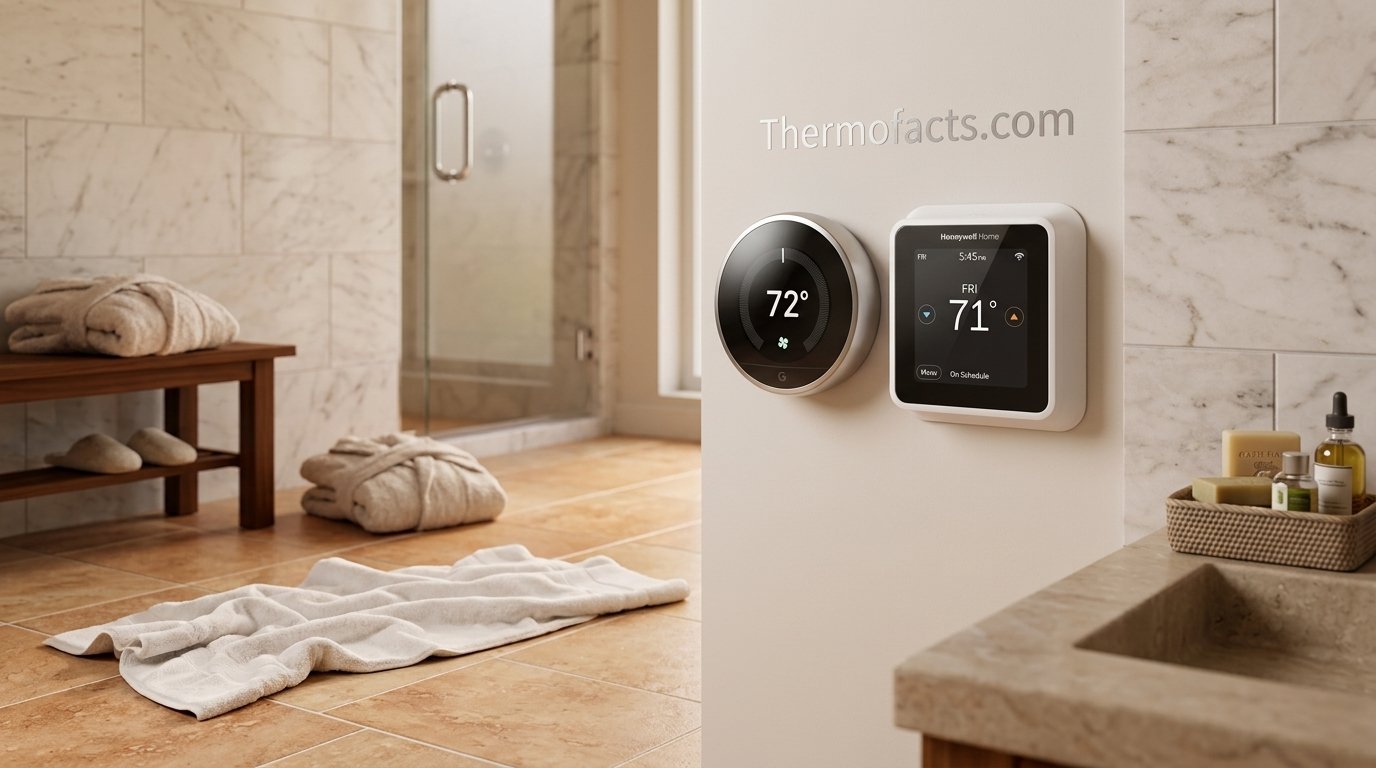
Nest Thermostat vs Honeywell T9: Which Smart Thermostat Actually Fits Your Home?
Two of the most recognizable smart thermostats in North America, two very different philosophies. One learns your habits quietly in the background. The other hands you the controls and a set of sensors to match. Here is how they compare where it counts: wiring, comfort, smart home support, savings, and long-term ownership.
The Short Verdict: Nest vs Honeywell T9 at a Glance
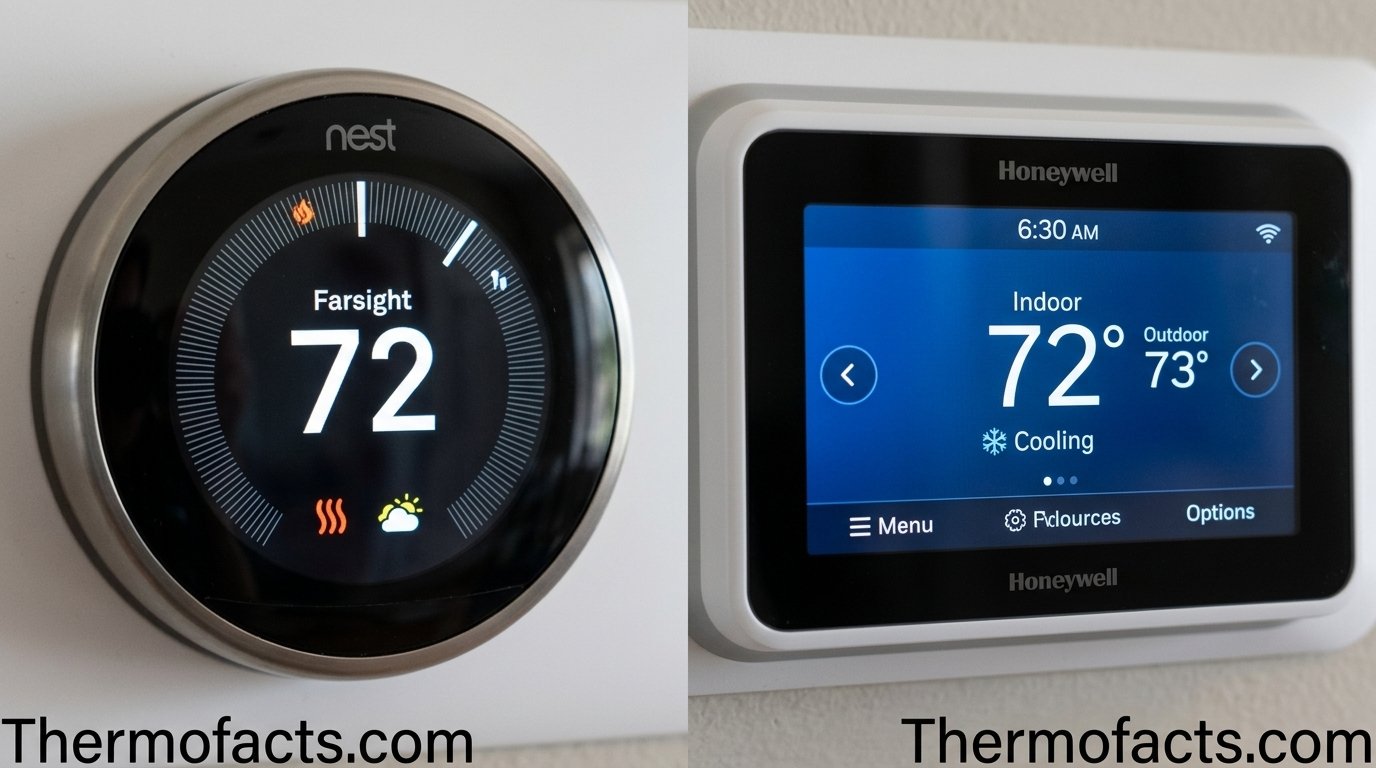
If you only have a minute, here is the honest summary. The Google Nest thermostat line is the better pick for people who want a thermostat that disappears into daily life. You set a few temperatures for the first week or two, and it builds a schedule around you. The Honeywell Home T9 is the better pick for people who want direct control, a real touchscreen, and a more serious sensor system that can cover an entire house and prioritize the rooms you actually use.
Neither is a bad thermostat. Both will cut waste compared with an old manual dial, and both connect to the major voice assistants. The difference lives in the details: how each one is wired, how much it expects you to participate, how it deals with uneven rooms, and what happens five years from now when you need support or a replacement part.
| Category | Nest Thermostat | Honeywell Home T9 |
|---|---|---|
| Best for | Set-it-and-forget-it households | Hands-on users and multi-room comfort |
| Scheduling style | Learns from your adjustments | Programmable with Smart Response timing |
| Interface | Ring or dial with mirrored display (varies by model) | Color touchscreen |
| Remote sensors | Supported on select models, sold separately | Smart room sensors with room priority |
| Wiring | Often works without a C-wire on common systems | Expects a C-wire; adapter included in the box |
| Smart home | Google Home, Alexa, Matter-based ecosystems | Alexa, Google Assistant, Apple HomeKit, SmartThings |
| Learning curve | Very low | Moderate |
The rest of this guide walks through each category so you can decide which column matters more for your house. If you want an even broader view of the two brands, our general Nest vs Honeywell thermostat comparison covers the wider product families.
Want to see current pricing? Compare both thermostats side by side on Amazon.
Meet the Contenders
Before comparing features, it helps to be clear about what you are actually comparing, because the Nest name covers more than one product. Google sells a more affordable Nest Thermostat, a simpler device without a rotating ring that you control by tapping a touch-sensitive edge, and the premium Nest Learning Thermostat with its famous rotating ring, larger mirrored display, and expanded sensor support. When people say “Nest” in a comparison against the T9, they usually mean one of these two, and the right matchup depends on your budget.
Google Nest Thermostat Family
The Nest lineup is built around one big idea: heating and cooling should respond to your life without constant babysitting. The Learning model watches how you adjust the temperature, notices when the house is empty, and slowly assembles a schedule. The simpler model leans on a programmable schedule and the Google Home app, with smart features such as Home and Away detection and energy-saving suggestions. Our in-depth Nest Learning Thermostat review and the newer fourth generation review dig into the hardware differences between generations.
Honeywell Home T9
The T9 sits at the upper-middle of the Honeywell Home family. It is a Wi-Fi smart thermostat with a color touchscreen, a seven-day programmable schedule, geofencing, and support for wireless smart room sensors. It was designed with the contractor and installer in mind, and it shows: the packaging includes mounting hardware and a power adapter option, and the setup flow guides you through wiring and system type. For the full hands-on breakdown, read our Honeywell Home T9 review.
Nest Strengths
- Learning automation with minimal setup
- Polished, consistent mobile app
- Strong Google Home and Matter-era integration
- Attractive design that blends into most rooms
- Often easier on homes without a C-wire
Nest Weaknesses
- Fewer manual scheduling controls than some users want
- Sensors cost extra and support is limited by model
- No line-voltage support on most models
- Less depth for whole-home air accessories
Honeywell T9 Strengths
- Large color touchscreen with clear on-device menus
- Smart room sensors with priority-room logic
- Supports a wide range of equipment configurations
- Works with Alexa, Google Assistant, HomeKit and SmartThings
- Installer-friendly hardware and setup
Honeywell T9 Weaknesses
- Does not learn a schedule on its own
- Wants a C-wire or the included power adapter
- App is functional rather than delightful
- Design reads more utilitarian than premium
Ready to pick a contender? Check the current versions and bundles.
Design, Display and Controls
Thermostats live on a wall you walk past dozens of times a day, so design matters more than spec sheets suggest. This is the category where personal taste plays the biggest role, but there are objective differences in how each device behaves when you actually touch it.
How the Nest Feels in Daily Use
The Learning model uses a rotating metal ring. Turn it and the target temperature changes; press it and you open a simple menu. The display wakes when you approach, shows the current temperature or your target, and then fades out so it does not glow in a dark bedroom. The simpler Nest Thermostat uses a touch-sensitive edge instead of a physical ring, which feels modern but takes a few minutes to learn. Both approaches share the same visual language: minimal text, large numbers, and very little clutter.
The result is a thermostat that guests compliment and that nobody in the family needs to learn. A teenager or a houseguest can turn the temperature up or down without a tutorial, and that simplicity is part of why Nest earned its reputation.
How the T9 Feels in Daily Use
The T9 uses a full color touchscreen. The home screen shows indoor temperature, your setpoint, humidity, and weather information, and menus for schedules, fan control, and system mode are one or two taps away. If you have ever used a basic programmable thermostat and wished you could simply see everything at once, the T9 delivers that. The trade-off is that it looks like a piece of equipment. It is clean and legible, but it will not win any design awards.
On-device control also matters during an outage or internet failure. Because the T9 exposes the full schedule on its screen, you can adjust or review it without opening an app, which many older relatives and non-technical household members prefer. If this is a concern, our guide to touchscreen thermostats with backlight explains what to look for in display quality.
| Design Factor | Nest | Honeywell T9 |
|---|---|---|
| Primary input | Ring or touch edge | Touchscreen |
| Display style | Minimal, mirrored, wakes on approach | Full color, information-dense |
| On-device scheduling | Limited, app-first | Full schedule editing on the wall |
| Finish options | Several colors, premium materials on Learning model | White housing with a conventional look |
| Best for | Design-conscious homes | Users who like visible, direct control |
Pick the look that suits your wall. Browse finishes and current offers.
Installation and Wiring: The C-Wire Question
For many buyers, the deciding factor has nothing to do with features. It is the wiring behind the wall plate. Smart thermostats draw power continuously to keep Wi-Fi and displays alive, and the way each product gets that power is one of the most important practical differences.
Understanding the C-Wire
The C-wire, or common wire, provides constant 24-volt power from your HVAC transformer. If you have one, installation is straightforward. If you do not, the thermostat has to get power another way. Our full thermostat wiring guide explains each terminal in plain language, and our walkthrough on line voltage vs low voltage wiring shows a quick test to confirm which type you have before you buy anything.
Nest Without a C-Wire
Nest thermostats are known for working on many systems that lack a dedicated C-wire. They can borrow a small amount of power through the heating or cooling wires, a technique called power stealing, and some models include an internal battery that tops up between cycles. In practice this works well in many homes, but it is not universal. Certain furnaces and air handlers react poorly to power stealing, producing symptoms such as short cycling, clicking relays, or a thermostat that reboots. If you see those signs, read our article on power stealing vs battery backup and our troubleshooting guide on thermostats that keep rebooting.
Honeywell T9 and Power
The T9 takes a more conventional approach. It expects a C-wire and includes a power adapter kit for homes that lack one, which makes the install predictable even if it adds one extra step. Because the T9 is designed for professional installation, it generally behaves consistently once powered correctly, and it avoids the borderline power-stealing problems that occasionally affect other brands. If you are unsure whether your system can accept an upgrade at all, start with our guide on how to tell if your thermostat can be upgraded and our furnace compatibility guide.
Installation time is similar for both: most homeowners finish in under an hour. The Nest uses a trim plate and a clear on-screen walkthrough, while the T9 uses its Universal Wall Plate system and a guided setup on the touchscreen itself.
Practical Installation Tips Before You Start
A few habits make either installation go smoother. First, photograph the existing wiring from several angles before you disconnect anything, and label each wire with the terminal letter it was attached to, not the color, because wire colors are not always consistent between installers. Second, check that the old wall plate is level before mounting the new one, since a crooked thermostat is a small flaw you will notice every day. Third, if the new unit is smaller than the old one, plan for a bit of wall repair or choose a trim plate that covers the old outline. Our guide on hiding thermostat wires on your wall covers cleaner finishing options.
Finally, allow a few minutes after power returns for the thermostat to boot, connect to Wi-Fi, and run its system test. Run the heating and cooling tests the setup process offers and confirm that the furnace, fan, and compressor respond correctly. If something does not respond, switch the power off again and recheck the connections rather than forcing a diagnosis from the app. A calm, methodical approach prevents most installation callbacks.
| Installation Factor | Nest | Honeywell T9 |
|---|---|---|
| C-wire requirement | Often not required on common systems | Required, or use the included adapter |
| Power method | C-wire, power stealing, internal battery | C-wire or power adapter kit |
| Setup guidance | On-device and app walkthrough | On-device guided setup |
| Risk of wiring quirks | Slightly higher on picky systems | Lower once adapter or C-wire is present |
| Typical DIY time | 30 to 60 minutes | 30 to 75 minutes |
No C-wire? Plan for it. Grab the thermostat plus any adapter you may need.
Learning vs Scheduling: Two Very Different Brains
This is the philosophical center of the Nest vs T9 debate, and understanding it will probably decide your purchase more than any spec.
How Nest Learns
When you first install a Nest Learning Thermostat, you simply use it. You turn the temperature up when you are cold and down when you go to bed. Over the following days it connects those adjustments to times of day and builds a schedule. After a week or two, it begins adjusting the house automatically. A simpler Nest model provides automatic scheduling suggestions rather than full learning, so the experience varies by model. If you want a primer on the technology itself, see our explainer on adaptive learning thermostats and the article on schedule vs learning thermostats.
The benefit is obvious for people who do not want to program anything. The drawback shows up for households with irregular patterns. If your schedule changes every week, or if different family members constantly fight over the dial, the learning algorithm can pick up conflicting signals and produce a schedule that fits nobody perfectly. You can correct it, but you are essentially training it.
How the T9 Schedules
The T9 does not learn your schedule from scratch. It offers a seven-day programmable schedule that you configure, along with geofencing that uses your phone location to adjust temperatures when everyone leaves or returns. Its Smart Response feature learns something different: how long your specific house takes to reach a target temperature, so it can start heating or cooling early enough to hit your setpoint on time rather than simply starting at the scheduled moment.
This approach rewards a small amount of upfront effort. Spend ten minutes building a schedule and the T9 will follow it precisely, with no surprises. People who prefer predictability tend to love this. People who dislike programming tend to prefer Nest. Our article comparing smart vs programmable thermostats expands on this trade-off.
Home and Away Detection
Both systems know when you are gone. Nest uses a mix of built-in sensing and phone location, and the T9 relies primarily on geofencing through its app. We explain how location-based control works in our guides to geofencing thermostats and the home and away feature. In practice, both save energy during empty-house periods, but Nest tends to react a little faster because it has local presence detection in addition to phone data.
Know which style fits you? Choose your thermostat and start saving.
Remote Sensors and Room-by-Room Comfort
Every home has a room that never feels right. The upstairs bedroom that stays warm at night, the basement office that runs cold, the sunroom that bakes every afternoon. A thermostat can only read the temperature where it is mounted, which is usually a hallway. Remote sensors solve this by letting the system respond to conditions where you actually spend time.
Honeywell T9 Smart Room Sensors
This is where the T9 truly distinguishes itself. Its wireless smart room sensors measure both temperature and motion. You can designate a priority room, and the thermostat will use that room’s reading rather than the hallway reading when someone is present. At night, you might prioritize the bedroom; during the day, the living room or home office. The system supports a large number of sensors, so even bigger homes can be covered thoroughly. For a deeper look at how multi-room control compares across brands, see our ecobee vs Honeywell sensor range comparison.
Nest Temperature Sensors
Nest supports its own wireless temperature sensors on select models, and they integrate neatly with the schedule. The thermostat can decide which sensor to follow at different times of day, and the sensors are small, battery-powered, and easy to place. However, support depends on the specific Nest model, and the sensors are sold separately, which adds to the total cost. Compared with the T9, the Nest approach is slightly more automated and slightly less configurable. To see how this compares with another popular system, check Nest auto-schedule vs ecobee smart sensors and the ecobee3 lite vs Nest temperature sensor test.
Why Sensors Matter
If you want to understand the concept better, our primer on remote thermostat sensors explains how they work. The short version: a sensor lets the thermostat optimize for human comfort rather than for a single point on a hallway wall. For two-story homes, rooms over garages, or houses with significant sun exposure, sensors often deliver a bigger comfort improvement than any other smart feature.
| Sensor Feature | Nest | Honeywell T9 |
|---|---|---|
| Measures temperature | Yes | Yes |
| Measures motion | Varies by sensor | Yes, used for room priority |
| Priority room control | Automatic, schedule-based | Manual priority, plus motion logic |
| Typical maximum sensors | Several, model dependent | Up to a large multi-room set |
| Included in the box | Usually sold separately | Sold separately or in bundles |
If a cold bedroom or an uneven house is your main complaint, also read our guide on why your house feels cold even with the heat on, since airflow and insulation can matter as much as the thermostat.
Fix the hot and cold rooms. Look at sensor bundles for each brand.
Smart Home Compatibility
A smart thermostat rarely works alone. It talks to voice assistants, lighting routines, security systems, and sometimes a whole ecosystem of other devices. Compatibility here can be the difference between a thermostat you love and one that sits awkwardly outside your setup.
Nest and the Google Ecosystem
Nest thermostats are native to Google Home and work smoothly with Google Assistant. Support for Amazon Alexa is also available, and newer models participate in the Matter standard, which improves cross-platform behavior. If your household is built around Google speakers and displays, Nest is the most natural fit. Apple users should know that integration works through Matter and Home app support on certain models, though it can feel less seamless than a native HomeKit device. Our walkthrough on adding your Nest thermostat to Apple Home covers the steps.
Honeywell T9 and Multi-Platform Support
The T9 takes a broader approach. It works with Amazon Alexa, Google Assistant, Apple HomeKit with Siri, and Samsung SmartThings, which makes it one of the more platform-agnostic options in its price range. If your home mixes ecosystems, or if you are an Apple household that wants true HomeKit control, the T9 has an advantage. For a ranking of strong options in that category, see our roundup of the best Apple HomeKit thermostats.
Connectivity itself relies on your home Wi-Fi network, and stability depends on your router as much as the thermostat. If you want to know what is happening under the hood, our article on how smart thermostat connectivity works is a good reference.
Choose Nest If
- You use Google Home daily
- You want Matter-ready future compatibility
- You want a simple unified app experience
Choose T9 If
- You use Apple HomeKit or SmartThings
- You mix several smart home brands
- You want broad voice assistant coverage
Match your thermostat to your ecosystem.
Apps and Software Experience
Most of your day-to-day interaction with a smart thermostat happens on your phone, which means the app deserves as much scrutiny as the hardware.
The Google Home Experience
Nest thermostats are controlled through the Google Home app. The interface is clean, quick, and consistent with other Google devices. You can see the current temperature, change the target, switch modes, and review energy history in just a few taps. Because the thermostat sits alongside cameras, speakers, and lights in the same app, many people appreciate having everything in one place. The downside is that deeper thermostat settings can feel buried, and anyone who dislikes the broader Google Home interface may find it less focused than a dedicated thermostat app.
The Resideo Experience
The T9 uses Honeywell’s Resideo app. It is dedicated entirely to thermostats and related comfort devices, so settings like schedules, geofencing, fan behavior, and sensor priority are straightforward to find. It is functional and reliable, though it lacks the polish of Google’s design. Users who want to adjust things in detail usually appreciate the focus. Users who want everything to look beautiful may not.
Notifications, Alerts and Usage Reports
Both apps send alerts for conditions such as extreme indoor temperatures, loss of connectivity, or system issues. Nest provides energy history and tips designed to encourage better habits, while the T9 offers filter reminders and system alerts that appeal to practical homeowners. If your thermostat reports a problem or acts up, our troubleshooting resources on resetting a Honeywell thermostat and resetting a thermostat can save a service call.
| App Factor | Google Home (Nest) | Resideo (T9) |
|---|---|---|
| Interface polish | Excellent | Good |
| Depth of thermostat settings | Moderate | Deep |
| Focus | All Google home devices | Thermostat and comfort devices |
| Energy insights | Built-in history and suggestions | Usage and alert reporting |
| Learning curve | Low | Low to moderate |
Great software starts with great hardware.
Energy Savings and Rebates
Everyone wants to know the same thing: which thermostat saves more money? The honest answer is that savings depend far more on how you use the thermostat than on which brand you buy, but there are real differences in how each product encourages efficient behavior.
How Smart Thermostats Save Money
Savings come from three sources: reducing runtime while you are away, lowering temperatures while you sleep, and optimizing how equipment starts and stops. Both products do all three. Our explainer on how a smart thermostat saves money goes through the mechanics, and our more skeptical look at whether smart thermostats really save money tempers the marketing claims with realistic expectations. Results vary by climate, insulation, and habits.
Nest Energy Features
Nest leans heavily into automation for savings. Eco modes, energy-saving suggestions, and learned schedules reduce waste without requiring effort. Some utility programs reward Nest users for reducing demand at peak times, and Google highlights leaf indicators that nudge you toward efficient setpoints. For households that tend to forget to adjust the thermostat, this nudging is surprisingly effective.
Honeywell T9 Energy Features
The T9 saves through precision. Smart Response starts heating or cooling just early enough, geofencing adjusts when the house is empty, and room sensors prevent overheating or overcooling just to satisfy a single hallway reading. Households that already follow a disciplined schedule can see strong results because the T9 respects that schedule exactly.
Rebates and Incentives
Many utilities and local programs offer rebates for qualifying smart thermostats, and both Nest and Honeywell frequently appear on eligible lists. Always confirm eligibility before buying, since requirements vary by region and provider. Our smart thermostat rebates guide includes a savings calculator, and our ranking of the best smart thermostats for energy savings shows how other models stack up. For seasonal tips, see our recommended thermostat settings for winter.
Getting Real Savings From Either One
Whichever thermostat you choose, a handful of habits determine whether it pays for itself. Resist the urge to override the schedule every time you feel a slight chill, because frequent manual changes undermine both a learned schedule and a programmed one. Use modest setbacks overnight and during the workday rather than extreme swings, which can force your equipment to work hard to recover. Keep air filters clean and vents unblocked so the system can actually deliver the temperatures the thermostat requests. And review your energy history every month or two to spot anomalies. Our overview of HVAC energy efficiency tips pairs well with whichever thermostat you pick, and the ideal room temperature for sleeping helps you set a comfortable overnight target.
It is also worth remembering that a thermostat cannot compensate for a failing system or a leaky house. If your home never reaches the setpoint, read our troubleshooting guide on a thermostat not reaching the set temperature before blaming the device.
Start saving on heating and cooling.
HVAC System Compatibility
Not every thermostat works with every heating and cooling system. This is where careless purchases turn into returns, so it is worth slowing down and checking your equipment before you click buy.
Standard Furnace and Air Conditioner Systems
Both the Nest and the T9 work with the most common 24-volt systems, including gas furnaces, electric furnaces, central air conditioners, and typical forced-air setups. Most homes with a conventional split system are covered. If you want to confirm what kind of equipment you have, our primer on split HVAC systems is a quick read.
Heat Pumps and Multi-Stage Equipment
Heat pumps add complexity because they use reversing valves and often auxiliary or emergency heat. Both brands support heat pumps, though the exact stages and accessory support vary by model. The T9 handles multi-stage heating and cooling and is often favored by installers for more complex equipment. Nest supports many heat pump configurations as well, and the newer models add smarter handling of auxiliary heat to avoid wasteful usage. Read our best thermostats for heat pumps guide for details.
Line Voltage and Specialty Systems
Electric baseboard heaters and some radiant systems use line voltage, which is incompatible with both products. Putting either thermostat on a line-voltage circuit can damage it and create a serious safety hazard. If you have baseboard heat, check our guides to the best thermostats for baseboard heaters and radiant floor heat.
Accessories and Air Quality Equipment
The T9 offers broader support for whole-home accessories such as humidifiers and dehumidifiers, and it displays indoor humidity on its screen. If you are planning to pair the thermostat with these systems, our guides to whole-house dehumidifiers and the best whole-house humidifiers are helpful companions. For installers who want to compare the T9 with its premium sibling, our article on T9 vs T10 Pro air quality wiring and the broader T9 vs T10 Pro comparison will help.
| System Type | Nest | Honeywell T9 |
|---|---|---|
| Gas or electric furnace | Supported | Supported |
| Central air conditioning | Supported | Supported |
| Heat pump | Supported on most models | Supported, multi-stage friendly |
| Humidifier or dehumidifier control | Limited, model dependent | Broader accessory support |
| Line-voltage baseboard | Not supported | Not supported |
Confirm compatibility, then buy with confidence.
Reliability and Long-Term Ownership
A thermostat is a device you want to forget about. The best one is the one that quietly works for years. Reliability is hard to quantify, but patterns in real-world ownership reveal what to expect.
Typical Lifespan
Both Honeywell and Nest build thermostats that commonly last many years, though electronics inevitably age. Honeywell has decades of experience in building controls, and its products are widely supported by installers. Our article on how long Honeywell thermostats last offers realistic expectations. Nest devices have a shorter history but a strong record, and Google has historically provided software updates for many years, although it has retired some older models from support, so check the support status of any specific model you plan to buy.
Common Problems
The most frequent complaints about Nest involve power issues on systems without a C-wire, intermittent Wi-Fi drops, and occasional rebooting. For the T9, common complaints include sensor pairing hiccups, app quirks, and Wi-Fi connection problems during setup. Most issues are fixable without a technician. If a unit seems unresponsive or fails to charge, see our guides on why a thermostat is not charging, battery failure and relay problems, and thermostats that keep switching between heat and cool.
Support, Warranty and Repairability
Honeywell Home products are sold through retail and professional channels, which means local HVAC contractors are usually familiar with them. That is a real advantage if you ever need help. Nest support is largely online and chat-based, which suits many people but frustrates others. Warranty terms vary, so read the details on the product listing at the time of purchase. And if you suspect your existing equipment is the true culprit behind a performance problem, our checklist on how to tell if your thermostat is bad will help you separate hardware issues from setup issues.
Ownership Wins
- Nest: ongoing software refinements and a polished experience
- T9: installer familiarity and broad local support
Ownership Watch-Outs
- Nest: older models may lose feature support over time
- T9: app and sensor pairing can need patience
Buy from a trusted seller and keep your receipt.
Price, Value and Who Should Buy What
Pricing changes often and varies by retailer, so treat any figure you read as a rough guide and confirm current prices before buying. In general, the simpler Nest Thermostat sits in the budget-friendly end of the smart thermostat market, the T9 lands in the middle, and the premium Nest Learning Thermostat sits at the higher end. The T9 also becomes more expensive once you add extra sensors, while Nest sensors are sold separately as well.
Value Breakdown
If cost is your main concern, the simpler Nest Thermostat or a budget alternative may be all you need. Our roundup of the best budget thermostats and our guide to the value of Wi-Fi thermostats help you decide how much smart you really need. If you are comparing against other big names, see Google Nest vs Amazon Smart Thermostat and Honeywell vs Emerson.
Three Real-World Scenarios
The busy family in a two-story house. Picture a household where the kids’ bedrooms sit upstairs, the parents work from a downstairs office, and the hallway thermostat reports a comfortable temperature that nobody actually feels. In this situation the Honeywell T9 with a couple of room sensors tends to shine. You can tell it to favor the upstairs bedrooms overnight and the office during work hours, and it will bend the system toward the rooms that are occupied. A Nest with sensors can do something similar, but the T9 gives you more explicit control over which room wins at each moment.
The couple with an unpredictable schedule. Imagine two people who travel, work shifts, or simply never keep the same routine two weeks in a row. A programmable schedule becomes a chore, because every change means opening the app and editing it. A learning thermostat paired with presence detection copes better here. The Nest watches what actually happens, drops into an energy-saving mode when the house goes quiet, and recovers when someone comes home. You give up a little precision, but you also give up the maintenance work.
The tech-savvy Apple household. If everyone in the home carries an iPhone and the lights, locks, and cameras are already organized in the Apple Home app, a thermostat that speaks HomeKit natively removes friction. The T9 fits that setup with less fuss, and you can include it in scenes and automations without relying on a bridge. In a Google-first home, the reverse is true, and the Nest slots in as if it were designed for the job, because it was.
Who Should Choose Nest
- Families who do not want to program anything
- Google Home households
- Design-conscious homeowners
- Homes without a C-wire that tolerate power stealing
- People who value a simple, beautiful app
Who Should Choose the Honeywell T9
- Homes with uneven temperatures that need room sensors
- Apple HomeKit or mixed-ecosystem households
- Users who prefer detailed on-device control
- Owners with multi-stage or complex equipment
- Anyone who values installer support
Renters and Special Situations
Renters need to be careful about permissions and reversibility. Both products can be reinstalled with the original thermostat if you keep it, and our guide to smart thermostats for rental properties covers the details. For older family members who need simplicity, see our best thermostat for elderly recommendations.
Features That Are Easy to Overlook
Beyond the headline specs, a few smaller details influence how you feel about a thermostat after the first month. Fan control is one: both devices let you run the system fan on demand or on a schedule, which helps circulate air in rooms that lag behind, though it does add a little to your electricity use, as our article on the electricity the thermostat fan uses explains. Another is what each device shows when you walk past. The Nest favors a glanceable temperature, while the T9 can display weather and humidity alongside the setpoint. A third is lock-out behavior: if children or guests tend to change the settings, you may want a feature that restricts changes, and our guide on how to set, change, lock and reset your thermostat walks through the options.
Finally, think about the buying decision as a whole, not only the device. The key features to compare when buying a smart thermostat are worth a quick read, because they put the Nest and T9 in context against the rest of the market and help you avoid paying for features you will never use.
| Your Priority | Best Choice |
|---|---|
| Automatic learning | Nest Learning Thermostat |
| Lowest smart upgrade cost | Simpler Nest Thermostat |
| Best room-by-room comfort | Honeywell T9 with sensors |
| Apple HomeKit support | Honeywell T9 |
| Google Home integration | Nest |
| Complex HVAC equipment | Honeywell T9 |
| Most polished app | Nest |
Make your choice and upgrade your comfort today.
Frequently Asked Questions
Is the Nest thermostat better than the Honeywell T9?
Neither is universally better. Nest is better for automatic learning, a refined app, and Google Home integration. The Honeywell T9 is better for room sensors, on-screen control, and broader smart home compatibility. Your priorities decide the winner.
Does the Honeywell T9 learn my schedule like a Nest?
No. The T9 uses a schedule you create, plus geofencing and Smart Response to time heating and cooling. It learns how quickly your home responds, but it does not build a daily schedule from your behavior.
Do I need a C-wire for a Nest or a T9?
Many Nest installations work without a C-wire thanks to power stealing or an internal battery, though some systems need one or an adapter. The T9 expects a C-wire, and the box includes an adapter option when your system does not have one.
Which one works better with Apple HomeKit?
The Honeywell T9 offers native HomeKit support and works with Siri. Nest can connect to Apple Home through Matter on supported models, but the experience can be less seamless. See our guide on adding a Nest thermostat to Apple Home for the steps.
Which thermostat handles hot and cold rooms better?
The T9 generally has the advantage thanks to its smart room sensors with priority-room logic and support for many sensors. Nest also supports sensors on select models, but with less manual control.
Will a smart thermostat really lower my energy bills?
It can, mainly by reducing runtime when you are away or asleep. Actual savings depend on climate, insulation, and habits. Both thermostats support the behaviors that produce savings, but neither works magic if settings are poorly chosen.
Can I install either thermostat myself?
Most homeowners with basic DIY comfort can install either one in under an hour. Turn off power at the breaker, photograph the old wiring, label each wire, and follow the guided setup. If you have unusual wiring or line voltage, hire a professional.
Do these work with heat pumps?
Yes, both support many heat pump systems, but the exact stages and auxiliary heat options vary by model. Check each manufacturer’s compatibility tool with your wiring labels before purchasing.
Can either thermostat control electric baseboard heaters?
No. Baseboard heaters typically use line voltage, which these low-voltage thermostats cannot handle. Use a thermostat designed for line voltage instead.
What happens if my Wi-Fi goes down?
Both thermostats continue to operate locally and follow their saved schedules, but remote control and some smart features pause until the connection returns. The T9’s full on-screen schedule menu makes local adjustments especially easy.
Which one is better for older adults?
The T9’s large touchscreen and clear menus suit people who prefer direct controls, while a Nest with its simple ring is also easy to use. Consider who will interact with the device and how comfortable they are with technology.
How do I reset either thermostat if something goes wrong?
Both include reset options in their menus. Follow the manufacturer’s steps, and for Honeywell units consult our guide on resetting a Honeywell thermostat, including cases where no reset button is available.
Final Thoughts: Choosing Between Nest and Honeywell T9
After comparing design, wiring, automation, sensors, smart home support, software, savings, compatibility, and long-term ownership, the picture is clear. These two thermostats are not trying to be the same product. Nest is built for people who want comfort to happen automatically, wrapped in a beautiful interface and a friendly app. The Honeywell T9 is built for people who want control, flexibility, and strong room-by-room comfort, supported by a deep installer network.
If you picture yourself setting a schedule once and forgetting it, or if you already live inside the Google ecosystem, go with Nest. If you picture a house with warm and cold rooms, a mix of smart home platforms, or a preference for hands-on control, go with the Honeywell T9. Either way, you will be upgrading from a thermostat that guesses to one that knows, and that alone is a meaningful step forward for comfort and efficiency.
Before you order, double-check your wiring, confirm compatibility with your equipment, and look for local rebates. A few minutes of preparation prevents most installation headaches and helps you get the most out of whichever thermostat you choose.
Ready to decide? Compare both and pick the one that fits your home.




 Home
 Info
 Compare
 Reviews
 Shop