
Hive Active Heating Review: Is It Still the UK’s Best Smart Thermostat?
We tested the design, app performance, and energy-saving features to see if this British Gas-backed device can really save you £110 a year.
Smart thermostats have transitioned from “nice-to-have” gadgets to essential home appliances. With energy prices fluctuating wildly, the ability to control your heating from your phone—and ensure you aren’t heating an empty house—is more valuable than ever. Among the sea of options like Nest and Tado, Hive Active Heating remains a titan in the UK market.
Backed by British Gas (Centrica), Hive promises reliability, ease of use, and a sleek design by Yves Béhar. But in 2026, does it still hold the crown? Is the ecosystem worth the investment, or are you better off with a competitor? We installed the Hive Active Heating V3 to find out.
What is Hive Active Heating?
Hive Active Heating is a smart thermostat system that replaces your existing wall controller. It connects to your boiler via a wireless receiver and to the internet via the Hive Hub. This triumvirate allows you to control your heating (and hot water, if you have a conventional tank) via the thermostat dial, the smartphone app, or voice assistants like Alexa and Google Assistant.
Unlike some competitors that rely heavily on “learning” your schedule (like Nest), Hive gives you total manual control with smart enhancements. It is designed for people who want a set-it-and-forget-it schedule but also the flexibility to boost heat on a cold day from the comfort of their bed.

Hive Active Heating Thermostat Kit (Self Install)
The complete package including the Hub, Receiver, and Thermostat. Compatible with Alexa, Google Home, and Apple HomeKit. Save up to £110 per year on heating bills.
Check Price on AmazonDesign & Build Quality
The Hive V3 thermostat is arguably the best-looking unit on the market if you prefer a modern, minimalist aesthetic. Designed by Yves Béhar (the mind behind Jawbone), it features a mirrored fascia that acts as a display and a weighted central dial that feels incredibly satisfying to turn.
The display is hidden until you press the dial or a button, giving it a clean, unobtrusive look on your wall. Unlike the Nest, which requires mains power (often necessitating a stand or professional wiring), the Hive thermostat runs on 4x AA batteries. This is a huge win for placement flexibility—you can put it anywhere in the house without worrying about cables.
Installation: DIY or Professional?
Hive offers two purchase options: with professional installation (usually by a British Gas engineer) or “Self Install.”
The Professional Route
If you are not comfortable with mains electricity, pay the extra ~£100 for installation. The engineer will swap your old programmer for the Hive Receiver, ensuring your boiler warranty stays intact and the system is safe.
The DIY Route
For the confident DIYer, installation is relatively straightforward, especially if you have a standard backplate. The process involves:
- Turning off the mains power.
- Unscrewing your old controller/programmer.
- Wiring the Hive Receiver (L and N, plus heating on/off wires).
- Plugging the Hive Hub into your router.
- Pairing the thermostat.
While easier than some systems, it is not plug-and-play like a smart plug. Ensure you check compatibility with your specific boiler type (Combi vs. Conventional) before buying.
Key Features Deep Dive
This is where Hive shines. It doesn’t overcomplicate things, but it offers powerful tools to manage energy.
Geolocation (Geofencing)
This feature uses your phone’s location to remind you to turn the heating off when you leave the house, or on when you’re returning. Unlike Tado, which sometimes requires a subscription for full automation, Hive’s geolocation alerts are free, though they are “alerts” rather than automatic switches (unless you use Hive Actions).
Heating Boost
Feeling chilly? You don’t need to disrupt your schedule. The “Boost” function lets you turn the heating (or hot water) on for a specific duration (1 to 6 hours). Once the time is up, it reverts to your normal schedule. This is perfect for drying clothes on a radiator or a sudden cold snap.
Holiday Mode
Going away? Set your departure and return dates in the app. Hive will put your heating into frost protection mode (7°C) while you are gone and automatically warm the house up just before you walk through the door.
Multi-Zone Heating
If you have a larger home with existing plumbing for zones (e.g., upstairs and downstairs), Hive handles this beautifully. You can control up to 3 heating zones from a single app dashboard.
The Hive App Experience
The Hive app is widely regarded as one of the most user-friendly in the smart home space. The dashboard is tile-based, allowing you to see your heating, lights, and sensors at a glance. Setting a schedule is as easy as dragging sliders on a timeline—much more intuitive than the buttons on a traditional programmer.
However, Hive has recently pushed its Hive Heating Plus subscription (£3.99/mo). This unlocks historical temperature data, budgeting tools, and efficiency alerts. While useful, it is frustrating that simple data history is locked behind a paywall when competitors offer it for free.
Hive vs. The Competition
The smart thermostat market is crowded. How does Hive compare?
- Hive vs. Nest: Nest Learning Thermostat is “smarter” because it learns your habits and programs itself. Hive is for people who want total control over a fixed schedule. Hive is also modular (works with Hive lights/plugs), whereas Nest is more standalone.
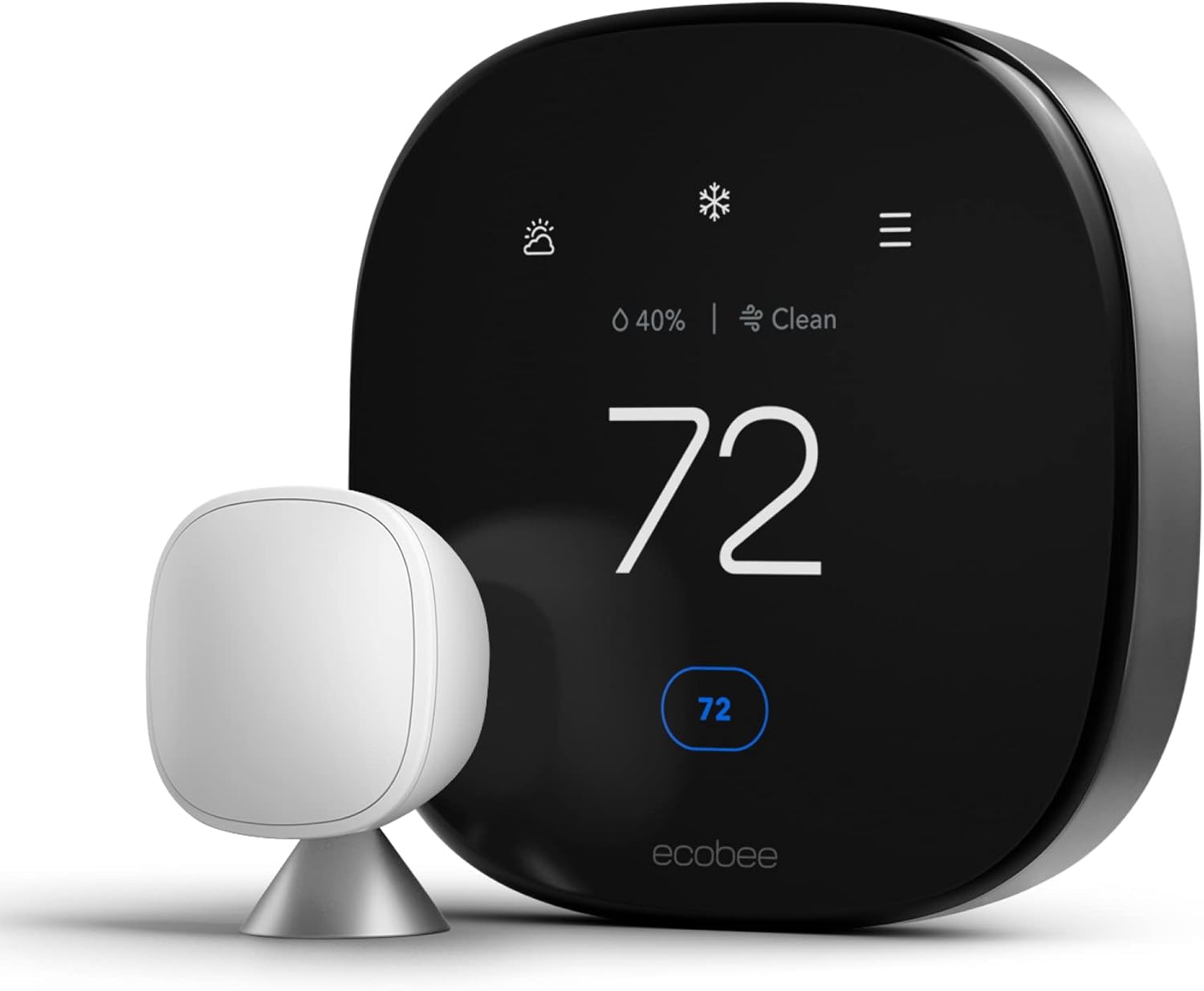
- Hive vs. Tado: Tado is excellent for individual room control via Smart Radiator Thermostats. While Hive has radiator valves too, Tado’s software for multi-room control is generally considered superior. For a full breakdown, read our comparison on Hive vs Tado.

Hive Smart Radiator Valve
Expand your system. Control the temperature of individual rooms directly from the Hive app. Perfect for saving money by not heating empty rooms.
View AccessoryHive vs. Drayton Wiser vs. Honeywell Home
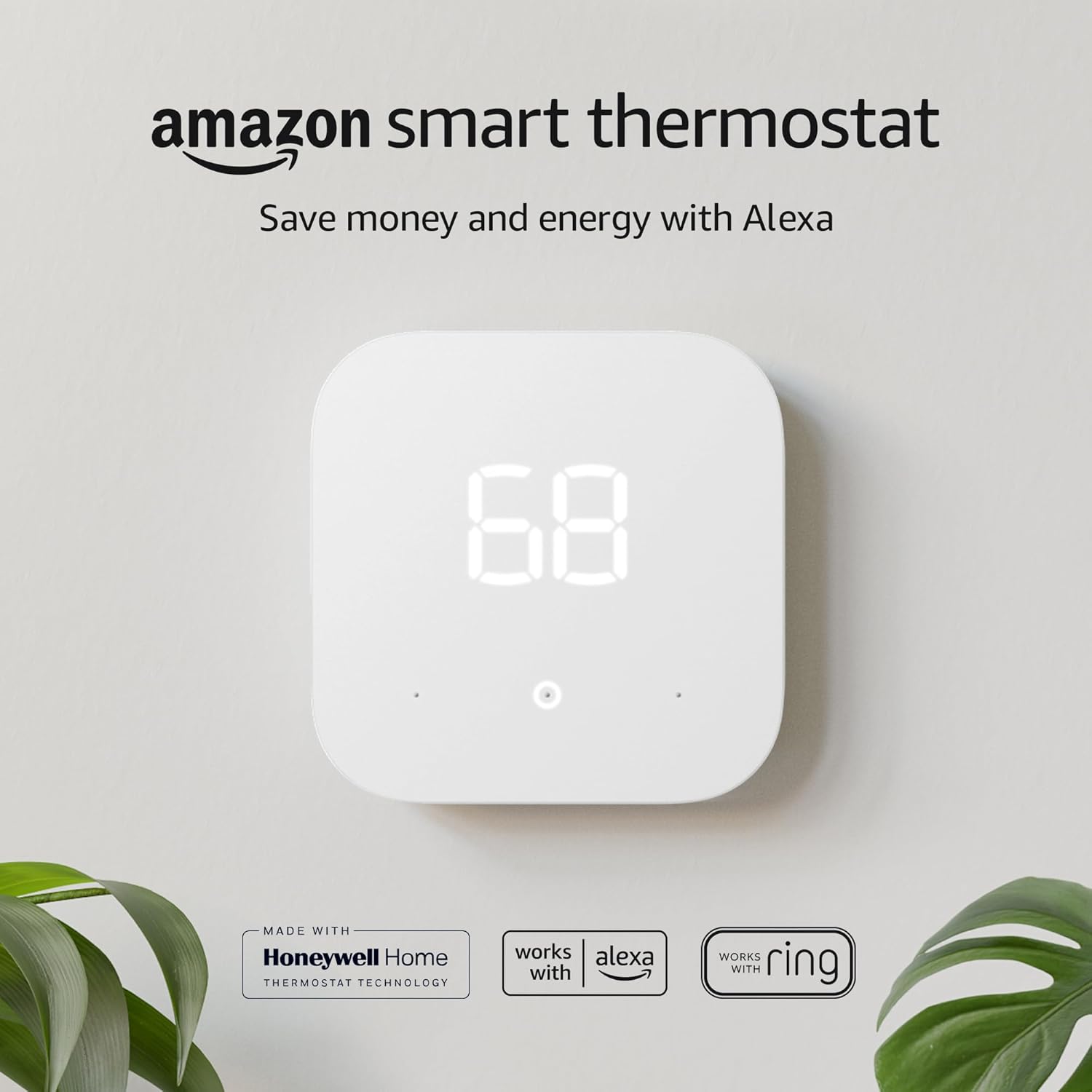
Beyond Nest and Tado, two other names come up constantly in UK smart thermostat searches: Drayton Wiser and Honeywell Home (evohome and the T-series). Since a genuine keyword gap in most existing Hive coverage is a proper look at these two, it’s worth giving them equal billing.
Hive vs. Drayton Wiser
Drayton is a long-established name in UK heating controls (many of the older mechanical programmers found in British homes are Drayton units), and Wiser is its smart thermostat range. Wiser leans heavily into multi-room control via its own Smart Radiator Thermostats, similar in concept to Tado, and its bundles are often priced slightly below equivalent Hive multi-room packages. Where Hive pulls ahead is ecosystem breadth — lights, plugs, cameras, and a much larger installed user base translating into a more mature app and wider third-party support — plus the safety net of British Gas engineer callouts. Wiser’s app has historically been considered slightly less polished than Hive’s, though it has closed much of that gap in recent updates. For a household whose only interest is granular room-by-room heating at the lowest possible price, Wiser is a legitimate alternative; for anyone who wants a single ecosystem for heating, lighting, and basic security, Hive remains the stronger all-rounder.
Hive vs. Honeywell Home (evohome)
Honeywell’s evohome system sits at the premium, installer-led end of the market and is aimed squarely at larger homes needing sophisticated multi-zone control, often with a dozen or more independently managed zones. It’s more capable than Hive in raw zoning power, but it’s also considerably more expensive, generally requires professional installation and configuration, and has a steeper learning curve for day-to-day use. For the average two- to four-bedroom UK home, evohome’s extra capability is usually overkill; Hive (optionally paired with a handful of Smart Radiator Valves) covers the same practical ground for most households at a fraction of the cost and complexity. Honeywell also sells simpler, Hive-equivalent single-zone smart thermostats under the Home brand, which compete more directly on price but lack Hive’s broader ecosystem of plugs, lights, and cameras.
Quick Comparison Summary
- Best all-round ecosystem: Hive — heating, lighting, plugs, and cameras in one app, backed by British Gas’s engineer network.
- Best for room-by-room control on a budget: Drayton Wiser.
- Best for large homes needing complex zoning: Honeywell Home evohome.
- Best for individual radiator control software: Tado, as covered in our dedicated Hive vs Tado comparison.
Weather Compensation, Smart Meters & Third-Party Integrations
A cluster of related but distinct keywords — “weather compensation,” “Hive smart meter,” and “Hive IFTTT” — all point to the same underlying question: how “smart” is Hive really, compared with systems that adjust automatically based on external conditions and data feeds? Here’s where Hive sits on each.
Weather Compensation
True weather compensation adjusts the boiler’s flow temperature continuously based on the outdoor temperature, aiming to run the system at the lowest temperature that still keeps the house comfortable — a technique widely used with heat pumps and increasingly with modern condensing boilers. Standard Hive Active Heating does not offer boiler flow-temperature weather compensation; it operates as an on/off room thermostat rather than a modulating control. This is a meaningful distinction for anyone specifically shopping for weather-compensated control, and it’s an area where dedicated boiler manufacturer controls (such as those from Worcester Bosch or Vaillant) or a heating engineer-configured OpenTherm-compatible system will outperform Hive on paper, even though most households will never notice the difference in day-to-day comfort.
Smart Meter Integration
As mentioned earlier, Hive does not read data from your electricity or gas smart meter, and it doesn’t adjust its behaviour based on time-of-use tariff pricing. If you’re on a dynamic export or import tariff and want your heating to shift automatically around cheap-rate windows, Hive isn’t built for that use case — you’d need a home energy management system designed specifically around tariff-following automation. What Hive does offer is simple manual scheduling that lets you set your own cheap-rate heating windows if you know your tariff’s off-peak hours, even without a live data connection.
IFTTT, Alexa Routines, and Google Home Routines
Hive has an official IFTTT channel, letting you build simple automations such as “turn the heating down if I leave a Life360 zone” or “log every Boost activation to a spreadsheet,” though Hive’s own in-app Actions cover most of what typical users want without needing a separate IFTTT account. Through Alexa and Google Home, Hive’s heating can also be folded into broader voice routines — for example, a single “Good night” voice command that locks smart locks, turns off Hive lights, and sets the heating back overnight in one go. There is no native Home Assistant integration maintained by Hive itself, though community-built integrations exist for enthusiasts comfortable with some manual setup; this is worth knowing if you’re deep into a broader open smart-home ecosystem rather than staying within Hive and voice assistants alone.
Ten Tips to Get More Savings Out of Your Hive System
Owning a smart thermostat and actually using it well are two different things. These are the adjustments that make the biggest measurable difference to a Hive-controlled heating bill.
- Lower your base schedule by one degree. The Energy Saving Trust estimates each 1°C reduction in average home temperature can cut heating costs by around 10%, and most people don’t notice a one-degree drop after a few days of adjustment.
- Use Boost instead of overriding the whole schedule. A 45-minute Boost before bed is far cheaper than nudging the entire evening schedule up by two degrees.
- Turn spare rooms down with a Smart Radiator Valve rather than leaving them on the same schedule as the rest of the house.
- Set Holiday Mode every time you’re away for more than a night, not just for long holidays — even a weekend away adds up over a year.
- Double-check your geolocation radius. Too large a radius means the “leaving home” alert triggers while you’re still nearby running errands, undermining the whole point of the feature.
- Bleed your radiators each autumn. A smart thermostat can’t compensate for trapped air making radiators heat unevenly and forcing the boiler to run longer than necessary.
- Keep the thermostat’s true reading in mind by placing it away from radiators, direct sun, and draughts, so the temperature it’s responding to reflects the room accurately.
- Review your schedule seasonally. A schedule that made sense in January is usually excessive by April; Hive makes it easy to nudge start and end times as the seasons change.
- Pair hot water Boost with your usage pattern rather than running the cylinder on a long fixed schedule, especially in smaller households.
- Check Hive Heating Plus’s historical data occasionally if you subscribe, since spotting an unusually high day is often the fastest way to catch a stuck valve or an accidentally-extended Boost.
Full Spec Comparison Table: Hive vs Nest vs Tado vs Wiser vs Honeywell
For readers who want the numbers side by side rather than scattered through prose, here’s how the five most-searched smart thermostat brands stack up on the criteria that actually affect day-to-day ownership in a UK home.
| Feature | Hive | Nest | Tado | Drayton Wiser | Honeywell evohome |
|---|---|---|---|---|---|
| Power source | Battery (4x AA) | Mains-wired | Mains-wired | Battery | Mains-wired controller |
| Learning schedule | No | Yes | Partial | No | No |
| Hot water control | Yes | Limited | No | Yes | Yes |
| Room-by-room TRVs | Yes (add-on) | No | Yes (core focus) | Yes (core focus) | Yes (up to 12 zones) |
| Wider ecosystem (lights/plugs/cameras) | Yes | Limited (Google ecosystem) | No | No | No |
| National engineer network | Yes (British Gas) | Third-party only | Third-party only | Third-party only | Professional install required |
| Best suited for | All-round UK households | Hands-off, learning-based users | Room-level control enthusiasts | Budget room-level control | Large homes, complex zoning |
No single system wins on every row, which is exactly why “best smart thermostat” is such a personal answer — a landlord managing a single rental flat has very different priorities from a family in a large detached house running twelve radiators across three floors.
Hive for Landlords, HMOs & Rental Properties
A recurring but under-served search intent around smart thermostats is landlords and letting agents trying to work out whether it’s worth fitting one in a rental property, and if so, which model. Hive has a few specific advantages here worth calling out.
Tenant Handover Is Simple
Because the app-based schedule and account are separate from the physical hardware, a landlord can either keep control of the Hive account and grant tenants “guest” access with limited permissions, or hand the account over entirely at the start of a tenancy. This is considerably simpler than systems that tie scheduling data to a single non-transferable local account.
Remote Monitoring Between Tenancies
Between tenants, a landlord can set Holiday Mode remotely to keep a property in frost protection, preventing burst pipes in winter without needing a key-holder to visit and adjust a physical dial — a genuinely practical use case for anyone managing a portfolio of several properties, especially furnished holiday lets that sit empty for stretches of the year.
HMOs and Multi-Zone Buildings
In a House in Multiple Occupation with individual room lets, Hive’s multi-zone and TRV support can, in principle, give each tenant some control over their own room’s temperature while the landlord retains oversight of the whole system centrally — though for larger HMOs with many independently metered rooms, a dedicated commercial building control system is usually a better fit than a consumer product like Hive.
Practical Considerations Before Installing in a Rental
- Battery-powered components mean an ongoing (if minor) maintenance task of swapping AAs, which needs to be assigned clearly to either landlord or tenant in the tenancy agreement.
- Professional installation is worth the extra cost in a rental to protect the boiler’s warranty and ensure Gas Safety Certificate compliance isn’t compromised by a DIY wiring job.
- Wi-Fi dependency means the property needs a working internet connection for remote features to function, which isn’t guaranteed between tenancies if a previous tenant’s broadband contract ends.
Thermostat Placement: Where to Put It (and Where Not To)
Placement is one of the most under-discussed factors in how well any smart thermostat performs, and it’s a frequent source of “my Hive isn’t accurate” complaints that have nothing to do with the hardware itself. Because the thermostat is reading the air temperature immediately around it and using that single reading to decide whether the whole zone needs heat, a poorly chosen location can make an otherwise perfectly functioning system feel unreliable.
Ideal Locations
- A central, frequently-used room such as a hallway or living room, roughly 1.2–1.5 metres above the floor.
- An internal wall away from external doors, so it isn’t skewed by cold draughts every time someone comes in from outside.
- Away from direct sunlight through a window, which can make the thermostat think the room is warmer than it actually is and under-heat the rest of the house.
- Away from radiators, fireplaces, or other heat sources, and away from kitchens where cooking heat and steam can distort readings.
Locations to Avoid
- Behind doors or curtains, where reduced airflow means the sensor lags behind the room’s real temperature.
- Stairwells and hallways with external doors, which see large, rapid temperature swings unrepresentative of the rest of the home.
- Anywhere more than around 30–40 metres in a straight line (accounting for walls) from the Hub, to avoid the connectivity issues discussed in the troubleshooting section above.
Since the battery-powered thermostat isn’t tethered to a cable, relocating it is simple if you find your current spot isn’t giving representative readings — genuinely one of the underrated advantages Hive has over mains-powered rivals like the Nest Learning Thermostat, which typically requires an electrician to move.
Full List of Alexa & Google Assistant Commands for Hive
Voice control is one of the most commonly searched practical questions for new Hive owners, and the phrasing matters more than people expect — get the wording slightly wrong and the assistant either misunderstands or defaults to its own generic smart home skill instead of Hive’s.
Amazon Alexa
- “Alexa, set the heating to 20 degrees.”
- “Alexa, increase the heating by 2 degrees.”
- “Alexa, turn the heating off.”
- “Alexa, boost the heating for one hour.”
- “Alexa, boost the hot water.”
- “Alexa, what’s the temperature at home?”
Google Assistant
- “Hey Google, set the temperature to 19 degrees.”
- “Hey Google, turn up the heat.”
- “Hey Google, turn off the heating.”
- “Hey Google, ask Hive to boost the heating.”
- “Hey Google, what’s the current temperature at home?”
Both assistants require the Hive skill (Alexa) or the Hive action (Google) to be linked to your Hive account once, after which commands work without needing to name the skill each time. If you have named individual zones or rooms — for example via Smart Radiator Valves — you can generally target a specific room by name too, such as “Alexa, set the bedroom to 18 degrees,” provided the room name in the app matches what you say.
Environmental Impact: Does Hive Help You Cut Carbon?
Beyond the pounds-and-pence saving, a growing number of buyers are searching for the carbon impact of smart heating controls specifically. Since roughly 15% of the UK’s total carbon emissions come from heating homes, according to figures regularly cited by the Committee on Climate Change, reducing wasted heating demand has a real, if modest at the individual household level, climate benefit.
The mechanism is straightforward: burning less gas to heat empty rooms or an empty house means fewer kilograms of CO2 released per year, roughly proportional to the percentage energy saving achieved. A household saving the headline 8–10% on a typical gas bill is avoiding somewhere in the range of 150–250kg of CO2 annually, depending on boiler efficiency and home size — comparable to the emissions saved by a few hundred miles of driving avoided. It’s a genuinely useful, low-effort contribution, though it’s worth being clear-eyed that a smart thermostat is a demand-reduction tool rather than a decarbonisation one; switching the underlying heat source to a heat pump powered by an increasingly renewable grid remains the far larger lever for cutting a home’s heating-related emissions, which loops back to the heat pump compatibility caveats covered earlier in this review.
Hive Running Costs & Real-World Energy Savings
The £110-per-year saving figure that Hive quotes on its packaging comes from an Energy Saving Trust study, and it’s a number worth unpacking rather than taking at face value. The saving isn’t automatic — it’s the difference between a household that leaves a dumb programmer running a fixed 6am–11pm schedule regardless of occupancy, and one that actively uses geolocation, Boost, and zone control to avoid heating empty rooms. If you already have a reasonably well-managed heating schedule, your realistic saving will be lower; if you’re the kind of household that forgets to turn the heating down before a week-long holiday, it could be considerably higher.
To put this in context for 2026 UK energy prices, the average three-bedroom semi-detached home spends somewhere in the region of £1,050–£1,400 a year on gas central heating under the current Energy Price Cap, depending on insulation quality, boiler efficiency, and regional tariff. An £110 saving against that baseline works out to roughly an 8–10% reduction, which lines up with independent smart thermostat studies from Compare the Market and Uswitch. It’s not a miracle cure for a poorly insulated Victorian terrace, but combined with loft insulation, draught-proofing, and a modern condensing boiler, it’s a meaningful and largely “free” saving once you’ve paid for the hardware.
Where the Savings Actually Come From
Three behaviours drive almost all of the real-world saving:
- Not heating an empty house. Geolocation alerts (and Hive Actions automations) stop the classic mistake of heating running all day while everyone is at work.
- Zone control with the Smart Radiator Valve. Turning down radiators in spare rooms, box rooms, and rarely-used areas by even 3–4°C can shave a noticeable chunk off a bill, since you’re not paying to heat air nobody is using.
- Shorter, sharper heating windows. The Boost feature encourages people to heat a room for exactly as long as they need it (say, 45 minutes before bed) instead of running a blanket two-hour block “just in case.”
Economy 7, Time-of-Use Tariffs, and Smart Meters
A keyword that comes up a lot in Hive searches is compatibility with Economy 7 and other time-of-use electricity tariffs. It’s worth being precise here: Hive Active Heating controls a gas (or oil) boiler’s heating and hot water cycles — it does not talk directly to your electricity tariff or your smart meter. If you’re on Economy 7 with electric storage heaters rather than a wet central heating system, standard Hive Active Heating is not the right product; you’d want Hive’s electric heating-compatible receiver variants or a dedicated storage heater controller instead. For everyone else on a standard variable or fixed gas tariff, Hive works exactly the same regardless of whether you have a SMETS2 smart meter installed, since it has no direct integration with in-home displays or half-hourly tariff data as of 2026.
A Realistic Payback Calculation
Factoring in the self-install kit price, most households recoup the upfront hardware cost within 12–18 months of energy savings alone, before accounting for the convenience benefits. If you opt for professional installation at the extra ~£100, payback stretches closer to two heating seasons. Either way, unlike some connected home gadgets that quietly become e-waste in a drawer, a thermostat is used every single day, which makes the return on investment far more dependable than, say, a smart speaker or video doorbell.
Setting Up Hive Smart Radiator Valves (TRVs)
One of the most searched-for follow-up questions after buying a Hive thermostat is how to add and configure the Smart Radiator Valves for individual room control. Unlike the main thermostat, which usually replaces a single wall controller, TRVs are designed to be fitted to every radiator you want to control independently — so a typical three-bedroom house might use anywhere from four to eight valves.
Compatibility Check Before You Buy
Before ordering valves, check the thread size and valve body on your existing radiator valves. Hive’s TRVs use an adaptor system that covers the most common UK thread sizes (M30 x 1.5mm is the standard, but some older or continental radiators use different fittings). If in doubt, Hive sells a range of adaptors separately, and most plumbers’ merchants can identify your thread size in seconds if you’re not confident doing it yourself.
Step-by-Step Installation
- Turn off the radiator’s existing thermostatic valve fully and allow the radiator to cool.
- Drain any residual water from the valve body using a cloth, as a small amount of drip-back is normal.
- Unscrew the old valve head (usually just hand-tight, occasionally needing gentle grips).
- Fit the correct Hive adaptor if your valve body requires one.
- Screw the new Smart Radiator Valve head onto the valve body until finger-tight, then run the in-app calibration, which drives the pin fully open and closed to learn its range of motion.
- Name the valve after its room in the Hive app and assign it to a zone or schedule.
The whole process typically takes 10–15 minutes per radiator once you’ve done your first one, and no plumbing skills or draining of the central heating system are required — you’re only ever working with the valve head, not the pipework itself.
Multi-Room Scheduling With TRVs
Once fitted, each valve gets its own temperature target and schedule inside the Hive app, effectively turning a single-zone system into room-by-room control without re-plumbing the house. This is the feature area where Tado’s software is generally considered slicker, since Tado was built TRV-first, but Hive’s implementation is perfectly usable and has improved significantly since the early versions. A sensible strategy is to leave main living areas on your normal schedule and turn spare rooms, guest bedrooms, and box rooms down to a lower “eco” temperature that only rises if you specifically Boost that room.
Common TRV Gotchas
- Valves are battery-powered (2x AA) and typically last 18–24 months; the app will warn you well before they die.
- A valve that “clicks” repeatedly without moving the pin usually indicates it isn’t seated correctly on the valve body — remove and refit.
- If a radiator stays cold even with the valve fully open, the issue is almost always the central heating system (air in the radiator, a balancing problem) rather than the smart valve itself.
The Wider Hive Ecosystem: Lights, Plugs, Cameras & Sensors
A keyword gap in most Hive thermostat reviews is the fact that heating is only one part of a much broader smart home range. Because everything sits inside a single Hive Hub and a single app, it’s worth understanding what else you can bolt on, since this is one of Hive’s genuine differentiators against thermostat-only rivals like Tado.
Hive Smart Plugs
The Hive Active Plug lets you schedule and remotely switch any plugged-in device — lamps, fans, Christmas lights, or an aquarium heater — from the same app you use for your heating. It’s a simple, inexpensive way to add basic automation to a room without buying dedicated smart light fittings.
Hive Smart Lighting
Hive’s Active Light range covers standard bayonet and screw-fit bulbs, as well as light strips and outdoor lighting. Brightness and, on the colour variants, hue can be scheduled or controlled by voice. It’s not as feature-rich as dedicated lighting ecosystems like Philips Hue, but for anyone who already has the Hive Hub for heating, it’s a low-friction way to add lighting control without a second app or a second hub cluttering the router.
Hive View and Hive Camera
Hive also makes indoor and outdoor cameras (Hive View and Hive View Outdoor) along with a video doorbell. These integrate with the same Hive Actions automation engine, so you can, for example, trigger a hallway light when the camera detects motion after dark, or get a notification alongside your heating alerts when the front door camera sees movement. Cloud video storage requires an additional Hive subscription tier separate from Hive Heating Plus, which is worth checking before you buy if security cameras are a big part of why you’re interested in the ecosystem.
Motion, Contact, and Water Sensors
Smaller Hive Sensors — motion sensors and door/window contact sensors — can be used to trigger heating changes (turn the heating down if a window sensor detects a room has been left open for ten minutes, for instance) or simple security alerts. A separate water leak sensor is also available, aimed at conservatories, utility rooms, and homes with a history of pipe issues, and can send an alert to your phone independent of the heating system.
Hive Actions: Tying It All Together
Hive Actions is the automation layer that connects all of the above. It works on simple “if this, then that” logic — if the last person leaves the geofence, then turn the heating down and switch off the smart plugs, for example. It’s less flexible than a full IFTTT or Home Assistant setup, but it covers the automations that the vast majority of households actually want without needing any coding or third-party accounts.
Hive and Heat Pump Compatibility
With the UK government continuing to push heat pump adoption through the Boiler Upgrade Scheme, “does Hive work with a heat pump” has become one of the fastest-growing search queries in this space, and it deserves a straight answer: it’s complicated, and largely no for the standard consumer kit reviewed here.
Standard Hive Active Heating is designed around the on/off relay logic of a conventional gas or oil boiler — the receiver simply switches a call-for-heat signal on and off. Most air source and ground source heat pumps use modulating, weather-compensated control logic that adjusts flow temperature gradually rather than switching a boiler fully on or off, and they’re typically controlled through the heat pump manufacturer’s own thermostat or smart controller (such as those from Vaillant, Daikin, or Mitsubishi Ecodan) to get anything close to efficient operation.
In practice, a small number of installers have successfully paired a Hive receiver with certain heat pump systems configured to accept a simple on/off demand signal, but this sacrifices the weather compensation and modulation benefits that make heat pumps efficient in the first place, and it isn’t a configuration Hive officially supports or documents. If you have, or are planning to install, a heat pump, the honest recommendation is to use the control system your heat pump installer specifies, and treat Hive as better suited to conventional boiler households for now. Hive’s TRVs, lighting, and plugs will still work perfectly well alongside a heat pump system, since those don’t depend on the boiler-specific receiver logic — it’s only the core heating thermostat function that has this limitation.
Troubleshooting Common Hive Problems
No smart home product is entirely trouble-free, and a handful of issues come up repeatedly in Hive community forums and support queries. Here’s how to work through the most common ones before booking an engineer callout.
“Hive Says Offline” or the Hub Won’t Connect
This is almost always a router or Wi-Fi issue rather than a fault with the Hub itself. Start by power-cycling the Hub (unplug for 30 seconds), then check that your router hasn’t changed its Wi-Fi password or switched to a 5GHz-only network, since older Hive Hubs need a 2.4GHz connection. If you’ve recently upgraded your broadband router, this is the single most common cause of a Hub dropping offline.
Thermostat Not Responding or Lagging
The thermostat communicates with the Receiver and Hub over a proprietary wireless protocol (similar in concept to Zigbee) with a typical range of around 50 metres, less through thick walls or between floors. If your thermostat is a long way from the Hub — for example in a converted loft or an extension — signal lag or drop-outs are common. Moving the Hub to a more central location in the house, or in persistent cases fitting a Hive Signal Booster, usually resolves this.
Heating Won’t Turn Off / Stuck On
If the boiler keeps firing regardless of the app or dial setting, first check whether Boost is still active from an earlier session — this is the most common cause and is easy to miss since Boost doesn’t always show prominently on the home screen. If Boost isn’t the culprit, check the Receiver’s manual override switch, which some installers leave in a “constant on” test position after fitting.
App Shows a Different Temperature Than the Room Feels
Thermostat placement matters enormously here. A thermostat mounted near a radiator, in direct sunlight, above a lamp, or in a draughty hallway will read a temperature that doesn’t reflect the rest of the house, leading to rooms that feel colder or warmer than the setpoint suggests. Relocating the thermostat to a central, unobstructed wall away from heat sources and draughts is the standard fix.
Firmware Updates and the App Not Matching the Manual
Hive periodically pushes firmware updates to the Hub and thermostat automatically, which occasionally shifts small details of the app’s layout compared to the printed manual in the box. If a menu doesn’t match what you’re reading in older documentation, check the in-app help section first, since it’s kept current with the latest firmware, whereas printed manuals are not reprinted for every minor update.
Data Privacy & Security
Because a smart thermostat knows your occupancy patterns — when you’re home, when you’re away, and roughly when you go to bed — it’s reasonable to want to understand what happens to that data. Hive’s account data, including schedules and geolocation events, is processed under Centrica’s privacy policy and stored on Hive’s cloud servers to enable remote control and the mobile app. Geolocation itself is handled on-device by your phone’s operating system and only sends a simple “arriving” or “leaving” event to Hive’s servers, rather than a continuous location trail, which is a more privacy-conscious implementation than some rival ecosystems.
On the security side, all communication between the app, Hive’s servers, and your Hub is encrypted, and the local Hub-to-thermostat wireless link uses a proprietary protocol that isn’t readable by standard household Wi-Fi sniffing tools. As with any connected home device, standard good practice still applies: use a unique, strong password for your Hive account, enable two-factor authentication if offered, and keep your home Wi-Fi router’s firmware and password up to date, since the router is usually the weakest link in any smart home security chain rather than the Hive devices themselves.
Warranty, Support & Replacing Spare Parts
Hive Active Heating kits come with a 12-month manufacturer warranty as standard, covering hardware faults in the Hub, Receiver, and Thermostat. Extending this is one of the genuine perks of the optional Hive Heating Plus subscription, which bundles in an extended warranty alongside the historical data and efficiency features discussed earlier — worth factoring into the £3.99/month cost if you were on the fence about subscribing anyway.
Individual components are also sold separately as spares, which is useful since it’s rare for a Hub, Receiver, and Thermostat to fail simultaneously. A cracked thermostat screen or a Receiver damaged by a house move can be replaced without buying an entirely new kit. Hive’s customer support is available via phone, live chat, and a fairly comprehensive self-service help centre, and British Gas engineers remain available for paid callouts even outside the original installation, which is a reassurance some rival brands without a national engineer network can’t match.
Which Hive Bundle Should You Buy?
Hive’s product range can be confusing at first glance because of the number of kit variations. Here’s a simplified way to think about which bundle actually suits your home.
- Combi boiler, single zone, no hot water tank: The standard Self Install Thermostat Kit is all you need — it controls heating only, since there’s no separate hot water cylinder to manage.
- Conventional/system boiler with a hot water cylinder: Choose the kit that explicitly includes hot water control, which uses a slightly different Receiver capable of switching two independent circuits.
- Larger home with distinct zones (e.g. upstairs/downstairs): Start with the standard kit for your primary zone, then add a second Receiver and thermostat for true independent zone control, rather than relying on TRVs alone to fake zoning.
- Renting or unsure about DIY installation: Choose the professional installation option; the extra ~£100 buys peace of mind that your boiler warranty and gas safety certification remain intact.
- Already own a Hive thermostat and want room-by-room control: Buy Smart Radiator Valves individually rather than a whole new kit — they work with your existing Hub and Receiver.
Whichever bundle you land on, checking current bundle pricing before checkout is worthwhile, since Hive periodically discounts multi-valve packs and starter bundles that include a plug or light alongside the thermostat kit, which can work out considerably cheaper than buying every accessory separately later.
Final Verdict
What We Liked
- Excellent build quality and aesthetics.
- Battery-powered thermostat offers placement flexibility.
- Intuitive app with great “Boost” feature.
- Seamless integration with Alexa, Google, and HomeKit.
- Separate control for Hot Water (vital for UK homes).
What Could Be Better
- Requires a Hub (included in kits, but adds clutter).
- Historical data locked behind “Hive Heating Plus” subscription.
- Geofencing acts as a reminder, not an auto-switch (without setup).
Should you buy it? Yes. If you live in the UK and have a conventional boiler (with a hot water tank), Hive is arguably the best choice due to its dedicated hot water controls. It is a reliable, stylish, and expandable system that pays for itself in energy savings.
Frequently Asked Questions
Yes, Hive Active Heating works perfectly with Combi boilers. You simply purchase the single-channel receiver version (or the standard kit, as the receiver can often be configured for both).
Yes. Your heating will continue to work according to the last schedule set. You can also manually control the thermostat using the dial on the wall unit, even without Wi-Fi.
If you are comfortable changing a light switch or socket, you can likely install Hive. However, it involves working with mains electricity (230v). If you are unsure, it is always safer and recommended to hire a qualified electrician or heating engineer.
No, the core features (remote control, scheduling, geolocation alerts) are free forever. There is an optional “Hive Heating Plus” subscription for advanced efficiency trends and extended warranty, but it is not required for daily use.
Yes, Hive can control wet underfloor heating systems. You will likely need a separate Hive thermostat for the underfloor zone to control it independently from your radiators.
Yes, Hive has excellent integration with both. You can say commands like “Alexa, set heating to 20 degrees” or “Hey Google, boost the hot water.” It also works with Apple HomeKit.
The Hive Thermostat and Hub are portable, but the Receiver is wired to the boiler. Most people leave the Receiver behind. You can take your Hub and Thermostat and buy a new Receiver for your new home, or leave the whole system (the new owners will need their own Hub to use the app).
Hive claims you can save up to £110 per year on heating bills by never heating an empty home. Features like geolocation reminders and precise scheduling help minimize energy waste.
Not reliably. Standard Hive Active Heating is built for the on/off relay logic of conventional gas or oil boilers, whereas most heat pumps need modulating, weather-compensated control from the manufacturer’s own system to run efficiently. If you have a heat pump, use the controller your installer specifies for the main heating function; Hive’s plugs, lights, and TRVs can still be used alongside it.
Each Smart Radiator Valve runs on 2x AA batteries and typically lasts 18–24 months depending on usage. The Hive app sends a low-battery warning well in advance, so you won’t be caught out with a radiator stuck on one setting.
Hive Heating Plus (£3.99/month) unlocks historical temperature and usage data, budgeting tools, efficiency alerts, and an extended product warranty. It’s optional and not required for day-to-day scheduling, boosting, or geolocation, but it’s worth considering if you want to actively track how much your habits are saving over time.




 Home
Home
 Info
Info
 Compare
 Reviews
 Shop
Shop