
What Is a Geofencing Thermostat? The Ultimate Guide
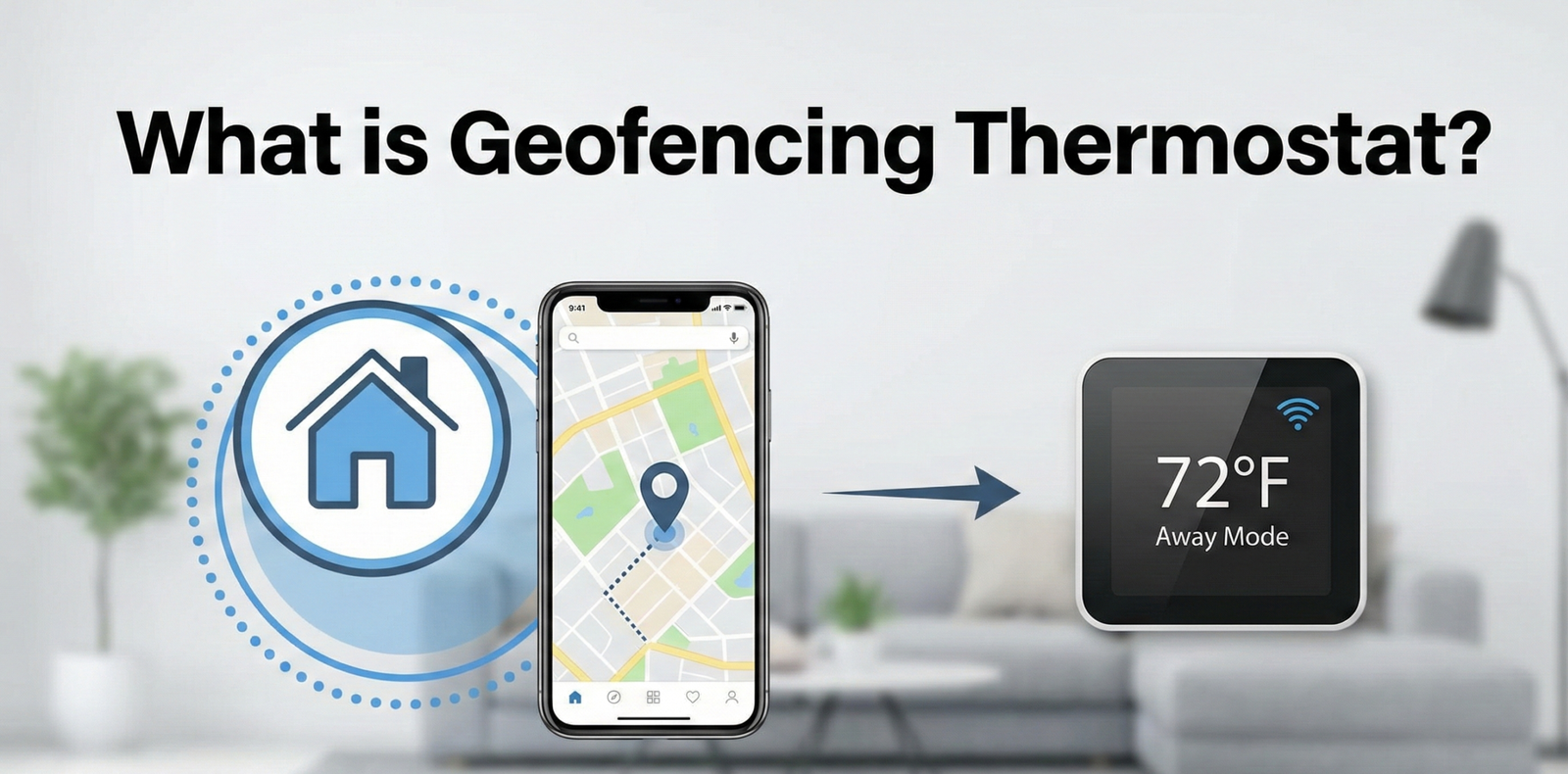
Imagine a home that knows when you are coming back before you even open the door. Geofencing is transforming the humble thermostat from a static switch into an intelligent energy manager.
The Evolution of Climate Control
For decades, the standard thermostat was a manual dial. You turned it up when you were cold and down when you left—if you remembered. Then came programmable thermostats, which allowed users to set schedules. While an improvement, these devices were rigid. If you stayed late at work, your furnace would still heat an empty house at 5:00 PM, wasting money.
Enter the era of the smart home. To have the modern thermostat explained simply, we must look at how it interacts with you. The latest innovation, geofencing, removes the need for rigid schedules entirely, basing your home’s temperature on your physical location.
It’s worth being precise about what “smart” actually means in this context, because the term gets applied loosely across the industry. A thermostat that can be adjusted remotely from an app is convenient, but it isn’t automatically intelligent — it still requires you to remember to make the change. A thermostat that follows a fixed schedule is more automated, but it isn’t adaptive — it can’t tell the difference between a normal Tuesday and a day you left the office three hours early. Geofencing, paired with the adaptive recovery logic covered later in this guide, is what closes that gap: it’s the first mainstream thermostat feature that reacts to what you’re actually doing in real time, rather than to a calendar or a remembered button press.
What Exactly Is Geofencing?
Geofencing is a location-based service that uses an app on your smartphone (using GPS, RFID, Wi-Fi, or cellular data) to create a virtual geographic boundary around a specific location—in this case, your home.
Think of it as an invisible electric fence, but instead of shocking you, it triggers a command. When your device enters or exits this perimeter, the “geofence” sends a signal to your smart thermostat to adjust the temperature settings.
How It Works Step-by-Step
- The Setup: You install a smart thermostat and download the companion app (e.g., Nest, Ecobee, Honeywell Home).
- The Boundary: You set a radius around your home, typically anywhere from 500 feet to several miles.
- The Trigger: When you leave the radius with your phone, the app signals the thermostat to switch to “Away” or “Eco” mode, lowering the temperature to save energy.
- The Return: As soon as you cross back into the radius, the system kicks on, ensuring your home is comfortable by the time you walk through the door.
Single-Fence vs. Multi-Fence (Nested) Geofencing
Most entry-level implementations use a single fence: one radius, one trigger point, one “Away” or “Home” state. That works fine for a single commuter with a predictable route, but it starts to break down once you look closely at how HVAC systems actually behave. A furnace or heat pump doesn’t respond instantly. It takes time to recover a home from a setback temperature to a comfortable one, and that recovery time changes depending on outdoor conditions, insulation quality, and system capacity. A single static fence can’t account for any of that.
This is why several premium ecosystems have moved toward what’s often called nested or multi-fence geofencing. Instead of one boundary, the system defines two: an outer “pre-conditioning” fence and an inner “arrival” fence. When you cross the outer fence on your way home, the thermostat doesn’t immediately jump to your comfort setpoint — it starts calculating how much lead time it needs and begins ramping the system so that the temperature lands exactly where you want it by the time you cross the inner fence and walk through the door. When you leave, the logic runs in reverse: crossing the inner fence starts a short grace period (in case you just stepped out to the mailbox), and only crossing the outer fence commits the system to Eco or Away mode.
Why Radius Size Actually Matters
A geofence that’s set too tight creates a lag problem — the system doesn’t get enough warning to recover the temperature before you’re already inside, so you walk into a house that’s still too warm or too cold. A geofence that’s set too wide creates a waste problem — the system starts conditioning the home while you’re still stuck in traffic 25 minutes away, burning energy for no benefit. Some newer thermostats now adjust the fence size dynamically based on real-time factors: a wider “pre-heat” trigger on a sub-freezing day when the furnace needs more recovery time, and a tighter one on a mild afternoon when the system barely has to work at all. If your device supports it, this dynamic adjustment is usually worth enabling, since it removes the guesswork of picking a single radius that works for every season.
Adaptive Recovery: The Logic Behind the Comfort
Geofencing gets most of the attention, but the feature doing the real work behind the scenes is adaptive recovery. This is the algorithm that decides exactly when to start heating or cooling so that your home hits the target temperature at the moment you arrive — not five minutes before, and not twenty minutes after.
Older programmable thermostats used a fixed recovery time: if you told it to be 70°F by 6:00 PM, it might always start heating at 5:30 PM regardless of conditions. Adaptive recovery replaces that fixed offset with a learning model. The thermostat tracks how long your specific system took to recover from similar starting temperatures in the past, factors in current outdoor temperature and (on some models) local weather data, and calculates a custom lead time for that exact day. A well-tuned adaptive recovery system means the difference between walking into a home that’s already comfortable and walking into one that’s still catching up.
When paired with geofencing, adaptive recovery is what makes the “arrive to comfort” promise actually work. The geofence tells the thermostat when you’re a known distance away; adaptive recovery translates that distance and your typical driving time into a start signal for the HVAC system. Without adaptive recovery, geofencing is really just a location-triggered on/off switch. With it, geofencing becomes a genuinely predictive comfort system.
When Adaptive Recovery Gets It Wrong
This system isn’t foolproof. A sudden cold snap, a longer-than-usual commute, or a system that’s lost efficiency due to a dirty filter can all throw off the calculation. If you consistently arrive home to a temperature that’s off target, it’s worth checking whether your adaptive recovery feature has had enough historical data to learn your patterns — most systems need one to two weeks of consistent use before their predictions stabilize.
The Industry Leader in Geofencing

The Google Nest Learning Thermostat uses “Home/Away Assist” to seamlessly integrate geofencing with sensor data.
Check Price on AmazonWhy You Should Care: The Benefits
Why upgrade from a simple programmable unit? The answer lies in the dynamic nature of modern life.
1. Massive Energy Savings
The primary driver for adoption is cost. Do smart thermostats really save money? Absolutely, and geofencing is the main reason why. By ensuring your HVAC system never runs when the house is empty, you avoid heating or cooling unused space. For a deeper dive into the financial mechanics, read our analysis on how a smart thermostat saves money.
2. Unpredictable Schedules
If you work irregular hours, a 9-to-5 programmable schedule is useless. Geofencing adapts to you. Whether you come home at 3 PM or 9 PM, the house is ready.
3. Passive Efficiency
Efficiency isn’t just about insulation (though you should read our complete thermos guide to understand the physics of heat retention). It’s about active management. Geofencing provides this without you lifting a finger.
The Limitations of Geofencing
No technology is perfect. Before you buy, consider these potential hurdles.
Pros
- Set it and forget it automation.
- Adapts to irregular lifestyles.
- Prevents heating empty homes.
- Accessible via smartphone apps.
Cons
- Requires all residents to have smartphones.
- Can drain phone battery (GPS usage).
- Requires stable internet connection.
- Privacy concerns regarding location tracking.
The “Multi-User” Problem
One common question is: “What if I leave, but my partner is still home?” Early geofencing models would turn the heat off, leaving the remaining person freezing. Modern systems use multi-user geofencing. The system only triggers “Away” mode when the last registered device leaves the perimeter.
However, this doesn’t help with guests, babysitters, or children without phones. In these cases, presence sensors (motion detectors) are a necessary backup.
It’s also worth flagging a less obvious version of this problem: pets. A geofence has no way to know a dog or cat is still inside, so an aggressive Away setback on a hot day can be a genuine welfare concern for animals left home alone, not just an inconvenience. If you have pets, treat the Away setpoint as a comfort floor for them, not purely as an energy-savings lever, and lean on the motion-sensor backup where available so a large enough pet moving around the house doesn’t get mistaken for an empty home either.
Top Brands: How They Handle Geofencing
Not all implementations are equal. Here is how the major players compare.
Honeywell (Resideo)
Honeywell was an early adopter of geofencing via their App. It is straightforward and rigid. If you cross the line, the temperature changes. This is great for singles or couples with predictable habits. If you are debating between brands, check our Honeywell vs Emerson thermostat comparison.
Ecobee
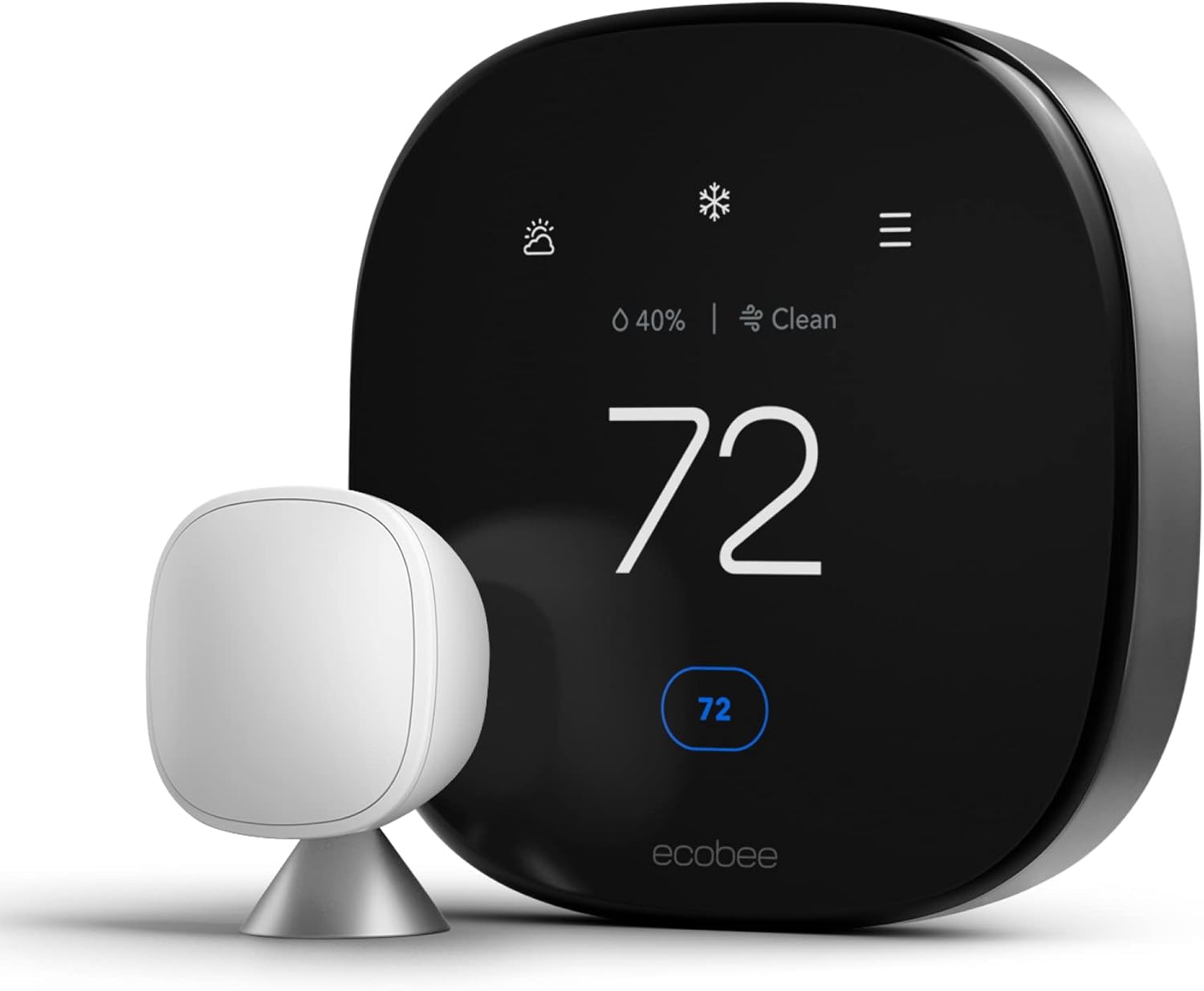
Ecobee combines geofencing with physical room sensors. This is superior for larger families. Even if your phone location glitches, the sensors know you are home. See how it stacks up against competitors in our Ecobee vs Wyze thermostat review.
Google Nest
Nest uses “Home/Away Assist,” which is a hybrid. It uses your phone’s location plus the motion sensor built into the unit. It also learns your schedule over time. For a detailed head-to-head, read our Honeywell thermostat vs Nest article.
Emerson Sensi
Sensi’s geofencing implementation is deliberately conservative. Rather than triggering the moment you cross a single boundary, it waits for a confirmation signal before switching modes, which reduces the odds of a false “Away” trigger caused by a momentary GPS glitch. The tradeoff is a slightly slower response time compared to Nest or Ecobee, but for households that found early geofencing systems too twitchy, that extra caution can be a feature rather than a limitation.
Wyze
Wyze entered the smart thermostat market at a noticeably lower price point, and its geofencing feature reflects that budget positioning — it’s functional but bare-bones. There’s no adaptive recovery layered on top, no multi-fence logic, and no room-sensor backup. For anyone who wants basic location-based automation without paying for a premium ecosystem, it does the job. For anyone who wants the more predictive, “arrive to comfort” experience described above, it will feel like a step down from Nest or Ecobee.
Amazon Smart Thermostat
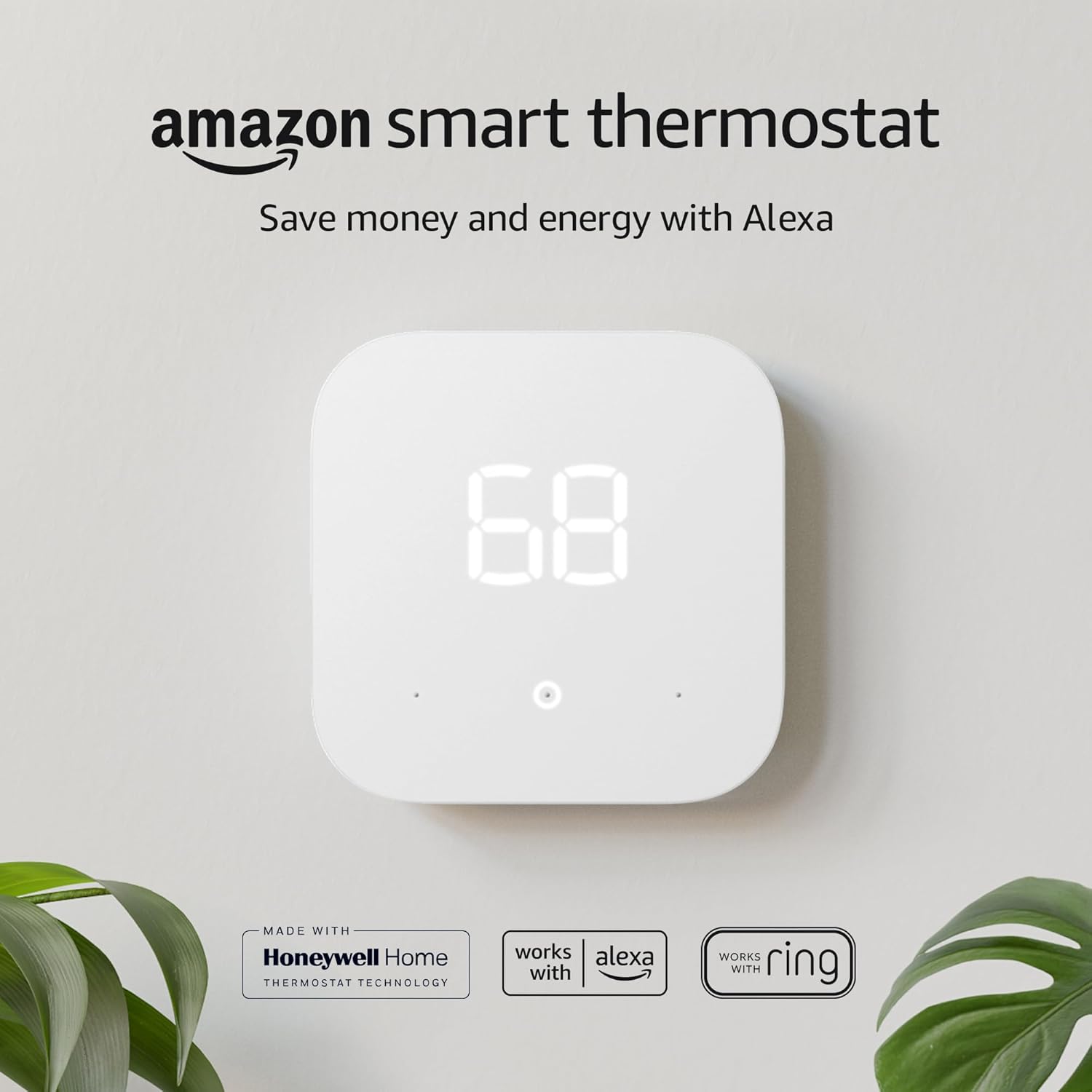
Amazon’s own thermostat leans on Alexa and Amazon’s Smart Home hub for its location-based automations rather than running a fully native geofencing engine of its own. It’s a reasonable pick for households already deep in the Alexa ecosystem, though the geofencing behavior is less refined than dedicated smart thermostat brands that have spent years tuning the feature specifically for HVAC control.
Mysa
Mysa is best known for supporting electric baseboard and radiant heating systems that most competitors ignore. Its geofencing is comparable to Honeywell’s in that it’s straightforward and rule-based rather than predictive, but for households running baseboard heat, Mysa is often the only realistic option that offers any location-based automation at all.
Geofencing vs. Fixed Schedules: Which Should You Actually Use?
It’s tempting to treat geofencing as a strict upgrade over schedule-based automation, but in practice, the two solve slightly different problems, and the best setup for most households is a hybrid of the two rather than a pure either/or choice.
| Factor | Fixed Schedule | Geofencing |
|---|---|---|
| Best for | Predictable 9-to-5 routines | Irregular hours, remote work, frequent travel |
| Reliability | Consistent, no dependency on phone/GPS | Can misfire with poor signal or a dead phone |
| Energy waste risk | Higher (heats/cools on schedule even if house is empty) | Lower (only conditions when someone is actually present or approaching) |
| Setup complexity | Low | Moderate (radius tuning, multi-user setup) |
| Privacy tradeoff | None | Requires continuous background location sharing |
The households that get the most value from a hybrid setup usually keep a loose schedule as the baseline — a comfortable daytime temperature and a modest nighttime setback — and let geofencing act as an override layer on top of it. That way, if the geofencing signal fails for any reason (a dead phone battery, a Wi-Fi outage, an app permission that got reset during a phone update), the home still falls back to a sane default instead of getting stuck in whatever mode it was last in.
Best for Multi-Room Comfort

The Ecobee Smart Thermostat Premium includes SmartSensor technology to correct hot and cold spots in your home.
Check Price on AmazonInstallation and Requirements
Geofencing is a software feature, but it relies on hardware. The most critical requirement is a stable power source. Because these thermostats are constantly communicating with Wi-Fi and cloud servers, they consume more power than old digital units.
You typically need a C-wire (Common wire). Without one, your thermostat might steal power from the furnace, leading to issues where the thermostat keeps rebooting. If you lack a C-wire, you might experience thermostat low battery symptoms more frequently.
Note on Heating Systems: Most smart thermostats work with forced air. If you have electric baseboards, you need a specialized unit. Check our guide on the thermostat for baseboard heaters before purchasing.
Common Troubleshooting
If your geofencing isn’t triggering correctly, check the following:
- Background App Refresh: Ensure your phone allows the thermostat app to run in the background.
- Connectivity: If your Wi-Fi drops, the thermostat can’t receive the “I’m home” signal. Are WiFi thermostats worth it if the internet is spotty? Probably not.
- Hardware Failure: If the app says “Heating” but the room is cold, the issue might not be the geofence. See our guide: Thermostat says heat on but no heat.
Geofencing With Heat Pumps: A Special Case
If your home runs on a heat pump rather than a conventional gas furnace, geofencing behaves noticeably differently, and it’s worth understanding why before you set your radius. Heat pumps move heat rather than generate it directly, which means their recovery time from a deep setback is much slower than a gas furnace’s, especially in cold climates. A furnace might close a 10-degree gap in twenty minutes; a heat pump in freezing weather can take well over an hour to do the same.
This creates a real conflict with aggressive geofencing setups. If your Away/Eco setback is deep and your geofence radius is small, you’ll routinely walk into a home that’s still far from your target temperature, because the system simply didn’t have enough lead time to recover. Many heat pump systems also rely on auxiliary or emergency heat strips to speed up recovery when the compressor alone can’t close the gap fast enough, and those strips are dramatically more expensive to run than the compressor. An aggressive geofencing setup that repeatedly triggers auxiliary heat can quietly erase the energy savings that geofencing was supposed to deliver in the first place.
The practical fix is twofold: widen your geofence radius so the system gets more lead time on heat-pump equipped homes, and keep your Away setback modest (a few degrees) rather than deep, so recovery doesn’t require auxiliary heat at all. If your thermostat supports adaptive recovery, make sure it’s specifically configured to recognize heat pump equipment — most modern models detect this automatically during setup, but it’s worth confirming in the settings menu if comfort has been inconsistent.
Beyond Geofencing: Total Temperature Control
Geofencing is just one layer of control. To truly master your home’s climate, you should integrate it with other strategies.
For example, when you go on a long trip, geofencing is useful, but a dedicated “Vacation Mode” is safer to prevent frozen pipes. Read our expert advice on what temperature to set your thermostat when on vacation in winter.
Additionally, consider passive heat retention. Just as we look for the most durable thermos options to keep our coffee hot, your home needs good insulation to keep the heat in once the thermostat turns off. You can learn principles of heat retention in our guide to using a thermos—the physics apply to your house as well!
Smart Home Integrations: Beyond the Thermostat
Geofencing rarely lives in isolation once a household starts building out a broader smart home. Most major thermostat apps support integrations that let a single “arriving home” or “leaving home” event trigger more than just a temperature change.
IFTTT and Routine Automations
IFTTT (If This Then That) and similar automation platforms let you chain a geofence trigger to other actions: unlocking the smart lock as you cross the inner fence, turning on entryway lights at dusk if you’re still outside the fence, or sending a notification to a partner’s phone confirming the house is now in Away mode. These chained routines are where geofencing starts to feel less like a single-purpose feature and more like the backbone of a broader “arrival” and “departure” experience for the whole house.
Alexa and Google Home
Both major voice assistant ecosystems can read a thermostat’s Home/Away state and use it as a condition for other automations — for example, only allowing “Alexa, good night” routines to arm the security system if the geofence confirms everyone has left. This cross-device awareness is one of the more underrated benefits of geofencing: it isn’t just adjusting temperature, it’s giving your entire smart home a reliable signal for occupancy.
Apple HomeKit and Background Location
iPhone users should be aware that Apple’s background location permissions are stricter than Android’s by default, which can make geofencing feel less responsive on iOS unless “Always Allow” location access is explicitly granted to the thermostat app. This is one of the most common causes of “my geofencing randomly stopped working” complaints, and it’s worth checking first before assuming there’s a hardware fault.
Security and Privacy: What Really Happens to Your Location Data
Because geofencing requires continuous background location sharing, it raises legitimate privacy questions that go beyond the brief note in the FAQ. Understanding what’s actually collected — and what isn’t — can help you decide how comfortable you are with the tradeoff.
Reputable thermostat manufacturers generally don’t store a running history of everywhere your phone has been. What they store is a current relative state: are you inside the fence, or outside it. Some apps do retain a log of when transitions happened (useful for troubleshooting and for the adaptive recovery algorithm described earlier), but this is typically limited to your home’s fence, not a full location trail of your day.
That said, “typically” isn’t a guarantee, and privacy practices vary by brand and by app version. A few practical steps worth taking regardless of which system you use:
- Read the app’s specific privacy policy rather than assuming all smart home brands handle location data the same way.
- Enable two-factor authentication on your thermostat account if the app supports it — this protects against someone remotely accessing your home’s occupancy status, not just your temperature settings.
- Keep firmware and the companion app updated, since location-handling code is one of the more common targets for security patches.
- Review connected household members periodically, especially after a shared living situation changes (a roommate moves out, a family member gets a new phone) so old devices aren’t still quietly reporting location.
Alternatives to Geofencing
Geofencing isn’t the only path to a smarter, more efficient thermostat, and it’s not the right fit for every household. If the privacy tradeoff, the smartphone dependency, or the setup complexity gives you pause, there are solid alternatives.
Motion and Occupancy Sensors
Built-in or add-on motion sensors (the kind Ecobee and Nest already use as a geofencing backup) can run entirely on their own, detecting when a room or home has been empty for a set period and adjusting accordingly — no smartphone, no location permissions, no GPS battery drain. The tradeoff is that occupancy sensors react after the house is already empty rather than predicting your return, so they can’t offer the same “arrive to comfort” timing that geofencing provides.
Pure Learning Thermostats
Some thermostats skip location awareness entirely and instead build a statistical model of your routine purely from your manual adjustments over time. This works reasonably well for households with genuinely consistent schedules, but it struggles the same way fixed schedules do when your routine changes week to week.
Smart Lock or Garage Door Triggers
For households that already use a smart lock or smart garage door opener, some ecosystems allow the door event itself to serve as the “arrival” trigger instead of a phone-based geofence. This sidesteps GPS accuracy issues entirely, though it only captures arrival, not the advance warning geofencing provides for pre-conditioning the home before you’re actually at the door.
Manual Override With Reminders
The simplest alternative is also the oldest: a basic schedule plus phone reminders (or a smart display prompt) to manually adjust the thermostat before leaving on an unplanned trip. It requires more discipline, but it eliminates every privacy and reliability concern that comes with automated location tracking.
Cost Considerations: Subscriptions, Rebates, and Real ROI
The sticker price of the thermostat itself is only part of the cost picture. A few line items are worth budgeting for before you commit to a geofencing setup.
Subscription Fees
Some premium features that layer on top of basic geofencing — extended history, advanced alerts, and certain integrations — are gated behind optional subscription plans on a few platforms. Basic geofencing itself is generally included at no extra cost, but it’s worth checking the specific app’s pricing page before assuming every feature you see advertised is free.
Utility and Manufacturer Rebates
Many utility companies offer rebates for Energy Star-certified smart thermostats, and some go further by offering additional incentives specifically for units that support demand-response programs (where the utility can briefly adjust your setpoint during peak grid demand in exchange for a bill credit). These programs vary heavily by region and utility provider, so it’s worth checking your utility’s website before purchasing — a rebate can offset a meaningful chunk of the upfront cost.
Realistic Payback Period
Energy savings from geofencing depend heavily on how often your home would otherwise be sitting empty on a fixed schedule. A household with a consistent 9-to-5 routine that already uses a tight schedule may see a modest improvement from adding geofencing. A household with wildly unpredictable hours — shift work, frequent travel, a hybrid remote schedule — tends to see the largest gains, because a fixed schedule was likely wasting the most energy in that scenario to begin with.
Renters, Multi-Occupant Homes, and Zoned Systems
Geofencing assumptions get more complicated outside the standard single-family, owner-occupied scenario, and it’s worth addressing those cases directly.
Renters
Most smart thermostats are designed to be uninstalled and taken with you when you move, which makes them a reasonable investment even for renters — just confirm with your landlord before making any wiring changes, and keep the original thermostat to reinstall at move-out if your lease requires it.
Roommates and Shared Housing
Multi-user geofencing (covered earlier) handles the basic “don’t turn off the heat while someone’s still home” problem, but shared housing often needs an additional layer: agreeing on a shared comfort setpoint and Away threshold so the system isn’t repeatedly overridden by different residents with different preferences. Most apps allow view-only access for some household members and full control for others, which can reduce this kind of setpoint tug-of-war.
Zoned Systems
Homes with multiple HVAC zones can extend geofencing further by tying different zones to different household members’ individual locations — conditioning only the primary bedroom zone if just one person is expected home, for example, rather than the whole house. Not every thermostat brand supports zone-specific geofencing, so if this is a priority, confirm zone compatibility before purchasing rather than assuming it’s a standard feature.
How to Set Up Geofencing Correctly: A Configuration Walkthrough
A surprising number of “my geofencing doesn’t work” complaints trace back to a rushed initial setup rather than a hardware fault. Taking the time to configure it properly the first time saves weeks of frustration later.
Step 1: Grant the Right Location Permission
Location access has to be set to “Always Allow” rather than “While Using the App.” Most geofencing failures on iPhone specifically come from this permission silently reverting to “While Using” after an app or OS update, since background location tracking is exactly what a geofencing feature needs to function while your phone is locked in your pocket.
Step 2: Set a Realistic Radius for Your Commute
Rather than guessing, think through your actual commute pattern. If you regularly hit predictable traffic on the way home, set the radius wide enough to account for it — remember, the goal is for the outer fence to trigger with enough lead time for the HVAC system to fully recover before you arrive, not just for the fence itself to be crossed at the right moment.
Step 3: Add Every Household Member’s Phone
Skipping this step is the single most common cause of “the heat turned off while I was still home” complaints. Every resident who should count toward the multi-user Away logic needs the app installed and their location sharing enabled — a single missing device breaks the whole multi-user calculation.
Step 4: Configure Backup Occupancy Sensors if Available
If your thermostat includes a built-in or add-on motion sensor, make sure it’s enabled as a backup trigger, not just an optional extra. This is what catches guests, kids without phones, and pets, preventing the awkward scenario where the geofence thinks the house is empty when it clearly isn’t.
Step 5: Set a Moderate Away Setpoint, Not an Extreme One
It’s tempting to set an aggressive Away temperature to maximize savings, but as covered in the heat pump section above, an overly deep setback just shifts the burden onto a slower, more expensive recovery when you return. A moderate setback paired with reliable geofencing timing usually beats an extreme setback paired with a system that’s constantly playing catch-up.
Step 6: Let the System Learn Before Judging It
Give any adaptive recovery feature at least one to two weeks of consistent, real-world use before deciding it isn’t working. These systems improve their timing predictions with more data, and judging performance based on day one is one of the most common reasons people abandon geofencing prematurely.
Common Myths About Geofencing Thermostats
Myth: Geofencing Always Saves More Energy Than a Schedule
Not necessarily. As the comparison table above shows, a well-designed fixed schedule for a predictable routine can perform nearly as well. Geofencing’s real advantage shows up specifically when your schedule is irregular.
Myth: A Smaller Radius Is Always More Efficient
A radius that’s too small actually undermines efficiency by forcing the HVAC system into a rushed, less efficient recovery — and on a heat pump, it can trigger expensive auxiliary heat. Bigger isn’t always wasteful, and smaller isn’t always better; the right radius is the one that matches your system’s actual recovery time.
Myth: Geofencing Constantly Tracks and Stores Your Exact Location
As covered in the privacy section above, most reputable systems only track your position relative to the fence, not a continuous GPS trail of your day. It’s still worth reading the specific privacy policy of your chosen app, but the “constant surveillance” framing overstates what’s actually happening in most implementations.
Myth: You Need a Whole-House Smart Home Setup for Geofencing to Be Worth It
Geofencing works as a standalone feature on a single thermostat with no other smart devices required. The integrations covered earlier (smart locks, voice assistants) are genuinely nice extras, not prerequisites.
Geofencing Technology Under the Hood: GPS vs. Wi-Fi vs. Cellular vs. Bluetooth
Not all “location” signals used for geofencing come from the same source, and understanding the difference explains a lot about why geofencing sometimes feels inconsistent.
GPS
Satellite GPS is the most accurate option outdoors, typically pinpointing your location within a few meters. It’s also the most battery-intensive, which is why most apps don’t rely on continuous high-accuracy GPS polling in the background — doing so would drain a phone in a matter of hours.
Cellular Tower Triangulation
Most geofencing apps lean on cellular triangulation for the bulk of their background tracking, since it’s far more battery-efficient than GPS. The tradeoff is accuracy: triangulation can be off by hundreds of meters in rural areas with sparse tower coverage, which is one reason a geofence radius that’s too tight can produce inconsistent results.
Wi-Fi Positioning
Once you’re near enough to detect familiar Wi-Fi networks, some systems use Wi-Fi positioning to refine your location, which is part of why geofencing tends to become more reliable the closer you get to home — it’s not just proximity, it’s a genuine improvement in positioning accuracy.
Bluetooth Beacons
A smaller number of systems support a Bluetooth beacon placed near the entryway, which acts as a highly precise “you’re actually home now” confirmation rather than relying on GPS or cellular data for that final few feet. This isn’t common in mainstream thermostat ecosystems yet, but it’s worth watching for as smart home platforms continue to mature.
In practice, most consumer geofencing blends several of these signals automatically rather than relying on just one, switching to more accurate (and more power-hungry) methods only as you approach the fence boundary. Understanding this layered approach helps explain why a radius set too small can produce flaky results — you’re asking the least accurate, most battery-conscious layer of the system to make a precise call.
Seasonal Geofencing: Summer Cooling vs. Winter Heating Strategies
A geofence radius and setback that work well in one season can perform poorly in another, because recovery times for heating and cooling aren’t symmetrical.
Winter Heating Considerations
Cold-weather recovery is usually the slower of the two, particularly on heat pump systems, as covered earlier. Winter setups generally benefit from a wider outer fence and a shallower Away setback, giving the system more lead time and less ground to make up.
Summer Cooling Considerations
Air conditioning recovery is often faster than heating recovery, especially on a properly sized system, which means summer geofencing can typically tolerate a tighter radius and a deeper Away setback without sacrificing comfort on arrival. Humidity is the wildcard here: a home that’s been sitting in Away mode on a humid day may feel sticky even after the temperature itself has recovered, since dehumidification takes longer than straight cooling. If your climate is humid, consider a slightly less aggressive Away setback during the cooling season specifically to avoid that lingering “still feels warm” sensation.
Shoulder Seasons
Spring and fall often need the least aggressive geofencing of all, since outdoor and indoor temperatures are closer together and recovery times shrink accordingly. Some households simplify things by disabling deep setbacks entirely during shoulder months and letting geofencing handle only the on/off decision rather than a large temperature swing.
If your thermostat supports seasonal profiles, setting up separate radius and setback values for heating and cooling seasons (rather than relying on one configuration year-round) is one of the more overlooked ways to get consistently better results from geofencing.
Real-World Scenarios: Configuring Geofencing for Your Household
Because the “right” setup depends so heavily on routine, equipment, and climate, it helps to see how a few common household types might approach it differently.
The Predictable Commuter
A single person or couple with a consistent office schedule and a short, predictable commute doesn’t need an especially wide radius — the drive time is short and consistent, so a moderate fence with standard adaptive recovery settings usually performs well. This household might see only a modest improvement over a well-tuned fixed schedule, since their routine is already predictable enough for scheduling to work reasonably well on its own.
The Hybrid Remote Worker
Someone who’s home some days and out unpredictably on others is exactly the profile geofencing was built for. A fixed schedule can’t adapt to a routine that changes day to day, but geofencing responds to wherever the person actually is. This household benefits most from keeping the Away setback moderate (since departures and returns can happen at any hour) and ensuring the geofence app has reliable background permissions, since inconsistent triggering is especially disruptive when the schedule is already unpredictable.
The Frequent Traveler
For someone who’s away on multi-day trips regularly, geofencing’s day-to-day radius logic matters less than having a dedicated vacation or extended-away mode layered on top, as discussed in the vacation mode section above. A basic Away setback isn’t aggressive enough for a week-long absence, and running it that way risks frozen pipes in cold climates or excessive humidity buildup in warm ones.
The Multi-Generational Household
Homes with multiple adults, some of whom may not carry a smartphone everywhere (older family members, young adults without their own device), lean heavily on the multi-user and motion-sensor backup features discussed earlier. Skipping the sensor backup in this scenario is one of the more common configuration mistakes, since it’s easy to assume everyone in the house is tracked when in reality one or two residents simply aren’t.
The Large or Multi-Story Home
Bigger homes typically have longer, more variable recovery times, especially if there’s no zoning system to condition floors independently. These households often need a wider radius than their commute alone would suggest, simply to give the HVAC system enough time to bring a larger volume of space up to temperature. If zoning is available, splitting geofencing logic by floor (as discussed in the zoned systems section above) can meaningfully improve both comfort and efficiency compared to treating the whole home as one large, slow-to-recover zone.
DIY Installation vs. Professional Installation
Most geofencing-capable thermostats are designed for DIY installation, and manufacturers generally provide compatibility checkers and step-by-step in-app wiring guides. For a straightforward swap — replacing an existing thermostat with compatible wiring and an existing C-wire — a confident DIYer can usually complete the job in under an hour.
Professional installation becomes the more sensible choice in a few specific situations: no existing C-wire and a wiring configuration that isn’t straightforward to adapt, a heat pump or multi-stage system with wiring that doesn’t match the simplified diagrams in consumer installation guides, or a household that’s simply not comfortable working with low-voltage electrical wiring. Many HVAC companies and some big-box retailers offer smart thermostat installation as an add-on service, and a few thermostat manufacturers maintain their own referral networks for certified installers.
It’s worth noting that a poor installation — particularly a missing or improperly wired C-wire — is one of the more common root causes behind seemingly unrelated geofencing complaints, including inconsistent Wi-Fi connectivity and unexpected reboots. If your geofencing has never worked reliably since day one, it’s worth ruling out an installation issue before assuming it’s a software or account configuration problem.
Warranty, Support, and Long-Term Reliability
Because geofencing depends on an ongoing relationship between your thermostat’s firmware, a cloud service, and a phone app that gets updated independently of the hardware, long-term reliability is worth weighing alongside the upfront feature set.
Standard hardware warranties on major smart thermostat brands typically run one to three years, but the software and cloud service that actually powers geofencing isn’t always covered by the same terms, and it isn’t unheard of for older thermostat models to eventually lose active feature support as manufacturers shift resources to newer product lines. Before buying, it’s worth checking how long a given manufacturer has historically supported its older models with app and firmware updates — a brand with a strong track record of multi-year software support is a safer long-term bet than one that’s discontinued smart features on older hardware in the past.
Climate Zone Considerations for Geofence Radius
Because recovery time is really a function of how far outdoor conditions have pulled your indoor temperature away from your setpoint, the climate you live in should factor into your radius decision as much as your commute does.
In milder coastal or temperate climates, the gap between an Away setback and your comfort setpoint tends to be small most of the year, so a tighter radius and a fairly deep setback rarely cause noticeable discomfort. In climates with harsh winters or intense summer heat, that same setup can leave a system scrambling to close a large gap in a short window, which is exactly the scenario a wider radius and a shallower setback are meant to prevent. Households in climates with large day-to-night temperature swings may also benefit from adjusting their setback more conservatively overnight than during the day, since a home that’s already fighting a big outdoor-to-indoor gap after sunset has less margin for error than one doing the same job at 2 p.m.
If you’ve moved between climate zones and brought a thermostat configuration with you from a previous home, it’s worth revisiting your radius and setback rather than assuming settings that worked well in one climate will translate directly to another.
Geofencing Terms Glossary
Between manufacturers, the same underlying concepts often get slightly different marketing names. Here’s a quick reference so you can compare specs across brands without getting tripped up by naming conventions.
- Geofence radius: The distance from your home at which the “leaving” or “arriving” trigger fires. Sometimes shown in miles, sometimes in a preset like “small/medium/large.”
- Away mode / Eco mode: The energy-saving setpoint the thermostat switches to once every tracked resident is confirmed outside the fence.
- Home/Away Assist: Google Nest’s specific branding for its combined geofencing-plus-motion-sensor logic.
- Adaptive recovery: The algorithm that calculates when to start heating or cooling so the home reaches the target temperature at, rather than before or after, your expected arrival.
- Multi-user geofencing: Logic that waits until the last tracked household member’s phone leaves the fence before switching to Away mode, and reactivates as soon as the first one returns.
- Nested or multi-fence geofencing: A setup using two boundaries — an outer “start pre-conditioning” fence and an inner “confirm arrival” fence — rather than a single trigger point.
- Auxiliary/emergency heat: A backup heat source (usually electric resistance strips) on heat pump systems that kicks in when the compressor alone can’t recover the temperature fast enough.
- Demand-response program: A utility-run program that can briefly adjust your thermostat’s setpoint during peak grid demand in exchange for a bill credit or rebate.
Frequently Asked Questions
What is the best radius setting for geofencing?
For most people, a radius of 2 to 5 miles is ideal. If the radius is too small, your HVAC system won’t have enough time to heat or cool the house before you arrive. If it’s too large, the system will turn on while you are still 30 minutes away, wasting energy.
Can I use geofencing with a battery-operated thermostat?
It is difficult. Constant location polling and Wi-Fi communication drain batteries rapidly. It is recommended to use a C-wire powered unit. However, some of the best battery operated thermostats have optimized low-power Wi-Fi modes.
What if I don’t have a smartphone?
You cannot use geofencing without a smartphone. However, you can use a smart thermostat with motion sensors (like Ecobee or Nest) which will approximate geofencing by detecting when the house has been quiet for a set period.
Why is my thermostat not reaching the set temperature after I arrive?
This could be due to a “Recovery Mode” delay or an undersized HVAC system. If the geofence triggers too late, the system physically cannot heat the air fast enough. Check our guide on thermostat not reaching set temperature for solutions.
Is my location data safe?
Reputable brands like Google (Nest) and Ecobee encrypt location data. They generally do not store a history of your movements, only your current state relative to the “fence.” Always check the privacy policy of the specific app you use.
Does geofencing work differently with a heat pump than a gas furnace?
Yes. Heat pumps recover from a setback more slowly than gas furnaces, especially in cold weather, and an overly aggressive setback can trigger expensive auxiliary heat strips. Homes with heat pumps generally do better with a wider geofence radius and a more moderate Away setpoint.
Should I use geofencing or a fixed schedule?
It depends on how predictable your routine is. Fixed schedules work well for consistent 9-to-5 households and don’t depend on a phone or GPS signal. Geofencing shines for irregular hours, remote work, and frequent travel. Many households get the best results by keeping a loose schedule as a fallback and layering geofencing on top of it.
Can I automate other smart home devices with my thermostat’s geofence?
Yes, through platforms like IFTTT, Amazon Alexa, or Google Home, a geofence crossing can trigger more than just a temperature change — unlocking a smart lock, adjusting lights, or arming a security system are common combinations.
Do I need a subscription to use geofencing?
Basic geofencing is typically included free with the thermostat’s companion app. Some brands gate advanced features like extended history or certain premium integrations behind an optional subscription, so check the specific app’s pricing page if you’re unsure.
Are there rebates available for geofencing-capable smart thermostats?
Many utility companies offer rebates for Energy Star-certified smart thermostats, and some offer additional incentives for units that support demand-response programs. Availability varies by region, so check with your local utility provider before purchasing.
Can renters install a geofencing thermostat?
In most cases, yes. Smart thermostats are designed to be removable, so renters can typically take the device with them at move-out. Confirm with your landlord before making any wiring changes, and keep the original thermostat on hand in case your lease requires reinstalling it.
Should my geofence radius be different in summer than in winter?
Often, yes. Heating recovery is typically slower than cooling recovery, especially on heat pump systems, so many households benefit from a wider radius and shallower setback in winter and a slightly tighter, deeper setback in summer. If your thermostat supports seasonal profiles, configuring them separately usually outperforms a single year-round setting.
Why does my geofencing work fine on Android but feel unreliable on iPhone?
This is almost always a location-permission issue. iOS requires the thermostat app to be granted “Always Allow” background location access; if it’s set to “While Using the App,” the geofence signal will only update when you happen to have the app open, which makes triggering feel random.
Final Verdict: Is Geofencing Worth It?
Geofencing represents the shift from “programmable” to “intelligent.” It removes the cognitive load of managing your home environment. If you live an unpredictable life, have a smartphone, and want to save money without sacrificing comfort, a geofencing thermostat is one of the best investments you can make.
However, ensure your home is compatible. Check your wiring, choose the best smart thermostat for energy savings that fits your specific needs, and enjoy the luxury of a home that welcomes you warmly every time you return.
The real takeaway from everything above is that geofencing isn’t a single feature you switch on and forget about — it’s a system made up of several interlocking parts: the fence radius, adaptive recovery, multi-user logic, and (on heat pump systems especially) a sensible setback strategy. Getting the hardware right is only the first step. The households that get the most out of geofencing are the ones who take a little time during setup to match the radius and setback to their actual commute and equipment, add backup occupancy sensors where available, and let the system collect a couple of weeks of real data before judging its performance. Do that, and the “walk into a comfortable home every time” promise stops being marketing language and starts being what actually happens.
Ready to Upgrade?
Don’t let your old thermostat waste another dollar. Upgrade to a smart, geofencing-enabled device today.
Browse Top Rated Thermostats on Amazon



 Home
Home
 Info
Info
 Compare
 Reviews
 Shop
Shop