

Best Budget Thermostats Under $50: Affordable Climate Control for Every Home
There was a time when owning a smart thermostat was a luxury reserved for those willing to drop $250 on a shiny piece of wall art. In those early days, names like Nest and Ecobee dominated the landscape, commanding premium prices for the privilege of remote scheduling. But the smart home market has matured rapidly. Today, the technology that once cost a fortune has become democratized, leading to an explosion of high-quality, ultra-affordable options. If you’re looking for the best budget thermostats under $50, you no longer have to settle for a “dumb” dial or a non-connected box. This is the entry point for understanding what a thermostat fundamentally is and how it has evolved.
The beauty of a sub-$50 thermostat is that it often provides 90% of the functionality of its $200 counterparts. You still get smartphone control, voice assistant integration with Alexa and Google Home, and energy-saving schedules that can pay for the device itself in just a few months. To truly appreciate these savings, it helps to know how thermostats work at a basic level. In this comprehensive guide, we’ll dive deep into the top contenders, analyzing their performance, ease of installation, and long-term reliability. Whether you’re a renter looking for a quick upgrade or a homeowner on a strict budget, these devices prove that comfort shouldn’t cost a month’s rent. We’ll also explore how these budget models compare in the broader landscape of smart vs programmable thermostats.

Top Overall Budget Pick: Amazon Smart Thermostat
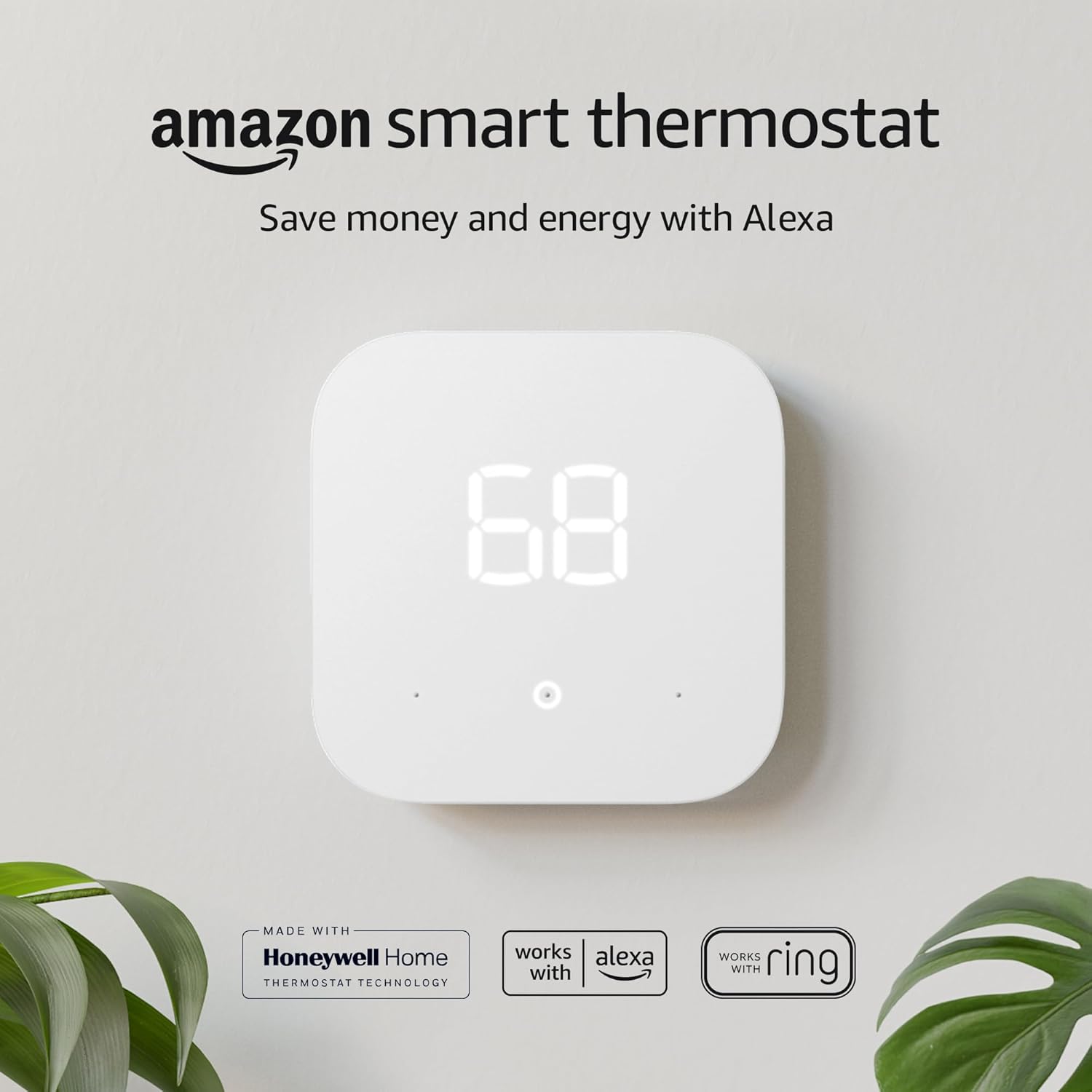
A powerhouse of value built with Honeywell Home technology, offering seamless Alexa integration for under $50.
Check Price on AmazonMarket Overview: The $50 Sweet Spot & Smart Home Evolution
Finding a reliable thermostat under $50 requires a discerning eye. At this price point, you typically find three types of devices: the branded entry-level smart thermostat, the highly-capable newcomer, and the classic programmable (non-Wi-Fi) thermostat. In this guide, we focus primarily on those that offer connected features, as the energy savings from a Wi-Fi-enabled device far outweigh the minor cost savings of a non-connected model. Understanding the connectivity is crucial, so we recommend reading about how smart thermostat connectivity works to grasp the real value.
When evaluating these models, we look for key features such as C-wire requirements, app stability, and compatibility with modern HVAC systems. For example, comparing the Google Nest vs Amazon Smart Thermostat, you’ll find that while Nest has the brand recognition, Amazon’s budget entry offers staggering performance for a fraction of the price. We also keep an eye on how these budget beasts stack up against mid-range favorites like the Honeywell T5. Many shoppers also debate between established names, leading to a classic Nest vs Honeywell thermostat dilemma, where budget often becomes the deciding factor.
1. Amazon Smart Thermostat: The Industry Disruptor
The Amazon Smart Thermostat is arguably the reason this “under $50” category has become so competitive. By partnering with Resideo (the makers of Honeywell Home technology), Amazon created a device that is as reliable as a professional-grade unit but priced for the masses. Its clean, minimalist white face and simple touch interface look more expensive than its price tag suggests. This device sits perfectly in our list of smart thermostats under $50 with Alexa and C-wire options.
What sets this unit apart is its Automatic Hunches feature. Because it lives within the Alexa ecosystem, it can use “hunches” from your other smart home devices to know when you’ve left the house or gone to bed, adjusting the temperature accordingly. This is a level of “smart” that usually costs three times as much. If you’ve read our detailed Amazon Smart Thermostat review, you know that its biggest hurdle is the C-wire requirement, which is common in this price range. To understand if this is a deal-breaker, learn if your thermostat is compatible with your furnace.
Pros
- Powered by Honeywell Home tech.
- ENERGY STAR certified.
- Deep Alexa integration & Hunches.
- Sleek, modern design.
Cons
- Requires a C-wire (common wire).
- No built-in speaker (requires Echo for voice).
- Limited to Alexa ecosystem for best features.

2. Wyze Thermostat: Feature-Packed and Simple
Wyze has built its reputation on making high-end tech affordable, and their thermostat is no exception. Often found hovering right at or below the $50 mark, the Wyze Thermostat offers a premium look with its black glass-like finish and a tactile dial that feels satisfying to turn. It’s a direct competitor to the Ecobee vs Wyze thermostat debate, where Wyze holds its own by offering a much lower entry price. For a full performance breakdown, see our Wyze thermostat review.
One of Wyze’s strongest selling points is the inclusion of a C-Wire Adapter in the box. While the Amazon thermostat requires you to buy an adapter separately if your home lacks a common wire, Wyze includes one, making it an incredible value for those with older wiring. Its performance evaluation reveals a highly responsive app and a “Usage” tab that helps you track exactly how much energy you’re consuming day-to-day. When pitted against other newcomers, the Wyze vs Govee thermostat comparison often highlights Wyze’s superior build quality at this price point.
Pros
- C-Wire adapter included for free.
- Responsive physical dial control.
- Works with Alexa and Google Assistant.
- Very detailed energy usage reports.
Cons
- Occasional firmware update bugs.
- App can sometimes feel cluttered.
- No HomeKit support.
3. Honeywell Home RTH6580WF: The Reliable Classic
If you prefer a thermostat that looks like a traditional thermostat but adds Wi-Fi capabilities, the Honeywell RTH6580WF is the “old faithful” of the budget world. It’s not going to win any design awards with its green-backlit LCD screen and push buttons, but it is incredibly durable. Honeywell has been in the thermostat game for over a century, and that heritage shows in the reliability of this unit. This model is a testament to the lasting power of the brand, explored in our article on how long Honeywell thermostats last.
This model is a favorite for landlords and those who want a simple interface that anyone—including guests or older family members—can operate without an app. However, when comparing Honeywell vs Nest, you’ll see a massive gap in aesthetics. This Honeywell model is about utility over beauty. It’s often compared to the Honeywell T5, which is more modern but slightly more expensive. For another classic brand battle, see Honeywell vs Emerson.

Reliable, simple, and under $50. The perfect “set it and forget it” budget Wi-Fi thermostat.
Check Price on Amazon4. Govee Smart Thermostat: The Newcomer
Govee is best known for its smart lighting, but their foray into climate control is noteworthy for budget seekers. The Govee Smart Thermostat often dips under $50 during sales and offers a surprisingly robust feature set, including integration with their popular hygrometers and thermometers. In a Wyze vs Govee thermostat comparison, Govee often wins on “ecosystem” synergy if you already own their other sensors. This device leverages geofencing technology effectively for its price.
It’s a compact unit that focuses on app-first control. While it lacks the brand history of Honeywell, it makes up for it with a very modern, colorful app interface that appeals to a younger, tech-savvy audience. For those monitoring specific rooms, Govee’s ability to pair with remote sensors (sold separately) is a major plus for a budget device, touching on the concept of what a thermostat remote sensor is.
Extended Buying Guide: Mastering the Sub-$50 Thermostat Landscape
The C-Wire Deep Dive: Powering Your Savings
The common wire, or C-wire, is the unsung hero of the smart thermostat world. Unlike battery-powered programmable thermostats of the past, modern Wi-Fi radios require continuous power to maintain a connection. If you’re unsure about your setup, our thermostat wiring guide is an essential resource. Without a C-wire, a budget thermostat might lose connection, or worse, “power steal” from your HVAC system, which can cause short cycling or damage to sensitive equipment. We’ve documented this in our guide on why a thermostat might not be charging.
If your home lacks a C-wire, you have options. The Wyze thermostat’s included adapter is a game-changer. Alternatively, you can use an external 24V transformer, though this requires an outlet near your thermostat. Some users even repurpose the G (fan) wire as a C-wire, but this should only be done with caution and a full understanding of your system’s wiring. For a broader look at installation challenges, read about how to tell if your thermostat can be upgraded.
Understanding Energy Savings & Rebates
A primary driver for buying a smart thermostat is the promise of lower energy bills. But do they really save money? Our analysis on do smart thermostats really save money confirms that even basic models under $50 can reduce heating and cooling costs by 10-15% through automated scheduling and geofencing. The key is using the “Away” or “Home” modes effectively, a concept central to the thermostat home/away feature.
Furthermore, many utility companies offer rebates for purchasing ENERGY STAR certified smart thermostats, effectively making the device free. Check our 2026 smart thermostat rebates guide and savings calculator to see if you qualify. The long-term savings are not just about comfort but tangible cost reduction. Wondering if the upgrade is worthwhile? We tackle this in are Wi-Fi thermostats worth it.
Voice Control & Smart Home Ecosystem
At the sub-$50 level, voice assistant integration is not a guarantee. While Amazon’s thermostat is deeply tied to Alexa, and Wyze works with both Alexa and Google Assistant, Apple HomeKit is conspicuously absent from most budget models. If you’re an Apple household, you may need to look at slightly more expensive options like those discussed in our HomeKit thermostat automation guide. For those interested in the technical process, here is how to add a Nest thermostat to Apple Home, though it applies to higher budgets.
Design and Home Décor Integration
A thermostat is a permanent fixture on your wall, so its aesthetic matters. The Amazon Smart Thermostat offers a pristine white finish that blends in, while Wyze’s black glass makes a statement. But what about the wall behind it? The best wall color behind your thermostat can actually impact its temperature readings and how well it blends in. To further integrate your device, explore these 25 thermostat cover ideas that blend into your home.
Advanced Technical Considerations for Budget Thermostats
Compatibility with Advanced HVAC Systems
Most sub-$50 thermostats are designed for conventional single-stage heating and cooling. If you have a more complex setup, like a multi-stage furnace, a heat pump with auxiliary heat, or a split HVAC system, you need to verify compatibility carefully. Heat pumps, in particular, require the thermostat to control the reversing valve (O/B wire). While some budget models support this, they may lack the sophisticated algorithms for optimal heat pump efficiency found in pricier models. If you’re considering a high-efficiency system, you might want to read about inverter technology in HVAC.
For homes with electric baseboard heaters (line-voltage systems), none of the Wi-Fi thermostats in this guide will work directly. You need a specialized high-voltage thermostat, such as those compared in our Mysa vs Sinope guide. Installing a standard 24V thermostat on a line-voltage system is a fire hazard. Always confirm you have a low-voltage system. A simple test is found in our article on line voltage vs low voltage thermostat.
The Nuances of Scheduling and Learning
True “learning” thermostats, like the Nest Learning Thermostat, observe your manual adjustments over time to build a schedule automatically. Budget thermostats typically do not have this processing power. Instead, they rely on user-defined schedules or geofencing. This distinction between thermostat schedule vs learning is crucial. If you value a device that learns your habits without programming, you’ll need to increase your budget, as detailed in our Nest 4th Gen rumors and features article. Yet, for many, a fixed 7-day schedule is more than sufficient, especially when following recommended thermostat settings for winter.
Diagnosing Common Issues: When Your Budget Thermostat Acts Up
Even reliable budget thermostats can encounter problems. Common symptoms include the AC not cooling, the heater not igniting, or the thermostat not reaching set temperature. Our comprehensive resource on how to tell if your thermostat is bad covers 12 symptoms, tests, and real fixes. If you hear a clicking but no action, see why is my thermostat clicking but not turning on. A full diagnostic flowchart is available for cases where the thermostat is not reaching set temperature.
Battery Power and Wi-Fi Stability
While we advocate for hardwired C-wire units for stability, budget battery-powered smart thermostats do exist. If you must go the battery route, understand what you’re getting into by reading what a battery powered smart thermostat is. Battery drain can be rapid if the Wi-Fi signal is weak. If you’re experiencing a fading display, our guide on thermostat low battery and fading display issues can help. For Honeywell users, here is a direct guide on how to replace the battery in a Honeywell thermostat.
Comparison Table: Best Budget Thermostats Under $50
| Feature | Amazon Smart | Wyze Thermostat | Honeywell RTH6580WF |
|---|---|---|---|
| Price Range | $45 – $59 | $40 – $55 | $45 – $60 |
| C-Wire Required | Yes | Yes (Adapter Incl.) | Yes |
| Voice Control | Alexa (Hunches) | Alexa/Google | Alexa/Google |
| Geofencing | Yes (via Alexa) | Yes | No |
| Learning / AI | Alexa Hunches | Basic Schedule | 7-Day Programmable |
| Design | Modern/Minimalist | Glass/Dial | Traditional LCD |
Performance Evaluation: Does Affordable Mean Compromised?
The short answer: No, but with context. Even a basic Wi-Fi thermostat under $50 can save you roughly 10-15% on your annual heating and cooling costs. The primary driver of these savings isn’t “AI” or complex algorithms; it’s the simple ability to ensure the AC isn’t blasting while you’re at work. By using geofencing or simple schedules, these devices pay for themselves within a single summer or winter season. The mechanism of how a smart thermostat saves money is fundamentally the same across price points.
When we look at the Ecobee3 Lite vs Google Nest comparison, we see that people often pay more for sensors and design. But the core function—turning the HVAC on and off at the right time—is handled just as well by the Amazon Smart Thermostat or the Wyze model. For a more detailed look at the entry-level premium market, check our Amazon Smart Thermostat vs Ecobee analysis. The temperature accuracy of budget models is generally within 1°F, which is excellent. However, if you notice your room feels different from the displayed temp, read about why your thermostat shows the wrong room temperature.
Energy Saving Tips for Maximum Efficiency
To truly maximize your sub-$50 investment, combine the device with best practices. The fan setting, for example, can be a hidden energy drain. Understand its consumption in how much electricity the thermostat fan uses. Setting the optimal ideal room temperature for sleeping can also significantly impact your bill without sacrificing comfort. During holidays, remember to set a safe vacation temperature for winter to prevent frozen pipes while saving energy. For a holistic approach, follow our HVAC energy efficiency tips.
Beyond Budget: How These Models Fit the Wider Market
To fully appreciate the value of a $50 thermostat, it’s worth glancing at what a $150+ budget gets you. For instance, the Honeywell Home T9 offers remote room sensors that eliminate hot and cold spots, a feature our budget picks lack. A direct comparison of Honeywell Home T9 vs T10 Pro shows how even within a brand, features scale with price. The T9 vs T10 Pro IAQ wiring comparison delves deeper into indoor air quality monitoring, a premium feature absent from budget devices.
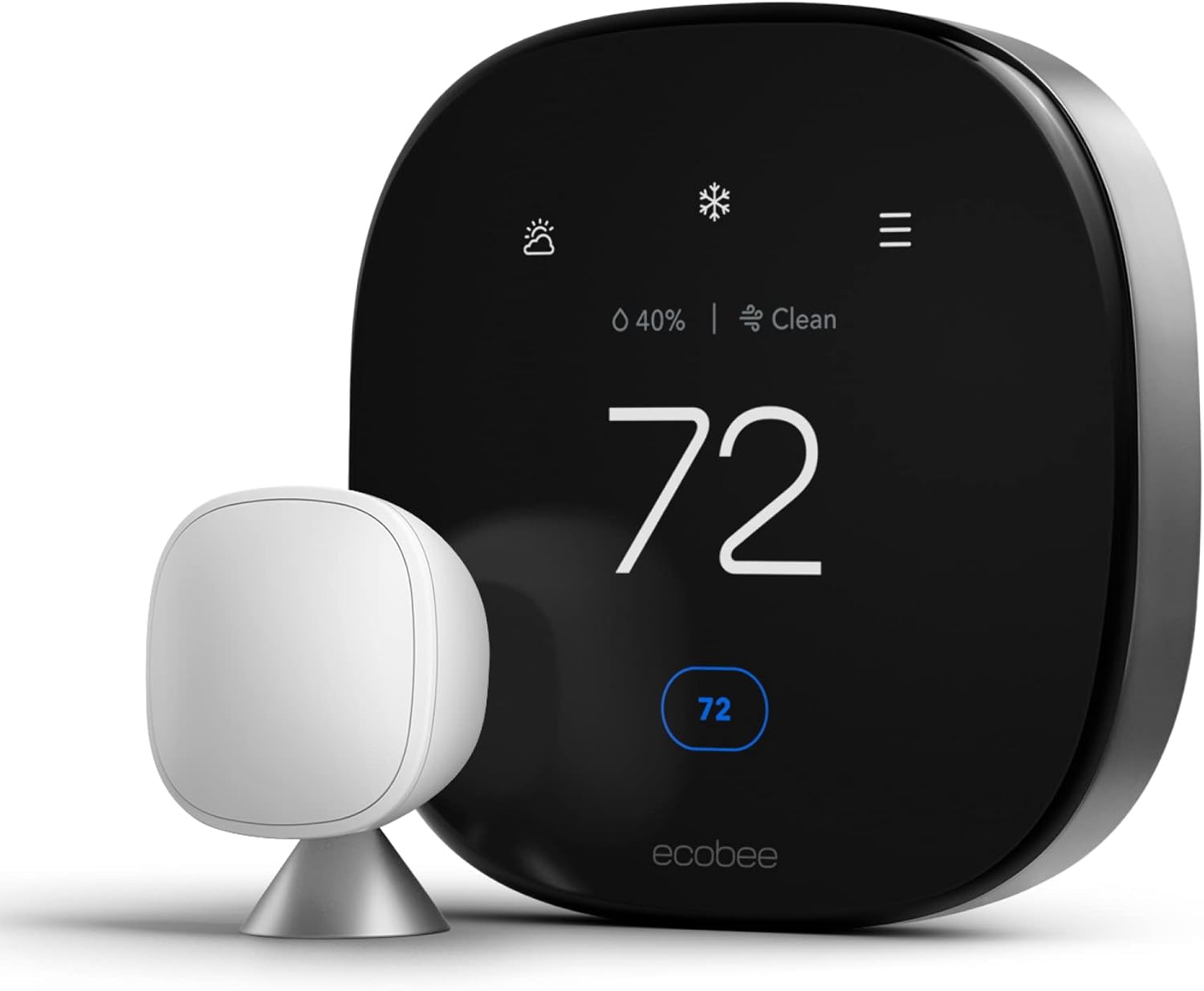
Similarly, the Ecobee3 lite has long been the entry point for the Ecobee ecosystem, often compared to Nest. Our Ecobee vs Honeywell remote sensor comparison highlights how these brands justify their premium. If you are intrigued by Ecobee but on a tight budget, you must understand the trade-offs by looking at the Sensi thermostat vs Ecobee and the Ecobee Premium vs Enhanced.
International and Specialized Options
For readers in the UK, the sub-$50 (sub-£40) landscape looks different. Brands like Hive and Tado are more prominent. Our best UK smart thermostat guide covers these. The Nest vs Hive vs Tado comparison is essential reading. A more specific Hive vs Tado geofencing analysis reveals how European-focused companies approach automation. For those considering radiator valves, the Tado radiator valves vs smart thermostat article explains multi-room zoning on a budget.
DIY Installation: Step-by-Step Safety and Setup
Installing a thermostat yourself is a rewarding project, but it requires strict adherence to safety. Before touching any wires, turn off the power to your HVAC system at the breaker box. Failing to do so can blow the fuse on your furnace control board or cause a short circuit. If you are looking for a general guide on how to navigate settings after installation, refer to how to set, change, lock, and reset your thermostat.
Many budget thermostat brands have excellent video tutorials. The Wyze and Amazon apps also provide step-by-step wiring guides based on the labels on your old thermostat. If you encounter a problem where the furnace doesn’t start after installation, don’t panic. Consult our article on why a thermostat doesn’t start the furnace. If the fan works but the furnace doesn’t ignite, read about a furnace that won’t turn on but fan works. For more complex swaps, such as moving from a zone controller, our guide on switching out an HZ311 for an Ecobee provides transferable insights.
Wiring Cleanup and Aesthetics
Once installed, you might notice the old paint or holes around the new unit. Budget thermostats are often smaller than their premium counterparts, potentially exposing wall imperfections. Here are some methods for how to hide thermostat wires on your wall and ensure a clean finish.
Specialty Use Cases: Radiant Floors, Heat Pumps, and Greenhouses
While this guide focuses on standard forced-air HVAC, many readers seek thermostats for niche applications. If you’re heating a greenhouse, a budget home thermostat might not withstand the humidity or temperature extremes. Instead, consult our lists of the best greenhouse heaters with thermostats and general greenhouse heater advice. For electric radiant floors, standard low-voltage thermostats are incompatible. Look for units with GFCI protection, like those in our best thermostat for electric radiant floors guide. A comparison of the Tekmar 561 vs 519 highlights the specialized controls required.
Heat pump owners also face unique challenges. While our budget picks support heat pumps, they often lack the optimization for Bosch units. We have specific recommendations for the best thermostats for Bosch heat pumps and an explanation of whether Bosch heat pumps are good. The complex Trane vs Carrier debate also touches on thermostat compatibility with communicating systems.
Comprehensive Troubleshooting: Fix Your Budget Thermostat
Even the best budget thermostat can malfunction. Symptoms like the AC kicking on when heat is selected, the screen not responding, or the battery draining rapidly are common but often have simple fixes. For a systematic approach, start with how to reset a thermostat. Many budget devices have a specific reset procedure, akin to how to reset a Honeywell thermostat. If the screen is blank but the system is on, the issue might be a low battery or a tripped float switch. Here is a guide on how to read a thermostat to understand error codes.
If the system is short cycling (turning on and off rapidly), you might have a power stealing issue or a relay that’s sticking. Our analysis of thermostat battery failure relay problems covers this. Also, a weak battery can cause a clicking relay but no start. Check thermostat heat on but no heat for signal testing. A voltage drop when the AC tries to start might indicate a larger transformer load issue, discussed in thermostat rebooting when AC turns on.
Sensi users often have unique questions; we have a dedicated article on why a Sensi thermostat is not working and how to reset a Sensi thermostat. If your house feels cold despite the heat running, don’t assume it’s the thermostat. Read why your house feels cold even with heating on.
Frequently Asked Questions: Budget Thermostat Edition
Yes, most budget models from Amazon, Wyze, and Honeywell are designed for DIY installation. They come with labeled stickers and video guides. Just be sure to turn off your breaker first! If you need to check for upgrade readiness, see our guide on how to tell if your thermostat can be upgraded.
Most thermostats under $50 do NOT support HomeKit. The Amazon Smart Thermostat and Wyze are limited to Alexa and Google Home. If you need HomeKit, you may need to increase your budget for a Sensi or a Honeywell T5. Explore your options in our HomeKit thermostat guide.
Your thermostat will continue to work based on the last schedule it received. You can still adjust the temperature manually using the physical buttons or dial on the unit itself.
No, as long as it is compatible with your system’s voltage (24V) and wired correctly. These devices use the same relay technology as expensive models to trigger your furnace or AC. For compatibility checks, refer to our thermostat compatibility guide.
Amazon’s model is better if you are already an Alexa user. Wyze is better if you need an included C-wire adapter or prefer a physical dial for control. We’ve detailed this in our budget thermostat comparisons.
They generally don’t “learn” like a Nest, but they use geofencing and smart schedules to achieve similar energy savings. Check out our Nest 4th Gen rumors to see how much the “learning” tech is evolving, or learn about thermostat adaptive learning.
It is worth it if you want the most reliable Wi-Fi connection and don’t care about modern looks. It is a workhorse that rarely fails.
The C-wire provides a continuous loop of power to keep the Wi-Fi connected. Without it, the battery would drain in days trying to maintain a wireless signal. See our full thermostat wiring guide for more details.
We recommend 68°F (20°C) when at home and awake, and lowering it by 7-10°F while asleep or away. Read our article on recommended thermostat settings for winter to optimize your schedule.
Absolutely. If the thermostat isn’t sending the correct signal, the AC won’t engage. See can a bad thermostat cause AC not to cool for symptom diagnosis. The same applies to heating; read can a bad thermostat cause heater not to work.
The Overlooked Angle: Renters, Off-Grid Homes, Warranty & the Full Ownership Lifecycle of a Budget Thermostat
Most buying guides for sub-$50 thermostats stop at “which one should I buy,” but that question only covers the first ten minutes of a much longer relationship. A thermostat you install today will sit on your wall for five, seven, sometimes ten years. Over that lifespan you may move apartments, switch HVAC systems, lose Wi-Fi coverage during a storm, sell your home, or discover that your landlord has strong opinions about drilling into drywall. None of the sections above address what happens after the “buy now” click, and that is precisely the gap this section closes. We’ll walk through renting restrictions, lesser-known budget brands that rarely make “best of” lists, off-grid and low-connectivity scenarios, the security and privacy side of putting a Wi-Fi radio on your wall, and the practical realities of warranty claims, resale, and eventual disposal.
Renting? What Your Lease Probably Says About Thermostats
A significant share of the people searching for a budget thermostat are renters, not homeowners, and this audience faces a completely different set of constraints that most review sites ignore. Standard residential leases in the US typically prohibit “permanent alterations” to fixtures without written landlord approval, and a hardwired thermostat swap technically counts, even though it’s reversible in under ten minutes. The safest approach for renters is threefold: photograph the existing wiring and thermostat before removing anything, keep the original unit in a labeled bag or box for the length of the tenancy, and reinstall it before move-out inspection. Every model discussed earlier in this guide, including the Amazon Smart Thermostat, the Wyze Thermostat, and the Honeywell RTH6580WF, uses the same universal low-voltage wiring terminals as a typical builder-grade thermostat, so reversibility is rarely a technical problem, only a documentation one.
Some landlords are receptive to smart thermostats because they reduce wear on HVAC equipment and can lower shared utility costs in multi-unit buildings. It’s worth proposing the swap in writing and offering to leave the smart unit behind at move-out as a small upgrade to the property, which often smooths approval. If your lease explicitly forbids any wiring changes, battery-only or plug-in smart thermostats that clip over the existing faceplate without touching the low-voltage wires are a workaround worth investigating, though they trade some accuracy and control for that non-invasiveness. Renters in properties with a shared or centrally controlled HVAC system, common in older apartment buildings, should check with building management before purchasing anything, since the thermostat you see on the wall may not actually be wired to a real furnace or condenser at all.
Budget Brands the Big Roundups Never Mention
The market for sub-$50 thermostats is larger than the three or four brands that dominate search results. Emerson’s Sensi Basic and Sensi lines periodically drop into this price range during retailer sales and are worth cross-shopping against the Wyze and Amazon models above; Sensi’s reputation for a stripped-down, reliable app without aggressive upsells appeals to buyers who found Nest’s subscription push and Ecobee’s premium tiers off-putting. GoControl, sold primarily through Z-Wave and smart-hub-focused retailers, makes a no-frills thermostat that lacks its own Wi-Fi radio but integrates with a SmartThings or Home Assistant hub you may already own, which can be the more economical route if you’re already invested in a hub-based smart home rather than an app-per-device approach. Lux Products, an older and less flashy manufacturer, still sells basic Wi-Fi thermostats that regularly undercut $40, trading a dated interface for rock-solid HVAC compatibility that professional installers trust.
Pro1 IAQ, a brand more familiar to HVAC contractors than to online shoppers, also fields an entry-level smart thermostat that’s frequently bundled into professional installs at a price comparable to buying the Amazon Smart Thermostat retail. And for households in Canada or those working with all-electric baseboard and radiant systems, Sinope’s budget line deserves a look even though its true strength is in the line-voltage category discussed elsewhere in this guide. None of these will unseat the Amazon Smart Thermostat or Wyze Thermostat as our top recommendations, but a buyer who has already ruled those two out for ecosystem reasons, say, a Google Home household that wants to avoid Alexa entirely, or a SmartThings user who prefers hub-based automation, now has real alternatives instead of defaulting to a pricier mid-range unit.
Off-Grid, Weak-Signal, and Low-Connectivity Homes
Every device profiled in this guide assumes a stable home Wi-Fi network, but that assumption doesn’t hold for everyone. Rural properties with satellite internet, cabins with intermittent connectivity, and homes with thick plaster or masonry walls that attenuate a 2.4GHz signal all present a real challenge for budget thermostats, most of which lack any local scheduling fallback beyond “the last schedule it successfully downloaded.” If your thermostat will sit more than one or two rooms away from your router, plan on a Wi-Fi extender or a mesh node nearby; most sub-$50 units will still function as basic programmable thermostats when offline, but you lose remote control, geofencing, and any software updates until connectivity returns.
For genuinely off-grid situations, such as a seasonal cabin running on solar with a limited battery bank, a Wi-Fi thermostat is often the wrong tool entirely. The continuous C-wire draw that keeps these units connected, while small, adds up over weeks without grid power, and a dropped connection defeats the entire purpose of paying for smart features. In these cases, a simple non-connected digital programmable thermostat, often available for $15 to $25, remains the more sensible choice; you sacrifice remote control but gain a device that sips a fraction of the power and never needs a firmware update to keep functioning. If you do want partial connectivity at a remote property, look specifically at models with local Bluetooth setup and an offline schedule that persists indefinitely rather than expiring after a set number of days, and confirm this behavior in the manufacturer’s specifications before buying, since it’s rarely advertised prominently.
Security and Privacy: What You’re Actually Putting on Your Network
A Wi-Fi thermostat is a always-on, internet-connected device sitting inside your home network, and that carries the same general security considerations as any other IoT gadget, a topic budget buying guides almost universally skip. Practically speaking, the risk profile for a mainstream thermostat from Amazon, Wyze, or Honeywell/Resideo is low: these are established companies with dedicated security teams, regular firmware updates, and a strong incentive to avoid the reputational damage of a breach. That said, a few habits meaningfully reduce risk regardless of which brand you choose. Use a unique, strong password for the manufacturer’s app account rather than reusing a password from another service, enable two-factor authentication if the app offers it, and keep the device’s firmware set to auto-update so security patches apply without you having to remember.
If your router supports a guest or IoT-specific network segment, placing smart home devices, including your thermostat, on that separate network rather than the same one as your laptops and phones is a reasonable extra precaution, since it limits what a compromised device could reach. It’s also worth knowing what data these devices actually collect: occupancy patterns inferred from geofencing or motion-adjacent “hunches,” temperature history, and basic usage statistics are standard, and most manufacturers publish a privacy policy describing retention and any third-party sharing. Reading that policy before setup takes a few minutes and is a more useful privacy safeguard than obsessing over which specific budget brand to buy, since all of them collect broadly similar data at this price tier.
Warranty Coverage, RMA Realities, and What Voids It
Warranty terms rarely make it into a budget buying guide, yet they matter more at the sub-$50 tier than almost any other price point, since manufacturers protect margin by keeping support costs low. The Amazon Smart Thermostat and Wyze Thermostat both typically ship with a one-year limited warranty covering manufacturing defects, and Amazon in particular tends to offer a straightforward no-hassle replacement process for units purchased and registered through its own marketplace, since it controls the entire sales channel. Honeywell/Resideo’s warranty on models like the RTH6580WF is also one year from the original retail purchase in most cases, though coverage can extend if the unit was installed by a licensed contractor as part of a larger HVAC job, so it’s worth asking your installer to register the device under a professional account if you go that route.
Common actions that void warranty coverage across nearly every brand include physical damage from improper wiring (for example, connecting a 24V thermostat to a line-voltage circuit), water damage, and opening the unit’s casing beyond what’s needed for wall mounting. Keep your original purchase receipt or order confirmation, since most RMA processes require proof of purchase date and retailer, and note that buying a “budget” thermostat through a third-party marketplace seller rather than directly from the brand or an authorized retailer can complicate warranty claims even when the product itself is genuine. If a unit fails outside the warranty window, budget thermostats are generally not designed to be economically repaired, given that a replacement often costs less than professional diagnostic labor; recycling the failed unit through an e-waste program rather than the trash is the more responsible disposal path, and many municipal hazardous-waste or electronics recycling events accept small smart home devices free of charge.
Moving, Selling Your Home, and What Happens to the Thermostat
When you sell a home, a hardwired smart thermostat is generally considered a fixture that conveys with the property in most US jurisdictions, similar to a ceiling fan or a built-in light fixture, unless your listing agreement specifically excludes it. This has two practical implications budget buyers should plan for. First, before listing your home, factory-reset the thermostat and remove it from your personal app account so the new owner isn’t stuck locked out of a device tied to your login, a step that’s easy to forget and creates real friction during a home sale. Second, if you genuinely want to take the thermostat with you, negotiate that exclusion explicitly in writing and reinstall the original builder-grade thermostat before closing, exactly as recommended for renters earlier in this section, so the buyer isn’t left with an empty wall plate and dangling wires.
For those moving into a new home and inheriting someone else’s smart thermostat, the first step is always a factory reset before connecting it to your own network and app account, both for privacy (clearing the previous owner’s schedule, Wi-Fi credentials, and any linked voice assistant data) and to avoid a confusing setup process that assumes the device is already configured. Most budget models make this reset accessible directly from the physical unit through a button-hold sequence or a menu option, without needing app access from the previous owner, which is worth confirming in the manufacturer’s support documentation for your specific model before you’re standing in front of a locked device on move-in day.
Multi-Room Comfort on a Single-Zone Budget
One real limitation of every thermostat covered in this guide is that they control a single zone from a single sensor location, which means a bedroom at the far end of the house can run noticeably warmer or cooler than the hallway where the thermostat lives. True multi-zone systems with dedicated dampers and multiple thermostats cost far more than $50 per zone, but a few workarounds let budget-conscious households approximate zoned comfort without that expense. Portable fans positioned to circulate air between the thermostat’s location and problem rooms are the cheapest fix and often the most underrated. Standalone smart plugs connected to a portable space heater or window AC unit in a specific room, controlled independently of the central thermostat, let you fine-tune individual rooms without touching the main HVAC system at all. And if your budget can stretch slightly, some of the ecosystem-compatible remote sensors discussed in this guide’s higher-end comparisons can occasionally be added to a base unit later, though this is brand-dependent and not available on the most basic models like the Honeywell RTH6580WF.
Filter Maintenance and the Thermostat’s Role in Air Quality
A smart thermostat doesn’t clean your air, but several budget models now include filter-change reminders based on elapsed runtime rather than a flat calendar countdown, which is a meaningfully better approach since a heavily used system dirties a filter faster than a lightly used one. Enabling this feature, when available, and actually acting on the reminder rather than dismissing it, is one of the simplest ways to protect both your indoor air quality and your HVAC system’s efficiency, since a clogged filter forces the blower motor to work harder and can shorten equipment lifespan. Budget thermostats generally don’t include the indoor air quality sensors found in premium models, so if allergens, humidity, or VOC monitoring matter to your household, that need is better addressed with a standalone air quality monitor purchased separately rather than expecting a sub-$50 thermostat to cover it.
Accessibility Considerations for Budget Smart Thermostats
Households that include elderly residents, young children, or anyone with limited dexterity or vision should weigh interface design alongside price when choosing between these models. The Honeywell RTH6580WF’s physical push buttons and simple LCD screen, while dated in appearance, are often easier for someone unfamiliar with touchscreens to operate reliably than a capacitive touch or app-first interface. Wyze’s physical dial offers a similarly tactile, low-learning-curve interaction that doesn’t require opening a smartphone app to make a basic adjustment. Voice control through Alexa on the Amazon Smart Thermostat can be a genuine accessibility win for residents with mobility limitations, letting them adjust temperature without walking to the wall unit at all. When shopping for a household with these needs, prioritize a model with reliable physical controls at the unit itself, in addition to app control, rather than choosing purely on app polish or smart-feature depth.
RVs, Mobile Homes, and Manufactured Housing
None of the mainstream budget thermostats profiled in this guide are designed or rated for RV or mobile-home HVAC systems, which frequently use different voltage conventions, rooftop AC units with proprietary control boards, and wiring configurations that don’t match the standard residential terminal layout these devices expect. Attempting to install a standard smart thermostat in an RV or manufactured home without confirming compatibility with your specific rooftop unit or furnace model risks both a non-functional installation and, in some cases, damage to the HVAC control board. If you live in manufactured housing built on a permanent foundation with a standard forced-air furnace, rather than an RV, compatibility is often fine and matches a typical site-built home, but always verify against your furnace’s control board documentation first. For true RVs and travel trailers, look specifically for thermostats marketed for that use case by manufacturers like Micro-Air or Coleman-Mach rather than repurposing a residential smart thermostat, since RV-specific units account for the 12V DC systems and rooftop AC control boards standard in that market.
A Practical Decision Checklist for the Overlooked Scenarios
Bringing all of this together, a buyer whose situation falls outside the straightforward “I own my home and just want to save money” scenario should walk through a short checklist before purchasing. Confirm your lease terms and photograph existing wiring if you rent. Check your Wi-Fi signal strength at the thermostat’s actual wall location, not just near your router, if connectivity is a concern. Decide whether you actually need app-based remote control or whether a non-connected programmable unit better fits an off-grid or low-trust-network situation. Register your warranty and save your receipt regardless of which brand you choose. And if your household includes someone who will struggle with a touchscreen or app, weight physical control quality as heavily as smart features when making the final call. None of this changes the core recommendations elsewhere in this guide, the Amazon Smart Thermostat, Wyze Thermostat, and Honeywell RTH6580WF remain the strongest picks for a typical homeowner, but it should help the renter, the off-grid cabin owner, or the household with accessibility needs make a more informed choice than a simple three-way product comparison can offer on its own.
Placement Science, Humidity, Backup Power, and the Money Side Nobody Budgets For
Beyond the ownership-lifecycle questions covered above, there’s a second cluster of overlooked topics that shape how well a budget thermostat actually performs day to day: where exactly it sits on your wall, how it handles humidity rather than just temperature, what happens during a power outage, and the financial side effects, insurance discounts, HOA rules, and multilingual support, that rarely make it into a spec sheet. This section works through each of those in turn.
Thermostat Placement: The Setting Nobody Optimizes
Every thermostat in this guide reads the air immediately around its own sensor, not the average temperature of your home, which means placement has an outsized effect on comfort and efficiency regardless of which $50 model you choose. The ideal location is an interior wall, roughly five feet off the floor, in a room you spend real time in, away from direct sunlight, drafty doorways, supply vents, lamps, and kitchen appliances, all of which create false readings that trick the thermostat into cycling your system at the wrong times. A thermostat mounted on an exterior wall in direct morning sun will frequently report a temperature several degrees higher than the rest of the house, causing the AC to run longer than necessary and leaving other rooms overcooled. Similarly, a unit placed near a return air vent tends to read whatever air is currently being pulled back into the system rather than the room’s ambient temperature, producing short-cycling that looks like a hardware fault but is actually a placement problem.
If you’re relocating a thermostat as part of a budget upgrade, rather than reusing the existing hole, patch and paint the old location before mounting the new unit nearby, since a visible mismatched patch is one of the more common complaints in DIY installation reviews. When relocation isn’t practical because your low-voltage wiring only reaches one spot on the wall, compensate by using any temperature-offset or calibration setting available in the app; most budget models, including the units discussed earlier, allow a manual offset of a degree or two to correct for a known-imperfect location without requiring new wiring.
Humidity Control: The Comfort Factor Temperature Alone Misses
None of the sub-$50 thermostats profiled in this guide include a true dehumidification mode the way some premium models do, but humidity still plays a major role in how comfortable a given temperature actually feels, and it’s worth understanding even on a budget setup. A home at 74°F and 65% relative humidity feels noticeably muggier and less comfortable than the same home at 74°F and 45% humidity, which is why simply chasing a lower thermostat set point in summer without addressing humidity often wastes energy without meaningfully improving comfort. Basic steps that work alongside any budget thermostat include running your AC’s fan in “auto” rather than “on” so moisture collected on the coil can drain away between cycles instead of re-evaporating into the airstream, using bathroom and kitchen exhaust fans consistently, and considering a portable or whole-home dehumidifier as a separate, inexpensive addition if your climate runs humid. Buyers in genuinely humid regions, the Gulf Coast, the Southeast, and similar climates, who want thermostat-level humidity monitoring even without active dehumidification control should look for budget models that at least display relative humidity in the app, a feature Wyze includes and Amazon’s entry-level unit does not, which can inform manual adjustments even without automated control.
What Happens to a Smart Thermostat During a Power Outage
A common and reasonable worry with any Wi-Fi-connected thermostat is what happens when the power goes out, and the honest answer is that behavior varies meaningfully by brand and by whether you’re running on battery backup, a C-wire, or both. Units wired with a C-wire and no battery backup lose power entirely during an outage and will restart from scratch once power returns, typically defaulting to a basic schedule or the last known set point rather than losing your programming outright, since schedules are generally stored in onboard memory rather than requiring a live connection to reload. Models that also accept AA batteries as backup, which include several budget options even if not the flagship Amazon and Wyze units, can maintain the display and manual control briefly during a short outage, though Wi-Fi connectivity and remote app control still typically drop until grid power and your home router are both back online.
For households in areas prone to frequent outages, whether from storms, an aging grid, or wildfire-related shutoffs, pairing a budget thermostat with a home battery backup or even a modest UPS on your router and modem can preserve basic smart functionality through shorter interruptions, though this adds meaningfully to the total cost of the setup and should be weighed against simply accepting that the thermostat reverts to manual operation during outages, which is a perfectly reasonable trade-off for most buyers at this price point. It’s also worth noting that a prolonged outage in winter creates a genuine pipe-freezing risk regardless of thermostat sophistication, since no budget smart thermostat can heat your home without power to the furnace itself; a battery-operated low-temperature alarm as a separate, inexpensive backup is a more targeted solution to that specific risk than expecting your thermostat to solve it.
Insurance Discounts and Smart Home Credits
A handful of homeowners’ insurance carriers offer modest premium discounts or smart-home program credits for installing connected devices, and while thermostats are less commonly rewarded than smart water leak sensors or security systems, some regional and national insurers do include Wi-Fi thermostats in their qualifying device lists, particularly when bundled with a broader smart home program enrollment. The discount is typically small, often in the range of a few percentage points off the annual premium, and rarely justifies buying a thermostat on its own, but if you’re already planning the purchase for energy-saving reasons, it’s worth a five-minute call to your insurance agent or a look at your policy’s smart-home discount program before installation, since some programs require the device to be registered or verified within a specific window after purchase to qualify.
HOA and Historic District Restrictions
Homeowners in HOA-governed communities or officially designated historic districts occasionally run into restrictions that have nothing to do with the HVAC wiring itself and everything to do with visible exterior or interior alterations in shared or landmark-protected spaces. This is a narrow concern, most HOAs regulate exterior appearance and don’t extend to interior wall-mounted devices like a thermostat, but historic district rules can occasionally apply to interior fixtures in landmark properties depending on local ordinances. If your home carries a historic designation, a quick check with your local preservation office before installation is a reasonable precaution, though in the overwhelming majority of cases a thermostat swap, which doesn’t alter the wall’s visible structure or any exterior element, falls well outside what these rules actually govern.
Multilingual and Non-English App Support
App language support is rarely mentioned in review coverage but matters for multilingual households and for buyers purchasing on behalf of family members who aren’t primarily English speakers. The Amazon Smart Thermostat’s companion app supports a broad set of languages consistent with the wider Alexa app’s localization, reflecting Amazon’s global retail footprint. Wyze’s app similarly supports a range of major languages beyond English, a natural byproduct of the brand’s international manufacturing and sales presence. The Honeywell RTH6580WF, being an older and simpler device, leans more heavily on its physical on-unit interface, which is language-limited to whatever the LCD firmware supports out of the box, making it a potentially less flexible choice for a household that needs full non-English app control rather than just basic on-device operation. If language accessibility for a specific household member is a deciding factor, checking the current app store listing for your target language before purchase is more reliable than assuming support, since language availability can change between firmware and app versions.
Bundled Utility Programs Beyond Simple Rebates
This guide’s earlier discussion of ENERGY STAR rebates covers the most common utility incentive, but some utilities go further with demand-response programs that pay an ongoing seasonal credit, rather than a one-time rebate, in exchange for allowing brief, automatic thermostat adjustments during peak grid-stress events, typically a handful of hot summer afternoons per year. These programs are usually opt-in, adjustments are typically capped at a few degrees for a few hours, and participants can generally override an event manually if the timing is inconvenient. Not every budget thermostat brand participates in every utility’s program, and availability depends entirely on your local utility rather than the device itself, so checking your utility’s demand-response or “peak time rebate” program page for your specific thermostat brand before assuming eligibility is worthwhile if the ongoing credit, rather than a single rebate check, appeals to you.
Total Cost of Ownership Beyond the Sticker Price
The advertised under-$50 price for these units is the purchase cost alone, and a fuller total-cost-of-ownership picture includes a few small but real additions. A C-wire adapter, if your home lacks one and your chosen model doesn’t include it the way Wyze does, typically adds a modest amount to the total. AA batteries, for models that use them as backup or primary power, are a recurring though minor annual cost. None of the budget brands in this guide charge an ongoing app subscription fee for core functionality, unlike some premium competitors that gate features like extended history or advanced scheduling behind a paid tier, which is itself a meaningful budget-friendly differentiator worth confirming stays true at the time of your purchase, since subscription models in this space have shifted over time. Factoring in these small additions still leaves every model in this guide well under the cost of a single professionally installed premium thermostat, but it’s a more honest total than the bare shelf price alone.
Final Verdict: Which Budget Thermostat Should You Choose in 2026?
Choosing the best budget thermostat under $50 doesn’t have to be a compromise. If you are an Amazon Alexa user, the Amazon Smart Thermostat is the clear winner for its build quality and seamless integration, acting as the natural hub for your smart home. For those who need a C-wire adapter included and want a more “gadget-forward” feel, the Wyze Thermostat is a stunning piece of hardware for the price, offering an unmatched feature-to-cost ratio.
If you’ve spent years building out a Honeywell-centered home, stick with the RTH6580WF. Its reliability is legendary, and it will serve you faithfully for years. For those curious about how these choices stack up against professional-grade sensors, the Ecobee vs Honeywell sensor range article shows what you sacrifice in room-level precision for the lower price.
Regardless of your choice, moving from a manual thermostat to any of these smart budget options is one of the smartest upgrades you can make for your home this year. If you want to explore what a fully smart home feels like without risk, start with one of these affordable units. For those with specific safety concerns, understanding how a smart thermostat improves home safety might be the final nudge you need. Ready to take the plunge? The savings, comfort, and control are waiting for you.
Our Top Choice
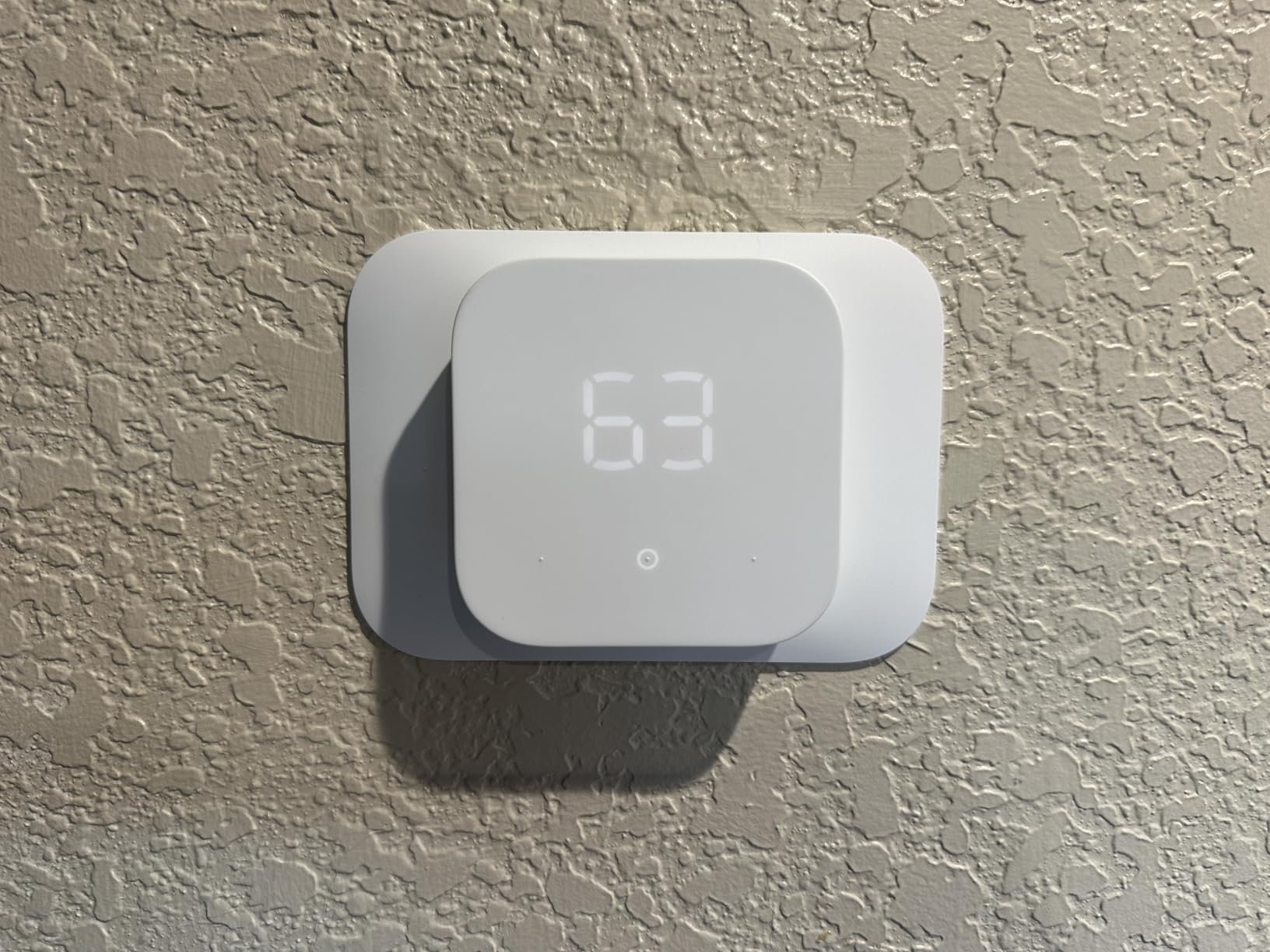
Start saving today with the Amazon Smart Thermostat, the best value under $50.
Buy Now on Amazon



 Home
Home
 Info
Info
 Compare
 Reviews
 Shop
Shop
Pingback: Best Temperature to Set Thermostat in Summer