
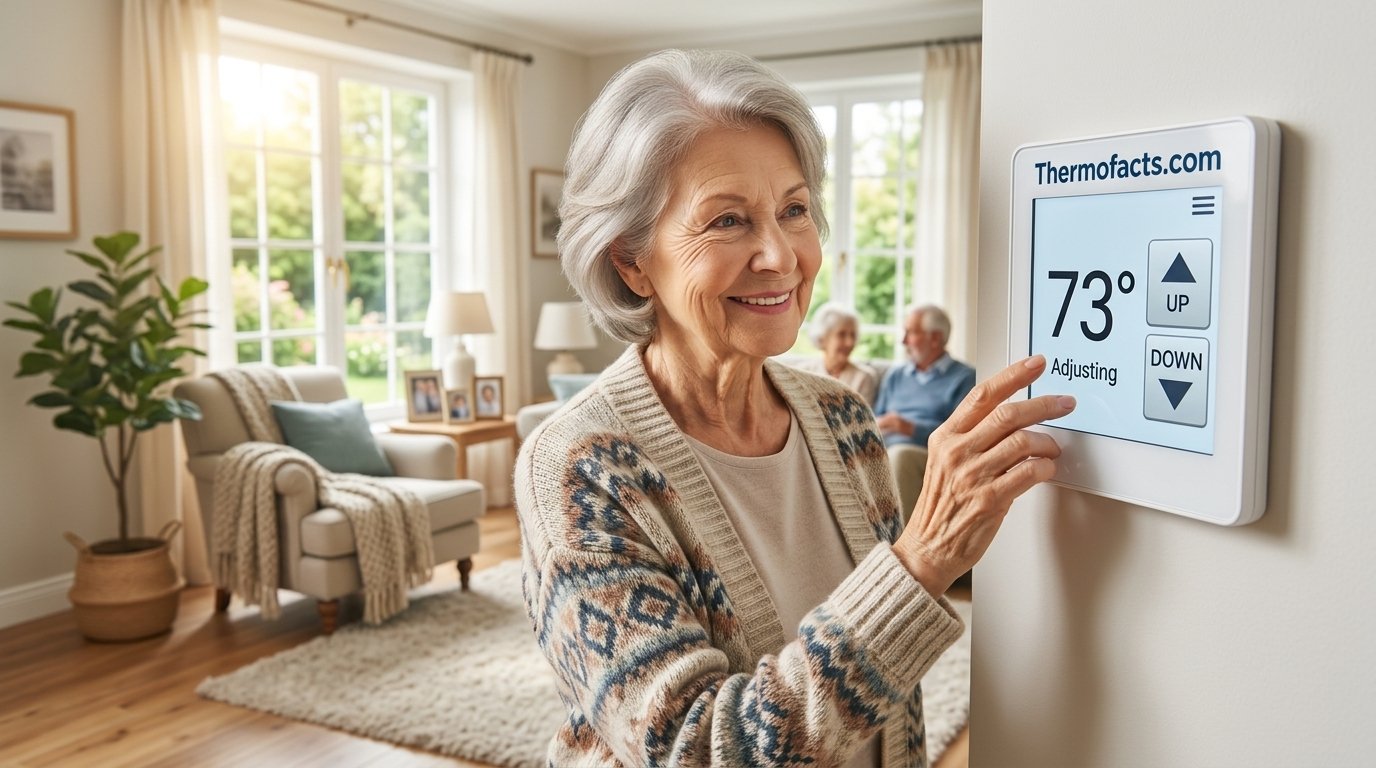
Best Thermostats for Elderly: Easy-to-Use Picks That Keep Seniors Comfortable and Safe
Large displays, simple controls, voice commands, and caregiver-friendly smart features: here is how ten popular thermostats stack up for older adults and the families who look after them.
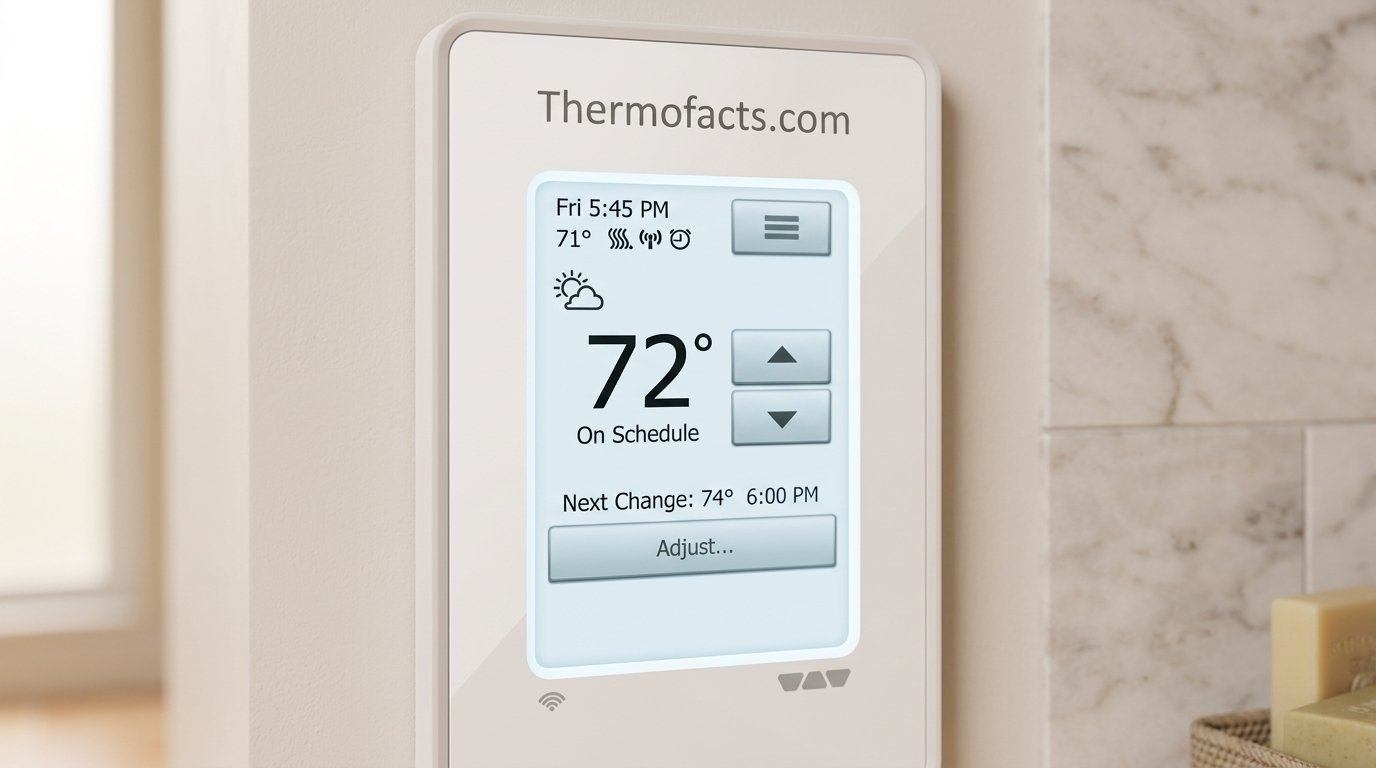
Why the Right Thermostat Matters More as We Age
Most of us never think about the thermostat until it misbehaves. For an older adult, though, that small box on the wall quietly decides whether the home is a safe, restful place or a source of daily frustration. Bodies change with age. Circulation slows, skin gets thinner, and the internal thermostat that once shrugged off a chilly morning or a muggy afternoon becomes far less forgiving. A room that felt perfectly fine at forty can feel bitterly cold at seventy-five, and a house that runs just a little too warm can leave someone dehydrated, dizzy, or exhausted without them quite understanding why.
That is why choosing the best thermostat for elderly family members is not really a gadget decision. It is a comfort decision, a safety decision, and often an independence decision. When a parent or grandparent can see the temperature clearly, change it without a struggle, and trust the house to hold a steady, sensible range, they stay in their own home longer and with more confidence. When the controls are tiny, confusing, or buried inside an app they never wanted, they simply stop touching the thermostat and put up with whatever the house is doing.
There is also a very practical side. Many seniors live on fixed incomes, and heating and cooling are among the biggest utility costs in any household. A thermostat that keeps the home steady without constant fiddling can trim waste, while one that is awkward to program tends to get left on a single setting forever. If you are curious how the basics of this device work behind the scenes, our explainer on how thermostats work is a friendly place to start, and the overview of what a thermostat actually is covers the fundamentals.
The three jobs a senior’s thermostat must do well
Every older adult is different, but the best thermostats for seniors tend to succeed at three jobs. First, they must be readable: big characters, strong contrast, and a backlight that does not require a flashlight or a dark room to see. Second, they must be forgiving: a clear way to nudge the temperature up or down without accidentally launching a schedule menu. Third, they must be supportive of other people, which means a caregiver can quietly check in, adjust things remotely, or at least trust that the setting will not drift into an unsafe range.
Notice that none of those jobs require the fanciest device on the shelf. In fact, one of the most important lessons in this guide is that the most advanced thermostat is frequently not the best thermostat for an older person. A beautifully engineered smart device that needs a smartphone, a Wi-Fi password, and three taps to change the temperature can be less helpful than a plain digital unit with two big buttons. We will walk through ten popular options that cover the whole spectrum, from rock-simple to impressively smart, so you can match the device to the person rather than the other way around.
Shop Senior-Friendly Thermostats
What Makes a Thermostat Senior-Friendly
Before we dive into individual products, it helps to agree on what “senior-friendly” really means. We evaluated every pick in this guide against the same practical checklist, and you can use that same list when you shop for any other model.
1. A large, high-contrast display
Age-related vision changes such as cataracts, macular degeneration, and reduced contrast sensitivity make small gray-on-gray numbers genuinely hard to read. Look for big digits, a bold font, and a backlight that stays on long enough to read comfortably. A blue or white backlight on a dark background is usually easier to read than a faint dim screen. If you want to see how different displays present information, the guide to how to read a thermostat breaks down the symbols and numbers you will encounter.
2. Physical buttons or a very simple touchscreen
Many older adults prefer the satisfying click of a physical button over a touchscreen that may not respond to dry fingertips. Others find a clean, responsive touchscreen perfectly easy. The key is that the main action, raising or lowering the temperature, should be obvious and reachable in one step. If you are considering touch controls, our roundup of touchscreen thermostats with backlight is worth a look.
3. Simple scheduling, or no scheduling at all
Programmable thermostats sound wonderful until you meet the programming menu. For someone who is home most of the day, a complicated weekday and weekend schedule is overkill. A non-programmable unit that simply holds a temperature can be a better fit. A programmable unit with an easy set-and-forget schedule can also work well if a family member sets it up once. For a deeper comparison, see our breakdown of smart versus programmable thermostats.
4. Voice control
For anyone with arthritis, limited mobility, or low vision, saying “set the temperature to seventy-one” can be a real gift. Voice assistants turn the whole house into a control surface. The tradeoff is that voice features need Wi-Fi and a compatible speaker or built-in microphone, so they suit people who are already comfortable with that kind of technology or have a family member who can set it up.
5. Remote access and caregiver visibility
If a daughter lives two hours away, being able to open an app and see that the house is a safe seventy degrees is priceless peace of mind. Smart thermostats can also send alerts if temperatures drop too low or climb too high. We cover this theme in more detail in how a smart thermostat improves home safety.
6. Lock or limit features
Sometimes the problem is not that the thermostat is too hard to use, but that it is too easy to change. Someone with memory challenges might repeatedly crank the heat to the maximum. A keypad lock or a lock box can prevent that. Take a look at programmable thermostats with keypad lock and the best thermostat lock boxes if that sounds familiar.
7. Compatibility with the existing heating and cooling system
This is the one item that can quietly ruin a purchase. A thermostat must match the voltage and wiring of the system it controls. Electric baseboard heaters, for example, use line voltage and need a different thermostat from a typical furnace. We will cover this in the buying guide near the end, and you can also use the detailed furnace compatibility guide before you order anything.
| Feature | Why it helps seniors | What to watch for |
|---|---|---|
| Large backlit display | Easier reading in any light | Backlight that shuts off too quickly |
| Physical buttons | Reliable for dry or shaky fingers | Tiny or stiff buttons |
| Simple schedule | Fewer decisions each day | Menus buried several levels deep |
| Voice control | No reaching or bending needed | Requires Wi-Fi and a speaker or app |
| Remote monitoring | Caregiver peace of mind | Needs account setup and a smartphone |
| Keypad lock | Prevents accidental extreme settings | Locked settings can frustrate users |
See Large-Display Options
Quick Comparison of All Ten Picks
Here is the full lineup at a glance. Use it to narrow the list, then read the detailed sections below for the ones that catch your eye. Feature details can vary by model number and retailer, so always confirm specifications on the product page before ordering.
| Thermostat | Type | Best for | Ease of use | Smart features |
|---|---|---|---|---|
| White-Rodgers 90 Series Blue (1F95EZ-0671) | Programmable | Easy set-and-forget schedules | Very easy | None |
| Sensi Touch ST75 | Smart touchscreen | Clear screen plus family app | Easy | Wi-Fi, app, voice assistants |
| ecobee Smart Thermostat with Voice Control | Smart | Hands-free voice control | Easy with voice | Built-in voice, sensor, app |
| Amazon Smart Thermostat | Smart, budget | Alexa households on a budget | Easy with Alexa | Wi-Fi, app, Alexa |
| Google Nest Learning Thermostat (4th Gen) | Smart, learning | Hands-off automation | Easy | Learning, app, voice assistants |
| Mysa Smart Thermostat | Smart, line-voltage | Electric baseboard heat | Easy with app | Wi-Fi, app, voice |
| Honeywell Home X1N | Honeywell digital | Trusted brand, simple use | Easy | Check listing |
| Honeywell CT87 Round | Classic round, manual | Familiar dial-style control | Very easy | None |
| Garystat Digital Non-Programmable | Non-programmable | Maximum simplicity | Very easy | None |
| Riseem Non-Programmable Blue Backlight | Non-programmable | Simple, readable backlit screen | Very easy | None |
How to read this table
Notice how the list divides into three natural families. The no-frills group (Garystat, Riseem, Honeywell CT87) is about doing one job well with almost no learning curve. The everyday programmable group (White-Rodgers 90 Series and Honeywell Home X1N) adds a gentle schedule on top. The smart group (Sensi, ecobee, Amazon, Nest, and Mysa) adds Wi-Fi, apps, and voice control, which can be wonderful for the right household and unnecessary for another.
If you are still deciding between a connected device and a classic one, the discussion in are Wi-Fi thermostats worth it gives a balanced view, and the key features to compare when buying a smart thermostat is a handy companion.
Compare Thermostats on Amazon
Simplest Digital Picks: Garystat and Riseem Non-Programmable Thermostats
If the goal is a thermostat that a person can understand in under ten seconds, a non-programmable digital model is hard to beat. There is no schedule to forget, no app to update, and no menu to get lost in. You press up, the number goes up. You press down, it goes down. The house heats or cools to that number and holds it. For many older adults living at home, that predictability is exactly the point.
Garystat Upgraded Digital Non-Programmable Thermostat
Best for maximum simplicityThe Garystat is the kind of thermostat that does not try to impress you, and that is its strength. It is a straightforward digital unit that lets you set a temperature and leave it alone. For a senior who just wants the house to stay at a comfortable number, this removes nearly all the friction that makes modern thermostats intimidating.

Because it is non-programmable, there is no risk of an unexpected schedule kicking in at the wrong hour and leaving someone shivering. That sounds minor, but it is one of the most common complaints about programmable units in a household where daily routines vary. Caregivers also appreciate that there is nothing hidden: what you see on the display is what the house is doing.
Pros
- Extremely simple, minimal learning curve
- No schedule to confuse or override
- Typically budget-friendly
- Easy for a family member to swap in
Cons
- No remote monitoring or alerts
- No energy-saving automation
- Less-known brand than the big names
Check Price on Amazon
Riseem Non-Programmable Blue Backlight Thermostat
Best simple thermostat with a readable screenThe Riseem takes the same no-nonsense approach and adds a blue backlight, which makes the display noticeably friendlier in a dim hallway or at night. For anyone whose vision is not what it used to be, a glowing blue readout is much easier to check than a flat gray LCD. It keeps the experience gloriously uncomplicated: set a temperature, and it holds.

The backlight also helps during the night-time bathroom trip, when a person wants to glance at the temperature without turning on a bright overhead light. It is a small touch, but small touches are exactly what separate a good senior thermostat from a merely adequate one.
Pros
- Blue backlight improves readability
- Truly non-programmable and predictable
- Low cost, so a spare is easy to keep
- Fast for a relative to install
Cons
- No Wi-Fi, app, or voice control
- Cannot be adjusted remotely by family
- Wiring compatibility must be verified
Who should choose a non-programmable thermostat?
These two suit people who are home most of the day, have a stable routine, and do not want technology in the way. They also make sense as a quick replacement when an older thermostat dies and the household wants nothing more than a working one. If you suspect the current one is failing, our checklist on how to tell if your thermostat is bad covers twelve symptoms and tests, and how do I know if I need a new thermostat helps you decide. Browse more low-cost options in our guide to the best budget thermostats under $50.
Check Price on Amazon
Honeywell CT87 Round and Honeywell Home X1N: Familiar Brand, Familiar Feel
Honeywell has been making thermostats for generations, and for many older adults the name itself is reassuring. There is real comfort in a device that looks and behaves the way thermostats have always looked and behaved. Two Honeywell options appear on this list, and they serve slightly different tastes.
Honeywell CT87 Round Thermostat
Best for a classic, familiar feelThe round Honeywell design is practically an icon. Many people who grew up with a round dial on the wall find it instantly intuitive, with no menus to learn and nothing to program. You simply move the setting to the temperature you want, and the system follows. For someone who has used the same style of thermostat for decades, switching to a modern smart device can feel like learning a new language. The round Honeywell avoids that entirely.

It is also a model that tends to blend neatly into a wall, which matters to people who care about how the home looks. If appearance is a priority, you may enjoy our collection of thermostat cover ideas that blend into your home, as well as the tips on choosing the best wall color behind your thermostat.
Pros
- Instantly familiar, minimal learning
- Trusted brand with a long track record
- No schedule or Wi-Fi to manage
- Clean, classic look
Cons
- No remote access or alerts
- No scheduling flexibility
- Dial precision is less exact than digital
Check Price on Amazon
Honeywell Home X1N Thermostat
Best for a trusted brand with a modern digital screenThe Honeywell Home X1N is a more modern take on the brand’s approachable approach. It brings Honeywell’s long-established reputation for dependable controls to a contemporary digital display, which makes it a nice middle ground for someone who wants something newer than a dial without jumping into smart-home territory. Always check the current product listing to confirm the exact feature set, scheduling options, and wiring requirements for the version you are buying.

One benefit of staying within the Honeywell family is the abundance of help available when something goes wrong. Our troubleshooting library includes guides on how to adjust a Honeywell thermostat, how to replace the battery in a Honeywell thermostat, and how to reset a Honeywell thermostat. If you ever wonder about durability, see how long Honeywell thermostats last.
Pros
- Recognizable, dependable brand
- Modern digital display
- Plenty of support content available
- Good middle ground between basic and smart
Cons
- Features vary by version, so verify before buying
- May not offer full smart-home control
Check Price on Amazon
White-Rodgers 90 Series Blue Programmable Thermostat (1F95EZ-0671)
Best programmable thermostat for seniorsWhite-Rodgers is a name that heating professionals know well, and the 90 Series Blue earns its place on this list because it aims squarely at people who want a programmable thermostat without the headache. The “Blue” refers to the backlit display, which makes the numbers stand out clearly, and the controls are designed to be approachable rather than clever.

The charm of a conventional programmable thermostat is that a family member can set it up once, perhaps on a weekend visit, and then everyone can forget about it. A gentle schedule can warm the house a little before the morning routine and ease back at night, all without the senior having to touch anything. If they want to override it, a simple press raises or lowers the temperature for a while.
Why it works for older adults
The biggest advantage is that there is no Wi-Fi connection to break, no app to update, and no password to remember. Reliability matters when someone depends on the heat during a cold snap. A programmable unit without an internet dependency continues doing its job even when the router is down. That is a very real consideration for households with spotty internet.
The second advantage is the learning curve. People who have used a basic thermostat all their lives usually adapt quickly to a programmable one with clear labels. If a schedule feels like too much, you can simply run it in manual mode and treat it like a regular digital thermostat. To understand what a schedule does and how it differs from a learning approach, check schedule versus learning thermostats.
Setting it up for a senior
If you are the family member doing the setup, keep the schedule dead simple. A common approach is two or three comfort periods per day rather than six. Pick a comfortable daytime temperature, a slightly cooler overnight setting, and avoid dramatic swings. Our guide to recommended thermostat settings for winter and the piece on the ideal room temperature for sleeping offer good starting numbers. When you finish, write the settings on a card and tape it somewhere private, in case a reset is ever needed. For help with that, see how to set, change, lock, and reset your thermostat.
Pros
- Backlit display for easy reading
- Works without Wi-Fi or an app
- Schedule can be set once and forgotten
- Respected brand in the HVAC trade
Cons
- No remote monitoring for caregivers
- Schedule setup still needs a bit of patience
- Verify system compatibility before buying
Check Price on Amazon
Sensi Touch Smart Thermostat ST75: A Friendly Touchscreen With a Family-Friendly App
Best smart thermostat for a first-time userThe Sensi Touch is a color touchscreen smart thermostat that manages to feel approachable. The screen is bright, the text is clear, and the main action, changing the temperature, is front and center. It also connects to Wi-Fi, which lets a family member adjust the temperature from a phone and works with the major voice assistants and smart-home platforms.

What makes it a smart choice for seniors is the balance. The person living in the home can treat it as a simple touchscreen on the wall, while the adult child across town gets the app, schedules, and remote control. That split is often ideal: the older adult is never forced to use technology they do not want, and the family still gets visibility.
Things to know before you buy
Smart thermostats generally need a common wire, often called a C-wire, to power the screen and Wi-Fi radio. Many homes have one, but some do not, and a few need an adapter. Our guide on thermostat wiring explains the colors and terminals, and how to hide thermostat wires on your wall helps tidy up afterward. If something goes wrong, our articles on why a Sensi thermostat is not working and how to reset your Sensi thermostat will save a service call.
For a closer look at the family, read our Emerson Sensi Touch review, the head-to-head Sensi versus ecobee comparison, and Nest versus Sensi on power stealing and battery backup.
Pros
- Bright, easy-to-read color touchscreen
- Remote control for family via app
- Works with common voice assistants
- Simple on-wall experience for the senior
Cons
- Needs Wi-Fi and usually a C-wire
- Touchscreens may frustrate some users
- Initial setup is best done by a family member
Check Price on Amazon
ecobee Smart Thermostat With Voice Control: Hands-Free Comfort
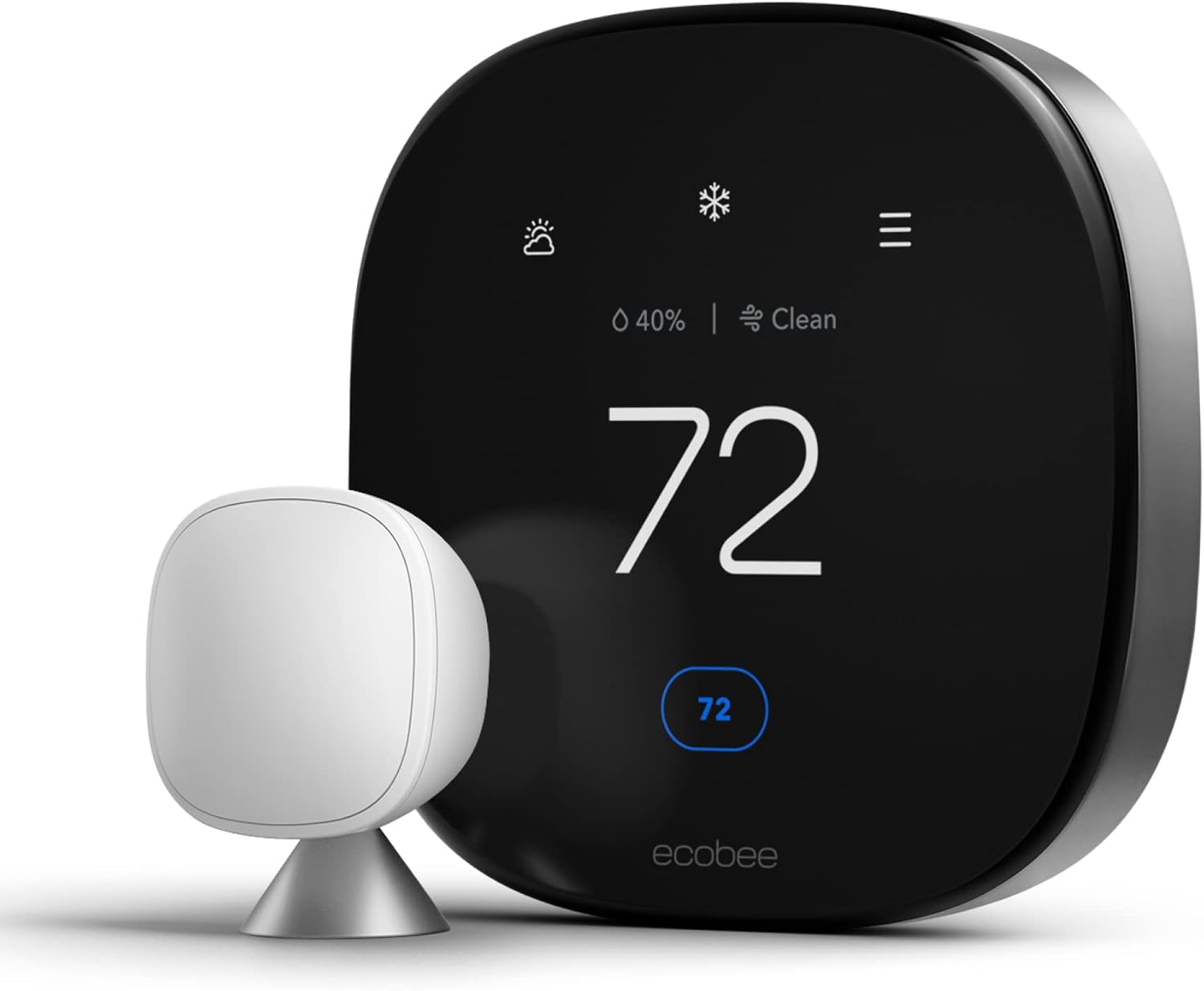
Best for voice control and room-to-room comfortIf there is one feature that can transform life for someone with arthritis, tremors, or low vision, it is voice control. The ecobee Smart Thermostat with Voice Control builds a voice assistant right into the thermostat, so you can simply speak to the wall. No phone, no separate speaker, no getting up from the chair. “Make it a little warmer” becomes the whole interface.

It also ships with a remote room sensor, which is a quiet gem for older adults. Many seniors spend most of the day in one favorite room, a recliner in the living room or a bedroom. The sensor lets the thermostat respond to the temperature where the person actually sits rather than a hallway on the other side of the house. That can make the difference between a room that feels comfortable and one that feels subtly wrong all day. Learn more in what a thermostat remote sensor is and compare sensor ranges in ecobee versus Honeywell remote sensor range.
Caregiver benefits
The companion app gives family members a view of the home temperature, schedule control, and alerts if conditions go out of range. That level of visibility is exactly what many adult children want but hesitate to ask for. It is not about spying; it is about knowing that the heat is on during a cold night. Our guide to the ecobee premium review and the comparison of ecobee Premium versus Enhanced will help you pick the right tier, and our ecobee3 lite review covers a lower-cost sibling.
If you are replacing an older unit and want to know how the swap works, see how to switch out an HZ311 thermostat for an ecobee. And if you are weighing it against Google’s offering, our Nest auto-schedule versus ecobee smart sensors piece is useful.
Pros
- Built-in voice control, no extra speaker needed
- Includes a remote room sensor
- Strong app for family monitoring
- Great for limited mobility or low vision
Cons
- Requires Wi-Fi and a well-configured account
- More features than some seniors want
- Install may need a power adapter if there is no C-wire
Check Price on Amazon
Amazon Smart Thermostat and Google Nest Learning Thermostat (4th Gen)
These two share a core idea: let the thermostat make as many decisions as possible so the person does not have to. They get there by very different roads, and the price gap between them is significant.
Amazon Smart Thermostat
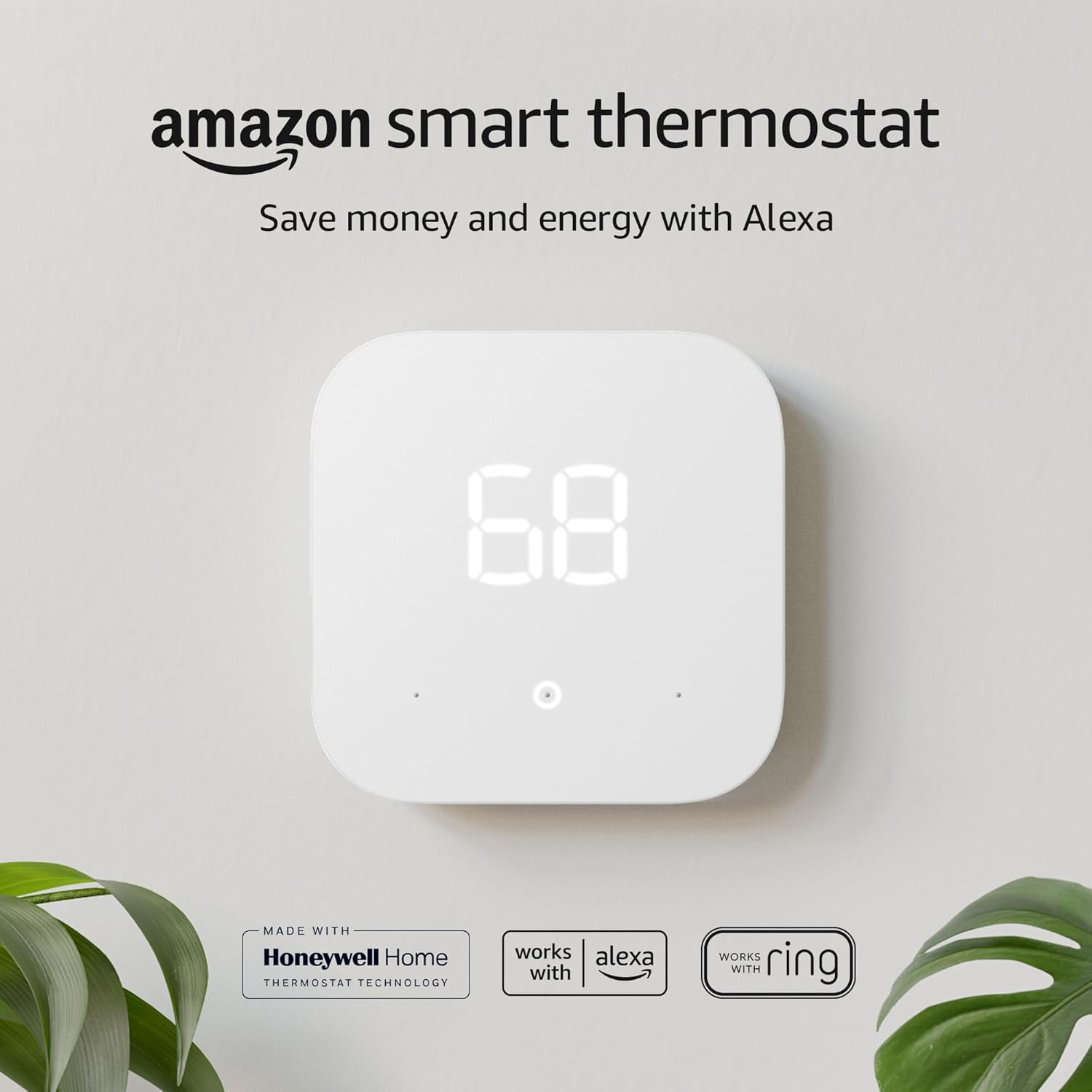
Best budget smart thermostat for Alexa homesThe Amazon Smart Thermostat is built for people who already use Alexa. Because it is designed to work with Alexa devices, a person can say a simple phrase to a nearby speaker to change the temperature. It keeps the physical design minimal and tends to be priced lower than premium smart thermostats, which makes it attractive for family members buying for a parent on a budget.

If a household is already using an Echo speaker, adding this thermostat is almost seamless. We cover the details in our Amazon Smart Thermostat review, and compare it with premium options in Google Nest versus Amazon Smart Thermostat and Amazon Smart Thermostat versus ecobee Premium and the C-wire adapter. Note that this model typically requires a C-wire, so check your wiring first.
Pros
- Affordable entry into smart control
- Alexa voice control
- Simple, uncluttered design
- App access for family
Cons
- Needs a C-wire
- Best value only if you use Alexa
- Less on-device information than a touchscreen
Check Price on Amazon
Google Nest Learning Thermostat (4th Gen)
Best hands-off smart thermostatThe Nest Learning Thermostat is the one that quietly learns your habits and adjusts the schedule on its own. For an older adult who never wants to program anything, that learning behavior is the whole appeal. You turn the temperature up or down for a few days, and it picks up the pattern. The display is clear and polished, and the app gives family members remote control and alerts. See how adaptive learning works in what is thermostat adaptive learning.

It is also quite capable at features like home and away sensing; you can read more in what the thermostat home and away feature is and what a geofencing thermostat is. Our Nest Learning Thermostat review, the 4th gen deep dive, and Nest versus Honeywell give you the full picture. If you prefer Apple’s smart-home ecosystem, see how to add your Nest thermostat to Apple Home.
Pros
- Learns habits, so little programming is needed
- Clear, attractive display
- Strong remote control and alerts
- Works with major voice assistants
Cons
- Higher price than basic options
- Learning behavior can surprise some users
- Setup is best handled by a family member
Check Price on Amazon
Mysa Smart Thermostat: The Answer for Electric Baseboard Heat
Best for electric baseboard and line-voltage systemsHere is a situation that catches many families off guard: a parent lives in a condo, apartment, or older home heated by electric baseboard heaters. Those systems run on line voltage, so ordinary furnace thermostats will not work. Mysa is built for exactly this setup, and it brings Wi-Fi control, scheduling, and voice assistant support to a category of heating that has historically been stuck with clunky manual dials.

The benefit for seniors is twofold. A person can enjoy gentle, steady warmth in the room they use most, and the family can check or adjust it remotely. Because baseboard systems are often zoned room by room, being able to turn a bedroom down while keeping the living room warm is very practical. Before buying, confirm that your system really is line voltage by following the two-minute line-voltage versus low-voltage wiring test. For more context, read the Mysa V2 review, the Mysa versus Sinope comparison, and our best thermostat for baseboard heaters roundup.
Pros
- Purpose-built for electric baseboard heat
- Remote control for family
- Voice assistant support
- Room-by-room control
Cons
- Not for standard furnace or heat pump systems
- Line-voltage install may need an electrician
- Needs Wi-Fi for smart features
Check Price on Amazon
Safe Temperatures, Smart Settings, and Caregiver Tips
The thermostat is only half the story. How you set it matters just as much, especially for older adults who are more sensitive to both heat and cold. Health organizations generally advise keeping homes from getting too cold in winter, and many older adults find a modest, steady indoor temperature more comfortable than the bargain-hunting settings that make sense for younger people. Talk with the person’s doctor if you are unsure what range suits their health.
Aim for steady, not dramatic
Avoid big swings. A thermostat that drops far overnight and then blasts back up in the morning can feel uncomfortable and unsettling. Gentle changes are easier on the body and often easier on the heating system too. For ideas on balanced numbers, our winter settings guide and what temperature to set your thermostat on winter vacation are good reference points, especially when the senior travels or stays elsewhere for a while.
Keep an eye on the house, not just the number
Sometimes the display says one thing while the house feels something else. If the home never seems to warm up, read why your house feels cold even with the heating on, thermostat not reaching the set temperature, and why a thermostat shows the wrong room temperature. If the thermostat says heat is on but nothing happens, see thermostat says heat on but no heat.
Plan for power and battery surprises
Some thermostats rely on batteries for the display or backup. A dead battery at the wrong moment can mean no heat. Teach a family member or neighbor to recognize the signs in thermostat low battery symptoms, and keep fresh batteries on hand. A simple reminder on the calendar twice a year works wonders.
A short caregiver checklist
- Set the temperature once, then confirm it holds for a full day.
- Label the thermostat’s main buttons with large-print stickers if helpful.
- Write down the reset steps and keep them somewhere safe.
- Check the batteries and filter on a regular schedule.
- For smart models, set alerts for low and high temperatures.
- Keep a phone number for a trusted HVAC technician on the refrigerator.
If your goal also includes lower bills, our how a smart thermostat saves money, do smart thermostats really save money, and HVAC energy efficiency tips pages have realistic expectations. Also check the guide to smart thermostat rebates for programs that might reduce the purchase cost.
Shop Room Thermometers
Buying Guide: Compatibility, Installation, Cost, and Our Final Picks
Step one: confirm your heating and cooling system
Before choosing a model, identify what the thermostat controls. A forced-air furnace with central air, a heat pump, radiant floors, and electric baseboard heaters each have different needs. For heat pumps, see our best thermostat for heat pump guide; for in-floor heat, read best thermostat for radiant floor heat; and for tricky setups, our furnace compatibility guide remains the best first stop.
Step two: decide on the level of technology
Be honest about the comfort level of the person using it. A good rule of thumb: if they would be happier with fewer features, choose from the no-frills group. If they enjoy gadgets or have a family member who wants remote visibility, choose from the smart group. Battery-powered smart models may help in homes without a C-wire; see best battery-powered smart thermostats and what a battery-powered smart thermostat is.
Step three: plan the installation
Many replacements are a pleasant weekend project, but not everyone should do it alone. Take a photo of the existing wiring before you disconnect anything and label each wire. If anything looks unusual, call a professional. Replacing a whole system is a bigger decision, so our cost guides on furnace replacement, AC unit installation, and HVAC system replacement may help you plan.
Our final picks by situation
| If the senior… | Choose | Why |
|---|---|---|
| Wants zero technology | Garystat or Riseem | Set it and forget it |
| Loves the classic dial look | Honeywell CT87 Round | Familiar and simple |
| Wants a gentle schedule without apps | White-Rodgers 90 Series Blue | Easy programming, readable display |
| Wants a trusted brand with a modern screen | Honeywell Home X1N | Familiar maker, current design |
| Needs family visibility with simple on-wall use | Sensi Touch ST75 | Clear touchscreen plus app |
| Has limited mobility or low vision | ecobee with Voice Control | Speak to adjust, includes sensor |
| Already uses Alexa and has a tight budget | Amazon Smart Thermostat | Low cost, Alexa control |
| Wants a hands-off, learning thermostat | Google Nest Learning (4th Gen) | Learns the routine automatically |
| Has electric baseboard heaters | Mysa | Built for line voltage |
Still unsure how a different category stacks up? Our guides on best smart thermostat for energy savings and Honeywell versus Emerson may help you narrow things down.
See Top Picks on Amazon
Frequently Asked Questions
What is the best thermostat for elderly people?
There is no single best model, because it depends on the person. For maximum simplicity, a non-programmable digital thermostat such as the Garystat or Riseem works well. For an easy programmable option, the White-Rodgers 90 Series Blue is a strong pick. For voice control and family monitoring, the ecobee with Voice Control stands out.
Are smart thermostats too complicated for seniors?
They can be, but they do not have to be. Many smart thermostats are easy to use on the wall and put the complicated parts, such as scheduling and alerts, in an app that a family member manages. The senior simply adjusts the temperature or speaks a command.
What features should a senior thermostat have?
Look for a large, high-contrast backlit display, clear buttons or a responsive touchscreen, a simple schedule or none at all, and optional voice control. Remote monitoring is a bonus when a caregiver lives far away.
Do I need Wi-Fi for a senior-friendly thermostat?
No. Several of the best options, including the non-programmable models and the White-Rodgers programmable thermostat, work perfectly without Wi-Fi. Wi-Fi is only required for remote control, app alerts, and many voice features.
What temperature should an older adult keep their home at?
Comfort needs vary, and health conditions matter, so it is wise to ask the person’s doctor. In general, older adults tend to prefer a steady, moderate indoor temperature, and it is best to avoid letting the home get too cold in winter or too hot in summer.
Can a family member control the thermostat remotely?
Yes, with smart models such as the Sensi Touch, ecobee, Amazon Smart Thermostat, Nest, and Mysa. A family member can use the app to check the temperature and make adjustments from anywhere with an internet connection.
What is the easiest thermostat for someone with poor eyesight?
Choose a model with large digits and a bright backlight, like the Riseem Blue Backlight or the White-Rodgers 90 Series Blue. A voice-controlled thermostat such as the ecobee also helps because the person does not need to read the display at all.
Can I prevent a senior from accidentally changing the settings?
Yes. Some thermostats include a keypad lock, and you can also use a thermostat lock box. This is helpful if someone repeatedly sets the heat too high or too low. Use it thoughtfully so the person can still make small comfort adjustments.
Will a new thermostat work with my existing system?
That depends on your wiring and system type. Most standard furnace and central air systems use low-voltage wiring, while electric baseboard heaters use line voltage. Many smart models also need a C-wire. Always check the product’s compatibility information before you buy.
Can I install a thermostat myself?
Many people can, especially with low-voltage systems, by taking a photo of the old wiring and following the instructions. Line-voltage systems, like baseboard heaters, carry higher current, so an electrician is the safer choice if you are not experienced.
Will a smart thermostat save money for a senior on a fixed income?
It can, particularly if it prevents wasted heating and cooling. Savings vary by home and habits, so treat any number as an estimate. Even without big savings, a thermostat that is easy to use may help avoid costly mistakes.
What if the thermostat stops working during cold weather?
First check the batteries and the display, then try a reset following the maker’s instructions. If the heat still does not come on, contact an HVAC professional, and make sure a family member knows who to call before winter arrives.
Conclusion: Comfort, Confidence, and Peace of Mind
Choosing the best thermostat for an elderly family member comes down to matching technology to the person. For some, the ideal is a rugged, simple digital unit like the Garystat or Riseem. For others, a familiar Honeywell, or a gently programmable White-Rodgers 90 Series Blue, hits the sweet spot. And for families who want voice control, remote visibility, or hands-off learning, the Sensi Touch, ecobee, Amazon Smart Thermostat, Nest Learning Thermostat, and Mysa each earn their place.
Whatever you choose, remember the goal: a home that stays comfortable and safe with as little effort as possible. Confirm compatibility, keep the schedule simple, set sensible temperatures, and make sure someone knows how to reset the unit. A little planning now means fewer worries on the coldest night of the year.
Shop Thermostats on Amazon




 Home
 Info
 Compare
 Reviews
 Shop