
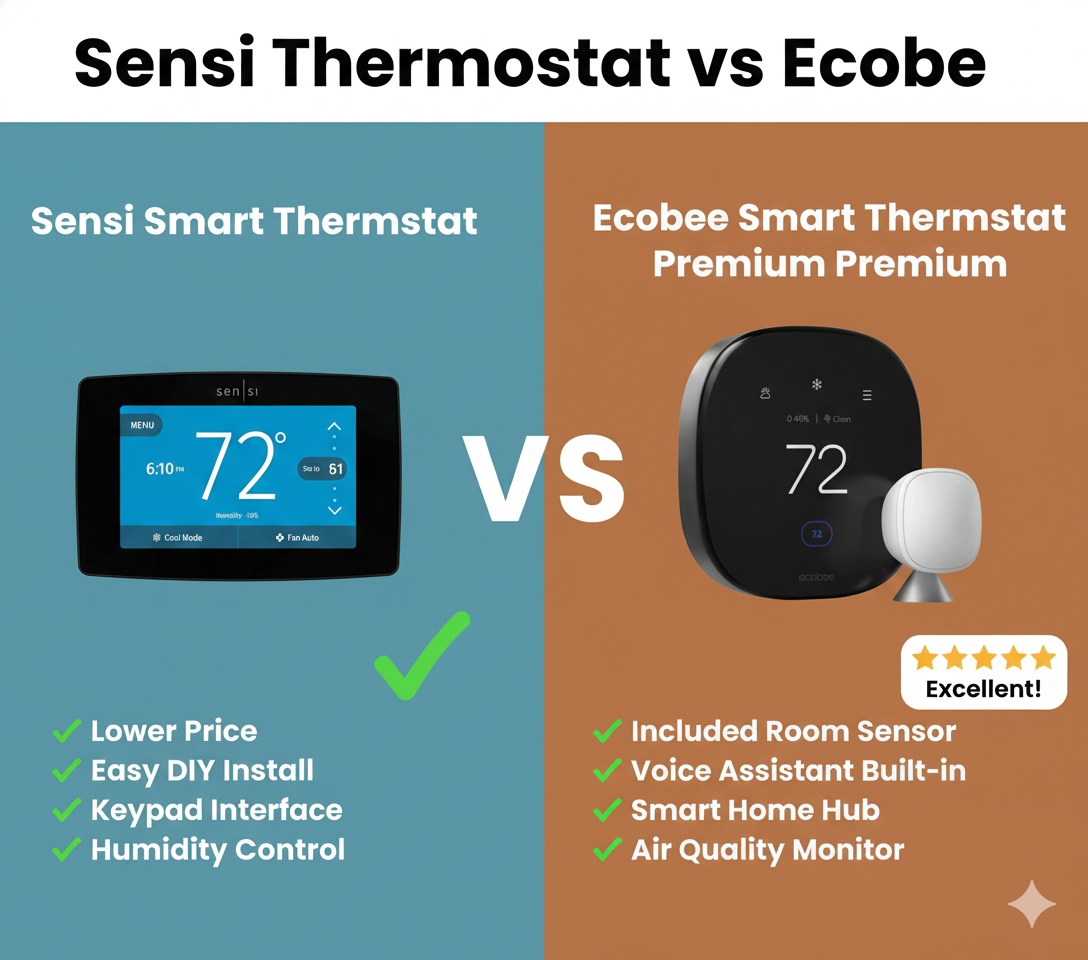
Sensi Thermostat vs Ecobee: The Battle for Your Wall
If you have been browsing the aisles of Home Depot or scrolling through Amazon looking for a way to lower your energy bills, you have undoubtedly narrowed your list down to two heavyweights: Sensi (by Emerson/Copeland) and Ecobee.
Choosing a smart thermostat used to be about which one looked the coolest. Today, it is a question of infrastructure. Thermostats explained simply come down to control, but smart thermostats add layers of complexity regarding C-wires, room sensors, and ecosystem integration.
In this comprehensive guide, we are pitting Sensi thermostat vs Ecobee to see which one deserves the spot on your wall. Are you looking for the high-tech, sensor-rich experience of Ecobee, or the ultra-reliable, “it just works” simplicity of Sensi? Let’s dive deep.
At a Glance: Sensi vs. Ecobee
Before we dissect the features, here is a quick cheat sheet comparing the flagship attributes of both brands.
| Feature | Emerson Sensi (Smart / Touch) | Ecobee (Lite / Premium) |
|---|---|---|
| Best For | Older homes, DIY beginners, landlords | Tech enthusiasts, large homes, data lovers |
| C-Wire Required | No (Standard Model) / Yes (Touch) | Yes (Includes PEK adapter) |
| Room Sensors | Available (Sold separately) | Included with Premium; Native integration |
| Voice Assistant | Compatible (Alexa/Google/Siri) | Built-in Alexa (Premium model) |
| Aesthetic | Traditional or Industrial | Futuristic, Glass, Smartphone-like |
| App Experience | Simple, functional | Robust, data-rich |
Meet the Contenders
The Sensi Family
Sensi is manufactured by Emerson (now Copeland), a brand with over 100 years of experience in the HVAC industry. Their philosophy is distinct: a smart thermostat shouldn’t require you to rewire your entire house. The Emerson Sensi Touch review scores are consistently high because they bridge the gap between “dumb” thermostats and “smart” ones.
- Sensi Smart Thermostat (ST55): Looks like a traditional thermostat. Runs on batteries. Often requires no C-wire.
- Sensi Touch / Touch 2: A large HD touchscreen that looks more modern but requires a C-wire.

The Ecobee Family
Ecobee pioneered the Wi-Fi thermostat market. They were the first to introduce room sensors, solving the age-old problem of hot upstairs bedrooms and cold downstairs living rooms. If you are wondering Ecobee vs Honeywell Home, Ecobee usually wins on innovation.
- Ecobee3 Lite: The entry-level model. No voice control built-in, but supports sensors. See our Ecobee3 Lite review.
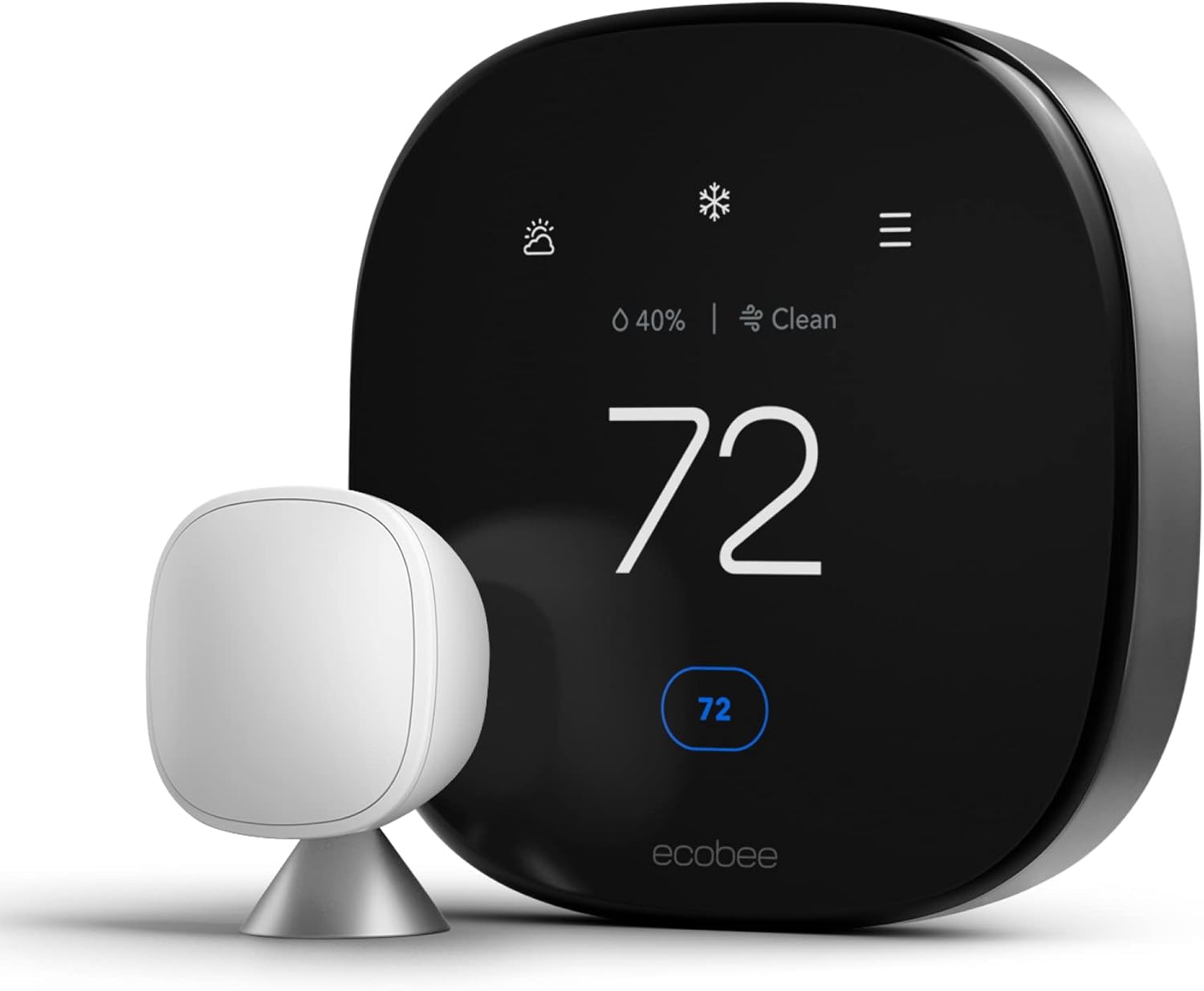
- Ecobee Smart Thermostat Premium: The flagship. Glass face, zinc body, built-in Alexa, and air quality monitoring.

Installation: The C-Wire Debate
This is often the deciding factor for homeowners. If you live in an older home built before the 1980s, you might not have a “Common Wire” (C-wire) in your wall.
Sensi Installation
The standard Sensi Smart Thermostat is legendary for its “no C-wire required” design for most HVAC systems (heat pumps being the main exception). It relies on two AA batteries to maintain Wi-Fi connectivity when the system isn’t running. This makes it the best battery operated thermostat upgrade for older homes.
Installation is straightforward. The app guides you through wiring, and the backplate covers most paint gaps left by old thermostats.
Ecobee Installation
Ecobee requires a constant power source. If you have a C-wire, it’s plug-and-play. If you don’t, Ecobee includes a Power Extender Kit (PEK) in the box. While the PEK is a brilliant solution, it does require you to go into your furnace or air handler control board and do some wiring. If the thought of opening your furnace panel scares you, Sensi wins this round.
However, once installed, Ecobee is incredibly stable. If you are swapping from an older digital model, check our guide on how to switch out an HZ311 thermostat for an Ecobee.
Features & Performance
Remote Sensors: Ecobee’s Crown Jewel
Ecobee’s claim to fame is the SmartSensor. These small, wireless pucks detect temperature and occupancy in different rooms. You can tell the thermostat to prioritize the temperature in the “Bedroom” at night and the “Living Room” during the day.
Sensi has introduced room sensors for their Touch models, but they feel like an add-on rather than a core feature. Ecobee’s “Follow Me” mode, which adjusts heating based on which room you are actually in, is smoother and more intuitive.
Geofencing
Both brands offer geofencing. What is geofencing? It uses your phone’s GPS to tell the thermostat when you leave the house (setting it to Eco mode) and when you are returning (pre-heating or cooling the home). Sensi’s geofencing is simple and effective. Ecobee’s is part of their larger “Eco+” suite, which can sometimes be a bit aggressive in trying to save energy.
Smart Home Integration
If you are comparing Nest vs Ecobee or Sensi, integration matters.
- Ecobee: Works with Apple HomeKit, Alexa, Google Assistant, SmartThings, and IFTTT. The Premium model has a speaker and microphone, doubling as an Alexa device.
- Sensi: Also works with HomeKit, Alexa, Google, and SmartThings. However, it is purely a controller; you cannot speak to the thermostat unless you have a separate smart speaker.
Wiring & Terminal Compatibility: What’s Behind Your Wall Matters
Before you even open the box, it pays to understand what you are working with behind your existing thermostat. Pull your old unit off the wall (with the system powered down at the breaker or furnace switch) and take a photo of the terminal block. Both Sensi and Ecobee publish compatibility checkers, but understanding the terminals yourself will save you a return trip to the store.
| Terminal | Function | Sensi Support | Ecobee Support |
|---|---|---|---|
| R / Rc / Rh | 24V power (cooling / heating, single or dual transformer) | Full support, including dual-transformer systems | Full support, including dual-transformer systems |
| C | Common wire (continuous 24V for power) | Optional on Smart model, required on Touch models with certain accessories | Strongly recommended; PEK substitutes if missing |
| W / W2 | Heat call (single and second stage) | Supported, up to 2-stage conventional heat | Supported, up to 2-stage conventional heat |
| Y / Y2 | Cooling compressor call (single and second stage) | Supported, up to 2-stage cooling | Supported, up to 2-stage cooling |
| G | Fan relay | Supported | Supported |
| O/B | Heat pump reversing valve | Supported on heat pump-compatible Sensi models | Supported, with automatic O/B detection in the setup wizard |
| AUX / E | Auxiliary or emergency heat strip for heat pumps | Supported on heat pump models | Supported, with configurable balance-point temperature |
| Acc / PEK | Accessory terminal or Power Extender Kit | Not used; relies on battery backup instead | Used to derive a synthetic C-wire when none exists |
The takeaway here is that both manufacturers support the vast majority of residential 24V low-voltage systems, but the way they solve the “no C-wire” problem is philosophically different. Sensi treats the C-wire as optional and falls back to batteries; Ecobee treats power as mandatory and gives you a small hardware kit to manufacture one. Neither approach is objectively wrong, but it changes how comfortable a first-time installer will feel opening up the furnace cabinet.
If your system uses a proprietary or non-standard wiring harness — common in some manufactured homes, older Trane XL systems, and certain zoned ducted mini-splits — neither Sensi nor Ecobee may be a drop-in replacement. In those cases, it’s worth consulting an HVAC technician before purchasing either unit, since a mismatched thermostat can trip diagnostic codes on proprietary equipment.
HVAC System Compatibility: Heat Pumps, Dual Fuel, and Multi-Stage Systems
Not every home runs a simple single-stage gas furnace paired with a single-stage AC condenser. Understanding how each thermostat handles more advanced HVAC equipment is one of the most-searched, least-answered questions in this comparison.
Heat Pumps and Dual-Fuel (Hybrid) Systems
Both thermostats support standard air-source heat pumps, including auxiliary and emergency heat staging. Where they start to diverge is in dual-fuel setups, where a heat pump is paired with a gas or propane furnace as backup heat below a certain outdoor temperature.
- Ecobee has more mature dual-fuel logic. You can set a specific outdoor “changeover” temperature, and the thermostat will automatically switch from the heat pump to the furnace once conditions drop below that threshold, factoring in the relative cost of electricity versus gas if you input your utility rates.
- Sensi (specifically the Sensi Touch and newer Sensi Predict models) also supports dual-fuel changeover, but the configuration options are more basic — you typically set a single outdoor temperature cutoff without the cost-based optimization Ecobee offers.
Multi-Stage Heating and Cooling
Many higher-efficiency furnaces and condensers run in two or even three stages to reduce short-cycling and improve comfort. Both Sensi and Ecobee support two-stage heating and two-stage cooling out of the box. Neither brand’s mainstream consumer models natively support true three-stage or modulating (variable-speed) equipment at the same granularity as a manufacturer-specific communicating thermostat, such as a Carrier Infinity or Trane ComfortLink control. If you have a fully communicating, variable-speed system, you may lose some of the finest-grained modulation by switching to a universal thermostat like Sensi or Ecobee, even though both will still operate the equipment safely in a standard staged mode.
Geothermal and Ductless Mini-Split Systems
Geothermal (ground-source heat pump) systems are supported by both brands when wired through a standard low-voltage interface, though compatibility should always be double-checked against the specific geothermal control board, since some manufacturers use non-standard terminal labeling.
Ductless mini-splits are the trickiest category. Most single-zone and multi-zone ductless mini-splits use their own proprietary remote control or wall controller rather than a standard 24V thermostat wiring harness, meaning neither Sensi nor Ecobee can control them directly out of the box. Some installers use third-party interface modules to bridge a mini-split to a standard thermostat, but this is a specialty installation outside the scope of what either Sensi or Ecobee ships in the box.
Compressor Protection and Minimum Cycle Times
Both brands build in compressor short-cycle protection, delaying the compressor from restarting for a set interval (typically around five minutes) after it shuts off, which protects the equipment from damage due to rapid on/off cycling during power blips or aggressive schedule changes.
Humidity Sensing & Indoor Air Quality
Temperature is only half of comfort — humidity plays an enormous role in how a space actually feels, and it’s an area where the two brands have converged in recent hardware generations.
Built-In Humidity Sensors
The Ecobee Smart Thermostat Premium includes a built-in air quality monitor that tracks humidity, VOCs (volatile organic compounds), and CO2 estimates, displaying trends directly in the app. The Ecobee3 Lite includes basic humidity sensing but not the full air quality suite. Sensi’s newer Sensi Predict model added humidity sensing and can control a whole-home humidifier or dehumidifier connected to your HVAC system, a feature that older ST55 models lacked entirely.
Controlling a Whole-Home Humidifier or Dehumidifier
If your furnace has a bypass or powered humidifier, or your system includes a whole-home dehumidifier, both the Ecobee Premium and the newer Sensi Predict can integrate with those accessories through the ACC+/ACC- or dehumidify terminal, letting the thermostat automatically run the humidifier during heating season and the dehumidifier during cooling season to hold a target relative humidity band, typically 35–50%.
Why This Matters for Comfort and Energy Bills
Air that’s too dry in winter feels colder than the thermostat reading suggests, tempting homeowners to bump the setpoint up a few degrees — which increases energy use. Air that’s too humid in summer feels warmer than the actual temperature, causing the same overcorrection in the other direction. A thermostat that actively manages humidity, not just temperature, can meaningfully reduce the “phantom” degrees people add to their setpoint simply because the air feels wrong.
Sensi Predict: Emerson’s Answer to Ecobee’s Data Advantage
For years, one of the most common criticisms of Sensi was that it lacked the “smart” learning capability of competitors like Nest and Ecobee. Emerson addressed this directly with the Sensi Predict line, which adds a predictive algorithm layered on top of the classic Sensi reliability.
- Weather-aware pre-conditioning: Sensi Predict pulls local weather forecast data and begins heating or cooling the home earlier if extreme temperatures are expected, aiming to hit your target setpoint by the scheduled time rather than starting cold.
- Runtime learning: Over several weeks, Sensi Predict learns how long your specific system takes to reach a setpoint under different outdoor conditions, refining its pre-conditioning timing.
- Humidity-aware comfort: Because Sensi Predict includes a humidity sensor, its predictive logic factors in relative humidity alongside temperature when deciding when to start a cycle.
This narrows, but doesn’t fully close, the gap with Ecobee’s “Smart Recovery” and Eco+ features, which have had a multi-year head start refining their predictive models across millions of connected homes. Ecobee’s larger installed base gives its algorithms more aggregate data to draw from, though Sensi Predict’s forecasts are generally accurate enough for typical residential use.
Multi-Zone and Multi-Thermostat Whole-Home Setups
Larger homes often run two or three separate HVAC systems (upstairs/downstairs zoning, or a separate system for an addition), each with its own thermostat. Both Sensi and Ecobee handle this scenario, but with different philosophies.
The Ecobee Approach: Sensors Within One System
Ecobee’s SmartSensor puck system is designed to average and prioritize temperatures across multiple rooms served by a single HVAC system and thermostat. If you have true physical zoning (separate ductwork, dampers, and a zone control panel), Ecobee thermostats can serve as zone controllers when paired with compatible zoning hardware, though setup can require a professional familiar with zone board wiring.
The Sensi Approach: One Thermostat Per System
Sensi’s philosophy is simpler: install one Sensi unit per independent HVAC system or zone, and manage them all from a single app under one account. For homes with two or three fully separate systems (rather than a single system with ducted zoning), this is often the more straightforward path, since each thermostat operates independently without needing a shared zone panel.
Which Is Better for Multi-Zone Homes?
If your “zones” are actually separate, independent HVAC systems, either brand works well, and Sensi’s lower per-unit cost can make outfitting three or four thermostats more budget-friendly. If your zones share a single system with a central zone damper board, Ecobee’s sensor-and-averaging approach, combined with compatible third-party zoning hardware, tends to deliver more even comfort without needing multiple full thermostats.
Design & Usability
Do you want a gadget that looks like a smartphone, or a thermostat that looks like… a thermostat?
The Ecobee Aesthetic
Ecobee thermostats feature glass fronts, high-resolution touch screens, and a sleek, rounded-square shape. They look premium and futuristic. The interface is gesture-based, similar to using an iPhone.
The Sensi Aesthetic
The Sensi ST55 looks like a standard white plastic thermostat. It has physical buttons. For many users, specifically the elderly or those who dislike touchscreens, the tactile click of a button is superior. The Sensi Touch 2 is more modern, with a glass screen, but still retains a utilitarian “HVAC” feel compared to Ecobee’s “Tech” feel.
App Experience Deep Dive: Scheduling, Reports, and Daily Use
The physical thermostat on your wall is only half the product — most day-to-day interaction happens through the companion app. Since both brands run on iOS and Android, here’s how the daily experience compares.
Scheduling Interface
The Sensi app uses a straightforward weekday/weekend or fully custom seven-day schedule builder. You drag temperature blocks across a timeline, and it’s intuitive enough that most users can set up a full week’s schedule in under five minutes without reading instructions.
Ecobee’s scheduling is built around “comfort settings” — named profiles like Home, Away, Sleep, and custom presets — which you then assign to blocks of time. This is slightly more abstract than Sensi’s direct temperature-on-a-timeline approach, but it pays off once you start using SmartSensors, since each comfort setting can have its own sensor priority (for example, prioritizing the bedroom sensor only during the Sleep profile).
Energy Reports and Data Visualization
This is where Ecobee’s app clearly pulls ahead. The Ecobee app breaks down runtime by equipment stage (heat stage 1, heat stage 2, fan, humidifier, etc.) in a stacked bar chart, alongside outdoor temperature overlays, so you can visually correlate a spike in runtime with a cold snap. Sensi’s reporting is comparatively minimal — you get basic runtime totals and a simple history log, but not the same level of stage-by-stage breakdown.
For homeowners who enjoy digging into data to understand exactly where their energy dollars go, Ecobee’s reporting is a genuine differentiator. For homeowners who just want to glance at a screen and confirm the system is working, Sensi’s simplicity is arguably a feature rather than a shortcoming.
Notifications and Alerts
Both apps send push notifications for filter change reminders, extreme temperature deviations (useful for catching a failed furnace before pipes freeze), and connectivity loss. Ecobee’s alerting is more configurable, letting you set custom high/low temperature thresholds per sensor, while Sensi’s alerts are more limited to system-wide thresholds.
Multiple User Access and Sharing
Both platforms support inviting additional users (family members, roommates, or a property manager) to control the thermostat from their own phone, and both allow you to manage several properties from one account — useful for the landlords and property managers who gravitate toward Sensi specifically for its lockout and guest-access features.
ENERGY STAR Certification & Utility Rebate Programs
One of the most overlooked factors in the Sensi vs Ecobee decision is that both product lines are ENERGY STAR certified, which matters for two practical reasons: verified efficiency claims, and eligibility for utility rebate programs.
What ENERGY STAR Certification Actually Confirms
ENERGY STAR certification for smart thermostats requires the manufacturer to submit field data demonstrating measurable heating and cooling savings compared to a standard programmable thermostat, verified through an independent, EPA-recognized testing methodology. Both Sensi Smart/Touch models and Ecobee’s Lite/Premium lineup carry this certification, which is why both brands can legitimately advertise savings in the 20–23% range on heating and cooling costs.
Utility Rebates: Often the Deciding Factor on Price
Many electric and gas utilities across the U.S. and Canada offer instant rebates, mail-in rebates, or bill credits — typically ranging from $25 to $150 — for installing an ENERGY STAR certified smart thermostat, and some utilities partner directly with Ecobee or Sensi for streamlined enrollment. Because eligibility, rebate amount, and enrollment process vary enormously by utility provider and region, the single most valuable step before buying either thermostat is checking your own utility’s rebate portal or contacting your provider directly; a $50–$100 rebate can meaningfully shift the effective price comparison between the two brands.
Demand Response Programs
Some utilities also offer ongoing bill credits (often $20–$50 per year) for enrolling your smart thermostat in a demand response program, where the utility can make small, temporary adjustments to your setpoint during peak grid demand events, such as a heat wave afternoon. Ecobee has broader utility partnership coverage for these programs due to its longer market presence and larger installed base, though Sensi’s participation has been expanding as Copeland grows the platform.
Reliability & Troubleshooting
No tech is perfect. When looking at thermostat reliability, Sensi is often praised for its “set it and forget it” nature.
Common issues for Sensi usually revolve around Wi-Fi dropouts if the batteries get low. If you experience this, check our guide on why is my Sensi thermostat not working.
Ecobee is power-hungry. If your C-wire isn’t delivering consistent voltage, you might see the thermostat keeps rebooting. However, Ecobee’s support and diagnostics are top-tier, often emailing you if they detect your furnace is acting inefficiently.
Pros & Cons Breakdown
Sensi Pros
- ✅ Easiest installation (often no C-wire needed).
- ✅ Classic design blends in; physical buttons available.
- ✅ Highly reliable app.
- ✅ Typically cheaper upfront cost.
- ✅ Excellent for landlords (lockout features).
Sensi Cons
- ❌ Lacks advanced data reporting.
- ❌ Room sensors are sold separately and less integrated.
- ❌ Not as “sleek” looking as competitors.
- ❌ No built-in voice assistant.
Ecobee Pros
- ✅ Superior room sensor technology.
- ✅ Beautiful, premium glass interface.
- ✅ Built-in Alexa (Premium model).
- ✅ Includes Power Extender Kit for C-wire homes.
- ✅ Advanced energy reports and air quality monitoring.
Ecobee Cons
- ❌ More expensive.
- ❌ Installation can be complex if using the PEK.
- ❌ Interface can be overwhelming for non-tech users.
- ❌ Requires constant power (no battery backup for operation).
Pricing & Total Cost of Ownership
Sticker price is only the starting point. To understand the real cost difference between Sensi and Ecobee, it helps to look at the full lineup and the accessories most buyers end up adding.
| Model | Typical Street Price Range | Notes |
|---|---|---|
| Sensi Smart Thermostat (ST55) | Budget tier | No display touchscreen; physical buttons; battery-powered option |
| Sensi Touch 2 | Mid tier | HD touchscreen; requires C-wire; supports room sensors |
| Sensi Predict with Humidity | Upper-mid tier | Adds predictive AI, humidity sensing, and humidifier/dehumidifier control |
| Ecobee3 Lite | Mid tier | No built-in voice assistant; supports SmartSensors (sold separately) |
| Ecobee Smart Thermostat Premium | Premium tier | Built-in Alexa, air quality monitoring, includes one SmartSensor |
| Additional SmartSensor 2-pack (Ecobee) | Accessory add-on | Recommended for homes with more than two rooms needing balanced comfort |
Because retail pricing shifts frequently with sales events, always check the current listings directly on the product pages linked throughout this guide rather than relying on a snapshot figure.
Hidden Costs to Budget For
- Additional sensors: If you want whole-home sensor coverage with Ecobee, budget for at least one extra 2-pack of SmartSensors beyond what ships with the Premium model.
- Professional installation: If you’re not comfortable with the PEK wiring or don’t have a C-wire and want one pulled properly, an electrician or HVAC technician visit is an added cost on top of the thermostat itself.
- Multiple units: For multi-system homes, Sensi’s lower per-unit price advantage compounds quickly — outfitting three zones with Sensi Smart units costs meaningfully less than three Ecobee Premium units.
- Optional subscriptions: Ecobee offers an optional paid smart security subscription for its sensor-based home monitoring features; this is entirely optional for thermostat functionality but worth knowing about if you’re comparing full ecosystem costs.
Where Rebates Change the Math
As covered above, utility rebates can offset a meaningful chunk of either thermostat’s cost. Because Ecobee’s higher-tier models sit at a higher list price, a flat-dollar rebate (say, $75) represents a smaller percentage discount on an Ecobee Premium than it does on a Sensi Smart unit — worth factoring in if rebate eligibility is identical between the two models in your area.
Warranty, Customer Support & Return Policies
A thermostat is a long-term investment sitting at the center of your home’s comfort system, so warranty coverage and support quality matter more than they might for a typical gadget purchase.
Warranty Coverage
Emerson/Copeland backs Sensi thermostats with a standard limited warranty covering manufacturing defects for a multi-year period from the date of purchase, with registration through the Sensi app extending coverage in many cases. Ecobee similarly offers a limited warranty on its hardware, with the Premium model generally carrying a longer coverage window than the entry-level Lite, reflecting its higher price point and included sensor hardware.
Always register your unit through the respective app immediately after installation — both brands make this a prerequisite for the extended warranty tiers, and it’s a step that’s easy to forget once the thermostat is up and running.
Customer Support Channels
Sensi support is primarily phone and email based, backed by Emerson’s long-standing HVAC parts and service network — a genuine advantage if your issue turns out to be equipment-related rather than thermostat-related, since Emerson/Copeland components are common inside many furnaces and condensers already. Ecobee offers phone, email, and live chat support, plus proactive diagnostic emails that flag unusual equipment runtime patterns before they become a full system failure, a feature that consistently draws praise in user feedback.
Return Policies
Return windows depend on where you purchase the thermostat rather than the manufacturer directly — Amazon, Home Depot, and other major retailers each apply their own standard return policy, typically 30 days, separate from the manufacturer’s warranty. If a thermostat arrives DOA (dead on arrival) or is incompatible with your system after testing, initiating a return through the retailer is usually faster than going through manufacturer support.
Data Privacy & Security Considerations
A smart thermostat sits on your home Wi-Fi network and, in the case of models with built-in microphones or occupancy sensors, has visibility into patterns of when people are home. It’s a reasonable question to ask what happens to that data.
What Data Each Platform Collects
Both Sensi and Ecobee collect standard usage data — temperature settings, runtime, schedule patterns, and connectivity status — to power their apps and, in aggregate and de-identified form, to improve their predictive algorithms. Ecobee’s SmartSensors add occupancy detection (motion-based, not video or audio) to that picture, since occupancy is core to how the “Follow Me” feature works. The Ecobee Premium’s built-in microphone, used for Alexa voice commands, follows standard Amazon Alexa privacy practices, including a physical mute switch to disable the microphone entirely if you’d rather not have a voice assistant listening in your home.
Account Security
Both apps support standard account security practices including password-based login and, on most current app versions, two-factor authentication. As with any connected home device, using a unique, strong password for your thermostat account (rather than reusing a password from another service) and keeping the app updated are the most effective steps you can take to keep the device secure.
Reading the Fine Print
Because privacy policies are updated periodically by both manufacturers, the most reliable way to understand exactly what’s collected and how it’s used is to review the current privacy policy published directly on the Sensi and Ecobee websites at the time of purchase, rather than relying on a static summary that may fall out of date.
Real-World Energy Savings: What Homeowners Actually Report
Marketing claims of “23% savings” come from controlled studies, but real-world results vary based on climate, home insulation, existing habits, and how aggressively you actually use the scheduling and geofencing features.
Factors That Determine Your Actual Savings
- Your starting point: Homeowners upgrading from a non-programmable, manual thermostat tend to see the largest gains, since they’re moving from zero automated setbacks to a fully scheduled system. Homeowners upgrading from an already well-programmed thermostat see smaller incremental gains.
- Climate severity: Homes in climates with large seasonal temperature swings (hot summers and cold winters) tend to see bigger absolute dollar savings than homes in mild, temperate climates, simply because there’s more HVAC runtime to optimize.
- How much you actually use the features: A smart thermostat left on a single, unchanging setpoint delivers essentially the same energy usage as a basic thermostat. The savings come specifically from scheduling, geofencing, and setback usage — features that require a small amount of initial setup to actually pay off.
- Home insulation and envelope quality: A poorly insulated home will see the thermostat working harder to recover from a setback, which can eat into some of the theoretical savings compared to a well-sealed, well-insulated home.
Ecobee’s Aggregate Data Advantage
Because Ecobee has a larger installed base and has been collecting aggregate runtime data for longer, its Eco+ and Smart Recovery features have more historical data to draw from when calculating optimal pre-conditioning timing, which can translate into marginally smoother temperature recovery around scheduled setpoint changes. Sensi Predict is narrowing this gap but is working with a comparatively newer dataset.
Setting Realistic Expectations
Rather than fixating on a specific percentage, a more useful approach is to compare your utility bills for the same calendar months (accounting for weather) before and after installation, which both apps make easy to track through their built-in reporting and export features.
Technical Specifications Side-by-Side
For buyers who want the raw specs rather than the narrative comparison, here’s how the flagship models stack up on paper.
| Specification | Sensi Touch 2 / Predict | Ecobee Smart Thermostat Premium |
|---|---|---|
| Display | HD color touchscreen | High-resolution glass touchscreen |
| Wireless Standard | 2.4GHz Wi-Fi (802.11 b/g/n) | 2.4GHz Wi-Fi (802.11 b/g/n) |
| Built-in Voice Assistant | Not built-in (compatible with external Alexa/Google devices) | Built-in Alexa (Premium only) |
| Occupancy / Motion Sensing | Built-in on Touch models; extended via optional room sensors | Built-in; extended via SmartSensor accessories |
| Humidity Sensor | Included on Predict model only | Included on Lite and Premium |
| Air Quality (VOC/CO2 estimate) | Not included | Included on Premium model |
| Power Source | C-wire or battery backup (model dependent) | C-wire required (PEK adapter available) |
| Backlight / Ambient Light Sensor | Included on Touch models | Included |
| Operating Temperature Range | Standard indoor residential range | Standard indoor residential range |
| Mounting | Standard wall-plate, covers most existing footprints | Standard wall-plate, covers most existing footprints |
Note that exact specifications can shift slightly between hardware revisions, so it’s worth confirming current specs on the product listing before finalizing a purchase, especially the humidity and air-quality sensor inclusions, which have varied across model generations for both brands.
Best Choice for Landlords, Renters, and Short-Term Rentals
Beyond the standard homeowner use case, both thermostats see heavy adoption in rental and hospitality settings, but they serve those needs differently.
Why Landlords Often Choose Sensi
Sensi has built a strong reputation among property managers and landlords for a few specific reasons. The app supports multi-property management from a single login, useful for anyone overseeing several rental units. Temperature lockout and range-limiting features let a landlord cap how far a tenant can push the setpoint in either direction, protecting against runaway utility bills in units where the landlord covers utilities. The lower per-unit hardware cost also matters when outfitting an entire multi-unit building, where the price difference between Sensi and Ecobee Premium multiplied across a dozen or more units adds up quickly.
Why Some Landlords and Airbnb Hosts Prefer Ecobee
For short-term rental hosts running an Airbnb or VRBO property, Ecobee’s occupancy sensing and remote monitoring can double as a light-touch check on whether a unit is occupied, and its more detailed runtime reporting helps identify HVAC problems (like a unit running constantly, suggesting a refrigerant leak or failing compressor) before a guest complaint arrives. Ecobee’s integration with a broader range of smart home and security platforms also appeals to hosts who are already running a connected-home stack for keyless entry, cameras, or noise monitoring.
What Renters Should Know Before Installing Either
If you’re a renter rather than a property owner, always check your lease and get written permission from your landlord before swapping out the existing thermostat — and keep the original unit, since most leases require it to be reinstalled at move-out. Both Sensi and Ecobee are straightforward to reverse-install if you keep the original hardware and mounting plate.
DIY vs. Professional Installation: Costs and Considerations
Both manufacturers design their products for DIY installation, and the majority of buyers do install the thermostat themselves without issue. That said, there are specific situations where hiring a professional is the safer call.
When DIY Installation Makes Sense
If your existing thermostat uses standard labeled terminals (R, W, Y, G, C, and possibly O/B), your new unit is the same brand’s basic model or a compatible tier, and you’re comfortable following an in-app wiring wizard while the system is powered off, DIY installation for either Sensi or Ecobee typically takes well under an hour, including mounting and Wi-Fi setup.
When to Call a Professional
- Your existing wiring is unlabeled, uses non-standard colors, or doesn’t match either app’s setup wizard prompts.
- You need to pull a new C-wire through a wall rather than relying on the PEK or battery-backup option.
- You have a heat pump with dual-fuel or emergency heat wiring you’re not fully confident identifying.
- Your system uses zoning hardware, a communicating/proprietary control board, or a geothermal control panel with non-standard labeling.
A standard HVAC technician thermostat swap is a relatively quick service call for most licensed technicians, and many will bundle it with a seasonal maintenance visit. If cost is the deciding factor between DIY and professional installation, weigh the service call cost against the risk of returning an incompatible unit or, worse, incorrectly wiring a heat pump reversing valve, which can cause the system to heat when it should cool or vice versa.
Are There Other Alternatives?
While Sensi and Ecobee are top-tier, the market is crowded. If budget is your primary concern, you might look at the Wyze vs Govee thermostat comparison for budget-friendly options.
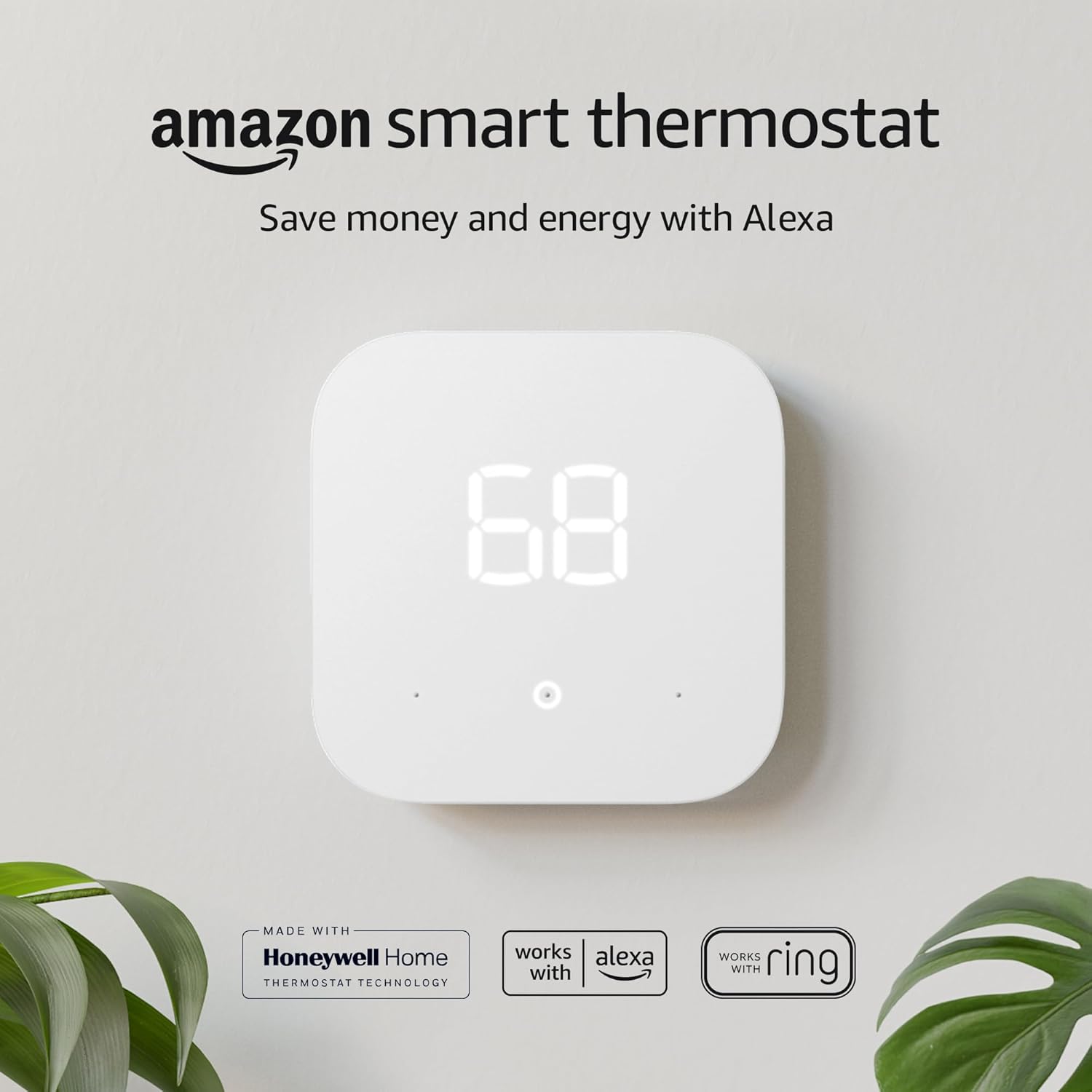
If you are deep in the Google ecosystem, you might consider the Google Nest vs Amazon Smart Thermostat. Nest offers a learning capability that neither Sensi nor Ecobee fully replicates, though Ecobee’s scheduling is often preferred by control freaks who don’t want a robot guessing their schedule.
Frequently Asked Questions
Does the Sensi Thermostat save as much money as Ecobee?
Yes. Do smart thermostats really save money? Absolutely. Both brands claim roughly 23% savings on HVAC costs. The savings come from scheduling and geofencing, which both handle well. Ecobee has a slight edge with “Eco+” which adjusts for Time of Use electricity rates.
Can I use Sensi if I have baseboard heaters?
Typically, no. Most smart thermostats, including standard Sensi and Ecobee models, work with low-voltage (24V) systems. For high-voltage baseboards, you need a specialized thermostat for baseboard heaters, such as Mysa.
What if my thermostat says heat on but no heat is coming out?
This is a common HVAC issue, not necessarily the thermostat’s fault. However, incorrect wiring during installation is a frequent culprit. Check our guide: thermostat says heat on but no heat.
Is the Ecobee Premium worth the extra money over the Lite?
If you want voice control, air quality monitoring, and the premium zinc/glass build, yes. If you just want Wi-Fi control and sensor compatibility, the Ecobee3 Lite is a fantastic value.
Final Verdict: Which One Should You Buy?
The battle of Sensi thermostat vs Ecobee ends not with a knockout, but with a split decision based on your home and your personality.
Choose the Sensi (Smart or Touch) if:
- You live in an older home and do not have a C-wire.
- You want a simple, stress-free installation.
- You prefer physical buttons or a traditional interface.
- You are a landlord who wants a durable, easy-to-use unit for tenants.
Choose the Ecobee (Lite or Premium) if:
- You have hot and cold spots in your home (you need those room sensors).
- You love data, charts, and optimizing efficiency.
- You want a premium, modern look on your wall.
- You use Apple HomeKit or want Alexa built into your switch.
Ultimately, both thermostats are excellent upgrades from a basic programmable unit. Are Wi-Fi thermostats worth it? Without a doubt. Whether you go with the reliability of Sensi or the intelligence of Ecobee, your comfort—and your wallet—will thank you.




 Home
Home
 Info
Info
 Compare
 Reviews
 Shop
Shop
Pingback: Sensi vs Honeywell: Which Thermostat Is Better?