
Do Smart Thermostats Really Save Money? An In-Depth Analysis
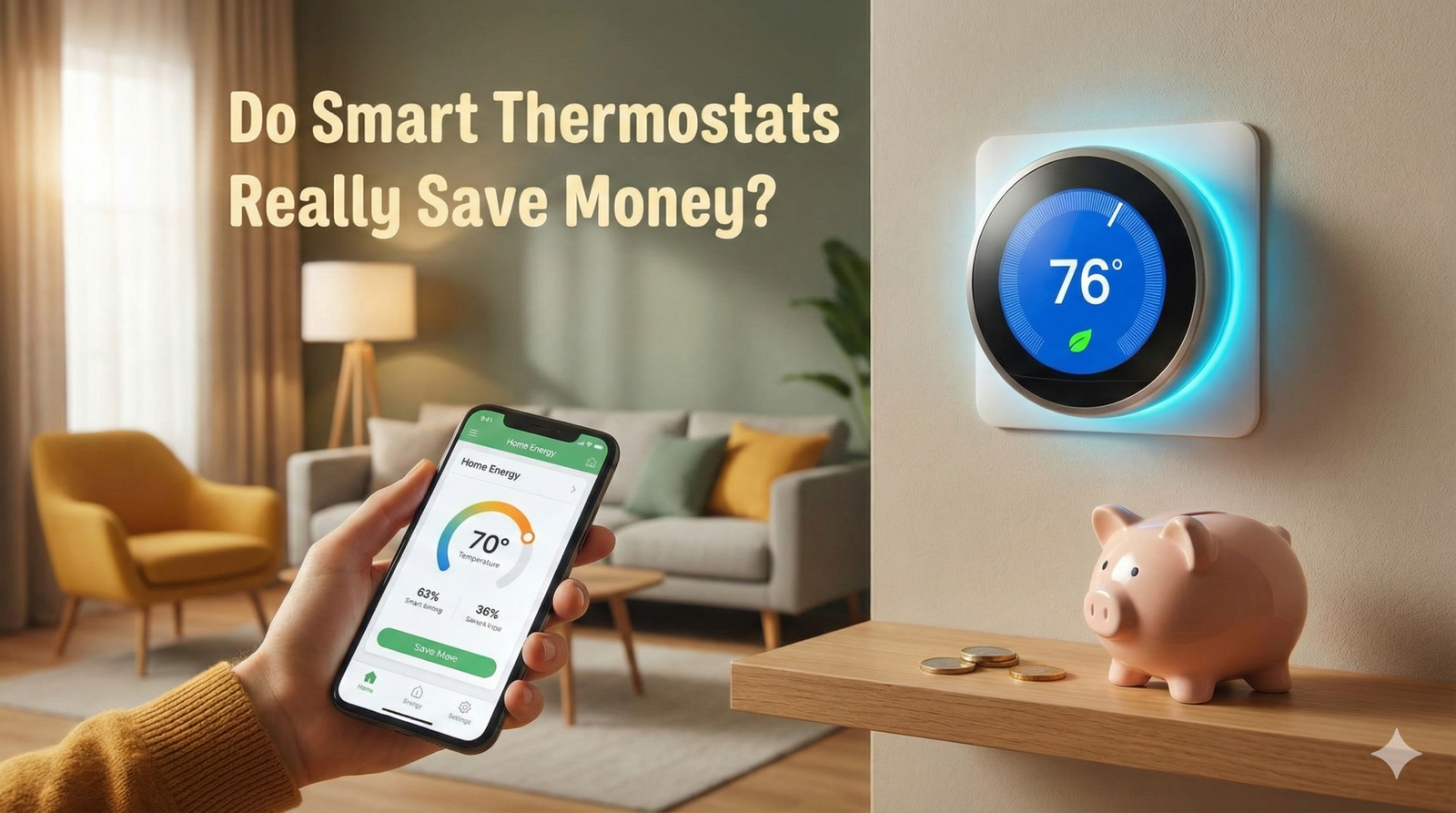
The promise is enticing: install a sleek gadget on your wall, and watch your energy bills plummet. But does the reality match the marketing hype? We break down the data, the mechanics, and the ROI of upgrading your HVAC control.
The Short Answer: Yes, But It’s Complicated
If you are looking for a simple “yes” or “no,” the answer leans heavily toward yes—smart thermostats generally save money. However, the amount you save depends less on the device itself and more on how your home was managed before you installed it.
Smart thermostats are not magical devices that change the physics of your furnace or air conditioner. Instead, they act as highly efficient managers. If you were already diligent about manually adjusting your thermostat—turning it down when you sleep and off when you leave for work—your savings with a smart device might be marginal. However, for the vast majority of homeowners who “set it and forget it,” the savings can be substantial.
To understand the potential ROI, we first need to understand the mechanism. For a deep dive into the basics, check out our article where we have the thermostat explained in simple terms.
The Mechanics of Energy Savings
Smart thermostats utilize three main technologies to reduce energy consumption without sacrificing comfort. Understanding these features helps determine if an upgrade is worth the investment.
1. Learning Algorithms & Occupancy Sensing
Top-tier models, such as the Google Nest Learning Thermostat, use motion sensors and algorithmic learning to understand your schedule. After a week of manual adjustments, the thermostat “learns” that you leave at 8:00 AM and return at 6:00 PM. It automatically sets back the temperature during these unoccupied hours.
2. Geofencing
This is perhaps the most effective money-saving feature. By connecting to the GPS on your smartphone, the thermostat knows exactly when you leave the perimeter of your home. It immediately switches to “Eco Mode” or “Away Mode.” If you run out for errands unexpectedly, you don’t waste energy heating an empty house.
3. Energy Reports and Eco-Coaching
Knowledge is power. Most smart thermostat apps provide monthly energy reports showing how many hours your HVAC system ran. They often award “leaves” or badges for efficient days, gamifying energy conservation. If you are wondering are WiFi thermostats worth it just for the data? For data-driven homeowners, absolutely.
Analyzing the Data: What the Studies Say
Let’s look at the hard numbers. Manufacturers have conducted extensive internal studies, and third-party organizations like Energy Star have verified many of these claims.
- Google Nest: Claims savings of 10% to 12% on heating and 15% on cooling. This equates to average savings of $131 to $145 per year.
- Ecobee: Claims customers save up to 23% on combined heating and cooling costs (compared to a hold of 72°F).
- EPA Energy Star: Smart thermostats that earn the Energy Star certification are independently verified to save energy based on field data.
If your annual energy bill is $1,500, a 10% saving puts $150 back in your pocket. Considering many smart thermostats cost between $100 and $250, the return on investment (ROI) is typically achieved within 12 to 24 months.
However, you need to ensure you choose the right model for your specific needs to see these results. For example, understanding what is the best smart thermostat for energy savings often comes down to whether you need room sensors or just basic scheduling.
Manual vs. Programmable vs. Smart Thermostats
Is the jump from a standard programmable unit to a smart unit justified? Here is the breakdown.
| Feature | Manual Thermostat | Programmable Thermostat | Smart Thermostat |
|---|---|---|---|
| Cost | $20 – $40 | $30 – $80 | $90 – $250+ |
| Remote Access | No | No | Yes (App Control) |
| Learning Ability | None | None | High (AI Driven) |
| Energy Reports | No | No | Detailed |
| Est. Savings | 0% (User Dependent) | 5-10% (If programmed correctly) | 10-23% (Automated) |
Many people struggle with older units. If you find yourself constantly battling your current interface, you might want to see our comparison of Honeywell vs Emerson thermostats to see how traditional brands are pivoting to smart tech.
Why You Might NOT Save Money
While the technology is sound, external factors can negate the benefits. Installing a smart thermostat in an inefficient home is like putting a band-aid on a broken leg.
1. Poor Insulation and Drafts
If your home leaks heat, your furnace will run constantly regardless of how smart the thermostat is. Before upgrading, check your windows and attic insulation.
2. Improper Installation and Wiring
Many older homes lack a C-wire (Common wire), which provides continuous power to the thermostat. Without it, some smart thermostats “power steal” from the HVAC system, which can cause short cycling or system failure. If you notice your thermostat keeps rebooting, this is a likely culprit.
3. The “Comfort” Trap
Smart thermostats make it incredibly easy to change the temperature from your couch via your phone. If you use this convenience to crank up the heat constantly, you will override the energy-saving algorithms.
4. System Compatibility
Not all heating systems are compatible. For example, most smart thermostats run on low voltage (24V). If you have high-voltage baseboard heating, you need a specific type of controller. Read our guide on the thermostat for baseboard heaters to avoid buying the wrong unit.
How Your Climate Zone Changes the Math
One of the most overlooked variables in every manufacturer’s savings claim is climate. A percentage-based savings figure means very little without context, because 10% of a small heating bill in a mild coastal climate is a different number than 10% of a brutal Midwest winter bill. Before you can trust any savings estimate, you need to translate it into your own regional reality.
Homes in extreme climates — the upper Midwest, the Mountain West, the Deep South — tend to see the largest dollar savings from smart thermostats, even when the percentage looks similar to a milder region. That’s because the baseline energy consumption is so much higher to begin with. A 10% reduction on a $3,000 annual heating bill in Minnesota is $300; a 10% reduction on a $600 annual heating bill in San Diego is $60. The device and the algorithm are identical — the climate is what changes the payoff.
Humidity also plays a quieter but meaningful role. In hot, humid climates, an air conditioner has to do double duty: cooling the air and pulling moisture out of it. Smart thermostats that integrate a humidity sensor (Ecobee models are notable here) can moderate the AC’s runtime more intelligently than a simple temperature-only setpoint, which reduces both energy use and the “clammy” feeling that leads people to crank the thermostat lower than necessary.
| Climate Type | Typical Annual HVAC Spend | Estimated % Savings | Estimated Annual $ Savings |
|---|---|---|---|
| Cold (Northern US) | $1,800 – $3,200 | 8% – 15% | $145 – $480 |
| Mixed-Humid (Midwest/Mid-Atlantic) | $1,400 – $2,200 | 10% – 18% | $140 – $395 |
| Hot-Humid (Southeast/Gulf Coast) | $1,600 – $2,600 | 10% – 20% | $160 – $520 |
| Hot-Dry (Southwest) | $1,200 – $2,000 | 8% – 16% | $96 – $320 |
| Mild/Marine (Pacific Coast) | $500 – $1,000 | 5% – 12% | $25 – $120 |
If you live somewhere with a mild year-round climate, don’t be discouraged — a smart thermostat still pays for itself, just over a longer horizon, and the convenience and monitoring features still have value even when the raw dollar savings are modest.
Utility Rebates, Tax Credits, and Demand Response Programs
Almost every savings conversation online focuses on the ongoing energy bill reduction and ignores the upfront cost offset that many homeowners qualify for. This is arguably the fastest way to improve your ROI, because it shrinks the initial investment rather than waiting months or years to recoup it through lower bills.
Instant and Mail-In Rebates
Many electric and gas utilities run rebate programs for ENERGY STAR certified smart thermostats. These typically fall into two categories:
- Instant rebates: Applied automatically when you purchase through the utility’s own online marketplace, often knocking $25 to $100 off the sticker price at checkout.
- Mail-in or online rebates: You buy the thermostat anywhere, submit proof of purchase and proof of installation, and receive a check or bill credit — usually $25 to $150, depending on the utility and model.
Demand Response Enrollment Credits
This is the rebate category most homeowners have never heard of, and it can be worth more over time than the purchase rebate itself. By enrolling your smart thermostat in a utility’s demand response program, you agree to let the utility make small, temporary adjustments to your setpoint (typically 2-4 degrees) during peak grid stress events — usually a handful of afternoons per summer. In exchange, many utilities pay an annual enrollment credit ranging from $20 to $100, sometimes structured as a per-event bonus instead.
Worth checking: Search “[your utility name] smart thermostat rebate” or check the ENERGY STAR rebate finder. Programs vary enormously by state and even by specific utility territory, and many go unclaimed simply because homeowners don’t know to look.
Tax Credits: Manage Expectations
Unlike solar panels or heat pumps, a standalone smart thermostat rarely qualifies for a standalone federal tax credit on its own. Where thermostats do show up in tax credit language, it’s usually bundled into a broader “home energy audit” or HVAC efficiency upgrade package, where the thermostat is one qualifying component among several (insulation, a new high-efficiency furnace, a heat pump, etc.). If you’re planning a larger HVAC overhaul, it’s worth asking your contractor whether adding a smart thermostat to that project pushes the whole bundle into a higher tax credit tier — but buying a thermostat in isolation should not be assumed to generate a credit.
State and Local Programs
Beyond utility-run programs, some state energy offices and municipal programs offer their own thermostat incentives, particularly in states with aggressive decarbonization or grid-reliability goals. These stack on top of, rather than replace, utility rebates in most cases, so it pays to check both your utility’s website and your state energy office before purchasing.
Smart Thermostats and Heat Pumps: A Different Savings Equation
If your home is heated by a heat pump rather than a traditional gas furnace, the savings math changes in an important way that most generic articles gloss over. Heat pumps are extremely efficient at moderate temperature differentials, but they lose efficiency as the outdoor temperature drops — and many systems compensate with electric-resistance “auxiliary heat” or “emergency heat” strips that are dramatically more expensive to run.
Here’s where a poorly configured smart thermostat can actually backfire on a heat pump system. A large overnight setback (say, dropping the temperature 8-10 degrees) forces the system into a big morning recovery. On a gas furnace, that recovery is relatively cheap. On a heat pump, a large temperature swing often triggers the auxiliary heat strips to kick in and “catch up” quickly, which can spike your electric bill and partially offset the savings from the setback in the first place.
Heat Pump + Smart Thermostat Wins
- Compressor-lockout and auxiliary-heat management prevents accidental strip-heat overuse
- Gradual “smart recovery” ramps the temperature up slowly before you wake, avoiding aux heat entirely
- Balance-point learning adjusts behavior as outdoor temperatures change through the season
Heat Pump + Smart Thermostat Risks
- Aggressive setbacks can trigger costly aux heat if the thermostat isn’t heat-pump-aware
- Not all budget smart thermostats support heat pump balance points and aux heat locking
- Multi-stage or dual-fuel systems need specific compatibility checks before purchase
The practical takeaway: if you have a heat pump, prioritize a thermostat explicitly marketed as heat-pump-compatible with adjustable aux heat settings — most mid-range and premium Ecobee and Nest models qualify — and use smaller, more gradual setbacks (3-5 degrees) rather than the deep swings that work well on gas systems. Done correctly, heat pump households often see savings at the higher end of the published ranges, because the smart thermostat is directly solving the auxiliary-heat waste problem that plagues manually operated heat pumps.
Top Contenders in the Market
The market is dominated by a few key players, each with different strengths regarding energy efficiency.
Ecobee
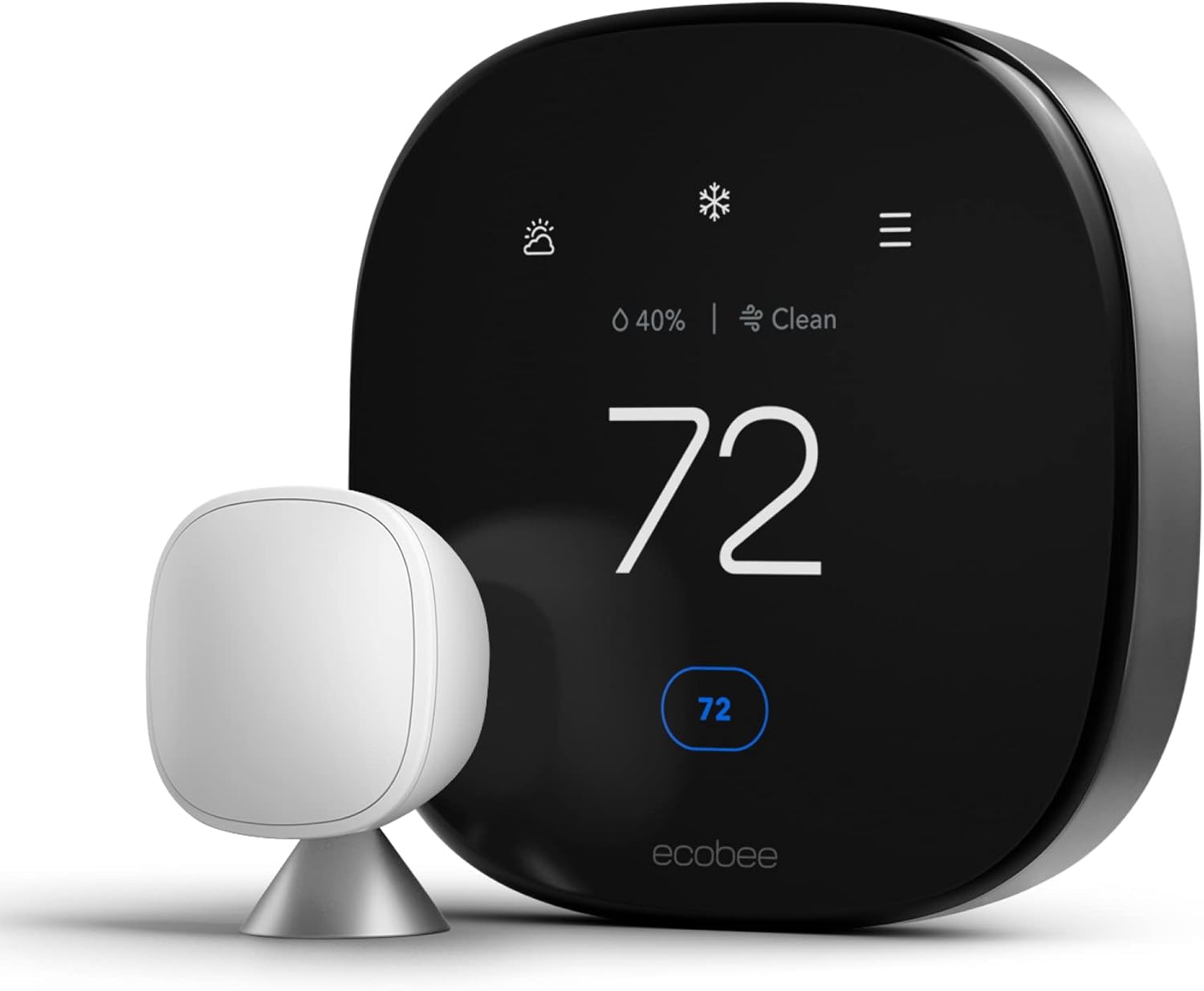
Ecobee is renowned for its remote room sensors. If you have a large home with hot or cold spots, Ecobee can average the temperature or focus on occupied rooms. This prevents the HVAC from running unnecessarily to heat an empty hallway.
Read more: Ecobee vs Wyze Thermostat
Google Nest
Nest is the king of aesthetics and learning. It is best for users who want zero friction—install it, and it programs itself.
Read more: Honeywell Thermostat vs Nest
Budget Options (Wyze, Amazon, Emerson)
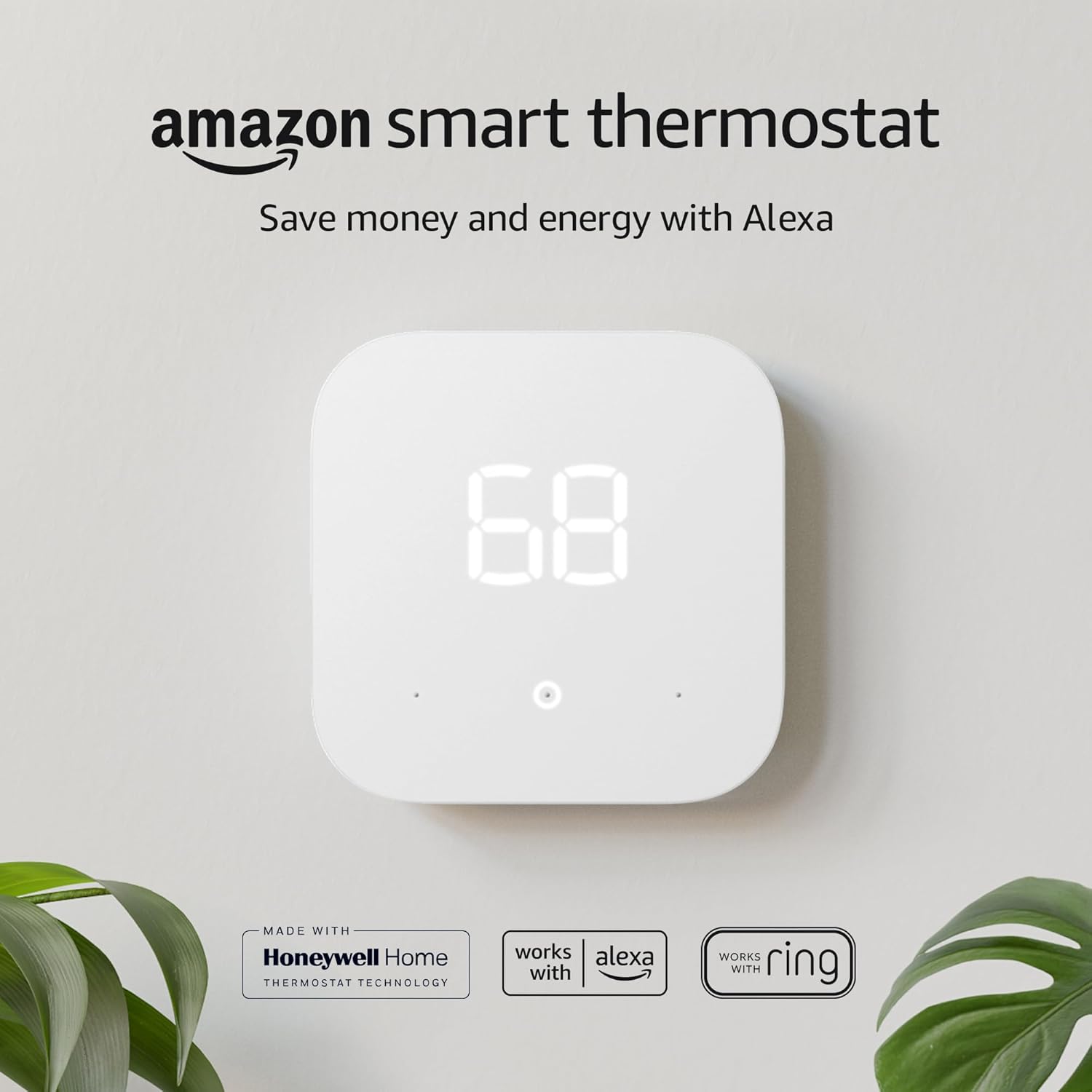
You don’t need to spend $250. Budget smart thermostats offer geofencing and scheduling for under $100, providing the same core energy-saving benefits without the bells and whistles.
Read more: Google Nest vs Amazon Smart Thermostat
Best Value for Money Option

The Ecobee Smart Thermostat Premium includes a room sensor to ensure you are only heating the rooms you use.
Check Price on AmazonGas Furnace vs. Electric Heat: Where the Money Actually Comes From
Not all heating dollars are equal, and a smart thermostat interacts differently depending on your fuel source. Understanding this helps set realistic expectations rather than relying on a single blended percentage figure pulled from a manufacturer’s press release.
Natural Gas Furnaces
Gas is typically the cheapest fuel per unit of heat in most US markets, which means the absolute dollar savings from scheduling and setbacks tend to be smaller even when the percentage savings looks respectable. The upside is that gas furnaces recover quickly from setbacks without the auxiliary-heat penalty that heat pumps face, so aggressive night and away setbacks are usually safe and effective.
Electric Resistance Heat (Baseboard, Wall Units, Furnace Strips)
Electric resistance heat is the most expensive way to heat a home per unit of energy, which means smart scheduling has an outsized dollar impact here — every degree and every hour saved is worth more than the same setback on a gas system. Unfortunately, this is also the category with the most compatibility headaches, since most electric baseboard systems run on line voltage rather than the low-voltage control wiring smart thermostats expect. Homes with electric baseboard heat generally need a specialized thermostat rather than a mainstream Nest or Ecobee.
Dual-Fuel Systems
Some homes use a hybrid setup — a heat pump for moderate temperatures and a gas furnace as backup for extreme cold — specifically to avoid the expensive electric-resistance aux heat problem. A smart thermostat that properly manages the changeover point between the heat pump and the gas backup can meaningfully outperform a basic programmable thermostat in this configuration, because most homeowners never manually optimize that changeover temperature themselves.
The bottom line: if someone tells you “smart thermostats save 15%” without asking what fuel you use, treat that number as a rough average, not a personalized estimate. Your fuel type is one of the biggest hidden variables in the entire conversation.
How to Calculate Your Own Payback Period
Rather than trusting a generic industry average, you can build a reasonably accurate personal estimate in about five minutes using your own utility bills.
- Find your annual HVAC-related spend. Pull the last 12 months of bills, or use your utility’s online usage history, and isolate the heating/cooling portion. If your provider doesn’t break it out, a common rule of thumb is that heating and cooling make up roughly 40-50% of a typical home energy bill.
- Apply a conservative savings percentage. Rather than using the manufacturer’s headline number, use the more conservative independently verified range of 8-12% for most homes, and reserve the higher 15-23% figures for households that are currently doing little to no manual scheduling at all.
- Subtract any rebates from the purchase price. Factor in instant or mail-in utility rebates from the section above — this can cut your effective upfront cost by 10-40%.
- Divide net cost by annual savings. The result is your payback period in years.
Worked example: A $200 thermostat, minus a $50 utility rebate, nets to $150. If your annual HVAC spend is $1,800 and you conservatively estimate 10% savings, that’s $180 per year. $150 ÷ $180 = a payback period of roughly 10 months — faster than most published “12 to 24 month” estimates, largely because the rebate was factored in.
This same formula works in reverse if you want to sanity-check a manufacturer’s claim: divide the advertised annual dollar savings by your actual annual HVAC spend, and see if the resulting percentage falls inside the realistic 8-23% range discussed throughout this guide. If a claim implies 40% or 50% savings, treat it with skepticism — that level of reduction usually points to a previously broken scheduling habit rather than something the thermostat alone is responsible for.
Real Homeowner Results: Why the Range Is So Wide
Manufacturer-published averages are useful as a starting point, but independent field studies and aggregated homeowner reports consistently show a wider spread than the marketing pages suggest. Some households report savings well above the advertised range; a meaningful minority report almost no measurable change at all. Both outcomes are real, and understanding why they diverge is more useful than fixating on a single average number.
Households That Beat the Average
The homeowners who see the largest gains typically share a few traits: they previously used a purely manual thermostat with no schedule at all, they have a household routine predictable enough for geofencing and learning algorithms to lock onto quickly, and they actually review their monthly energy reports and adjust settings based on the feedback rather than ignoring the app entirely.
Households That See Little to No Change
On the other end, households that already used a well-programmed schedule, that frequently override the thermostat manually (which resets or confuses the learning algorithm), or that have an underlying HVAC or insulation problem tend to see savings well below the advertised range — sometimes negligible. In a handful of documented cases, homeowners with erratic schedules or frequent manual overrides actually saw energy use increase slightly, because the “smart” scheduling kept getting interrupted and defaulted to less efficient manual holds.
The honest conclusion, echoed across independent reviews and utility-sponsored field studies, is that a smart thermostat is best understood as a tool that removes the burden of remembering to be efficient — not a device that overrides physics. If your household routine is already efficient, expect modest gains. If it isn’t, the same device can meaningfully outperform the published averages.
Multi-Zone Homes, Smart Vents, and Room Sensors
Larger or multi-story homes present a specific challenge that a single wall-mounted thermostat, smart or not, cannot fully solve on its own: one sensor location cannot represent the temperature of an entire house. This is where a layer of add-on hardware becomes relevant to the savings conversation.
Remote Room Sensors
Ecobee popularized battery-powered remote sensors that report both temperature and occupancy from other rooms in the house. Rather than the thermostat reacting only to the hallway where it happens to be mounted, it can average multiple rooms or prioritize whichever rooms are currently occupied. This prevents the common problem of an HVAC system running constantly to satisfy a thermostat sitting in an unusually hot or cold spot, like near a sunny window or a drafty stairwell.
Smart Vents and Zoning Add-Ons
For homes with persistent hot and cold rooms, smart vent systems (installed at individual registers) can open and close automatically to redirect airflow toward occupied or under-heated rooms. When paired with a compatible smart thermostat, this creates a lightweight zoning system without the cost of installing traditional ducted zone dampers. The savings case here is less about the thermostat itself and more about reducing the waste of conditioning empty rooms at the same rate as occupied ones.
True Multi-Zone HVAC Systems
Homes with existing ducted zoning (multiple physical thermostats controlling different dampers) can generally install a smart thermostat per zone, and most major brands support multi-thermostat households through a shared app. The savings compound here, because each zone can independently apply setbacks, geofencing, and scheduling rather than treating the whole home as one undifferentiated space.
The practical guidance: if you consistently fight with one room being too hot or too cold no matter what the main thermostat is set to, the fix is rarely “buy a fancier main thermostat” — it’s adding sensors or zoning hardware that gives the system better information about the whole house, not just one hallway.
Renters and Smart Thermostats: What You Need to Know
Smart thermostat marketing is overwhelmingly aimed at homeowners, but a large share of searches on this topic come from renters wondering whether the investment makes sense when they don’t own the property.
Get Permission First
Most leases don’t explicitly prohibit swapping a thermostat, but modifying the HVAC control system technically alters fixtures the landlord owns. A quick written request — email is sufficient in most cases — protects you from a security deposit dispute and often gets a fast “yes,” since landlords generally have no objection to a tenant paying for and installing an upgrade.
Keep the Original Thermostat
Don’t discard the old thermostat. Label the wires clearly with tape before removing it, take a photo of the original wiring for reference, and store the unit somewhere safe. Reinstalling the original at move-out is usually a five-minute job and avoids any dispute about “unauthorized alterations” when you leave.
Choose for Portability
If there’s a reasonable chance you’ll move again, prioritize a model that’s easy to uninstall, reinstall, and re-register to a new address, and check whether the brand supports transferring your account and learned schedule to a new location rather than starting from scratch.
The ROI Calculation Is Different for Renters
Renters usually don’t see the utility rebate savings discussed earlier unless the utility account is in their name, and the payback period needs to be weighed against how long you expect to stay in the unit. If you’re on a short lease with utilities included in rent, the money-saving case largely disappears — though the comfort and remote-control convenience may still justify the purchase.
Expert Tips to Maximize Savings
To truly get the 20%+ savings, follow these best practices:
- Trust the Geofencing: Enable location services on all family members’ phones so the HVAC turns down only when everyone is out.
- Adjust the Thresholds: Most smart thermostats allow you to set a “swing” or differential temperature. A wider swing means the system cycles on and off less frequently, saving energy.
- Vacation Mode: Don’t just turn it off; use the vacation setting to prevent frozen pipes without overheating the house. Uncertain about the right temp? Check our guide on what temperature to set your thermostat when on vacation in winter.
- Maintenance: A smart thermostat can’t fix a dirty filter. Ensure your system is healthy. If you are unsure if your hardware is failing, learn how to tell if your thermostat is bad.
Preventive Maintenance Alerts: The Hidden Money-Saving Feature
Most savings conversations focus entirely on scheduling and setbacks, but one of the least-discussed ways a smart thermostat protects your wallet is by catching HVAC problems before they become expensive repairs or full system failures.
Runtime Anomaly Detection
Because a smart thermostat continuously logs how long your system runs to reach a given setpoint, it can flag when that runtime suddenly increases without an obvious cause — a classic early sign of a failing capacitor, a refrigerant leak, a clogged filter, or a struggling compressor. Catching this early, while it’s a $150 repair, is dramatically cheaper than discovering it later as a $4,000 system replacement.
Filter Change Reminders
A clogged filter forces the blower motor to work harder, increasing energy use and accelerating wear on the entire system. Smart thermostats typically calculate filter reminders based on actual runtime hours rather than a generic 90-day calendar reminder, which is more accurate for households with pets, allergies, or heavy HVAC use.
High/Low Temperature and Humidity Alerts
Push notifications for extreme temperature or humidity swings inside the home — particularly useful when traveling — can alert you to a failed system before pipes freeze in winter or before high humidity encourages mold growth in summer. The cost avoidance here isn’t measured in the monthly energy bill; it’s measured in avoiding a single catastrophic repair, which can dwarf years of accumulated energy savings.
When homeowners calculate ROI, they almost always stop at the energy bill line item and ignore this avoided-repair-cost dimension entirely. For a home with an aging HVAC system, the maintenance-alert feature alone can justify the purchase even before a single dollar of scheduling-related energy savings is counted.
Health, Humidity, and Air Quality Monitoring
A secondary but increasingly searched-for angle is whether smart thermostats offer any health-related value beyond pure dollar savings. Several premium models now include, or support add-on sensors for, humidity and basic air quality monitoring.
Humidity Control
Indoor humidity that’s too high encourages mold, dust mites, and a “muggy” feeling that pushes people to over-cool their homes; humidity that’s too low, common in winter with forced-air heating, dries out skin, sinuses, and wood furniture, and can make a room feel colder than the thermostat reading suggests. Thermostats with integrated humidity sensors can moderate fan and system runtime to keep humidity in a healthier 30-50% band, which indirectly reduces energy waste from people over-adjusting the temperature to compensate for humidity discomfort.
Air Quality and Ventilation Coordination
Some higher-end smart thermostats coordinate with whole-home ventilation systems, ERVs, or air purifiers, adjusting fan cycles to maintain air exchange without unnecessarily running the heating or cooling system. This is more relevant to comfort and health than to direct savings, but it’s a frequent adjacent search topic worth addressing for completeness.
Practical Takeaway
If allergies, asthma, or general indoor air quality are a priority in your household, look specifically for humidity sensing and compatibility with your home’s ventilation equipment rather than assuming every smart thermostat handles this equally — many budget models handle temperature scheduling well but omit humidity and air quality features entirely.
Common Issues to Watch Out For
Even the smartest tech has hiccups. Here are a few common problems new users face that can impact efficiency:
- Battery Drainage: If your C-wire isn’t robust, you might see thermostat low battery symptoms frequently.
- False Readings: Placing a thermostat near a kitchen or direct sunlight causes “ghost readings,” making the AC run too much.
- Connectivity: If the Wi-Fi drops, you lose remote control. See why a Sensi thermostat might not be working if you encounter connection issues.
Frequently Asked Questions
Are smart thermostats worth it for small apartments?
It depends on your utility bills. In a small apartment where heating costs are low, the payback period might be longer (3-4 years). However, the convenience of remote control remains a significant benefit.
Do I need a professional to install a smart thermostat?
Most homeowners can install one in 30 minutes. However, if you lack a C-wire or have a complex multi-zone system, professional help is recommended. Check out guides like how to switch out an HZ311 for an Ecobee for DIY confidence.
Will a smart thermostat work without Wi-Fi?
Yes, it will function as a standard thermostat, maintaining the temperature. However, you will lose the “smart” money-saving features like geofencing, remote access, and weather adaptation.
Can I use a smart thermostat with battery power only?
Some models allow this, but it is not recommended for long-term use as Wi-Fi drains batteries quickly. For alternatives, look into the best battery operated thermostats.
Why is my thermostat set to heat but not turning on?
This could be a wiring issue, a safety limit switch on the furnace, or a dead battery. If you encounter this, read our troubleshooting guide: thermostat says heat on but no heat.
Do smart thermostats qualify for utility rebates or tax credits?
Many utilities offer instant or mail-in rebates of $25 to $150 for ENERGY STAR certified models, and demand response enrollment can add another $20 to $100 per year. Standalone federal tax credits for a thermostat alone are uncommon, but it may qualify as part of a larger bundled efficiency upgrade.
Do smart thermostats save more with a heat pump or a gas furnace?
Heat pump households often see the largest percentage gains because a properly configured smart thermostat prevents expensive auxiliary heat strips from firing during large temperature setbacks. Gas furnace households see steadier, if smaller, percentage savings since gas is typically the cheaper fuel to begin with.
Can renters install a smart thermostat?
Yes, in most cases, though it’s best to get written permission from the landlord first, keep the original thermostat to reinstall at move-out, and choose a model that’s easy to uninstall and re-register at a new address.
Why didn’t my smart thermostat lower my energy bill?
Common causes include disabled geofencing, frequent manual overrides that interrupt the learning schedule, an already-efficient prior routine, poor home insulation, or a compatibility issue such as a missing C-wire causing inefficient operation.
Can a smart thermostat help prevent expensive HVAC repairs?
Yes. Many models track runtime and flag unusual increases that often signal an early mechanical problem, and send filter-change reminders based on actual usage rather than a generic calendar schedule, which can help you catch small issues before they become costly system failures.




 Home
Home
 Info
Info
 Compare
 Reviews
 Shop
Shop